

Adesso AKB-160UB Wired Ergonomic Keyboard with Integrated Palm Rest, Chiclet Keycaps, and Multimedia Hotkeys
Original price was: $49.99.$32.88Current price is: $32.88.
Related Products


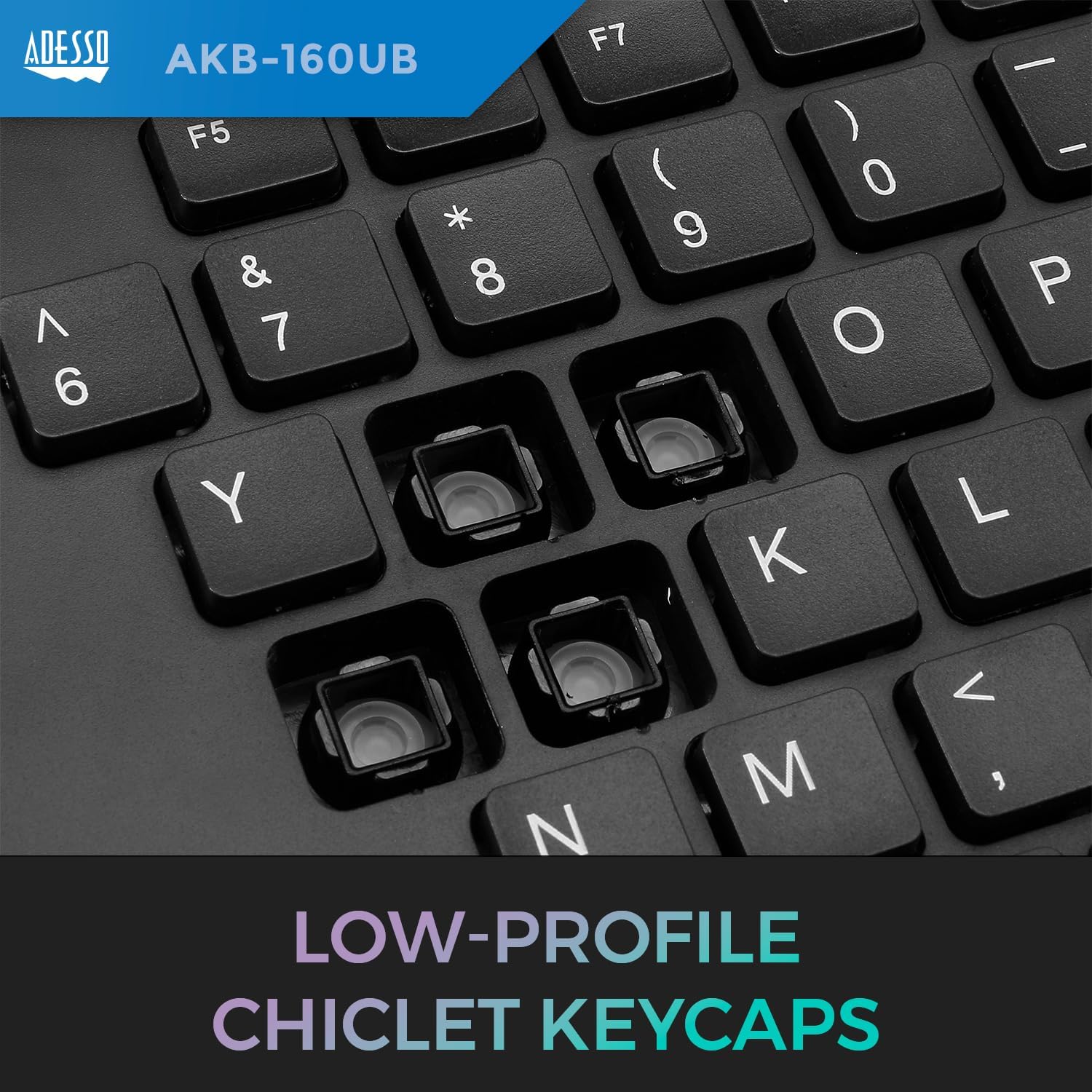


The Adesso Ergonomic Desktop Keyboard offer users two advanced input devices with ergonomic design, and multifunctional features. The design of this keyboard with splitted key zones and gently sloped encourages natural position of hands, wrists, and forearm in maximum comfort for long use. The new chiclet keycap with its larger keycap surface makes typing easier and blends in with the keyboard to make a stylish design.
Quiet Membrane Key Switches: Enjoy a fast and comfortable typing experience with a lifecycle of over five million keystrokes
Split Ergonomic Design: Encourages natural hand, wrist, and forearm positions for maximum comfort during long use
Integrated Palm Rest: Keeps your hands in a natural resting position, relieving joint pain and improving posture
Chiclet Keycaps: Low-profile, sleek design with larger surfaces for easier typing
Multimedia Hotkeys: 17 built-in hotkeys for instant access to Internet and multimedia tools, enhancing productivity
12 reviews for Adesso AKB-160UB Wired Ergonomic Keyboard with Integrated Palm Rest, Chiclet Keycaps, and Multimedia Hotkeys
Add a review

Original price was: $49.99.$32.88Current price is: $32.88.
Timreh Revlis –
Overall, I’m very pleased with this keyboard
This keyboard is quiet compared to several others I’ve owned in the past year (four different Logitechs and a MacAlly).I enjoy getting back to the split keyboard design. I used to have a Microsoft Ergonomic keyboard years ago. I find the split much easier on my wrists.I appreciate having the function keys separate from the media keys because I have direct access to both capabilities without having to think about what ctrl or fn key I need to press for what. My most recent Logitec keyboard defaulted to media keys and there’s a software option to switch F-keys to be the default. Either way, I was having to think, “Do I press a FN key for this or not?”Two features that are undesirable for me are the “Sleep” and “Power Down” keys being so close to other keys. Personally, I’d prefer these two keys not even exist. It’s too easy to hit the “sleep” key instead of the Calculator key, and there’s no stopping it… it’s going to go to sleep — or worse, power down. I decided to remedy the situation. I was thinking these two keys would just pop right out. They didn’t. I had to use a small screwdriver and forceps to wrench them out, cracking the plastic flanges off, and fishing them out of the holes. I then covered the holes with black squares of toolbox liner. Problem solved. I’m pleased with the results.Several have complained that the “wrist rest” is too small. This keyboard does not claim to have a “wrist rest.” It’s a “palm rest.” With that understood, it’s the perfect size. If you want a wrist rest, you can add one of your own.I don’t have much use for the scroll wheel. It moves too far with each “notch” and I haven’t found a way to adjust it. The mouse scroll wheel is much more precise.Overall, I’m very pleased with this keyboard.UPDATE 2024-04-22:It’s been a little over two months, and this keyboard is finished. It’s started repeating spaces on the right spacebar in frantic sequences, racing across the screen. Other keys are starting to duplicate characters as well. This makes the keyboard useless for any serious work. Granted, I use my keyboard up to eight yours a day for significant document creation and editing, but failure shouldn’t occur within the first year, I think.If you want a keyboard that will work for two months, this is a good one. If you want a better quality keyboard that will last longer, look somewhere else.
AnimeWithPantiesOnHerHeadLookingOutAWindow –
Great product for the price.
Best keyboard I’ve used. The keys feel great, easier to press than a regular keyboard. The layout takes a little getting used to if you swap to this from a regular keyboard, but it’s amazing once it clicks.Edit: there is a very annoying POWER BUTTON in the top right of the keyboard. Hard to remove as well.
Ashley Daniels –
Comfortable, Reliable Keyboard for Daily Use
This keyboard is surprisingly comfortable to type on. The built in palm rest actually makes a big difference during long work sessions, and the ergonomic layout feels natural after just a little time getting used to it. The keys have a soft, quiet feel, which I like, but they’re definitely more on the “chiclet” side so if you prefer deeper, clicky keys, keep that in mind.The only thing I’d change is wishing it were wireless, but for a wired setup the connection is stable and reliable. Overall, a solid everyday keyboard that doesn’t strain your hands.
Edward S. –
Cheap And Poorly Made
Stopped working about 2 weeks after the return window closed. Piece of junk.
Big C –
Great Keyboard
I bought this keyboard to replace my broken one. I was not sure if I was going to like the ergonomic design. After getting used to, I love it. The key board is relatively quiet. It has lots of buttons to make task quick. I would definitely recommend.
Iowan –
4th keyboard is a Charm
Finally, after 4 tries, a keyboard that really is ergonomic AND WORKS! 1st keyboard had keys that didn’t work after a month, 2nd keyboard had a stuck space bar, 3rd had stuck space bar and somehow caused a lot of misspelled words. This one is comfortable, all the keys work right and no stuck space bar. This keyboard makes typing enjoyable again. The keys, I think, are at a lower profile and I find I don’t need to pound the keyboard to type, just a nice normal touch works and absolutely no problems with the stuck space bars, really like the layout of keys and space bar.
Michael L. –
Decent for one of the cheapest ergo keyboard
I decided to get my own ergonomic keyboard since I have to type all day.This keyboard is decent, and didn’t take long to get used to. There were only a couple issues that I had, one is that the Enter key got stuck a few times so it kept adding new lines in my text editor.The other issue is that the scroll wheel doesn’t always work. I’ve tried it for websites, Windows settings, and other applications.After a year and eight months of using this keyboard, it now is inputting random keys and makes using my computer difficult or impossible.
RC –
Adesso Akb-160UB Truform Media 160 Ergonomic Desktop Keyboard
I like it a lot, this is my 2nd one after accidentally spilled water on it.This keyboard works great; my wrist rest comfortably on it when I type & very easy to connect.
Dra. Lecter –
La verdad es que ya llevo un buen rato con este teclado y varios meses después sigue funcionando, incluso tengo otros como gamers, tengo laptops, mecánicos de todo pero ninguno como este teclado, su pisado es suave y el acomode de las muñecas es una chulada puedo trabajar horas sin cansarme de la posición. Ninguna queja lo volvería a comprar sin dudarlo.
CSloan –
Love my keyboard. Love the mouse scroll in the middle (allows my right hand for the mouse to take a break).
Burchy –
I bought this as a replacement for the Microsoft 4000. The MS 4000 is quite an old design with clunky noisy keys that need quite a hard keystroke. This looked like a modern version – similar overall shape, wrist rest, and position of non-qwerty keys. However, it is much smaller – that may sound like a good thing, but it isn’t – what looks to be a wrist support isn’t far enough forward to be positioned under your wrists while you type, so if you rest your wrists they’re on the desk as with a standard keyboard. The keyboard is flat – the keypad of the MS 4000 is angled down towards the back and outer edges. I don’t think the wrist position with this keyboard is particularly good. I do like the actual keys – they are lower profile and a lighter keystroke than the MS 4000. It also does look more stylish than the MS 4000. Anyway, I’m returning it (it cost £20.10 so hopefully Amazon with honour their policy of refunding up to £20 postage!) and I’ve bought my third MS 4000.
Angel Rafael Ortega Vazquez –
Muy buen diseño y ergonomico. Tiene muchos botones de acceso rápido muy útiles. El scroll es un gran plus.