

ASUS ZenWiFi BT10 Tri-Band WiFi 7 Mesh, 18 Gbps, 6000 sq.ft (2pk), Dual 10G Ports, Security and Parental Controls Included, Smart Home Master SSIDs, 4G & 5G Mobile Tethering
Original price was: $689.99.$534.85Current price is: $534.85.
Related Products


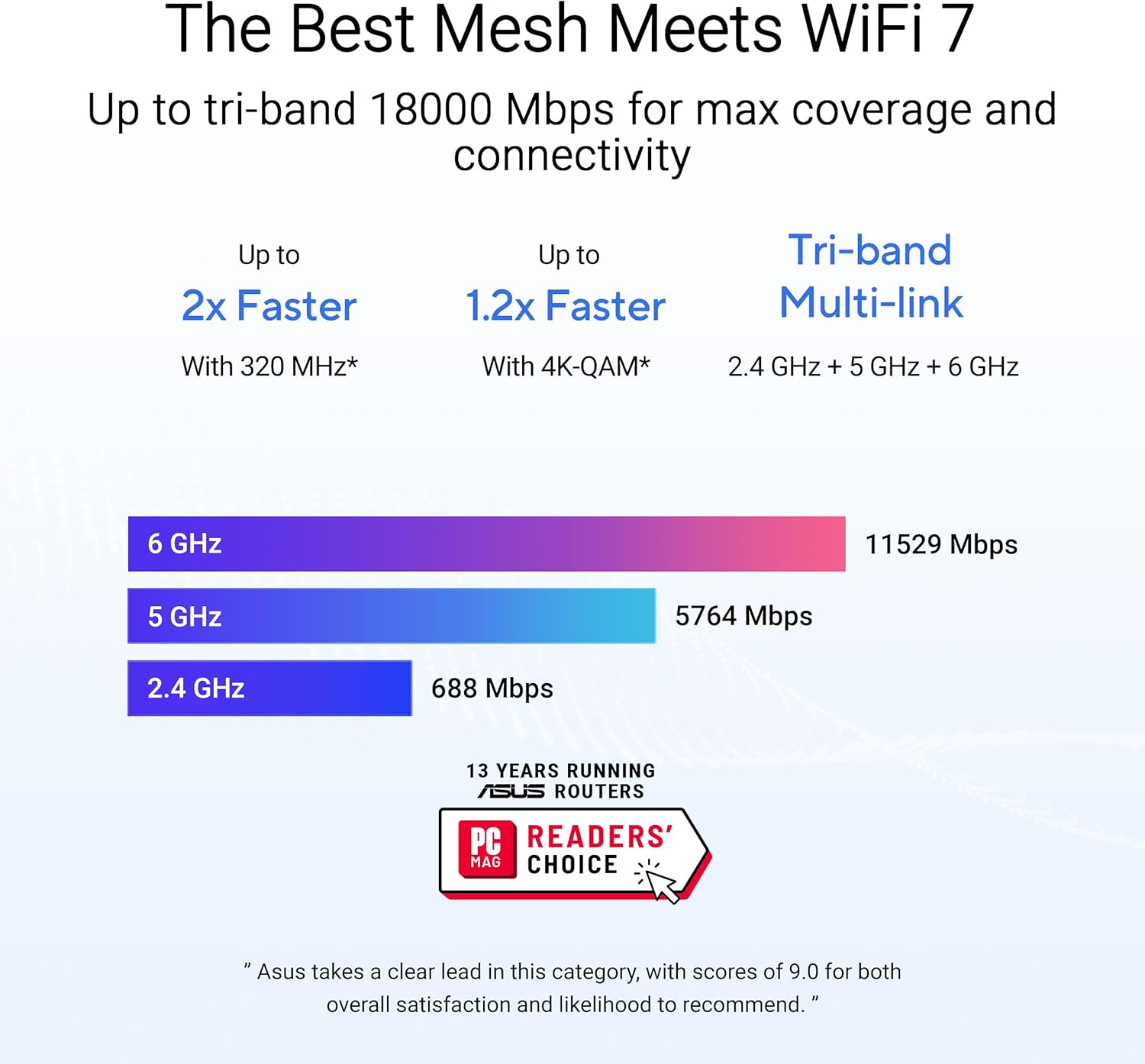


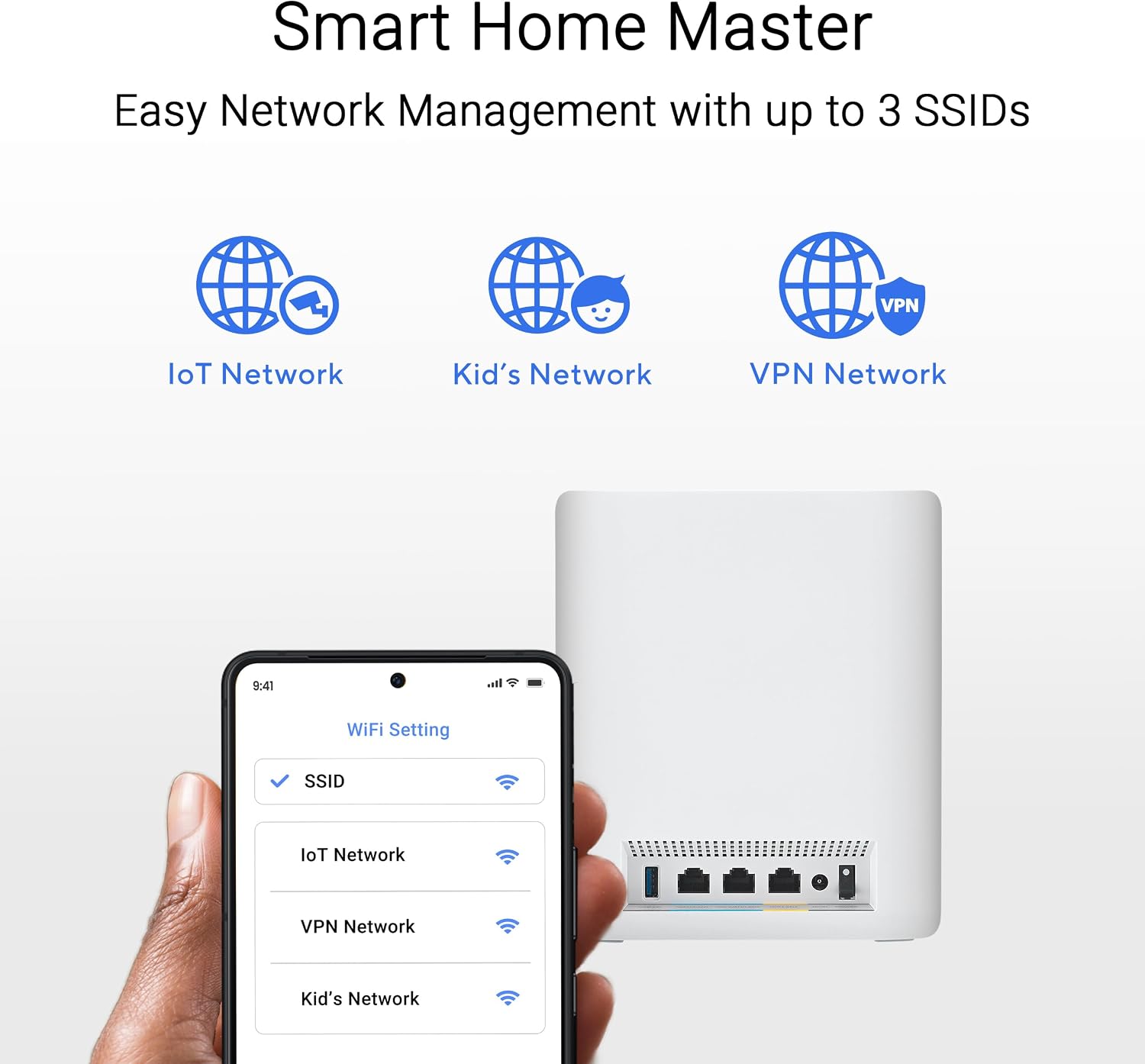

Equipped with cutting-edge WiFi 7 networking technology, the ASUS ZenWiFi BT10 uses the power of AI with AiMesh, delivering a seamless tri-band connection of up to 18 Gbps over 6,000 sq.ft (2pk). Manage multiple SSIDs, VPN connections, and convenient parental controls with the included Smart Home Master.
Powerful WiFi 7 mesh with superior tri-band connectivity future proofs your smart home with blazing fast speeds up to 18 Gbps and extensive coverage of up to 6,000 sq.ft. (2pk)
Ultimate AiMesh powered by AI delivers robust backhaul connections, seamless connectivity for all devices, and a feature-rich whole-home network that scales effortlessly with any ASUS extendable router
Smart Home Master offers effortless network segmentation with up to three SSIDs for easy IoT device setup and management, instant VPN connections, and convenient parental controls.
Eight internal antennas and ten high-power front-end modules eliminate WiFi dead zones in all directions while robust heat dissipation enhances WiFi reliability.
Ultrahigh-speed 10 Gigabit Ethernet with dual 10 G WAN and LAN ports and Multi-WAN including convenient 4G LTE & 5G Mobile Tethering via USB
8 reviews for ASUS ZenWiFi BT10 Tri-Band WiFi 7 Mesh, 18 Gbps, 6000 sq.ft (2pk), Dual 10G Ports, Security and Parental Controls Included, Smart Home Master SSIDs, 4G & 5G Mobile Tethering
Add a review

Original price was: $689.99.$534.85Current price is: $534.85.
AzJazz –
Runs smooth as silk, with great coverage and lots of configurability
The Asus ZenWiFi Pro ET12 is an excellent router. I purchased a two-pack for our 3,300 sq. ft. single story house. We get our full internet bandwidth of 300+ Mbps in every room of our house, with dozens of connected devices. All the devices, including our older 2.4 GHz thermostats, show strong signals.Each mesh node is the same hardware device, so adding an additional node is as simple as purchasing an additional ET12 unit.The initial setup is very straight-forward, and will get you operational in just a few minutes.Initial configuration is accomplished via the Asus Router app. A nice feature is that no registration with Asus is required to use the mobile app, unlike with some other companies.The lower-level technical aspects of your home network configuration is managed through the Asus router webpages. So, you can uninstall the Asus Router mobile app after initial setup if you want, unless you want to access your network configuration remotely (which requires enabling remote access in the webpages).For my uses, network configuration via webpages is a huge plus – After spending an hour or two fine-tuning my configuration, I always like to save my home network configuration settings locally, just in case I need to reset and restore my network settings for some reason in the future. With mobile app-only router configuration, I haven’t been able to export / import my configuration, and some of my configuration settings have been lost in the “cloud”.NOTE: One truly excellent feature on the Asus ET12 that I haven’t seen on other routers (so far) is the capability to connect to all three WiFi frequencies (2.4 GHz, 5 GHz, and 6 GHz) using a single SSID for your mesh network. For some reason, other manufacturers’ routers have required the newer 6 GHz band to use a different SSID than the rest of the mesh network, which defeats a good chunk of having a mesh network in the first place. To enable this functionality, you need to switch the “Smart Connect” option to “Tri-Band Smart Connect”. Once it is enabled, the Asus ET12 handles the WiFi 6 and WiFi 6E handoffs seamlessly with a single SSID.The only minus (and, it’s a tiny one) is that the ET12 doesn’t support an IoT network. That’s OK, if you configure your Guest network to be isolated from your Intranet (the default setting). Assigning our IoT devices to the Guest network assigns the guest and IoT devices to a different IP address range than your main network, so your main LAN network is not accessible to the guest / IoT devices. A separate IoT network would provide additional isolation between devices, but having the Guest network on a different IP address range is still decent security. I am glad to see the different IP address range for the Asus ET12 Guest network, since some other manufacturers don’t always do this. When other manufacturers assign all devices to the same IP address range, you have to rely that the manufacturer has properly isolated the Guest and IoT devices in their firmware somehow instead of relying (partly) on IP Address isolation.Overall, the Asus ET12 is a great 6E Mesh system, with plenty of functionality and bandwidth to cover our needs for many years to come.
Deb D –
Excellent WiFi 7 Router Upgrade
After extensive research and comparison, I chose this model over the BT16 series which are so expensive, and I’m glad I did. For a standard household, two units are more than sufficient to deliver full-speed coverage in WiFi 7 mesh mode.Upgraded from the Asus XT8, and this model is a huge leap forward. Two units easily cover my home with full WiFi 7 speeds—no ethernet backhaul needed. Uploads to my NAS are now much faster, saving me time when working wirelessly.The dual 10Gb ports plus a $100 switch make expansion simple without investing in high‑end gear. Setup was quick with Asus’s familiar interface. With the $200 Black Friday discount, this was an incredible value.Verdict: Fast, reliable, expandable, and worth every dollar.
fixxxer –
AVOID this like router at all costs!!
Where to begin… this has been the biggest purchase regret I’ve had in a long time. I though I would be upgrading from my trusty, but aging, ASUS RT68U. I feel like I have downgraded.As many others have mentioned, the 2.4ghz network is barely usable and not reliable. You think this won’t matter because you want the latest and greatest??? think again, many little IoT devices ONLY have a 2.4g antenna, and they will be borderline useless. The 6ghz network randomly appears and disappears from view on all devices (new phones with WiFi 7).Other big issues: constant connection drops on devices for no reason, i’m not talking roaming devices either – my smart TV just disconnects at least every week. ASUS MESH is iffy on the best of days. USB attached storage is SLOW on the days it works, many days trying to access the storage from a device causes the router to crash and reboot.Oh and reboot times until wifi up and running, about 5 minutes.The 5ghz speeds are fast and range is good, but its not letting me get 10G between devices, even though I have the correct networking cable between nodes.multiple firmware updates haven’t resolved much. i started a return but then didn’t want to reconfigure everything and figured a few updates would fix it – NOPE. should have returned this. especially at the price tag, its a terrible way to spend your money.
Steven F. –
I just upgraded my router to this one. NO regret. Very easy installation, and set up. I put one at basement, and one at living floor. Now connection speed is fast and steady. This will be an excellent investment, and I highly recommend this product to anyone who want an upgrade.I am writing this review for extension for 90 day warranty of this router
Victor Quintero –
Simplemente perfectos, buena calidad de conexión y muchas funciones útiles
David Valdez –
UPDATE: Con la última actualización de MacOS Sonoma (7 de Marzo 2024) ya me dejó conectarme a la red Wifi 6E.—–A pesar de que la laptop ya trae WIFI 6E y el router tiene una red de 6GHZ, la laptop no ve la red y no se puede conectar a ella, solo a la Wifi 5 y 2.4Según revisando con MacOs Sonoma se soluciona para algunos aparatos y actualizando el firmware del router a la versión beta lo soluciona en otros, lamentablemente eso no funcionó en mi caso.Salvo eso, el producto esta muy bien, seguramente en alguna actualización futura ya podrá ver la red.UPDATE: Es un tema de la computadora, compré otro aparato que también soporta wifi 6E y este aparato si puede ver la red, es un tema que la laptop se actualice y ya pueda usar la nueva red.
PS –
Buying these things is the biggest purchase regret I’ve had in a long time. I’m moving from an Orbi system which had it’s flaws, but at least worked. These have been impossible to set up with my ISP. I’ve tried every permutation of settings possible, and it still refuses to work. The router refuses to pick up a WAN IP from the ISPs modem. Firmware manually updated, MAC cloning – nothing has worked.With the amount that I spent on these useless things and the amount of time I wasted trying to get them to work, I could have paid for someone to set up a Ubiquiti system or something similar.Between these routers and my disappointing ProArt laptop, I’m never buying an Asus branded product again.
Sean Wang –
If your home internet speed is not higher than 1.5G, this set would do anything you want to do. Very stable and wide signal coverage