

Epson Workforce ES-C220 Compact Desktop Document Scanner with 2-Sided Scanning and Auto Document Feeder (ADF) for PC and Mac
Original price was: $274.99.$36.99Current price is: $36.99.
Related Products
![Canon Megatank G3290 All-in-One Wireless Supertank [Megatank] Printer | Print, Copy Scan | Mobile Printing |2.7″ LCD Color Touchscreen | Auto Duplex](https://thesmart-zone.co/wp-content/uploads/2025/12/71xXs7dyuWL._AC_SL1500_.jpg)


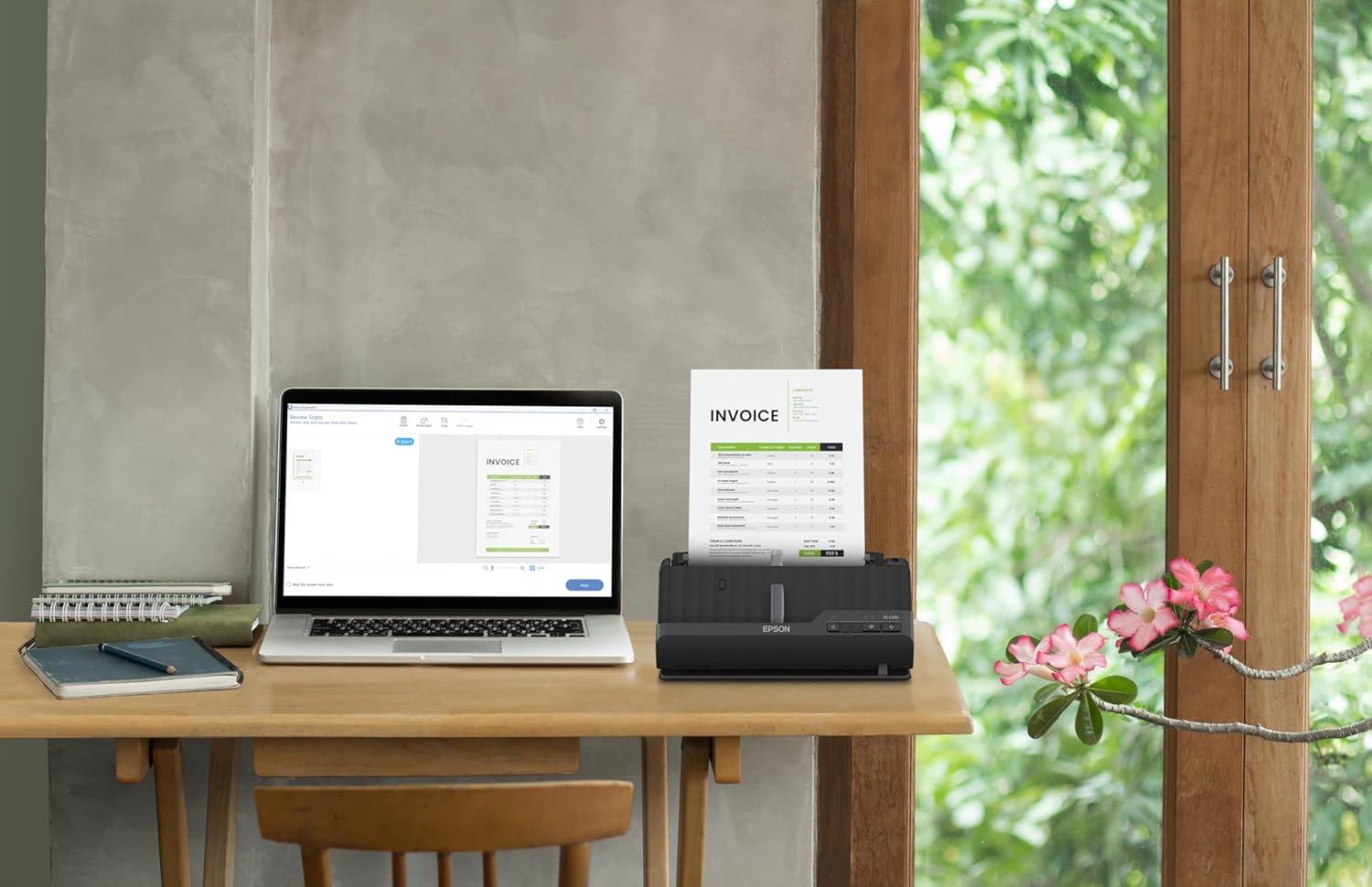


A compact modern wonder, the WorkForce ES-C220 keeps things simple with its intuitive design and exceptional flexibility. With the ES-C220, you can organize stacks of documents and make keeping piles of paperwork for your records a thing of the past. Ideal for the home or office, this easy-to-use scanner is the definition of innovation, saving 60% of desk space (1) and scanning two sides at once as fast as 30 ppm/60 ipm (2). Offering a robust solution to managing your workflow, the included Epson ScanSmart software (3) allows you to preview, email and upload your scans. In addition, help save valuable time with automatic file name suggestion for streamlined file management. The scanner features a 20-page Auto Document Feeder that makes it easy to scan in batches. In addition, the versatile ES-C220 scans papers of varying sizes up to 8.5″ x 120″. Maintain amazing quality with intelligent image adjustments such as cropping, paper skew correction and dirt detection. From the #1 best-selling scanner brand at retail (4), the ES-C220 proves bigger isn’t always better.
1. In vertical path scanning position compared to Epson WorkForce ES-400 II with trays extended. | 2. Based on letter-sized scans at 300 dpi in Black-and-White, Grayscale or Color Mode. |3. Requires Internet connection for Epson ScanSmart software download and installation on a connected Windows PC or Mac. | 4. Source: The NPD Group, Inc., Retail Tracking Service, U.S. & Canada, Scanners, Aug. 2021 – Jul. 2022. | 5. Optional carrier sheet required.
Ultra compact space-saving design — saves 60% of desk space (1) in virtually any environment
Quickly scan two sides at once — single-step technology captures both sides of a sheet of paper in one pass as fast as 30 ppm/60 ipm (2)
Easily scan in batches — robust 20-page Auto Document Feeder accommodates stacks of paper of varying sizes
Remarkable versatility — scan most document types, from standard paper to cards and passports (5), using the flexible scan path
Enjoy amazing image quality — intelligent image adjustments with automatic cropping, blank page deletion, background removal, dirt detection, paper skew correction and staple protection
Powerful software included — easy scanning with intuitive Epson ScanSmart software (3); preview, email, upload and more; automatic file name suggestion and OCR help save time
Convenient portability — small, lightweight design
A confident choice — from the #1 best-selling scanner brand at retail (4)
13 reviews for Epson Workforce ES-C220 Compact Desktop Document Scanner with 2-Sided Scanning and Auto Document Feeder (ADF) for PC and Mac
Add a review

Original price was: $274.99.$36.99Current price is: $36.99.
Poms –
Great Home Office Wireless Scanner.
Perfect for my home office needs. Easy to setup and configure. I configured this scanner to save directly to a folder in my laptop wirelessly. The software is simple and easy to use. The scanner can scan documents one sided or two-sided without rescanning the other side. And it does it fast. It also has OCR capabilities.
Terin M. –
Works well
Nice scanner. Easy hook ups to both my PC and Apple. Scans smoothly and quickly. I have no trouble with stacks and it does get front and back. I like that this scanner can sit up and lay back. I find that longer pages are better to scan with it laying back so that it didn’t fall forward. I love how compact it is, doesn’t take up much deal space at all. Seems to be good quality. It works better than the larger, more expensive scanners used elsewhere in the office.
S. S. Goberman –
EXCELLENT WIRED SMALL SCANNER, BUT….
I’ve had this scanner for two years. Overall, it has done what it is suppose to do, SCAN. This is a small duplex wired (no battery) scanner. Also, no WIFI features. It’s just bare bones simple with fast simple software. Scans are fast and fairly sharp. Also, it comes with a separate power pack & cord, but you don.t need it if your using it with your laptop. Just plug in the USB cord and it will transfer data & power to your scanner. And its small, easy to travel. The only problem is its quirky paper feed. You have to constantly move the first page in the scanner so it seats just right in the feeder. When you have found the right paper position a dull scanner indicator lights turn bright blue. That’s when you know your paper is seated correctly. Otherwise the scanner will not scan. This fidgety paper feed has been noted by many other reviewers. But, for a scanner that cost me less than $175, I can tolerate it.
Rob Walsman –
Fast, Single- and Double-sided, B&W or Color – I love it
I’ve had this scanner for about a year now, and every time I use it, I love it! I just scanned 110 pages, double-sided, in three batches in about 2 minutes. The software offers multiples ways to save it. If it broke down, I’d buy another just like it. The only odd thing is that, at first, I could load the paper and scan by pushing a button, and the software would pop up on my PC to receive the scan. It stopped doing that for some reason. I can live with that. It doesn’t take up much desk space, either, and closes to keep the dust out. I highly recommend it! No problems. No hassles. Nothing but pro scanning ability. Thanks, Epson! Well done!
L F –
Great for work or personal
Works great! Scan multiple docs straight into your laptop to easily access. As a loan signing agent this was fantastic!
SWL –
NOT a bad product but very UNpracticle – a big mistake made by EPSON
A very UNpractical device. I have been annoyed for some time by product developers and programmers who will decide how [un-]handy a device or a software set is for the client. This is a good example of the attitude of this professional group.1 the device cannot be seen by your laptop [in my case: Apple] when the device is turned on. Because the scanner puts itself in sleep mode, so that the laptop can no longer see it. So you often have to turn it on and off to manually establish contact between laptop and scanner. Very inconvenient, and after a while you really start to get annoyed by it.2 if you have scanned and you are going to save the document on the laptop, then you cannot press enter once to definitively link the name to the document. No, you have to go to the mouse or your trackpad to click 2 {!} times before the requested name is saved. Note: this is EPSON’s software, so this is EPSON’s fault3. another thing that makes scanning inconvenient. when saving you only get a limited number of positions for the name of the document. In my case that is insufficient space for 60% of the documents. In order to be able to give your document the full name you have to go to the FINDER to find the document there, click on it, after which you can change the name. Very inconvenient! 4. the automatic feed can only handle a limited thickness of paper. scanning a wrapper around a product for example leads to a jam due to the limited possible paper thickness. Also a pity,
Ed Henk –
Go for it, better than I thought.
This thing is rockin awesome. My second Epson item. Super fast, clear. It scanned a lot at once. Really cool for our home office.
Aaron Scott –
Doesn’t play well with others, software is garbage, design is poor.
Professional users, beware!! I’m disappointed in this scanner. I’d return it, except for it was the only one in my price range that had what I needed. But it has myriad problems. First, and worst of all, it doesn’t work well with any of my software that requires a scanner, notably my electronic filing system. When I first installed it, every time my filing program accessed it, Epson’s own scanning software came up. Only when I laboriously uninstalled ALL the Epson software was my program able to obtain a scanned image. Even then, I discovered that I can only get an image if I scan a single page at a time, which renders the document feeder useless—it would be as efficient to use a flatbed scanner. Second, there is no output tray to catch the scanned pages—they are ejected at high speed, slide across my desk and right on to the floor. I’ve use multiple scanners over the years and this is the ONLY one that doesn’t work well with programs that use scanners. They obviously don’t expect it to be used in offices, only by home users who only occasionally want to scan something. Three thumbs down.👎👎👎
Dennis –
Wow, what can I say, this is a great little scanner! I bought it to replace an old Canon flatbed scanner that I have been using for 7-8 years to scan documents into my computer. What used to take 20 minutes to scan a 10 page double sided document I can now do in a couple of minutes – and the image quality is excellent!I was planning on keeping the old flatbed scanner in case I wanted to scan photos, but the image quality is so good on the ES-200 that I have no need to keep the old one around.The software that comes with the scanner works well. You place the sheets in the feed tray and then press the scan button. The software automatically opens on your computer and it begins scanning the pages. When it has finished, you can delete or reorder the pages, then either save the document or do one of many things, like emailing it or uploading it to cloud storage. The software can do OCR to automatically detect the text in a document making for easy searching or copy/paste.Word of warning though, the scanner does not come with a software disk, just a sheet of paper with a web address where to go to download the software. But I had no problems downloading and installing it.Overall, this scanner is everything that I hoped for, and works flawlessly for my needs. The portability and excellent image quality are just a bonus.
Fermín Núñez –
Me gustó mucho su funcionamiento, supero mis espectativas, lo recomiendo ampliamente.
Nancy –
Parfait et très compacte, il fait exactement ce qu’il est inscrit sur la ficheet le prix est vraiment pas cher.
ANA LEITE –
Superou as minhas expectativas!!O scanner é pequeno e prático!É rápido, digitaliza frente em verso de uma só vez, e o menu é intuitivo.O arquivo digitalizado pode ser salvo, enviado para a nuvem, enviado para a impressora, entre outras opções.Recomendo!!
David –
I bought this to scan lead pencil drawings (for an animation so LOTS of pages) and the software said the pages were blank (no idea why) and would just not scan. So I tried scanning with Image Capture (Apple’s native scanning software) and it worked just great. You don’t get all the Epson Scanner software features but I found I don’t need them. Super fast, great images, perfect!