

Epson Workforce Pro WF-4834 Wireless All-in-One Printer with Auto 2-Sided Print, Copy, Scan and Fax, 50-Page ADF, 500-sheet Paper Capacity, and 4.3″ Color Touchscreen
$149.99
Related Products


![Canon Megatank G3290 All-in-One Wireless Supertank [Megatank] Printer | Print, Copy Scan | Mobile Printing |2.7″ LCD Color Touchscreen | Auto Duplex](https://thesmart-zone.co/wp-content/uploads/2025/12/71xXs7dyuWL._AC_SL1500_.jpg)


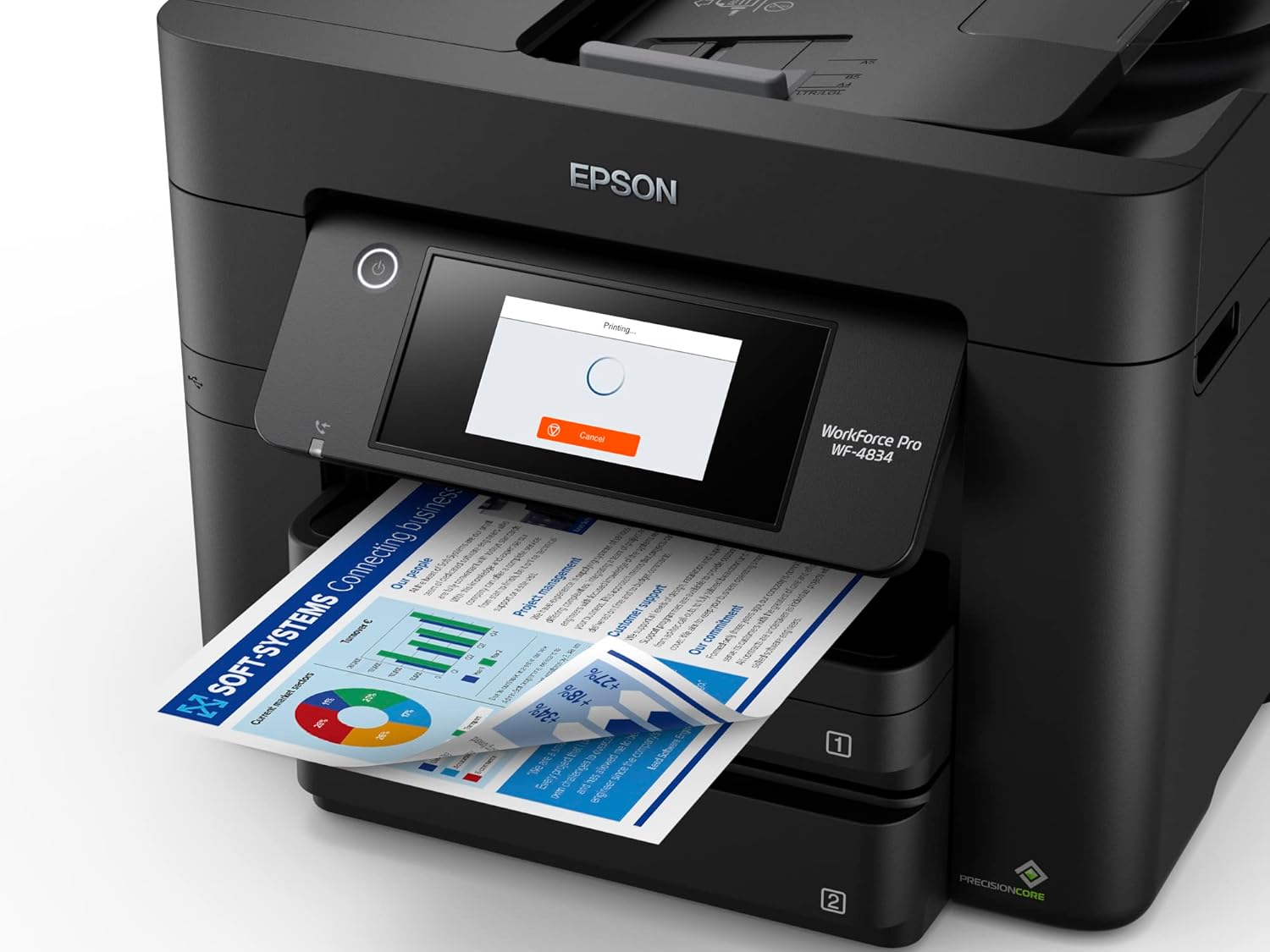


Streamline workflow and increase efficiency with the ultra productive WorkForce Pro WF-4834. A complete duplex solution, the WF-4834 offers auto 2-sided print, copy, scan and fax, plus a 50-sheet Auto Document Feeder, to quickly and conveniently accomplish a variety of tasks. Providing high-speed printing, the WF-4834 uses state-of-the-art PrecisionCore Heat-Free Technology and vivid DURABrite Ultra inks to deliver professional-quality prints at an astounding 25 black/12 color ISO ppm. The perfect choice for fast-paced work environments, the WF-4834 makes high-volume printing easy with an intuitive, 4.3″ color touchscreen, a large, 500-sheet paper capacity and simple, wireless connectivity.
1. Requires Epson Smart Panel app download and a compatible smart device. Data usage fees may apply. For more information, please visit Epson.com/support | 2. Most features require an Internet connection to the printer, as well as an Internet- and/or email-enabled device. For a list of Epson Connect enabled printers and compatible devices and apps, visit www.epson.com/connect | 3. Wi-Fi CERTIFIED; level of performance subject to the range of the router being used. Wi-Fi Direct may require printer software. | 4. Based on comparing manufacturers’ reported TEC values of the best-selling, similarly featured color laser printers priced about $999 (USD) or less with print speeds of 40 ppm or less as of February 2020.
High-speed printing — PrecisionCore Heat-Free Technology delivers high-speed, high-volume printing with 25 black/12 color ISO ppm and fast first-page-out
High-precision printing — accurate dot placement and DURABrite Ultra instant-dry pigment inks for professional-quality prints
High-volume reliability for heavy workloads — innovative heat-free technology designed for reliability and reduced downtime
Complete duplex solution — auto 2-sided print, copy, scan and fax; plus 50-sheet ADF
Maximize productivity — with 500-sheet paper capacity; includes two 250-sheet trays for added convenience
Easy to use — 4.3″ color touchscreen for quick navigation and control, plus all-new Epson Smart Panel App¹ for enhanced connectivity and productivity from your mobile device
Convenient, wireless setup — using a smartphone or mobile device² with Bluetooth Low Energy (BLE); also includes built-in wireless, Wi-Fi Direct³ and Ethernet networking
Seamless scanning — Epson ScanSmart supports easy scanning and editing with a user-friendly interface
Comprehensive security features — including secure wireless and Secure Data Erase
Low energy consumption⁴ — with PrecisionCore Heat-Free Technology
8 reviews for Epson Workforce Pro WF-4834 Wireless All-in-One Printer with Auto 2-Sided Print, Copy, Scan and Fax, 50-Page ADF, 500-sheet Paper Capacity, and 4.3″ Color Touchscreen
Add a review

$149.99
cynthia arnold –
Worth it!
Easy set up! Easy to use via phone! Well worth the money. Print works well. Color of course takes a little longer but not an issue. Had no issues with the connection.
Atypical Lady –
Hands down, the WORST printer I have ever owned. In THIRTY years.
I love Epson print quality so when my Epson finally bit the dust I HAD TO have another Epson. After lots of research I bought this one.It takes FOREVER to wake up and print. It shouldn’t take 5 minutes to wake up.I am a VERY light user. At the time of this initial review I’d maybe printed 500 pages total, so it’s not like this thing has been put through the ringer or anything.This thing CONSTANTLY jams. Or says it’s jammed. It may or may not be. But you’ll have to go through the motions every time you want to use it anyhow.It burns through ink faster than a cracked out toddler dumping paint all over the floors and walls.WHEN ONE COLOR RUNS OUT YOU CAN NO LONGER PRINT B&WI’m sure there are more reasons why I hate this printer, I’ll try to come back to add them if I think of them.THIS PRINTER HAS INSPIRED ME TO DISASSEMBLE MY OLD EPSON AND BECOME A PRINTER REPAIR TECH IN MY FREE TIME IN HOPES OF GETTING THAT ONE TO WORK. I don’t recommend that route either.I think Epson has lost me forever.All I want is a printer with their great print quality, two paper trays that accept different sizes, and a rear loader for heavier paper, that doesn’t cost an arm and a leg. My old WorkForce did all of that beautifully and for whatever reasons they decided that shouldn’t be an option anymore. RUDE.UPDATE: This pile of junk will ALSO say that it is out of paper when in fact it is not. I hate it, so so so much.
Joseph Carrabis –
Does the job
This replaces a previous Epson Workforce whose number I forget, but which we had for a l o n g time (I’m thinking close to twenty years). We decided on Epson because our previous unit had such a long productive life.So far, so good.
Andy –
Own 8 of these
We use these printers in all our offices. Easy setup, great Mobile app to print from phone, and inexpensive. Throw it away when it quits.Use the XL in packages for the best value.
Garth –
Good printer
Good. Wificonnection good.
Dennis Courtney –
Cannot print #10 envelopes without jamming
Generally an OK printer for the price. Dont try printing on anything other than standard size plain paper though. Paper tray is difficult to load envelopes and the printer jams EVERY time.
RA –
Wf4834
Presently meets the needs.
Candy Marie –
The ink is too expensive and y’all scamming people.
I don’t recommend this printer unless you want to waste ink. I ran a test and after the test my ink was low. The ink is expensive $70.00 who wants to keep paying for Epson high ink.