

FIFINE Gaming Audio Mixer, Streaming RGB PC Mixer with XLR Microphone Interface, Individual Control, Volume Fader, Mute Button, 48V Phantom Power, for Podcast/Recording/Vocal/Game Voice-AmpliGame SC3
Original price was: $79.99.$49.99Current price is: $49.99.
Related Products


Product description


The video showcases the product in use.The video guides you through product setup.The video compares multiple products.The video shows the product being unpacked. FIFINE Gaming Audio Mixer Merchant Video
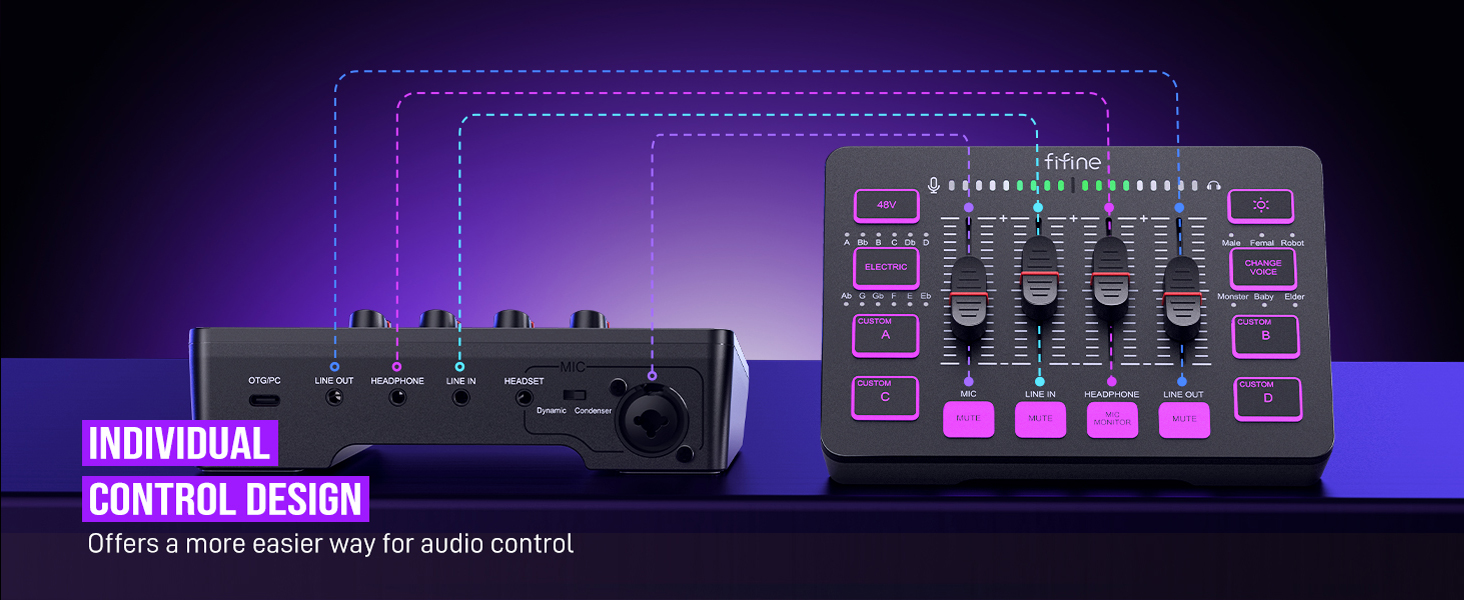
1 Individual Control Design
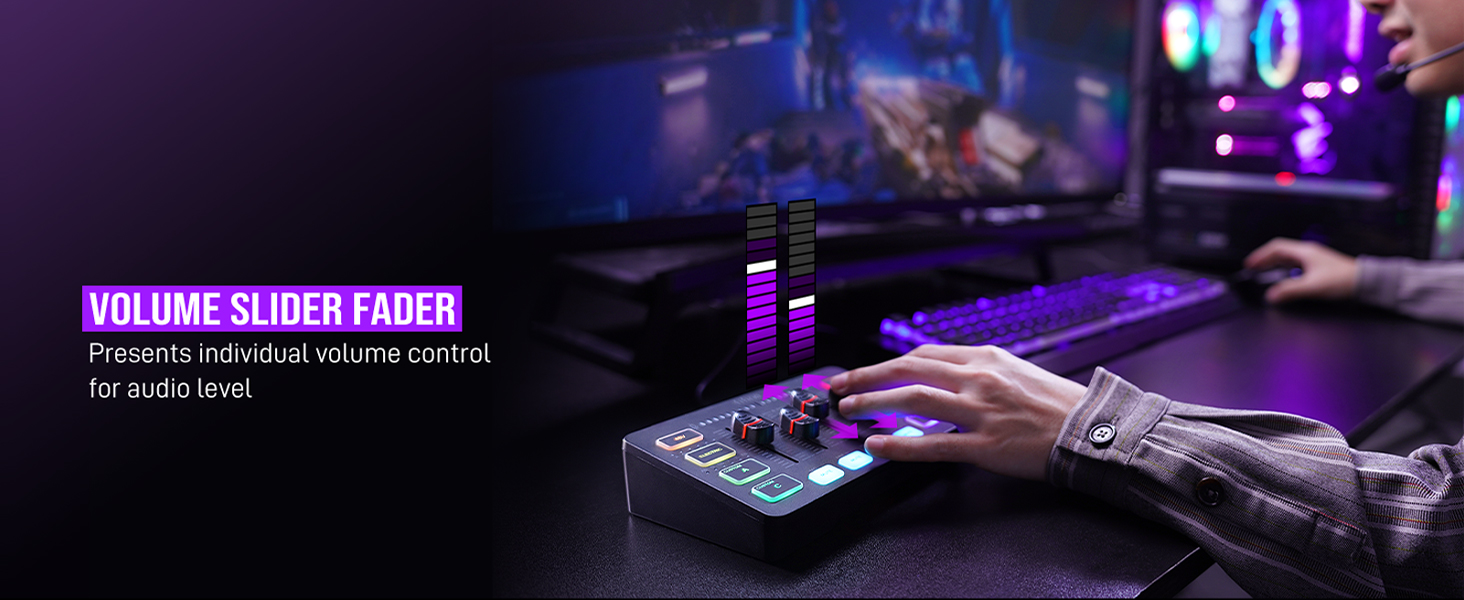
2 Volume Slider Fader
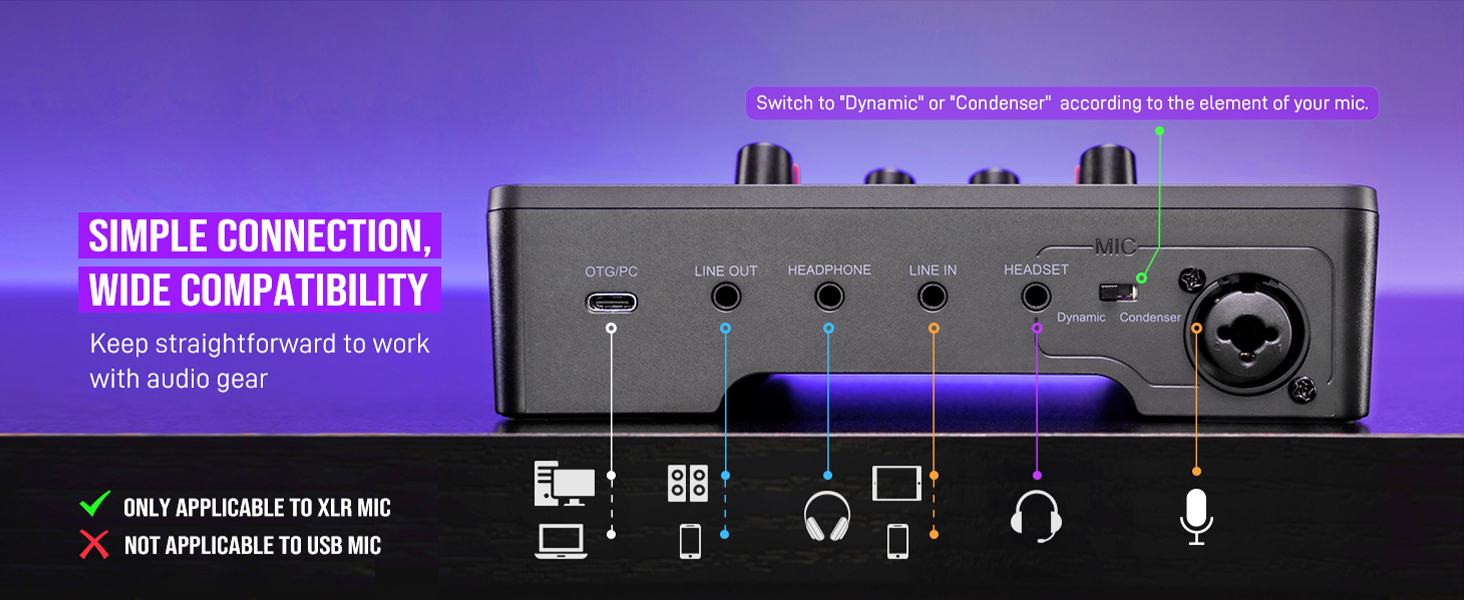
3 Simple Connection
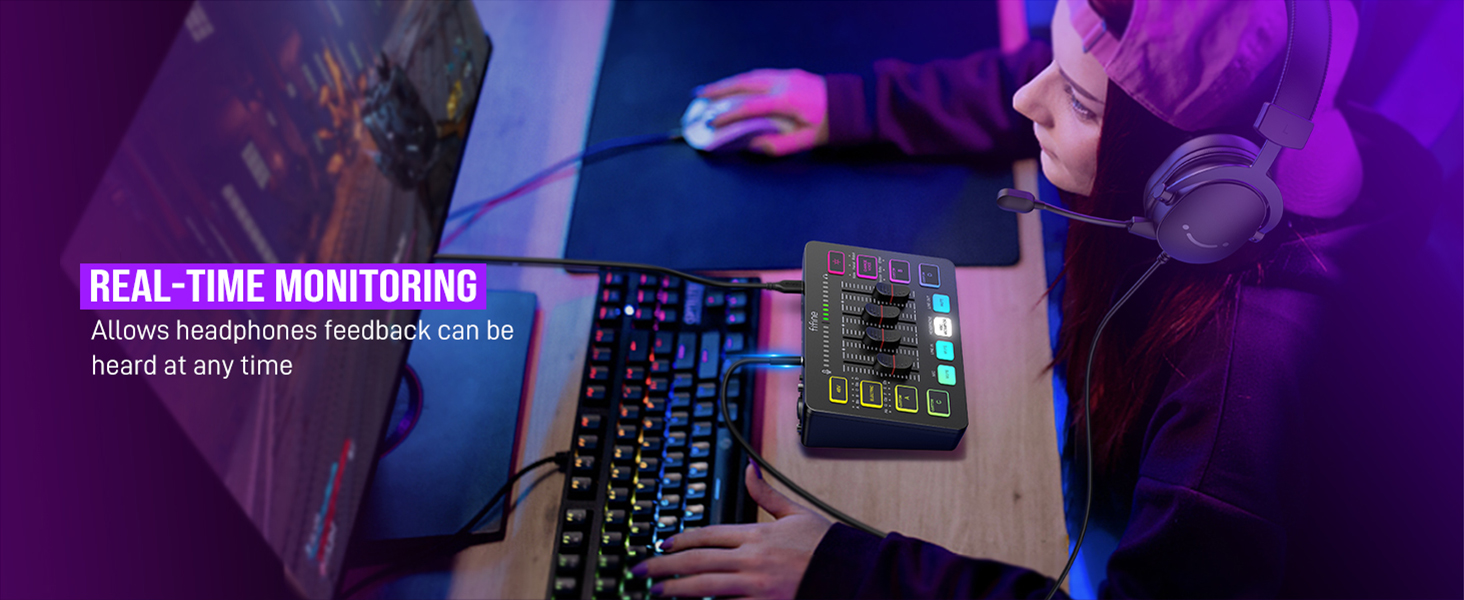
4 Real-time Monitoring
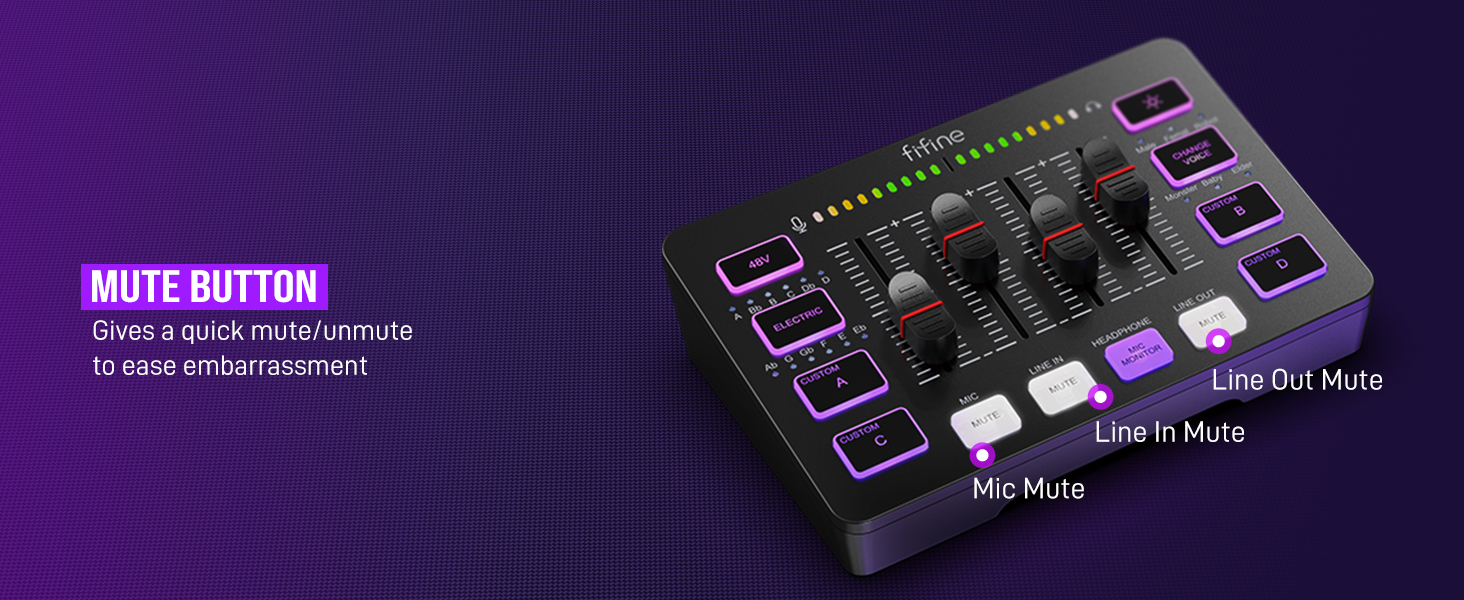
5 Mute Button
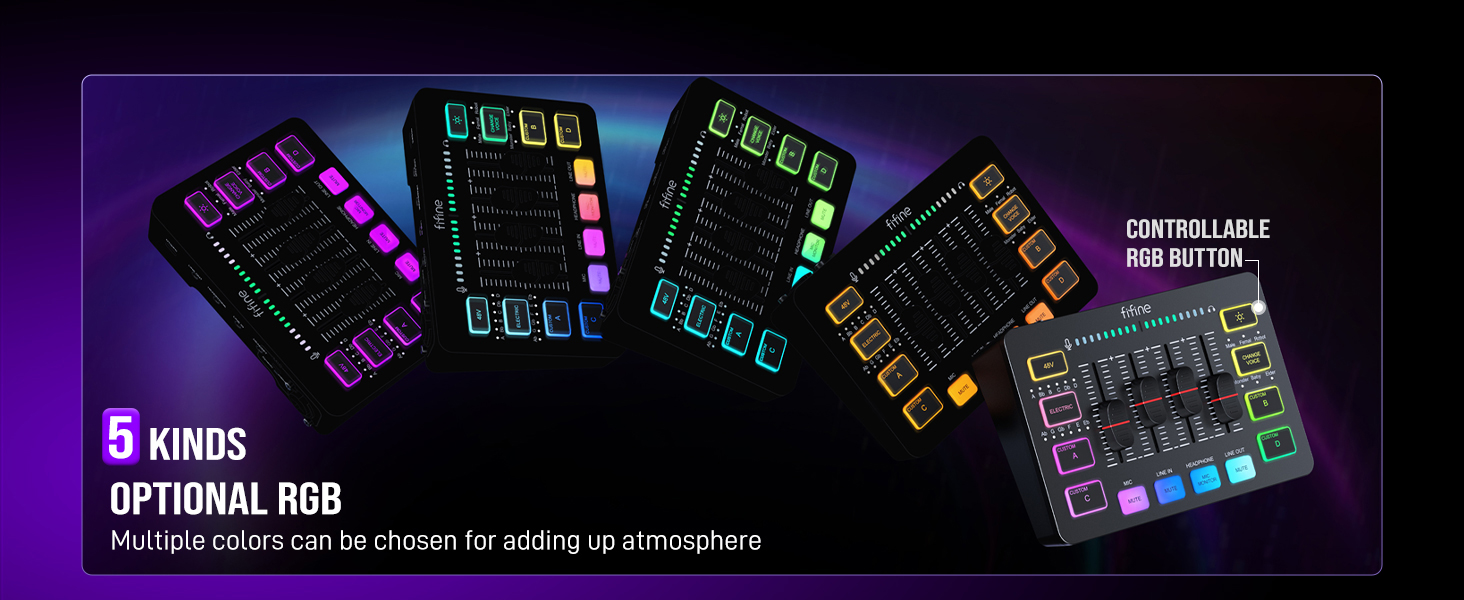
1 5 Kinds Optional RGB
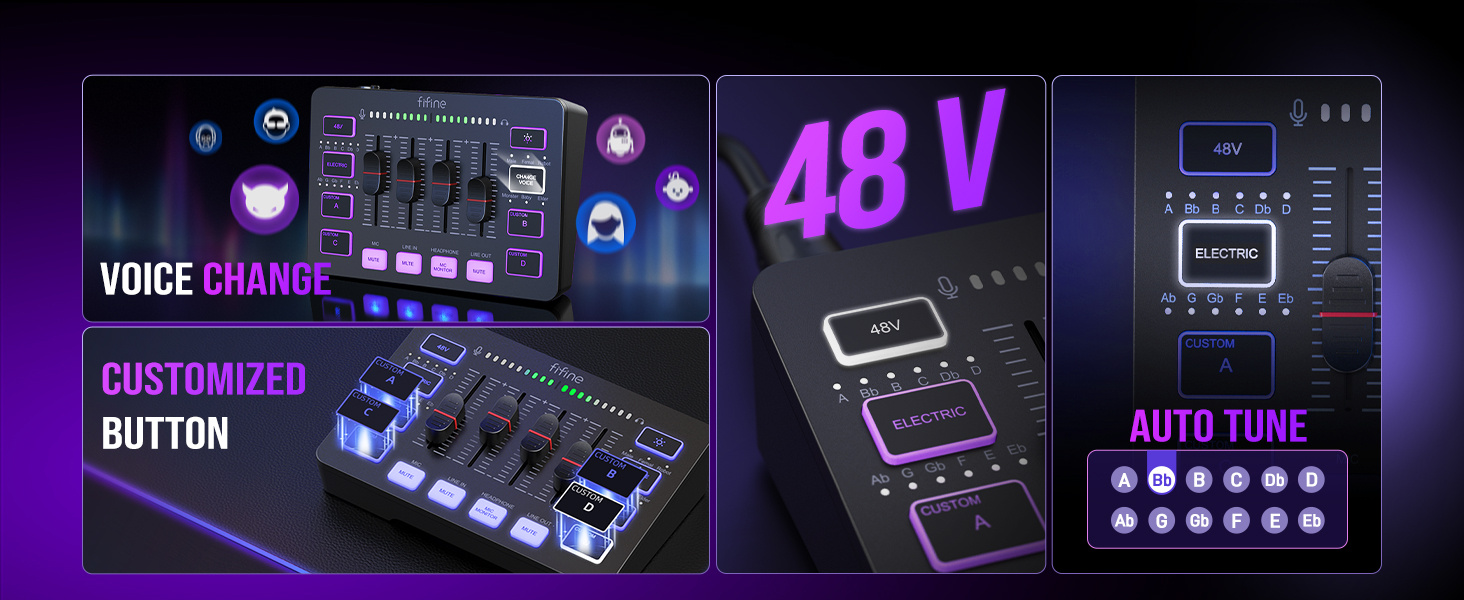
2 Effect Buttons
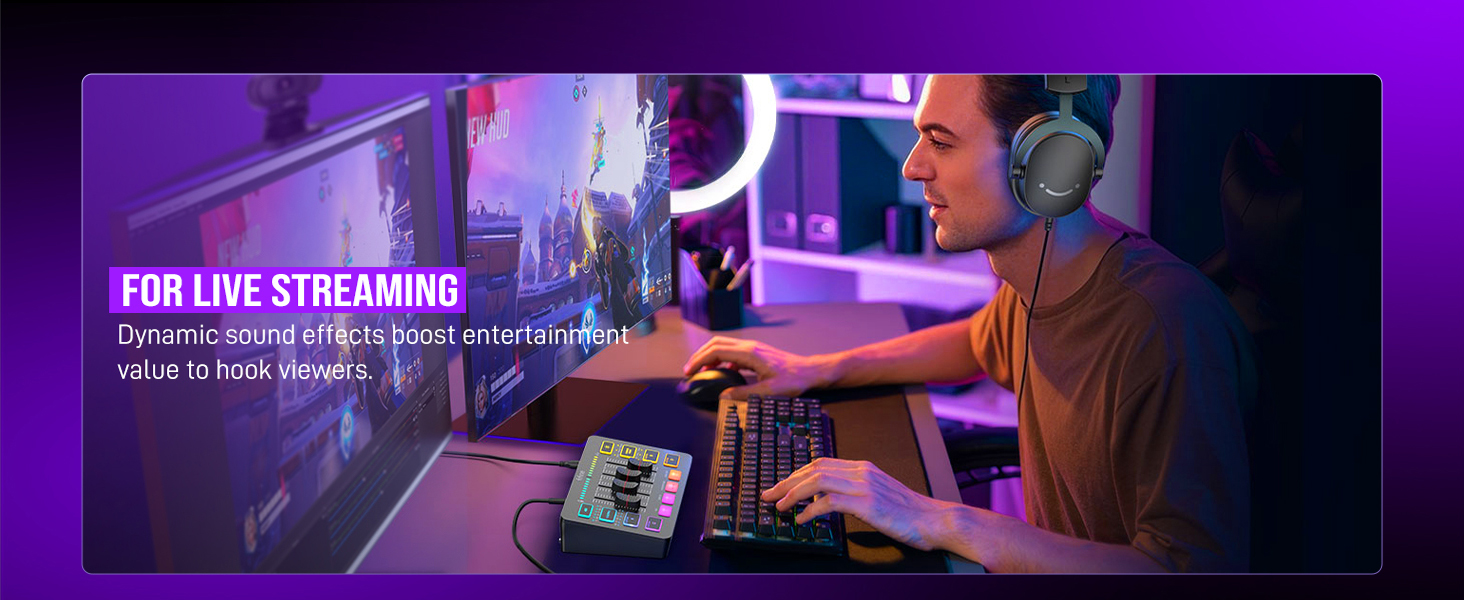
3 For Live Streaming
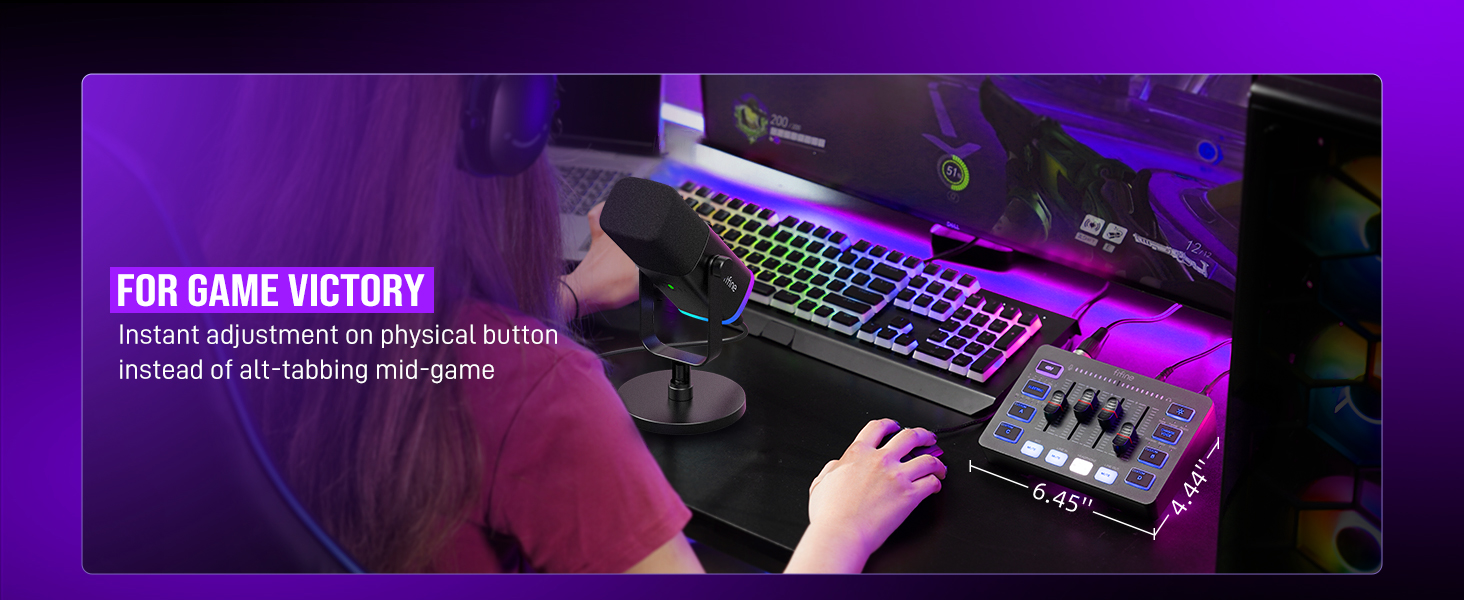
4 For Game Victory
Audio Recording Setup
Add to Cart
Add to Cart
Add to Cart
Add to Cart
Add to Cart
Add to Cart
Add to Cart
Customer Reviews
4.3 out of 5 stars 3,951
4.4 out of 5 stars 91
4.3 out of 5 stars 3,951
4.3 out of 5 stars 367
4.5 out of 5 stars 499
4.4 out of 5 stars 1,894
4.3 out of 5 stars 1,440
Price
$49.99$49.99
$79.99$79.99
$51.99$51.99
$54.99$54.99
$99.99$99.99
$23.99$23.99
$23.99$23.99
Product Item
Audio Mixer
Audio Mixer
Audio Mixer
Audio Interface
Audio Mixer+XLR/USB Mic
Headphones Amplifier
Line Mixer
Features
Individual Channels Control
Individual Channels Control
Individual Channels Control
Mic Input, Instrument Input
Individual Channels Control
Stereo Audio Quality
Stereo/Mono Operation
Specials
Volume Fader, Controllable RGB
Volume Fader, RGB, EQ, 7.1ch
Volume Fader, Controllable RGB
Audio Gain Indicator
Volume Fader, Controllable RGB
Compact Portable, Low Noise
Compact Format, Low Noise
Function of Mixer
48V Phantom Power/Mute/Monitor
48V Phantom Power/Mute/Monitor
48V Phantom Power/Mute/Monitor
48V Phantom Power/Monitor
48V Phantom Power/Mute/Monitor
Individual Level Vol. Control
Individual Level Vol. Control
More Function of Mixer
Customized Sound, Voice Change
Customized Sound, Voice Change
Customized Sound, Voice Change
Gain Knob/Vol. Knob
Customized Sound, Voice Change
LED Indicator
LED Indicator
Uses
Game Voice, Live Streaming
Game Voice, Live Streaming
Game Voice, Live Streaming
Instrument Recording, Podcast
Game Voice, Live Streaming
Monitoring Tracking, Live Use
Audio Sources Blending
Widely Uses
Audio Recording, Entertainment
Audio Recording, Entertainment
Audio Recording, Entertainment
Music Creation, Play and Sing
Audio Recording, Entertainment
TV Listen, Studio/Stage
Instrument/Audio Mixing
Compatibility of Mixer
Computer,XLR/1/4’’ Mic,Phone
PC, XLR/1/4’’ Mic, Phone, TV
Computer,XLR/1/4’’ Mic,Phone
XLR/1/4’’ Mic/Guitar/Bass
Computer,XLR/1/4’’ Mic,Phone
Speaker, Headphones
Microphone, Guitar
Widely Compatibility of Mixer
Headset,Speaker,Headphone
Headset,Speaker,Headphone
Headset,Speaker,Headphone
Computer,Speaker,Headphones
Headset,Speaker,Headphone
Television
Bass, Keyboard
Can I adjust the mic gain by using this audio mixer?
Sure! The audio mixer comes with mic volume fader. You can push the fader gradually from the zero until desired loudness depending on your mic gain.
When do I need to turn on the 48V phantom power?
The mixer offers 48V phantom power for XLR condenser mic. Check the mic’s specs. Press “48V” button to turn on (in white light) if needed. Turn it off if not needed to avoid damage or noise. Phantom power does not enhance mic volume.
Can I use the audio mixer with a condenser mic or dynamic mic?
Yes, the audio interface has XLR input for condenser mic or dynamic mic (but not compatible for USB mic). Remember to switch to “Dynamic” or “Condenser” according to the element of your mic by using the switch beside the XLR input to minimize noise.
What headphones can I use with this audio mixer?
It is suggested to use 3.5mm wired headphones (TRS or TRRS) whose impedance is 32 or 64 ohms. Like Fifine H8 (ASIN: B0B6BPVS3Z). Please note that the MIC MONITOR button is turned on and HEADPHONE channel volume not to zero during monitoring.
Can I listen to my voice while recording on a Windows computer?
Yes. Just make sure that the mixer is set as the output and input device of the computer, then check the box “Listen to this device” from the sound setting, and turn on the MIC MONITOR button on the mixer. (MIC MONITOR button in white means on)
[XLR Mic Input] One XLR microphone input interface is set on the gaming audio mixer, which is great to up your audio quality with your XLR setup. The XLR mixer is a stepping stone to upgrade your live streaming. Audio mixer offered built-in 48V phantom power which opens up more choices for mics. Directly use it with your condenser microphone but do not solve added peripherals. (NOT available for USB mic)
[Individual Channel Control] Gaming audio mixer for one mic recording with smooth volume slider fader take your streaming recording to a whole new level with full pleasure. Four independent channels set on the DJ mixer give audio volume of the MICROPHONE, LINE IN, HEADPHONE, and LINE OUT channels individual control. Configurable on the PC audio mixer instead of just operating on your game or streaming software.
[Mute and Monitor] The front mute and monitor buttons but not at the back, make it easier to get the audio interface use. Ability to mute audio, the audio mixer for streaming prevents background noise from damaging your live broadcast. Real-time feedback between speaking and hearing will not distract your attention, which encourage you to speak more confidently. The sturdy-built control button allow you to operate freely and easily during live streaming.
[Sound Effects] The computer sound mixer supports four pre-recorded customized button that can be recorded and activated at the press of button to post production. 6 kinds of voice changing modes change your output style. 12 auto tune changes the tone of your voice. The podcast mixer being able to add different and fun effects is a huge bonus for your streaming or game voice.
[Controllable Vibrant RGB] RGB button on the audio mixer DJ meets different live streaming themes. Lights on the video mixer is vibrant but not harsh on your eyes. Flowing or frozen RGB color rotation in a decent pace presents a greatly strong impression as a “light show” to your audience. Even a streaming equipment accessory will not be dull looking when video production.
[Easy Use for More Scenes] The streamer setup mixer features easy and intuitive audio port to support two PC settings or audio mixing, able to physically balance music, game or audio settings. Plug ‘n play solution works well with Mac OS/Windows. The computer DJ mixer for beginners brings breadth to live streaming on OBS, online chat on Twitch, Youtube/Tiktok video creation. The audio mixer is set with two input and two output interface (Mic and Line in, Headphones and Line out) and a headset interface.
Tips: 1.) USB-C to USB-A/C cable used to connect mixer and computer via Type-C interface on the mixer. 3.5mm to 3.5mm audio cable used to connect mixer and 3.5mm audio device (like phone or tablet) via LINE IN on the mixer 2.) XLR cable NOT included. Audio quality may be influenced by XLR cable specifications like length, shielding or connector condition. It is recommended use a shielded one. 3.) Input Interface: Mic, LINE IN and Headset. 4.) Output Interface: Headphones, LINE OUT and Headset.
10 reviews for FIFINE Gaming Audio Mixer, Streaming RGB PC Mixer with XLR Microphone Interface, Individual Control, Volume Fader, Mute Button, 48V Phantom Power, for Podcast/Recording/Vocal/Game Voice-AmpliGame SC3
Add a review

Original price was: $79.99.$49.99Current price is: $49.99.
Kaleb Bowers –
Very professional sounding
This mixer is just unbeatable at this price point. You get voice effects, customizable sound bytes, on top of a fully customizable interface. You can adjust the sound in multiple different ways. It has customizable RGB. It all around increases the quality of any mic you’re using and make even a inexpensive microphone sound professional!
Jedrek Sanford –
Worked great on my computer!
The FIFINE AmpliGame SC3 mixer totally upgraded my streaming setup. It looks great with the RGB lighting, and it actually feels high quality right out of the box. I love how easy it is to control everything with the individual volume faders and mute buttons—makes it super convenient to balance my mic, game audio, and chat on the fly.I’m using it with an XLR mic, and the built-in 48V phantom power works flawlessly. My voice sounds way cleaner and more professional compared to using a USB mic directly. Plus, setup was quick—plugged it into my PC and it was recognized right away.This is a solid choice for anyone getting into streaming, podcasting, or just wanting better audio control while gaming. Great value for the price!
Jaleesa M –
Great for the budget !
Works great ! Easy to connect and use based on basic technical knowledge, if none? No worries provides easy connectivity instructions to get you connected to your device of choice! The Mixer quality is good for what your getting, meaning that my microphone also Fifine Desktop mic connected by XLR cable to the mixer has great quality. However, the Customizable pads to record your own sounds has a low quality but still functions pretty good for playback. Love the features it holds as voice changer and auto tune built in, with many options for it along with the color changing pads of your liking. Great for a budget buy !
Kody –
FIFINE mixer
Great mixer for a streamer on a budget. Easy set up very straight forward plug and play. Sounds great with my RODE podcast mic
Griz –
I love this little mixer, it’s one of the go-to tools in my studio.
This mixer is perfect for putting on your desk and controlling speakers and headphones mixing multiple inputs. It’s got a lot of tricks up its sleeve. First, it’s a great audio interface. You can plug the usb into a computer and play sound out through this mixer into speakers or headphones. Second, it’s got a mic preamp on it that supplies phantom power. That means if you’re doing podcasts or the like, you can literally use any mic you want. Now granted, the mic preamp on this inexpensive unit is not going to be the best in the world, but if you want to move into the realm of pro audio, just put another zero on the end of everything you buy. The mic pre is fine for the money. I don’t use the lights or the voice changers, or the other bells and whistles, but they’re definitely fun and could be used artistically.The one caveat for this isn’t really an issue with the product but more the use you put it to; it is also the reason I gave this unit three stars for beginners. This is strictly for audio inputs, so you can attach a headset with mic, but it has to be the old style with a four conductor 1/8″ phone plug. Far as I can tell, there’s no way to use a USB or bluetooth device. However, you shouldn’t need to. Those can be plugged into you PC or tablet directly, but then it becomes an issue of learning how to route the sound in Windows or Android to achieve your sound goals, and it depends heavily on what platform you’re using for streaming or recording as to whether you can get the config you need in this way. I use OBS, which provides ultimate flexibility for audio and video, but there are simpler systems out there.Then there’s the XLR jack. That’s the round three conductor jack on the back. You can also plug a 1/4″ TRS phone plug into it. There are, broadly, two kinds of mics, condenser and dynamic. They act differently and have different needs. This jack takes something with a very low signal and puts it through the mic preamp to produce a line level signal (which is the level a “line in” jack expects.) The mics and the cables are generally sold separately and there are further complications as well. But…if you are the podcaster that needs that visual setup on your video with the Shure SM7b on an arm in front of you, this is the cheapest way to get there that produces an adequate result. If you are that person though, for a few dollars more, please consider giving some love to the venerable EV RE-20 mic that was the standard for voice work decades before Shure took an SM57 capsule and threw it into an unnecessarily large housing to compete with the visual ubiquity of the RE-20.
Krys –
Produit vraiment nickel malgré quelque souci de livraison. Il fonctionne super bien le son et top fonctionne sur ma ps4 possibilité d’enregistrer des son avec les bouton A B C D je recommande cette petite table de mix
وليد خليفه –
اقسم بالله الأداء أسطوري وحلو كتيررر والعمل رائع
Brian Magaña –
Una Buena compra, bien si eres principiante
SALMAN A. –
This little mixer is perfect for streaming and content creation. Clean audio control with sliders, easy USB setup, and solid compatibility with XLR mics. Real-time monitoring works great—no noticeable latency. I use it for gaming, Zoom, and podcast recording, and it’s been smooth all around. Build quality is better than expected, and it doesn’t take up much desk space. Total win.
مروان –
مره حلوووووى