

HP 960 Ergonomic Wireless Keyboard – Connect 3 Devices with Bluetooth & Unifying Dongle Connectivity – 20 Programmable Keys, Detached Numeric Keypad – Extra-Large Foam Wrist Rest, Long Battery Life
Original price was: $119.99.$13.49Current price is: $13.49.
Related Products


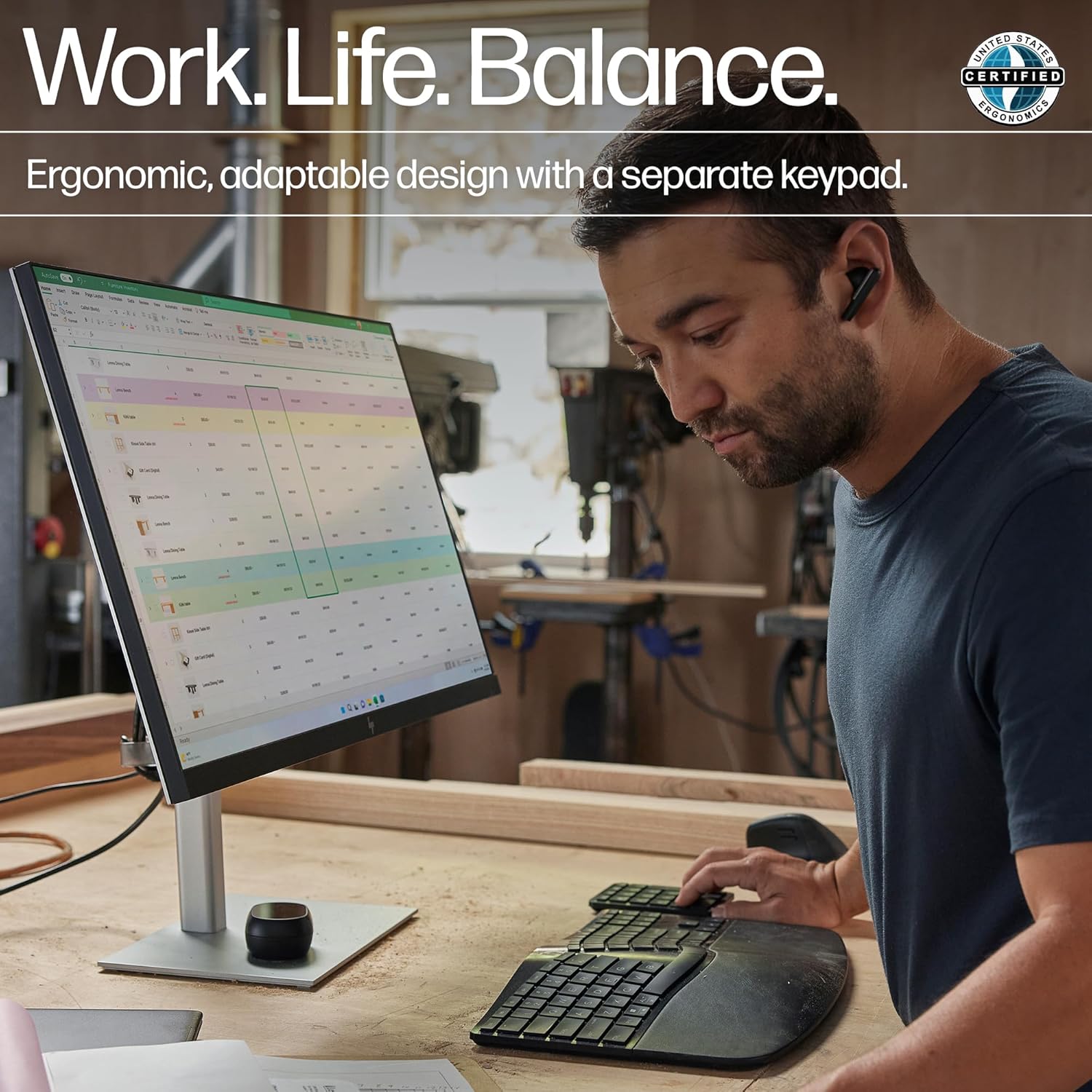


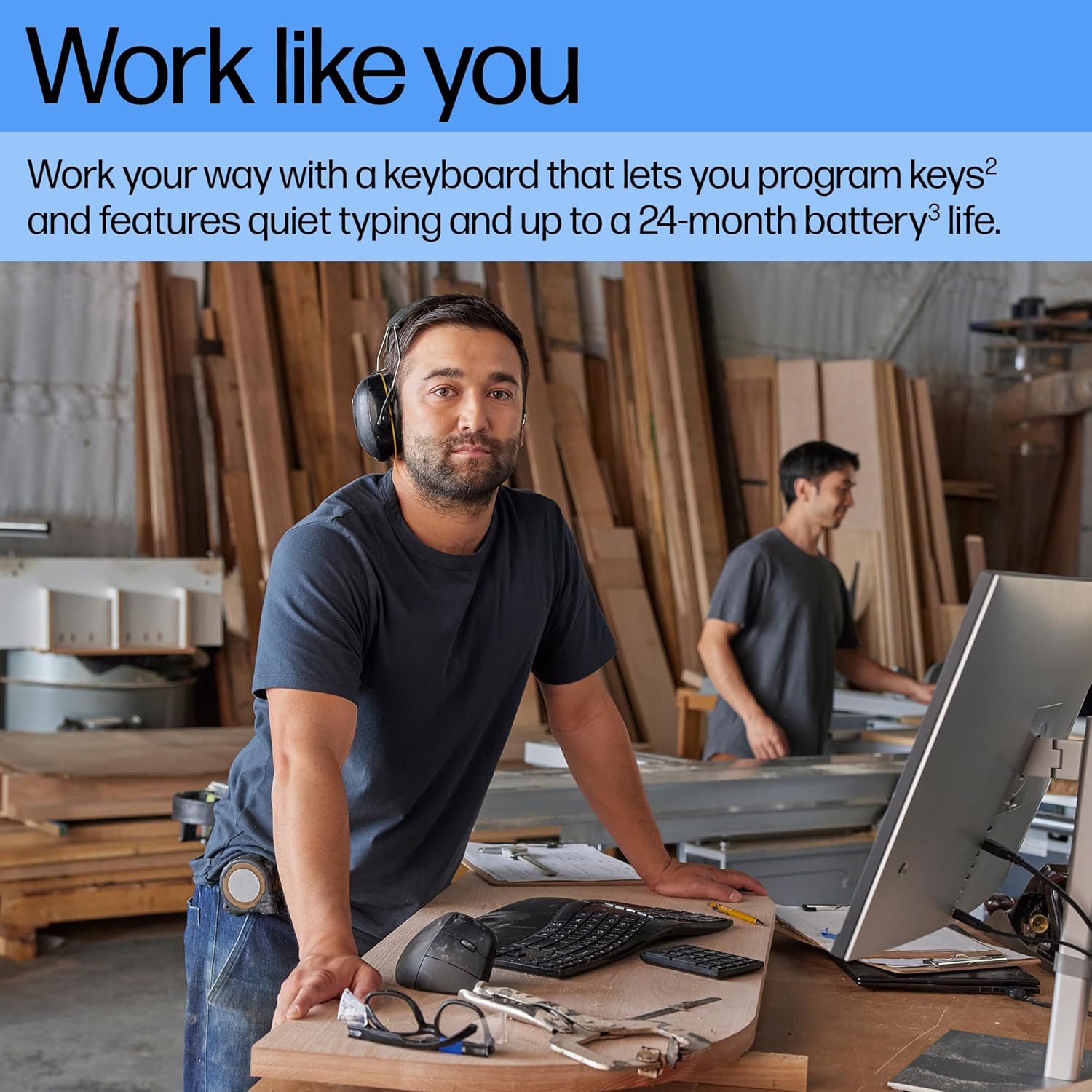


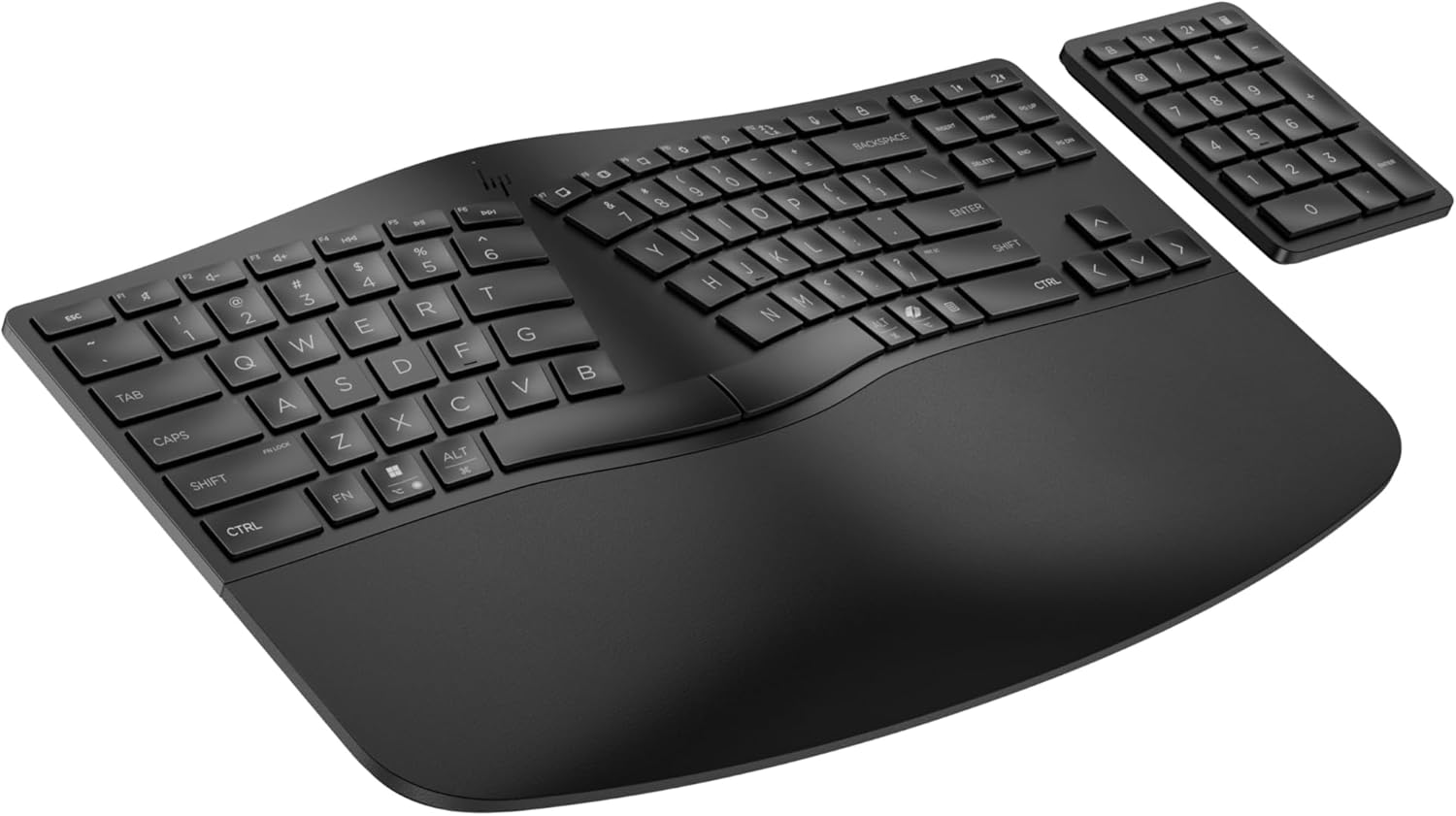

Transform your workspace with the scientifically designed HP 960 Ergonomic Wireless Keyboard. Engineered for personalized ergonomic comfort, versatile performance, seamless connectivity, and sustainability, this cordless computer keyboard with a detached numeric keypad is the ideal choice for those who demand precision and comfort from their PC keyboard. This wireless keyboard delivers a natural and customized ergonomic typing experience for prolonged productivity thanks to a split-zone layout and negative tilt that reduces forearm fatigue by 19%, while decreasing lateral wrist deviation by 60%2. In addition, finger-fit keycaps and an extra-large, high-density foam wrist rest provide additional support for comfortable keyboarding. Tailor your HP wireless keyboard for enhanced efficiency with a Copilot Key6, 20 programmable keys1, and a detached numeric keypad that lets you position it wherever you want for the perfect setup. Plus, the wireless keyboard features quiet keystrokes to ensure a focused working environment, complemented by an up to 24-month battery life on the keyboard and up to six months on the numeric keypad3, for uninterrupted productivity. Enjoy worry-free connectivity thanks to hassle-free Swift Pair Bluetooth® connection or using the secure HP Unifying Dongle4, as well as smoothly transition between up to three devices at the push of a button. Beyond its sleek, comfortable design and customizable features, the HP 960 Ergonomic Wireless Keyboard is crafted from at least 60% post-consumer recycled materials5 and shipped in FSC® certified packaging.
PERSONALIZED ERGONOMIC COMFORT – This wireless keyboard’s split-zone layout and negative tilt reduces forearm muscle activity and lateral wrist deviation, while finger-fit keycaps and a high-density foam wrist rest provide extra support for extended typing.
CUSTOMIZABLE PERFORMANCE – Create your own shortcuts with 20 programmable keys, plus enjoy quiet typing, a Copilot Key, a long battery life, and a separate numeric keypad that lets you personalize your setup for maximum productivity.
SEAMLESS CONNECTIVITY – Seamlessly connect via Bluetooth using Swift Pair or use the secure HP Unifying Dongle with enhanced security; plus connect up to 3 devices and smoothly switch between them at the push of a button.
BUILT FOR A BETTER TOMORROW – Crafted with at least 60% post-consumer recycled materials and FSC certified packaging, the HP Ergonomic Wireless Keyboard is a thoughtful choice for a brighter future.
12 reviews for HP 960 Ergonomic Wireless Keyboard – Connect 3 Devices with Bluetooth & Unifying Dongle Connectivity – 20 Programmable Keys, Detached Numeric Keypad – Extra-Large Foam Wrist Rest, Long Battery Life
Add a review

Original price was: $119.99.$13.49Current price is: $13.49.
Rocky –
Best replacement for Microsoft Sculpt Keyboard
Best replacement I could find for the Microsoft Sculpt Keyboard. I like the Sculpt a bit better, but this has the same hand position. One thing to watch out for is if you like having the wrist rest raised, you have to pull out all 3 tabs underneath. It wasn’t clear to me other than the middle tab, and the keyboard would have been wobbly. The outer 2 tabs looked just like rubber pads to me at first. It is nice though that the tilt mechanism is built in, as opposed to the Sculpts separate magnetic attachment. Some other things are better than the Sculpt: Keys are marked for both Mac and Windows, and the default works correctly on the Mac without remapping. It also has an Fn modifier key vs the switch on the Sculpt to get the dual function out of the function keys. One other thing to watch for … to get the bluetooth paired the instructions say to hold down the corresponding bluetooth key for 2 seconds, and this did not work. In frustration at one point, I hit the bluetooth key twice quickly, and it paired! The dongle also works, so you have 2 different bluetooth connections and the dongle so you can attach to multiple computers. The keyboard feels solid, and the key action is nice as well, if just slightly more clackity than the Sculpt. Also, the Command, Alt, Windows, Ctrl keys are smaller than on the Sculpt, so it takes just a bit getting used to.
Amazon Customer –
Love It
I had been searching for a new ergonomic keyboard like this as my previous keyboard made by another company quit working and is not made any more. This keyboard is exactly what I wanted, and I liked it so much I bought another one for my work office. It is good quality, and works great through the usb dongle. I did not try the wireless connection, but expect it will work just as well.
Jeffrey Kaplan –
Randomly switches modes
I have two of these, and they are both causing me issues, one is worse than the other.It’ll randomly turn off the FN lock, meaning my F keys no longer function as F keys until I toggle it back, and it’ll also randomly switch from using the dongle to trying to use BT, causing the keyboard to stop functioning altogether until I manually toggle it back.
Jen –
Love it so far and great replacement for Logi K860
I have had both Logitech K860 and MS Sculpt. I liked both had split/curve shape, but I didn’t love the number keypad and width of K860 (wanted similar layout to MS Sculpt) and didn’t love the the MA Sculpt was so noisy/clicky and also the rubber edge was falling apart. I have a smaller frame, so the width of the K860 was giving my ergo issues.The HP 960 is a great replacement and marriage of both of the things I liked about the Logitech K860 (noise and feel) and MS Sculpt (size and width). I connect the keyboard via USB dongle which I do not mind at all since I connect everything to the docking station anyway. I haven’t tried Bluetooth connection.The only downside to the keyboard is the backspace button can sound a little “squeaky”. Can’t describe the sound, but it can be a little annoying. Hopefully it doesn’t get worse over time.Haven’t experienced the connectivity issues or lag that others mentioned.
Will –
Excellent product for far less than its equivalent
There are two sculpted keyboards on the market – and this one is far less expensive, does the same job with a similar ‘look and feel’. Worth buying – especially if you write, or do a lot of keyboard work in general.
M. Leach –
Lettering on keys won’t last long.
I like the style of the keyboard and that the 10-key has the calculator button. What I don’t like is dropping $100 on a keyboard and a month in the keys are already starting to wear.
Strmn –
Types just like the MS Sculpt Ergonomic Keyboard
I like this keyboard. I switched directly from my aged MS Sculp Ergonomic Keyboard (I have owned 6) to this HP960 Ergonomic Keyboard and my hands could not tell any difference. It was great. This HP keyboard is just a tad bit heavier than the MS Sculpt, but it comes across in a good way. It is more adjustable for a negative tilt (if you want) than the MS Sculpt. It will do a positive tilt too if you desire.There was zero problem with the included dongle pairing. No drivers needed to be installed (Windows 11). But the other thing that makes the HP 960 really nice is that I Bluetooth paired it with two of my laptops, no dongle required. It is so convenient.If you know how to go to Bluetooth Devices (just search for it) in Windows, that helps. No, that tip is not in the setup instructions and that might be the source of the negative complaints about the setup instructions.On the HP960 Keyboard, the setup trick is to press down on either the Bluetooth 1 or Bluetooth 2 button in the upper right-had corner of the keyboard until there is a little white light blinking twice slowly every few seconds, that means the keyboard is in Bluetooth pairing mode. When I first tried, I had the first button (the dongle button) blinking when I needed to press and get the Bluetooth button blinking.There are three buttons in the upper right-hand corner to switch between the dongle and two different Bluetooth pairings. You could have this keyboard setup to type on 3 different devices (one at a time).
Amazon Customer –
Excellent comfort while touch typing, matching natural position of hand. Wrist at rest. Minimal movement of fingers. Tactile feedback good. Keypress depth adequate. No shaking of keys. Power saving sleep mode happens silently without affecting work. Tiny problem – ‘B’ is positioned at left side. Used to type ‘B’ with right hand. Adjusted after some days. Similar problem with ‘6’ also. If you want to raise farther edge of keyboard to see the keys more clearly to look and type, no built in legs for that. Optional negative tilt (legs to raise closer edge) supported, helpful if your elbows are above the level of keyboard. These legs can stay folded if your seat is low.
Vahagn Harutyunyan –
Best keyboard after 25 years of keyboards.I have used the Microsoft sculp and Logitech ergonomic whatever keyboards.Microsoft was actually good, except for horrible connectivity quality and overall slowness.Logitech’s layout had something I could not get used to even after using it for 2 years. The software is not stable. For some reason my fingers were hurting after long typing sessions. Could be key travel or the dynamics curve if key presses.This one, has none of the issues and all the pros and even some. The layout is pretty much perfect. Key presses honestly feel like a low profile mechanical keyboard ones. The sound is not quite but very satisfactory. All keys are sturdy. You know if you pressed or released a key.Honestly, even if it breaks tomorrow, I would buy another one right away.
MAlbert –
Finally found the perfect replacement to Microsoft Sculpt. If that’s what you are used to, stop looking and get this one. Easy transition. Angles are just right for a ergonomic posture. Smooth keystrokes just like the Sculpt. Extra perks makes it even better than the Sculpt. Remap keys compatible using PowerToys app. Bravo HP! Love it!
Jason –
After living with this keyboard for a few weeks I’ve dropped two stars. The backspace makes a terrible squeaking noise now, and some of the other keys are starting as well. I had to return the first keyboard that I got because one of the arrow keys didn’t work properly, but I didn’t dock it in my original review because these things happen. However, now that it is sounding like I have a serious mouse infestation when I use the keyboard, it seems obvious that the build quality is just poor. I’ll use it until it’s unbearable and then find a replacement and leave this for an emergency spare. It’s a real shame, because otherwise I like it very much.—Coming from a Microsoft 4000 lifer, I’m very happy to report that I’m loving this keyboard. The learning curve coming from my previous keyboards has been minimal and, at long last an optional numpad! For me this is a killer app – I never use the numpad, and given the size of ergo keyboards in general, I’ve found it counterproductive to have that unused numpad forcing my mouse far to the right of a comfortable position. Being built this way will also mean that I can use a proper ergo keyboard with a keyboard tray again. I can’t comment on how well that numpad works, connects, etc., as I left it in the box and will never unwrap it.The key feeling is satisfying and does not require much pressure at all, however there is still tactile feedback. I also really like the sound keystrokes make, being easy to recognize but soft and quiet overall.Since my favorite keyboards keep getting EOL’d, I’m tempted to buy another 5 of these and horde them just in case, I like it that much.
Drew Hopes –
My wife was struggling with wrist pain from using a normal keyboard 40+ hours a week. After using this for two days her wrists are feeling during, and at the end of the work day. This is not however “heaven for your wrist” if that’s what you’re looking for. The foam pad is really only supporting the palm of her hands. Because of the layout of the laptop, we have added a separate mouse pad with a wrist rest to truly support her wrist.**What I Liked**- Padded foam rest is comfortable- Flatter keys ideal for someone with longer nails.- Programmable keys are big time savers.- Wireless connectivity not only convenient but makes desk space less cluttered.- Separate number pad is such a nice feature.**What could be better**- “Extra Large Foam Wrist Rest” feels a bit deceiving