

HP Laserjet MFP M140w Wireless Black & White Printer, Print, scan, Copy, Fast speeds, Easy Setup, Mobile Printing, Best-for-Small Teams
$209.00
Related Products


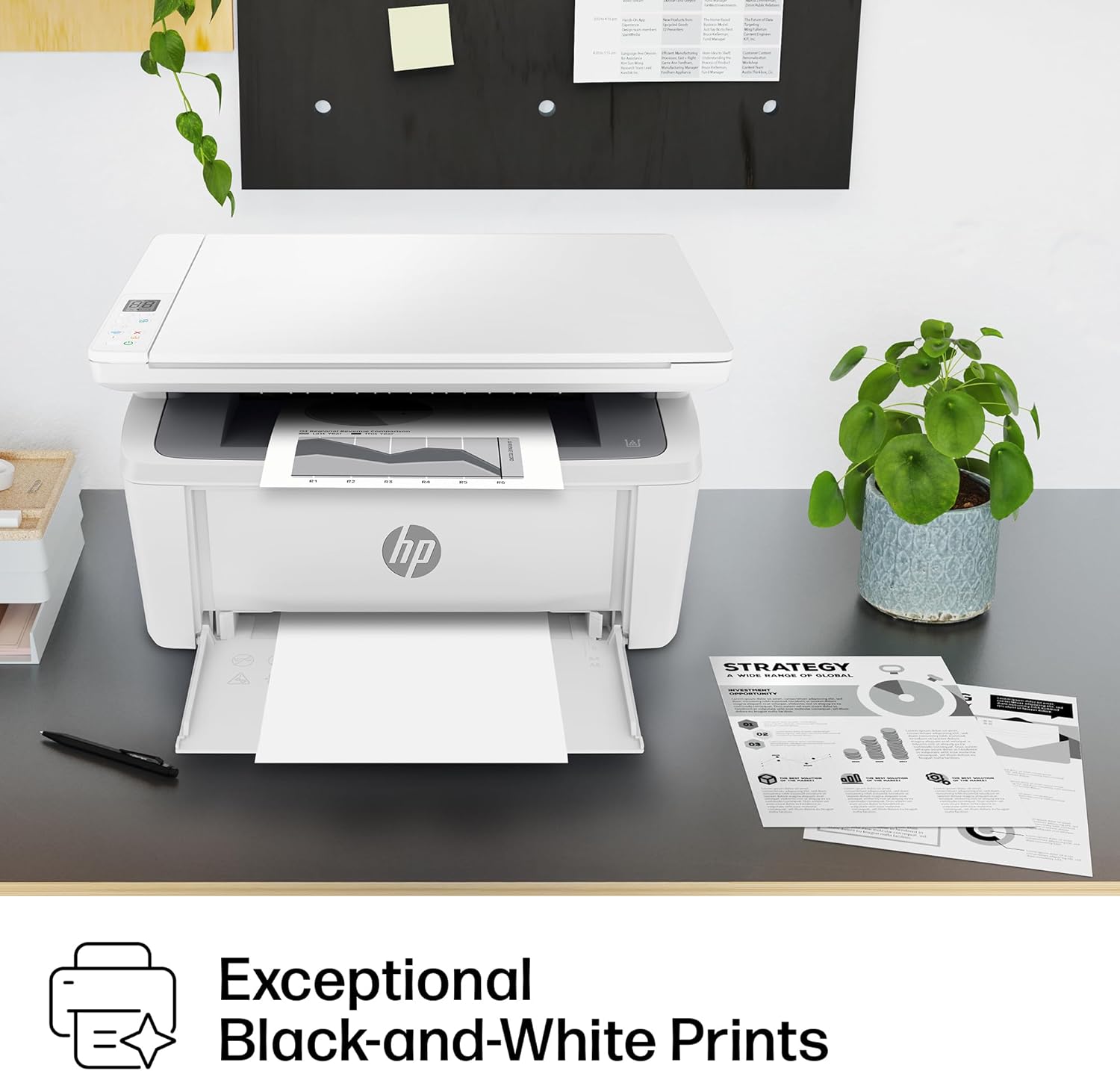



The world’s smallest multifunction laser printer in its class, the HP LaserJet MFP M140w is perfect for printing black & white forms and documents, plus scan/copy. It offers high-speed printing, seamless setup and reliable connectivity.
FROM AMERICA’S MOST TRUSTED PRINTER BRAND – Perfect for small teams printing, scanning and copying professional-quality black & white documents and reports. Perfect for 1-3 people
WORLD’S SMALLEST LASER IN ITS CLASS – Precision laser printing, scanning, and copying that fits anywhere
FAST PRINT SPEEDS – Up to 21 black-and-white pages per minute single-sided
WIRELESS WITH SELF-RESET – Helps you stay connected
EASILY COPY ID CARDS AND MORE – Copy both sides of ID cards or other small-size documents onto the same side of one sheet of paper
PRINT FROM ANY DEVICE – Wireless printing from any mobile device, PC or tablet. Works with Microsoft, Mac, AirPrint, Android, Chromebook and more
HP SMART APP – Eliminate steps in repetitive tasks, scan to the cloud and print or copy from your smartphone using HP Smart app
This printer is intended to work only with cartridges with original HP chips or circuitry and will block cartridges using non-HP chips or circuitry. Periodic firmware updates will maintain the effectiveness of these measures.
13 reviews for HP Laserjet MFP M140w Wireless Black & White Printer, Print, scan, Copy, Fast speeds, Easy Setup, Mobile Printing, Best-for-Small Teams
Add a review

$209.00
Paula –
HP Laserjet MFP M140w Black & White Printer does a great job.
This HP printer is very easy to set up and easy to use. I love the size of this printer. It prints very quickly and the copies are perfect. It definitely has met all of my expectations and what I needed for simple home use. I would recommend this HP Laserjet Black & White Printer as it does a great job.
dashreeve –
Pretty good for the price
Was difficult to get connected initially for some reason, then it just started working. Got this to replace my old HP 1022 – just wanted something small and simple for black and white prints. So far it’s working great! Can connect from apple devices (my mac mini, mac studio, ipads) and my windows PCs. Did NOT have to install the app on the ipads / macs for this to work.
Mark Hunkele –
DO NOT BUY HP PRINTERS
I have owned mulitple HP Printers. The previously owned ones were inkjets, but because I used it infrequently, I was constantly buying ink because it would dry out between uses. So I was told to buy a laserjet because the toner does not dry out. They were correct, but the problem with the printer is the software. Because it is a wifi printer it requires to be connected to your wifi network in order to print. Well this printer randomly loses connection to the wifi, which wouldn’t be a problem, but it requires a factory reset in order to reconnect. I have had to factory reset the printer three times now. And at the same time delete it from HP Smart. And the support from the HP website is garbage, it jumps you from product to product and site to site instead of showing how to factory reset this printer. Because it was some time in between factory resets I wasn’t able to remember how to do it.When the toner ran out for this printer I was like ok I’ll just replace it with the extra toner that came with the printer. But the extra toner (141/142) that came with the printer is not compatible with this model. Why would they give you a extra toner that doesn’t work with the printer?????The software “HP Smart” that is used to manage the printer, is very poorly written. It crashes all the time. The scanner functionality is dated, cumbersome, and takes forever to scan documents. When I needed the new toner I thought this should be easy theres an obvious “Get Supplies” tile on the HP Smart homepage. However when you click it, it takes you to the HP store but does not take you to the specific toner that I needed just a search bar. You have to dig into the advanced settings menu to find the actual tonar model number. Mark my words I will never…..never….never buy another HP product as long as I’m alive, I’m 45 now, so at least for another 40 years!!
Lavendersky –
Impressive tiny printer but mighty!
I have 5.0 wifi connection and was able to bypass that by selecting something like a “device already connected or installed in my network”. Otherwise, it would not connect when I select the “add new device/printer” since it can only connect to 2.4.Anyway, I got it to connect to my mobile phone, personal laptop as well as work laptop.Once I got it to work, this printer is amazing and I’m in love with it. It is better than my $300 old laser Brother printer that I purchased 8 years ago.
mariana kalvatcheva –
Easy to install and connect to wifi. Works with Mac.
I just received the printer. Very compact, fits perfectly the shelf of my desk. Installation and connecting with wifi was very easy. You just download the app and follow the instructions. The Setup guide that comes in the package also gives you clear and easy to follow step by step instructions. I will update my review should some problems occur in the future, but the initial experience and impression is wonderful.
Diane Adams –
Great little printer–easy set-up
I’m using this with an iPad. Wireless set up took 1 minute using WPS. You do not have to use the HP Smart app to set-up, print or make copies. You do have to use it to scan. And you do have to give it access to your wireless network to scan. However you do not need it for anything but scanning and you can turn off its’ permission to the network under settings, Privacy, on the iPad. You can tell HP not to annoy you with anything when you set up the account. It cost $99.99 when I bought it in August, so a pretty good deal as my Canon copier (I bought the HP primarily to make copies) has an issue with the laser unit right now. From my quick look at the HP Smart app I judge it, the app, to be somewhat difficult to use but very full featured if that is what you are looking for. This printer/copier/scanner is small, lightweight and fast and very easy to use. For those who say that the app doesn’t work on a desktop, there is a separate piece of software for the desktop machines. And for those who found no directions, you must download the user manual from HP. Just Google “HP LaserJet MFP M140w Wireless Printer user manual” and get it. The quick start guide is in the box as is the power cord. You can attach this printer to a desktop/laptop via USB with the proper cord which is not included.Additional info–The HP toner-cartridge-protection supply settings can be turned on or off before you put in the first cartridge. It is on page 42 of the user manual. It is off by default. If turned on then you will be using HP toner with the chip forever. At least that is how I read the manual. Other than that it’s a great little copier/scanner which is what I bought it for. Occasional wireless scanning. Occasional copying.
Slider –
Small & Works Well
I have been wanting a printer with a smaller footprint for some time. So when my big square printer finally cashed out, I opted for this smaller size one. The HP LaserJet MFP M140w Wireless showed up nicely boxed. Instructions were easy to follow, and there were no issues loading the app or connecting to Wi-Fi. Most of all, it worked flawlessly and was much faster than I expected. You can use it with the app, which offers additional features such as scanning and faxing, or you can still utilize the “Print” feature on your system or from the app. There was, however, one surprise: the paper tray is not internal. The front panel folds down and becomes the paper tray. Similar to most inkjet printers. No big deal, and I got over it quickly. I would certainly recommend this printer for home use or light office use.
Judy –
Easy to use and set up.
Easy to use and very easy to set up. Fast and good quality with each print.
Goldielover –
Nice little cheap laser printer. I don’t print often, and got tired of inkjet cartridges drying out after almost every use, so decided that a laser printer was cheaper for me in the long run. I needed an all-in-one as I actually use the copy and scan features more than I print. Set up was relatively easy, as I am using it connected via a USB cable as my desktop PC is not wireless capable and is hardwired to the router. I did need to make sure I downloaded the correct software for this direct from the HP site. My Windows 10 computer had no problem recognizing it right away. I have taken a point off as I am not yet sure of the longevity of this cheaper model. I may change this later.Edit: Adding the extra star. This little printer just works, even if I’ve let it sit for a long period of time. No fussing around trying to get the computer to recognize the printer again if Windows has updated.2nd Edit: Still working well two years after purchase. I recently bought a new computer running Windows 11 Pro and the computer recognized the printer immediately. A quick software install which I had downloaded from the HP site and it was up and running with no problems. Still connected via USB even although my new computer has wifi as it is generally the easiest install, and I’m the only one using it.
HWJC –
Cheap scancopyprint laser with small footprint and low height, suitable to sit into confined spaces.Also has duplex feature
Hans-Peter.W –
Klein, kompakt und gut zu Transportieren. Druckqualität prima. Für unseren Anwendungsfall optimal.
Maury –
tutto è andato bene e funziona perfettamente
Tricoteuse –
Très bonne imprimante. Facile à installer et à faire fonctionner. Je la recommande.