

Joysea Bluetooth Shipping Label Printer, E41 Pro 4×6 Wireless Thermal Printer for Amazon, FedEx, USPS Labels, Compatible with iOS, Android, Windows Mac
$6.99
Related Products




Product description


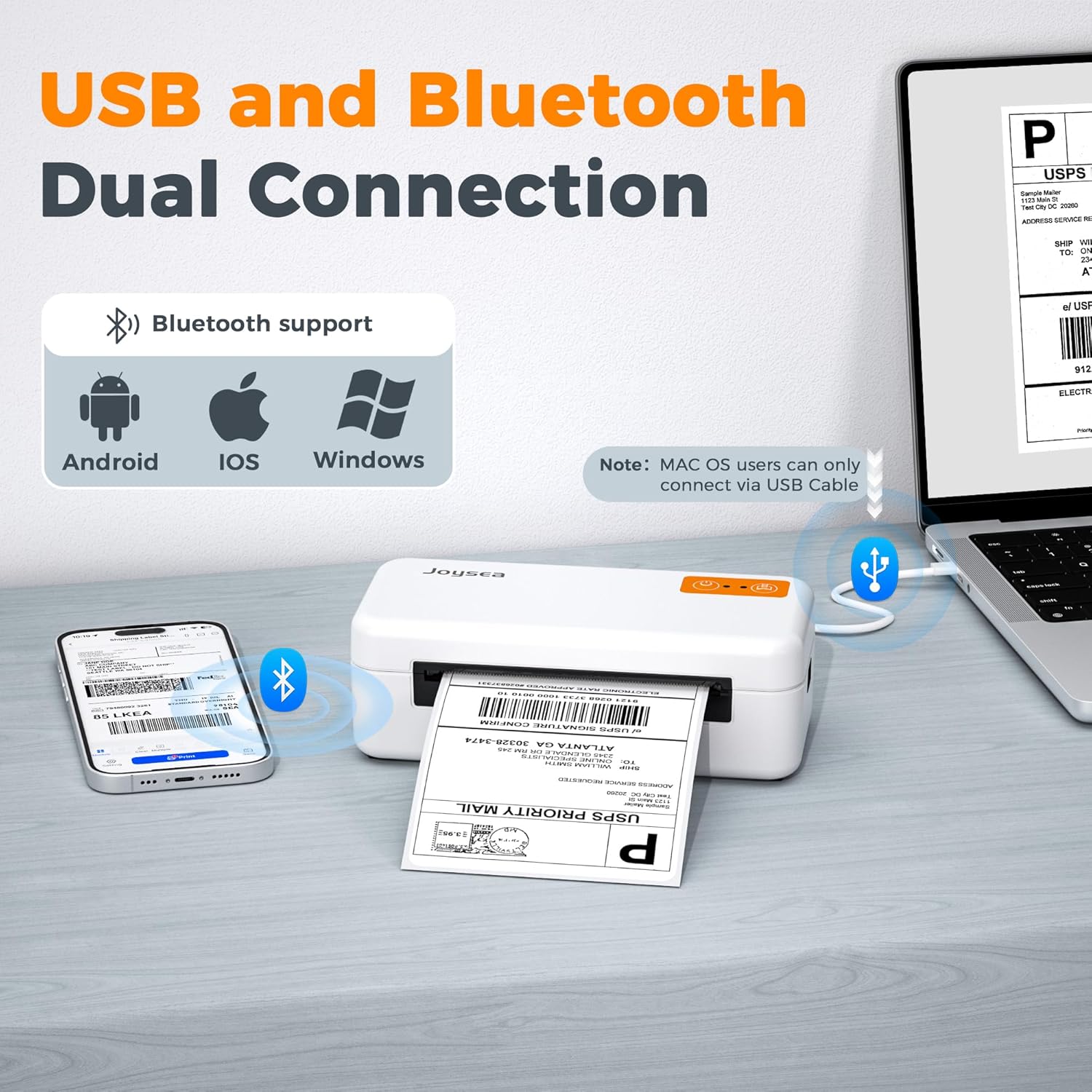
Stay connected with USB
our label printer ensures fast, reliable printing for both Windows and Mac users. Simply plug in the included USB cable, and you’re ready to print shipping labels, barcodes, and more. No complicated setup, no interruptions—just efficient performance for your business needs.

Go wireless with Bluetooth!
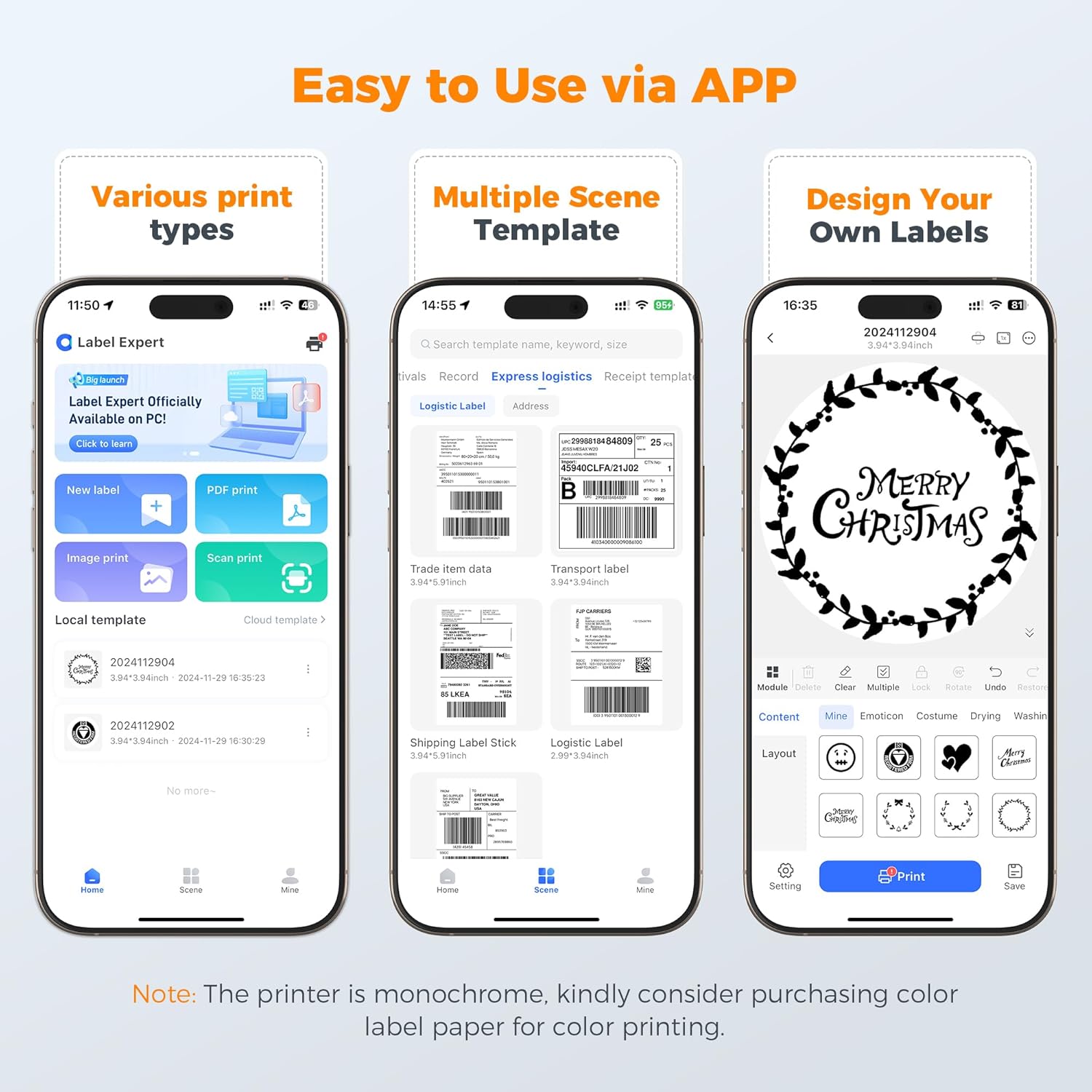
Print directly from your Android or iPhone using our app “Label Expert”. Windows users can also connect via Bluetooth (with a bluetooth driver installation)-. Whether you’re on the go or at your desk, enjoy seamless, cable-free printing that keeps your workflow smooth and efficient.

Step 1:
Download the “Label expert” on Google Play Store and APP Store,or scan the code from instruction manual. Allow APP to access some permissions and open “Bluetooth”, “Location”.

Step 2:
Tap the top right corner to select the model E41 Pro and connect printer.

Step 3:
Tap “PDF print” to select file.

Step 4:
Tap Settings to select Paper Size, and choose “Black White” to adjust the density. Tap “Next” to print.


Dual Connectivity-Enjoy the flexibility of USB and Bluetooth connections. Windows and Mac users can connect via USB for stable, high-speed printing, while Android and iOS users can print wirelessly with our easy-to-use mobile app. Fast, convenient, and hassle-free!
High-Quality Thermal Printer – This label printer with a 203 DPI thermal print head, delivering crisp and clear shipping labels. Perfect for Amazon FBA, Shopify orders, and UPS shipments, ensuring your labels look sharp and professional every time.
Built for Small Businesses – Designed with small businesses in mind, this compact label printer delivers fast printing at 150mm/s. Whether you’re an Amazon seller, Shopify store owner, or part of a logistics team, streamline your workflow with quick and reliable label printing.
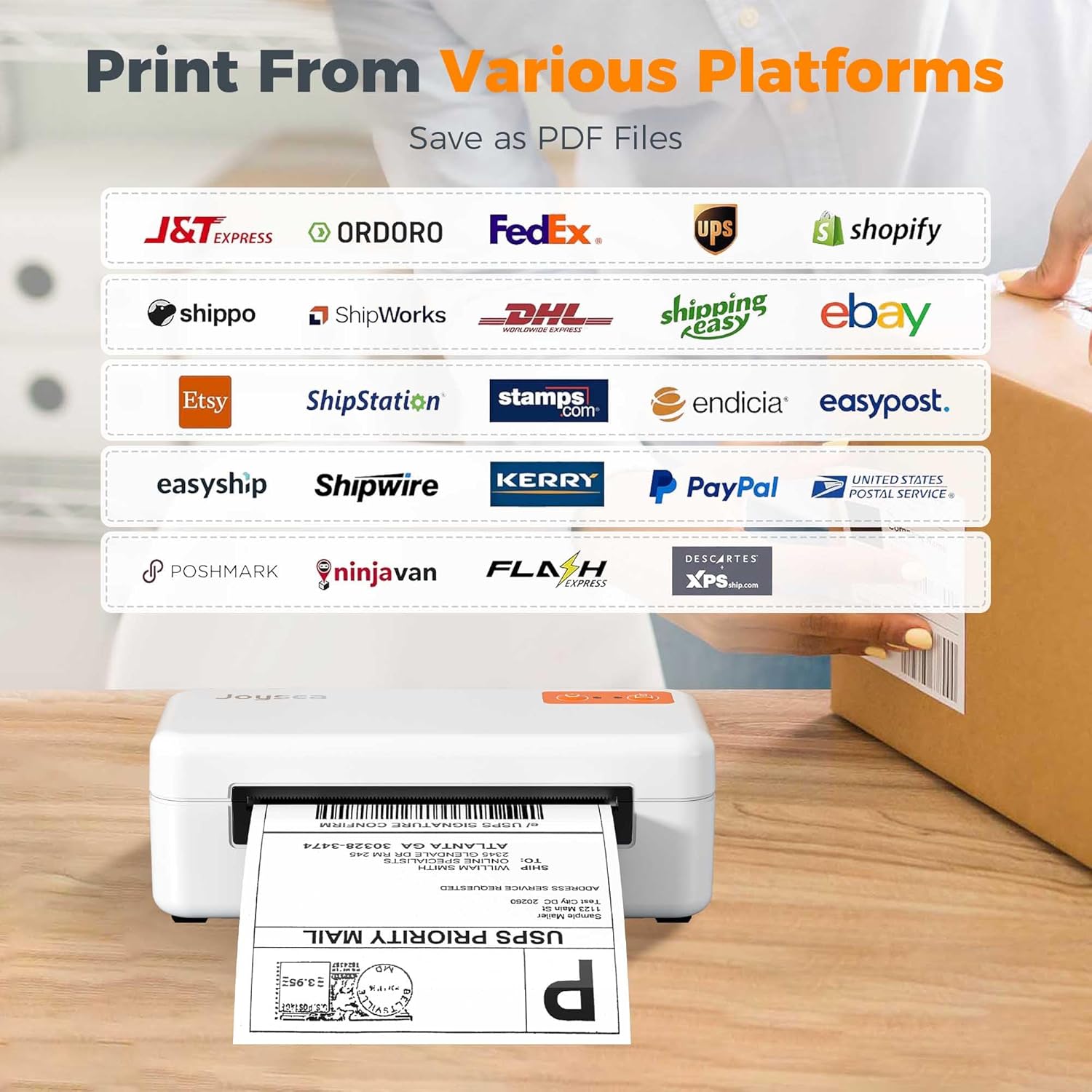
Versatile Applications – Whether you’re running a small business, managing a home office, or handling e-commerce orders, this thermal printer is your ultimate tool. Compatible with major platforms like Amazon, UPS, FedEx, and USPS, and seamlessly integrates with Android, iOS, Windows, and Mac systems for maximum efficiency.
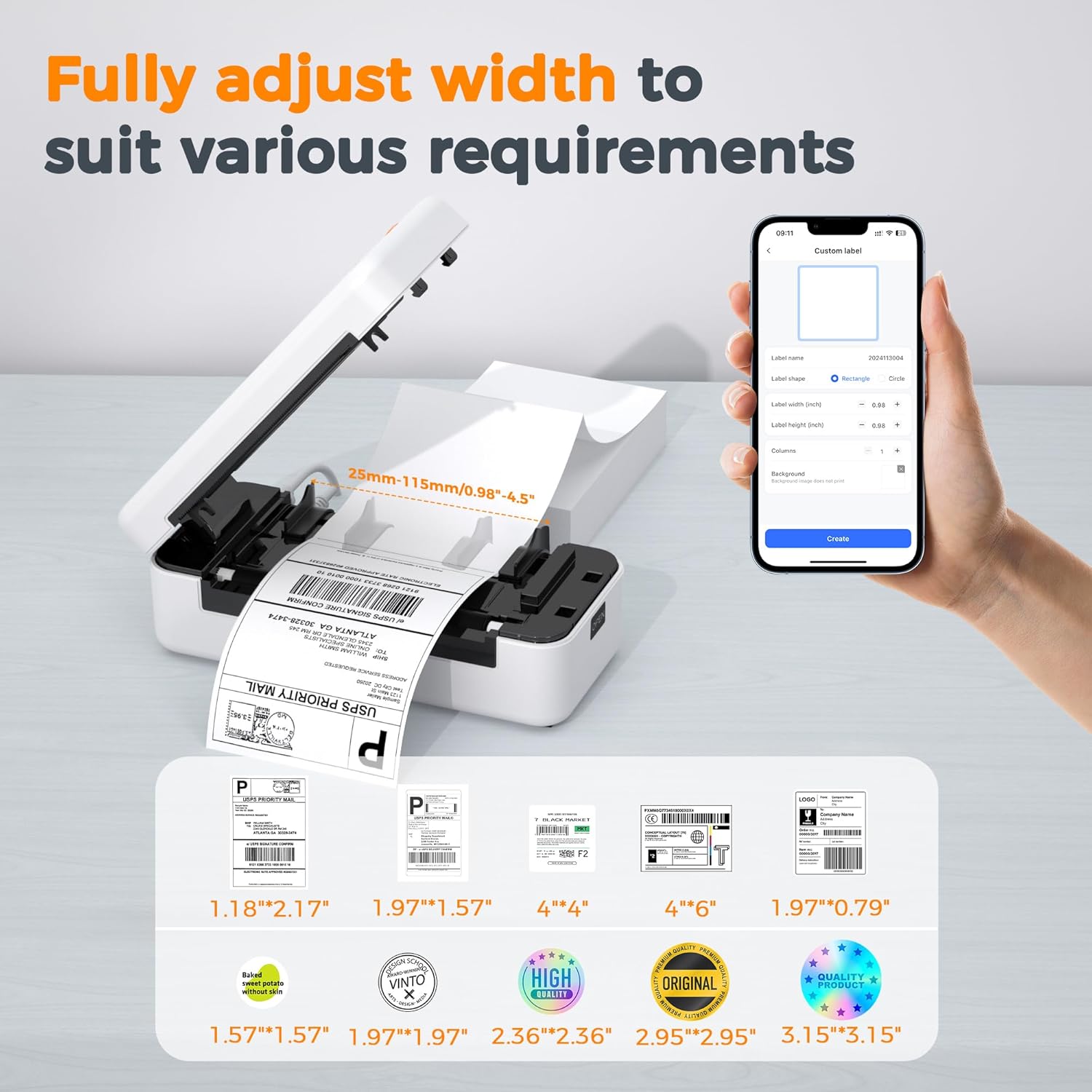
Wide Label Compatibility – Versatile and adaptable, this printer supports label widths from 0.98” to 4.4” (25mm-112mm), making it ideal for shipping labels, barcodes, and more. No matter your label needs, this printer has you covered.
7 reviews for Joysea Bluetooth Shipping Label Printer, E41 Pro 4×6 Wireless Thermal Printer for Amazon, FedEx, USPS Labels, Compatible with iOS, Android, Windows Mac
Add a review

$6.99
Brett Fields –
Portable and easy to use
I like how portable this is. I have another that isn’t so portable and this one works great for my job. We order parts via other vendors and some times we have to send those parts back and this allows me to print adhesive shipping labels versus printing them on a sheet of plain paper. The print quality is nice and dark and easily readable. The app is available on pc/mac and mobile which makes it versatile. The app itself, is pretty easy to use and understand and for the price point you can’t go wrong. It feeds in from the back so you would need the labels that folded or a label roll holder for it. That’s to be expected for how small this is. I don’t mind that since the labels are also pretty small and easily portable.
Jonathan C. –
Would definitely recommend
Great shipping label printer! Print quality is great and the app the functionality is also good
Aleeit –
Great mobile Bluetooth printer excellent value
I picked this printer up as a secondary printer that I can use Bluetooth from my phone. I wanted a Mobile printing option just in case I have to ship from my storage unit.I sell a lot of things on online marketplace and I ship a ton of products. So it’s important that my label printer can handle the load.Overall, this printer was super easy to set up using the provided USB to download the driversThe print speed is about average nothing too fancy but gets the job doneFor the price point of this item, it’s a great value, especially the appPrint quality is great no issues thereI did have some issues with the Bluetooth connectivity from my desktop computer. It was super laggy from hitting print till the actual label printed out sometimes it will print twice because I was being impatient.Printing from the mobile app is great super fast print instantly. I will predominantly use this as a mobile printer.The app comes with some greatPreloaded features. I have had no issues with the app so far.Overall, I have enjoyed using this printer. I look forward to having it for many years to come.Maybe the Bluetooth connectivity issues more on my HP side but for now it just lags.
Sugar baby –
Prints shipping labels with ease from my iPhone.
This printer is replacing an older one I got about 5 yrs ago and paid triple what this one is listed for. So far I like this printer better. Setup was easy. It’s Bluetooth so I can print from my iPhone which is a must for me. It functions very well. The speed and quality of the prints are on point. Overall it’s an excellent value. I am extremely pleased with this printer.
MaTatia –
Efficient, Wireless, and Game-Changing for Small Business! 📦✨
This Joysea Bluetooth Shipping Label Printer has made my shipping process so much smoother! I use it for printing 4×6 labels for USPS, FedEx, and Amazon orders, and it works perfectly across the board. The wireless Bluetooth feature is a huge plus—I can print straight from my iPhone or laptop without any hassle.Setup was quick and easy, and it’s compatible with all the platforms I use. The labels come out crisp and clear every time. It’s compact and doesn’t take up much space on my desk, which I appreciate.Whether you’re running a small business or just want to streamline your shipping at home, this printer is a total game changer. Reliable, quiet, and super convenient. I highly recommend it!
Surf –
Great price!
Great little thermal printer, labels are clean and print super well. Easy to set up, one of the more affordable options out there, and the Bluetooth signal is strong so I don’t need to be directly next to it for it to work.
Darren Sroufe –
Easy setup
Easy to follow directions. Works with most devices