

Keychron K2 75% Layout QMK Wireless and Wired Mechanical Keyboard Super Red Switch, RGB Backlight Aluminum Frame with Shine-Through Double-Shot PBT Keycaps for Mac Windows-Version 3
$109.99
Related Products




Product description
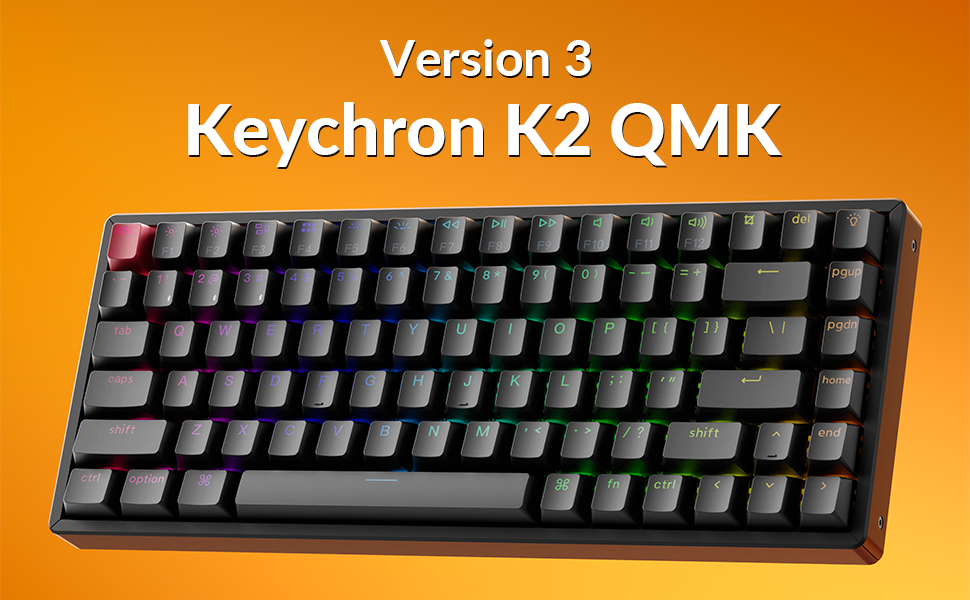
Keychron K2 QMK Wireless Mechanical Keyboard (Version 3)
The Keychron K2 Version 3 boasts a compact 75% layout with BT 5.2 and wired modes. Configurable via QMK and the Launcher app, it’s ideal for gaming and productivity.

Connect up to 3 devices seamlessly via Bluetooth 5.2 for multitasking, or switch to wired mode and 2.4GHz wireless for ultra-low latency with a 1000Hz polling rate, perfect for gaming and efficient workflows.

Program with QMK & Launcher
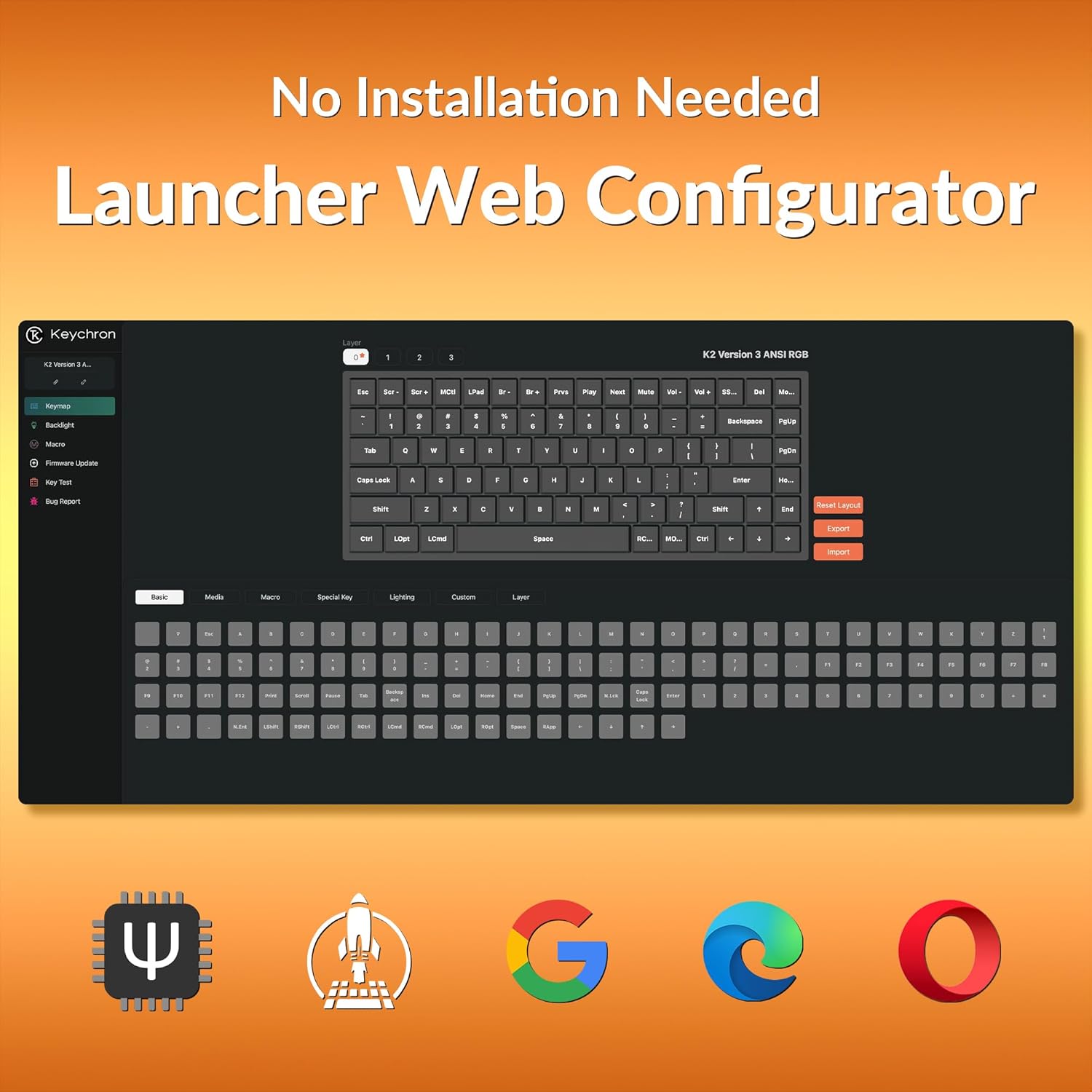
Customize keys, macros, and shortcuts effortlessly using the web-based Launcher app. No downloads required—just open it in your browser anytime.

Keychron Super Red Switch
A linear switch with smooth keystrokes and no tactile bump, delivering a quiet and seamless typing experience ideal for fast typists and office workers.

North-facing White Backlight Versions
Enjoy 14 dynamic white backlight modes for a clean and stylish look, perfect for work or gaming in any lighting environment.

Cherry Profile Double-shot PBT Keycaps
Features durable shine-through PBT keycaps with a Cherry profile, offering a premium feel and improved backlight visibility.

The Keychron K2 Version 3 features a popular compact 75% design, combining wireless and wired options. paired with shine-through double-shot PBT keycaps. it’s configurable through QMK firmware and the Keychron Launcher web app, offering endless customization possibilities.
Bluetooth 5.2 & Wired Modes: Seamlessly switch between devices with Bluetooth 5.2, or wired modes. Connect up to 3 devices at once and enjoy ultra-low latency with a 1000Hz polling rate in wired modes, making it ideal for responsive gaming and efficient multitasking.
Launcher Web Configurator: Experience advanced control with QMK firmware, enabling key remapping, macros, and shortcuts. Paired with the Keychron Launcher web app, you can customize every key to create the perfect layout for work or play, enhancing both efficiency and comfort.
Keychron Super Red Switch: This linear switch delivers a smooth, quiet typing experience with no tactile bump, perfect for fast typists and office environments. Designed for seamless keypresses, it ensures speed and precision, whether you’re coding, writing, or gaming.
Shine-Through PBT Keycaps: Designed for premium typing, these Cherry profile double-shot keycaps are made from PBT. These shine-through keycaps enhance visibility in low light, providing an optimal typing and gaming experience day or night.
10 reviews for Keychron K2 75% Layout QMK Wireless and Wired Mechanical Keyboard Super Red Switch, RGB Backlight Aluminum Frame with Shine-Through Double-Shot PBT Keycaps for Mac Windows-Version 3
Add a review

$109.99
Revisor –
phenomenal
Amazing keyboard, superb build quality. In addition to this one, I tried the full plastic version of this keyboard, which also has great build quality, but one easy to miss advantage this one has over the plastic one is the ability to unscrew two sides for easier cleaning. With the plastic one, side rails aren’t removable. The RGB on this keyboard is done via fixed zones as opposed to individually lit keys, which despite that still looks great. The Keycaps are cherry profile, keep that in mind, they feel almost like the typical OEM keycaps on most keyboard by big brands, but not quite exactly. I would argue they are superior after you get used to them. The keys themselves feel amazing. The keycap quality is top-notch and there is minimal wobble. Keep in mind, this keyboard does not have 2.4ghz connectivity option, so for gaming you should just treat this keyboard as wired. A couple words about the switches: I’ve tried both super bananas and super browns, it is very important that you, the reader, are aware the super bananas are your typical tactile switches, while super browns are god knows what, they’re like linear with a micro drop of tactility. My recommendation is to go with bananas unless you specifically want linear and know what you are doing. Price is great too for what you are getting.
Amazon customer –
Wonderful design, quality construction
I’m absolutely thrilled with this keyboard. My favorite part is the layout, which is compact without sacrificing any crucial keys or ergonomics. I like small keyboards, but I’m a software developer and spend a lot of time on the Unix/Linux command line, so I need a tilde/backtick key and a useable right Control key. This keyboard has those features while squeezing everything into a footprint not much larger than that of typical 60% keyboards. The only keys sacrificed are Insert, Pause, and Scroll Lock, which I literally never use.The construction seems solid and the blue switches feel (and sound) great. I prefer using a wired connection, so I can’t speak to the Bluetooth performance, but even the included USB-C-to-A cable is well made, with a fabric sleeve and an unobtrusive right-angled connector on the USB-C/keyboard side.There are a couple of nice touches in the included extra keycaps. There’s a gray version of the Escape key that can replace the orange key shown in the store photos, and there’s also an orange version of the default-gray backlight key. The Windows/Super key has a generic logo rather than the Windows logo, which is a nice touch for users who will be using the keyboard with a non-Windows OS.I can’t find anything remotely negative to say about this keyboard. It’s a great piece of equipment and I’m grateful that Keychron has created what is, for me, the perfect keyboard.
Dr. R –
A decent keyboard, but not great.
I was looking for a wired and wireless keyboard because very often a bluetooth keyboard cannot be connected to the computer well when it is trying to connect to the BIOS. A wired keyboard provides a more stable and sure connection for that purpose. I bought another keyboard, which actually works very well for me. However, two factors counted against it and I had to return it. That other keyboard was 60% but it provides adequate typing space. The drawback was that other features it provided were not as described. The biggest plus for that keyboard was that its keys have much stronger tactile feedback that I like. So I had to buy another keyboard as I do not want to keep an item that does not do everything it said it does. The following is my personal experience with this keyboard.1. Delivery and packaging. Delivery was as expected and that’s what I like. I have Prime and sometimes am willing to pay a little more for quick delivery and I would expect it. Delay for any reason is not acceptable for me. The item was packed well except that the tape that seals the box was not the usual plastic type that can be peeled off easily. I ended up cutting the tab that hold the box and sort of damaging the box a little bit. I like to keep the original box in good shape, even though I may not be returning the product. But that was not a big deal and it is actually good because I then know that the box has never been opened.2. Connection. The keyboard connected quickly with my desktop via usb. Connection via bluetooth was also simple. Since it can be connected to three devices, I used Fn+1 as my main connection to the desktop, the computer detected the keyboard right away and connected without any problem. It works well under BT or wired connection. This was done by clicking a switch on the side to either “cable” or “BT”. The switches for OS switching and for cable/BT are small, but not too difficult to switch. The switches however are not as strong as I would like it to be.3. Keys. My criteria in selecting a keyboard are: strong tactile feedback, and space enough to type without problem as I do touch typing. I selected this keyboard because I read that blue switches have the best tactile feel and I like the clicking of the keyboard. This keyboard is 75% keyboard, therefore it is wider than the previous keyboard I had. The tactile part was somewhat disappointing. The tactile feel was not very strong and this would have been a reason for me to reject this keyboard, especially I had one previously that actually provided a better feel. But the problem is that I have tried quite a few keyboards before, and almost all of them had the same feel and I do not expect to find another one in the near future that will satisfy what I am looking for. I will keep this keyboard a little bit longer and see how I like it. At this point, it is 85% keep and 15% return.
John –
Good quality keyboard with good switches.
Good keyboard, it has remained responsive and no issues after over a year of continuous use.
Matthew C. –
Good quality and features
Battery lasts a long time. At least two weeks for me working from home full time and I don’t turn it off except on Fridays after work.I use it in Mac OS mode mostly for work but I switch to windows mode for connecting it to my Xbox. Works perfectly for games that support keyboard input.TIP: to check battery level, press fn+b and it will light up rows of the keyboard to represent battery percentage. All rows is 75-100%, one row unlit is 50-75 etc.It is on the small side so ergonomics can suffer at times. I wanted a smaller keyboard because I wanted more mouse room on my keyboard tray.No complaints on the quality. Key caps are not double shot and the housing is plastic but I paid $52 for an Amazon renewed one, not $200 for an Asus, Corsair or Razer. Does what I need and didn’t cost a lot.I wondered about the Amazon renewed quality, but when it arrived it appeared to be brand new.
Luis Villegas –
Keychron me ha sorprendido con la calidad de sus productos, sencillos pero aguantadores, la sensación al escribir es buena, los efectos de luces son padres para presumir el teclado pero no para trabajar realmente jaja, la combinación de colores a dos tonos luce muy bien, rápidamente me acostumbré a escribir con la configuración de teclado en inglés internacional para poder seguir escribiendo en español y tener bien mapeadas las teclas.Los switches azules son muy ruidosos, es como me gusta a mi y estoy muy satisfecho, pero para algunos puede ser demasiado, comparen primero.
Eduardo Huerta Jara –
Un muy buen producto, la marca nunca falla. Si quieres un teclado mecanico de perfil alto, esta es una gran opción.
Juan Carlos Rasgado Gomez –
El teclado es muy cómodo y ergonomico, al tener varias formas de conectarse es muy versátil y en mi caso al no tener rgb de arcoiris me agrada más
Robinson –
Es un teclado muy cómodo con tacto suave. El sonido de las teclas es similar a un teclado clásico IBM PS/2. Se disfruta con cada pulsación. Ampliamente recomendado.
José Sotelo –
Es mi primer teclado mecánico. Si bien hay más opciones de menor costo, éste es una buena opción para comenzar con un producto de calidad.