

MEETION Wireless Ergonomic Keyboard, Wave Keys Firm Wrist Rest for Natural Typing, 2.4G USB-A Cordless Receiver and USB-C Adapter, Ergo Computer Keyboard Compatible with Windows/Mac/PC/Laptop, Black
Original price was: $35.99.$5.99Current price is: $5.99.
Related Products


Product description

Experience the Shape of Day-Long Comfort 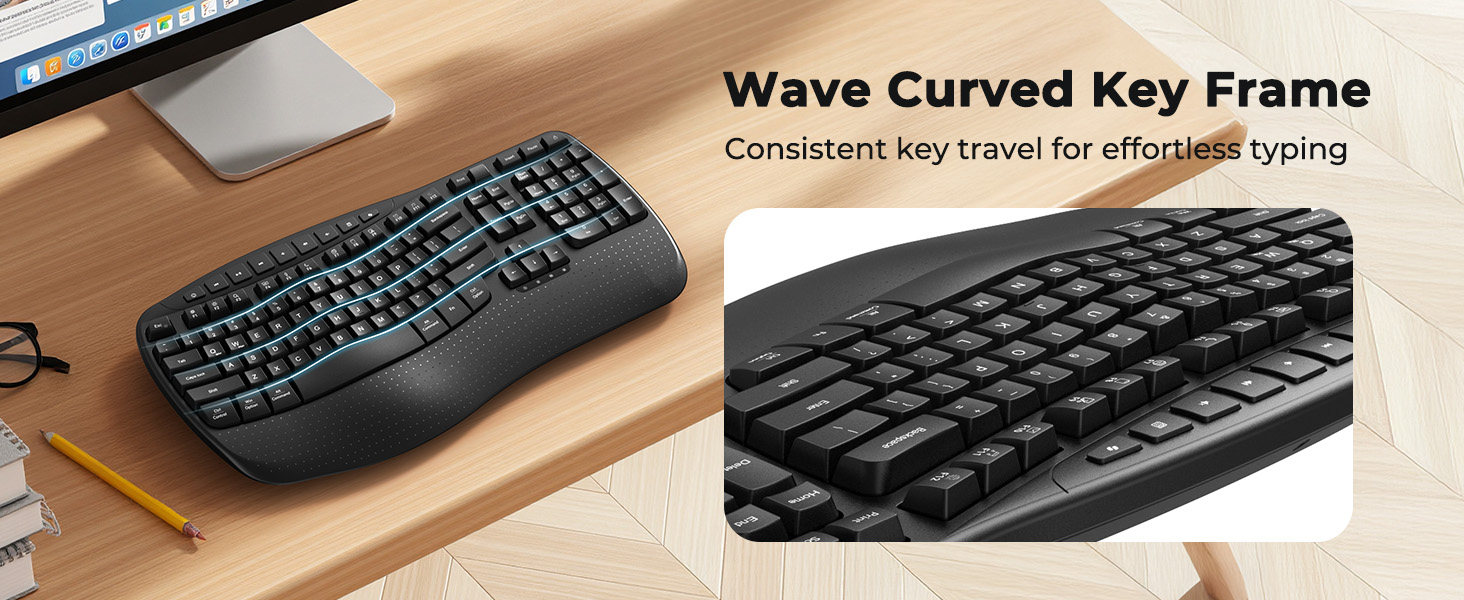
 Indicator Light
Indicator lights provide clear visual cues so you can easily keep track of your keyboard’s operation at a glance.
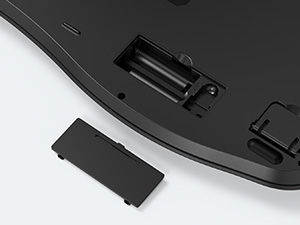 Long Lasting Battery Life
The keypad runs entirely on battery power (2 AAA batteries required) and will auto-sleep after 20 minutes of idle time to save power.
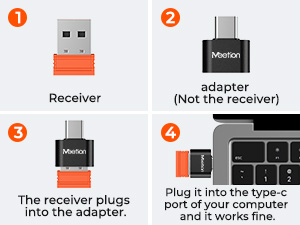 USB-C Compatible
The orange USB-A receiver is stored in the keyboard’s battery compartment, while the black USB-C adapter is packed in the transparent accessory bag.
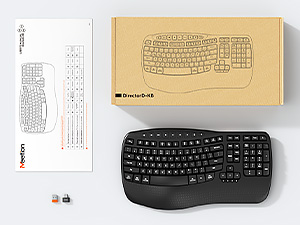 Packaging Includes
1* Keyboard, 1* User Manual, 1* USB-A, 1* USB-C adapter.
Please carefully check all the accessories upon receiving the product.

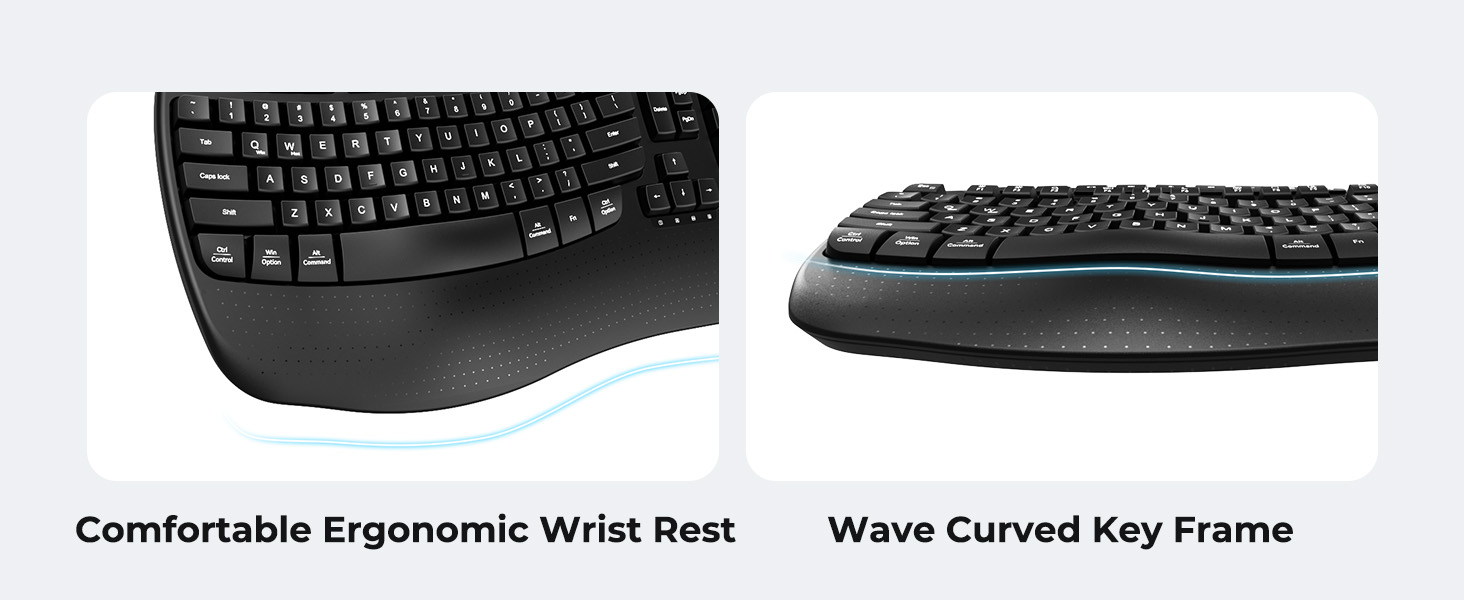
1 All-Day Support
2 Ergonomic Wrist Rest


Love at First Typing


How to troubleshoot if the keyboard keys are unresponsive?
Replace with new batteries, turn off the keyboard and restart it.
Check if the receiver is loose, then pull it out and reinsert it.
Keep the receiver and keyboard within a straight-line distance of 33
What should I do if there’s latency with the keyboard or mouse?
Move keyboard/mouse within 3ft/1m of the USB receiver to boost signal.
Replace keyboard/mouse batteries with new ones (low power causes delays).
Turn off or move nearby wireless devices (e.g., Bluetooth speakers, routers) to reduce interference.
How do I connect the keyboard?
1. Insert 2 AAA batteries.
2. Remove the USB receiver from the storage at the bottom of the keyboard.
3. Plug the receiver into a USB port on your computer (use a USB-C adapter if necessary).
4. Turn on the keyboard via the keyboard power switch.
The keyboard won’t connect—how to troubleshoot?
1. Check if your system version is compatible.
2. Replace the 2 AAA batteries with new ones.
3. Reconnect the USB receiver. If using a USB-C adapter, try a different adapter to rule out adapter failure.
4. Make sure the power switch is on.
Is the wrist rest soft padding? What operating systems is this keyboard compatible with?
The wrist rest uses the same hard material as the keyboard body (not a soft pad). Compatible with Windows 10/11 and macOS 10.12+. Not supported: Windows 8.1, macOS below 10.13, lightweight Linux, and custom Linux distributions.
【FEEL THE WAVE】The keyboard adopts a scientific wave key design, which is carefully crafted based on the natural movement trajectory of the fingers, so that the fingertips can accurately reach all the keys with every strike. It features standard membrane keys for reliable, consistent typing feedback, while the ergonomic curved surface layout perfectly fits the curves of your hands—guiding your wrists and fingers to stretch naturally, creating the most comfortable and relaxed typing position. This keyboard has a compact design, which may not be suitable for users who prefer full-sized keyboards.
【NEW ERGONOMIC DESIGN】Our wave keyboard combines the advantages of ergonomics and retains the familiarity of traditional keyboards. Therefore, you don’t need to spend extra time adapting to a new typing method. Say goodbye to the complex learning curve of split keyboards. Even users who are new to ergonomic keyboards can quickly get the hang of it. You can enjoy a comfortable typing experience without compromising your work efficiency.
【WIDE PALM REST OFFERS MORE SUPPORT】The wireless keyboard is features a built-in hard plastic wrist rest that provides stable support—designed to keep your wrists comfortably aligned. It maintains a firm, structured feel, making it ideal for maintaining a steady typing posture during long sessions. (Please note: This is not a soft, padded wrist rest.). Keyboard Dimensions: 17.39*9.43*1.81in.
【RELIABLE CONNECTION】With the familiar traditional key layout and 2.4GHz wireless receiver, it is truly plug and play, easy to plug in and start working efficiently(This is not a Bluetooth device). The USB-A receiver is located in the slot inside the keyboard’s battery compartment, and the UAB-C adapter is in the accessory pouch inside the box.Be sure to check all the accessories carefully, and don’t throw away the box in case you lose the important accessories, which may affect the use!
【INTELLIGENT POWER SAVING】The ergonomic keyboard runs entirely on battery power and requires 2 AAA batteries (not included). It comes with an auto-sleep mode: it will automatically enter hibernation after 20 minutes of inactivity to reduce power consumption, effectively extending battery life. To resume use, simply press any key to wake it up instantly.
【DUAL SYSTEM LAYOUT】This curved keyboard has a dual system layout for Mac and Windows and is compatible with any device with a USB-A or USB-C port. You can easily switch between Windows and macOS by pressing FN+Q or FN+W. Compatible with Windows XP/7/8/10/11 & macOS X 10.6 or later. Not compatible with Linux, Chrome OS, iOS, Android, Smart TVs, or tablets without a full USB port.
8 reviews for MEETION Wireless Ergonomic Keyboard, Wave Keys Firm Wrist Rest for Natural Typing, 2.4G USB-A Cordless Receiver and USB-C Adapter, Ergo Computer Keyboard Compatible with Windows/Mac/PC/Laptop, Black
Add a review

Original price was: $35.99.$5.99Current price is: $5.99.
TrixieFink –
Good keyboard – great price
Average keyboard, works well. Priced extremely well.
John Mills –
A very good replacement for a Logitech K350.
I had used a Logitech K 350 for like 20 years but they’re very expensive if you can even find one now. I tried regular keyboards and they just didn’t work for me. This Meetion KB is a bit smaller but feels the same. I am quite happy with it.
Kal –
Slight Differences
Has most of the same functions of a Logitech K350 at a much lower cost. The feel of the keyboard is different as the key size seems to be smaller. Other than that seems to be OK.
judy –
My K350 replacement
I’ve only had this keyboard for almost a week and it’s actually better than I thought it would be. I was spoiled on my last key board I had for so long which was a logi K350 they don’t make anymore. I had it for many years and as you get, very used to it. I tried several others but just never seemed to fit my hands as good, also double hitting or missing keys altogether. Then I ordered this one and I promise, seems like I got my old keyboard back! Feels goods, works like my old one and fits my hands great again. So far, extremely happy I have that old feel back!
swal31 –
Small
Too small for me. UPDATE: This company has EXCELLENT customer service. They reached out to me, apologized that the keyboard was too small and sent a different model that is full size and very high quality. Now that is customer service. 100% recommend this company. I’m a loyal customer now.
Lisa –
Best one I’ve had in a long time!!
I have gone through a lot of ergonomic keyboards in the past, but this is by far the easiest one on my hands! It is compact and fits my keyboard tray perfectly.
C. Sawyer –
impressed
the logitech wave is still the best. but for the price this is very good. i just got one from another seller, i am not impressed, i will probably get another one of these for home.
Katy Dilbeck –
Didn’t last long
I guess the price was too good to be true! Lasted only about a month. I changed the batteries and cleaned the dongle, but it still wouldn’t work. I liked it while it worked, it just didn’t last