

MK960 Ergonomic Wireless Keyboard Mouse Combo, Bluetooth/2.4G Split Design Keyboard with Palm Rest and 4 Level DPI Adjustable Wireless Mouse Multi-Device, Rechargeable, for Windows/Mac/Android(Purple)
Original price was: $99.99.$13.49Current price is: $13.49.
Related Products




From the brand


The QUASIO team is focused on better products , and we will listen attentively to any comments you may have until you are satisfied, your satisfaction is our greatest motivation.
We enjoy bringing better products and the smiles on every customer’s face when they are satisfied, which is the biggest motivation for our progress.

QUASIO Ergonomic Keyboard
QUASIO Keyboard Mouse Combo
Ergonomic Keyboard


▶[Ergonomic Wireless Keyboard Mouse Combo] : MK960 wireless keyboard with ergonomic design, curved palm rest with soft foam layer, wavy surface, split layout design and drop-like keycap, the bottom of the keyboard has four foldable stands and three anti-slide rubber pads. All the details are designed to provide you a more comfortable typing experience, no longer have to worry about wrist injuries by typing for a long time.
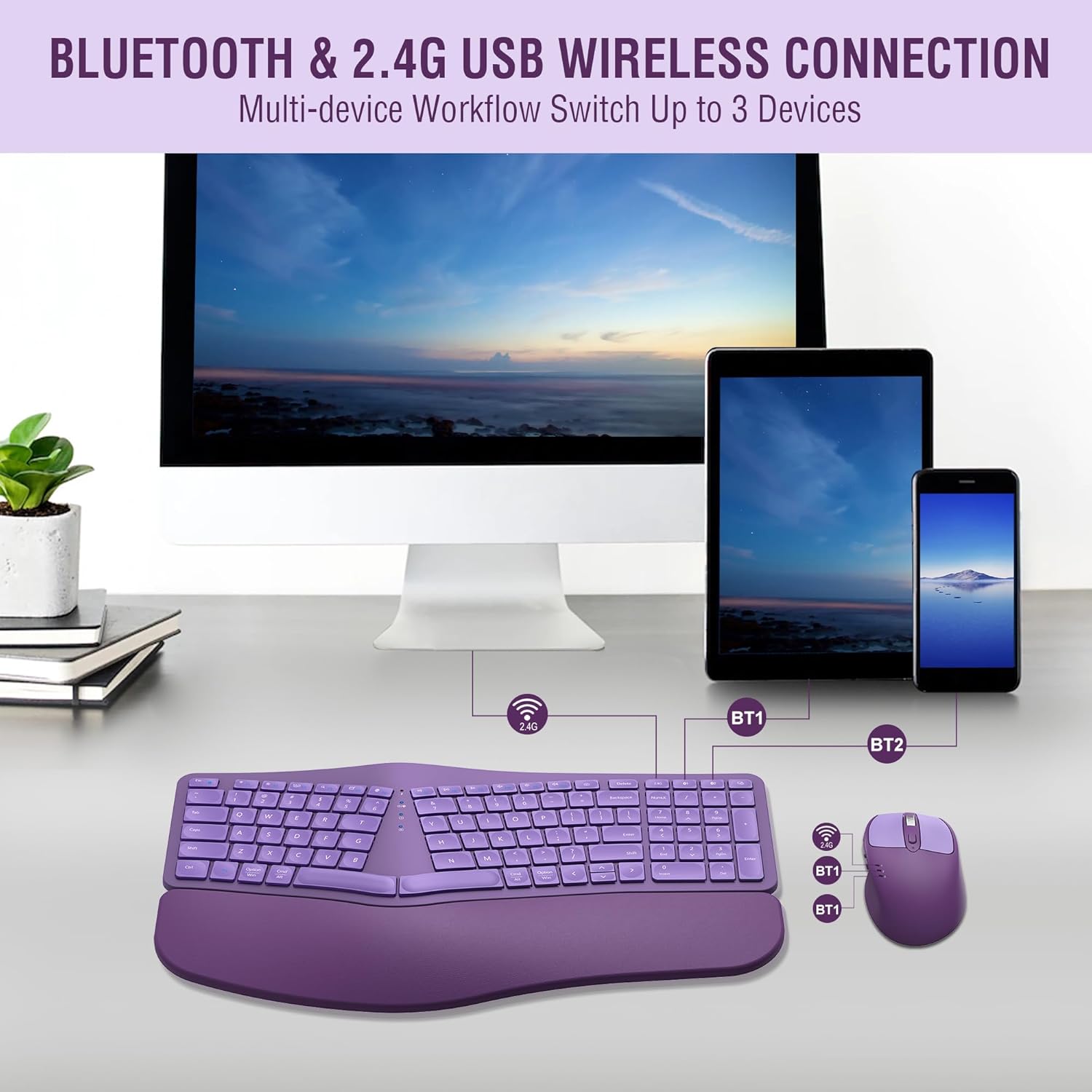
▶[Bluetooth and 2.4G USB Connection] : This wireless keyboard and mouse combo supports bluetooth and 2.4G USB connections, two bluetooth channels and one USB connection channel that can support up to 3 devices simultaneously, and can quickly switch between the three devices by pressing a single button. It is very easy to switch between computer, tablet and cell phone.
▶[Rechargeable Wireless Keyboard Mouse Combo] : Both keyboard and mouse are rechargeable via Typ-c cable and a single charge will last up to 2-3 months (based on daily use). Both the wireless keyboard and mouse have Intelligent power saving function that can auto-enter sleep mode after you stop use them more than 30 mins, which can extremely long battery life. There are also on/off switches on the keyboard and mouse, so you can also switching them off when you are not using them to save power.
▶[Low Noise & 12 Multimedia Hotkey Combinations] : This ergo wireless keyboard uses scissor switch which can provides quiet typing and fast rebound, even if you are in a quiet library, cafe or typing at night that will not affect others. This wireless keyboard also has 12 multimedia hotkeys, you can press “Fn”+ “F1~F12” to implement multimedia functions. You can also directly press F1~F12 to implement multimedia functions if you locked the Fn key function by press “Fn+Esc”.
▶[Universal Compatibility & 12 Months Warranty] : MK960 wireless keyboard and mice combo compatible with windows 8 (and above system), Mac, Android and other operating system. Works well with desktops, chrome-book, PC, Laptop, phone and more. All our items with 12 months warranty, even after the Amazon return period, we will also provide a satisfactory solution if you contact us via after-sales email.
6 reviews for MK960 Ergonomic Wireless Keyboard Mouse Combo, Bluetooth/2.4G Split Design Keyboard with Palm Rest and 4 Level DPI Adjustable Wireless Mouse Multi-Device, Rechargeable, for Windows/Mac/Android(Purple)
Add a review

Original price was: $99.99.$13.49Current price is: $13.49.
Elsa –
Outstanding customer service beyond my expectation
I purchased this keyboard in January for my home office because it is a wireless, ergonomic, split keyboard, and most or all rechargeable and no batteries needed. It worked great until a couple of months ago, the numbers keypad would randomly stop working throughout the day. I work remotely so doing this all day was frustrating. Then, one day last week, the keyboard stopped working. Both the keyboard & mouse were fully charged. I reset it a few times and still the same thing. I had to go to my daughter’s house to pick up her spare keyboard so I could continue working remote for the day. It’s a good thing she lives only 7 minutes from me.I contacted Amazon customer service to see what I could do about exchanging the product and getting a replacement as I had this for only a 7 months. For the amount I paid on this, I would expect it to last for awhile, not less than a year. Anyway, as expected, Amazon let me know I passed the 30 day window for returns or exchanges. They did, however, let me know that the product had a 12 month warranty and that the seller had a link to be contacted. They directed me to that link.I then sent an email to the seller explaining the situation. The seller responded that evening. He gave me directions on how to reset it and I let him know that I had already done that and it still did not work. He responded and told me to rest assured they will take care of me. He said he would send me a brand new replacement keyboard and mouse, and asked for my home address. I provided it and received the replacement keyboard in a couple of days; he also let me know to keep the keyboard I had as a spare keyboard in case I ever needed one. In addition, he let me know that should I encounter any other problems, even if the product is out of warranty, to please reach out to him and they will assist in correcting it.This is one of the sellers that went above and beyond what I ever expected. He wanted to make sure I was happy with my purchase and wanted ed to correct my issue. Their customer service is outstanding. I would purchase from them again as they stand behind their product. I am very impressed and highly recommend. That’s why I give this a 5 ***** review.Thank you so much for your assistance. I am a very satisfied customer.
Justen D Fauth –
Great keyboard/mouse
This keyboard mouse has been working excellently for me. Definitely an A+ with regard to the economic design.
Jm Ap –
Chinese knockoff that worked for me
I searched for Logitech and got this. I thought this MK960 was the update to the cheaper Logitech K860. It is a Chinese knockoff. But that’s exactly what it is. This keyboard takes less pressure to actuate than the old K860. The Logitech MX (same laptop chicklet keys) and Razer Pro (mechanical but quiet) are better choices BUT both cost significantly more. I was upgrading from a couple old Waves (that STILL work) because I do not like the wave – the different key sizes mean varying pressure to use (and short distance). This keyboard is MUCH quieter. Alas, my new mouse kept dropping its connection. Others have noted this issue. Can be caused by accidently pressing the computer switch key on the mouse. But it was a low battery for me (and I switched to USB). The keyboard layout lacks important keys (eg right-ctrl, Home, PrtSc – I most HATE the moved Del key) but I ended up keeping it. Quiet, smooth, ergonomic, and the mouse stores the 2.4 dongle so easier to not lose. And there will be times when the keyboard is used from my lap so the attached palm rest and smaller size will be useful. However, if I was to do it again, I would have spent twice for the Razer. This keyboard is more frequently returned. Likely others also thought they were buying Logitech due to the clearly intentionally confusing model/co name. They ask you to email them before returning. The company promises to make you happy if you contact them for the full warranty period. Of course, the Razor Pro (or Logitech Mechanical) are much better keyboards for programmers and gamers. This is for typing. Now, I normally have been unable to live with a smaller return key (as this has), but it hasn’t been a problem. Secretaries from 50 years ago didn’t get carpal tunnel due to also focusing on proper keyboard location. Proper posture can make a big difference. Why many suggest an office rather than gaming chair. You also should look into an ergonomic mouse such as the Logitech Vertical. There are knockoffs for under $20. BTW, studies in JOEM and JBMR confirm ergonomic keyboards do reduce CT symptoms and increase grip strength. This was for only typing where quiet was important. My office has a nearly two-decade old very clicky DAS Cherry mechanical that works as good as new and a top wired Razor gaming mouse. LOL
Michael –
Happy little accident.
A year and a half ago when I started a new job they asked me what kind of keyboard and mouse that I wanted. I said that I like “the split keyboards and ergonomic mouse” expecting them to get the standard Microsoft Natural Ergonomic Keyboard 4000, which is what I wanted. But they got me this. It took a week to get used to, but I actually like it better now. There were some things I disliked and functionality I missed at first (calculator launch key) at first, but overall when it comes to working I like the feel, look, and quality on this one now… So much so that I bought a pair for home too. I even like the mouse it came with. I only would use the Logitech m705 but surprised at how much I like this set up. Keyboard holds a long charge too – I think I’ve only had to charge it 5 times in a year. The mouse needs charged more often, but it’s easily used even plugged in.
joan criste –
It did not fit my table.
It will not fit under my computer table. I am returning the product.
Jay way –
Inconsistent
I loved the keyboard! But within a few months, it started glitching and would double type many of my key strokes. I contacted support and they were WONDERFUL and quickly sent me a replacement. Which was GREAT! However, a year later, I’m running into the same issue. I will probably buy again, but with a more reliable distributor.