

Nulea RT08 Wave Keys Wireless Ergonomic Keyboard with Cushioned Palm Rest, 2.4GHz Ergo Cordless USB Computer Keyboard, Comfortable Natural Typing, for Laptop, Mac, Windows Black
Original price was: $39.99.$29.99Current price is: $29.99.
Related Products




Product description
The video showcases the product in use.The video guides you through product setup.The video compares multiple products.The video shows the product being unpacked. Nulea RT08 Wave Keys Wireless Ergonomic Keyboard Merchant Video
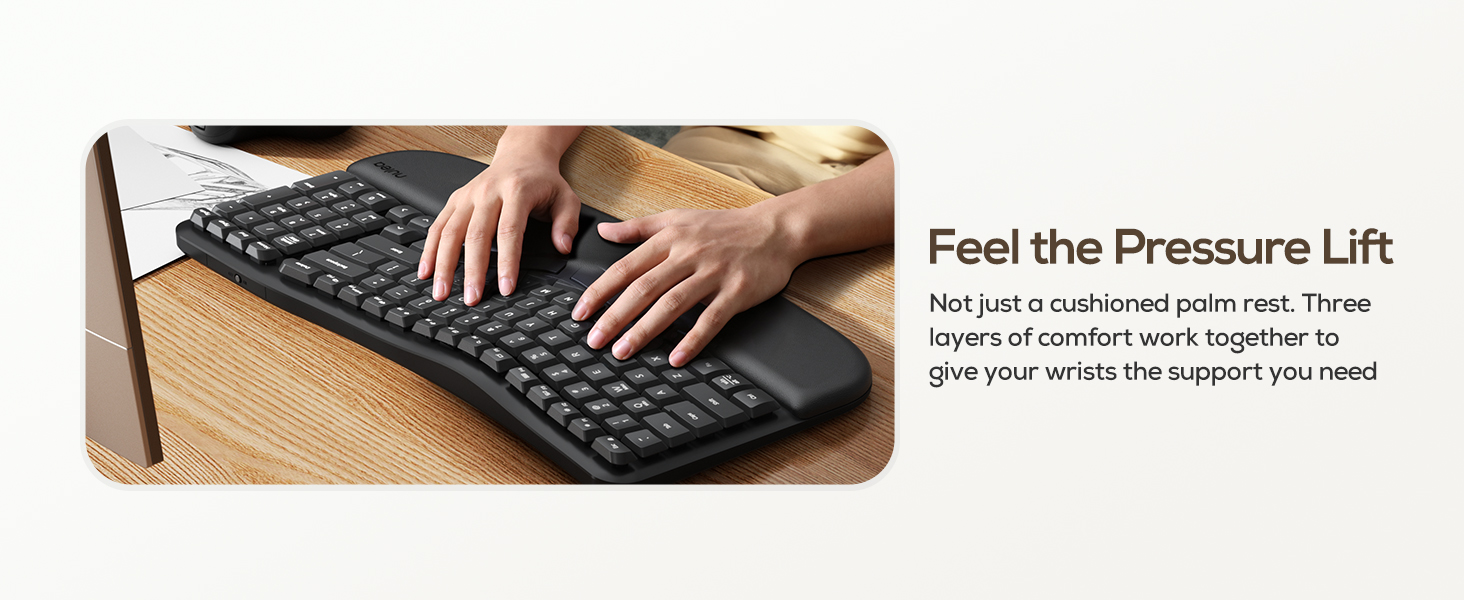
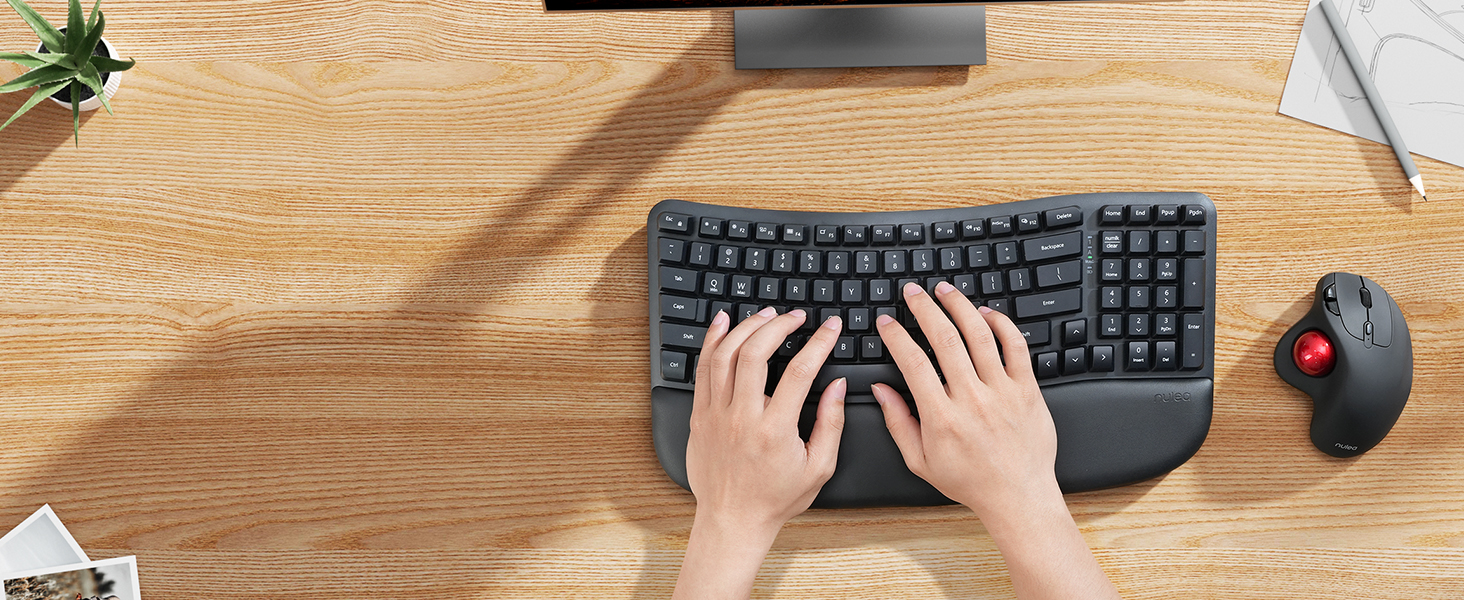 Better Posture,More Comfort
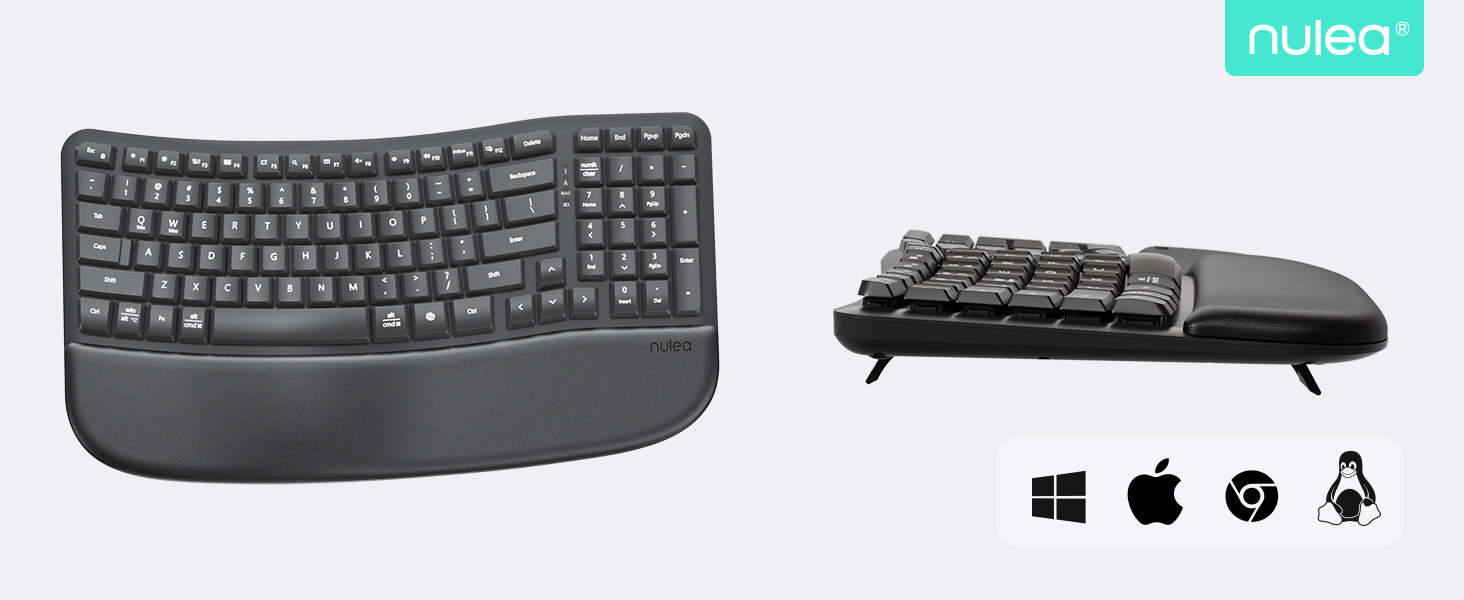
Rest your hands in a natural position as you type. With a curved keyframe design, Wave Keys feels instantly familiar.
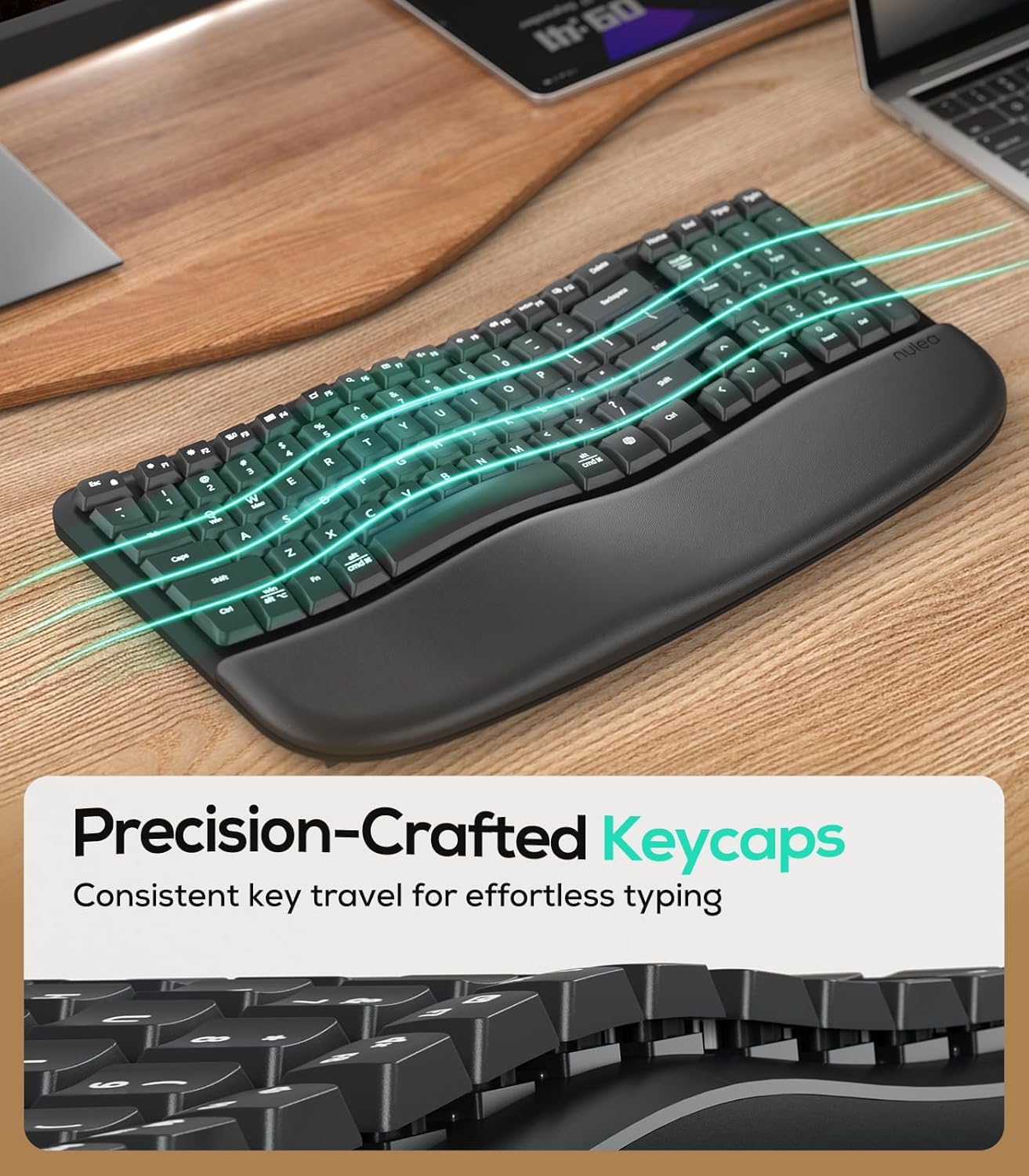
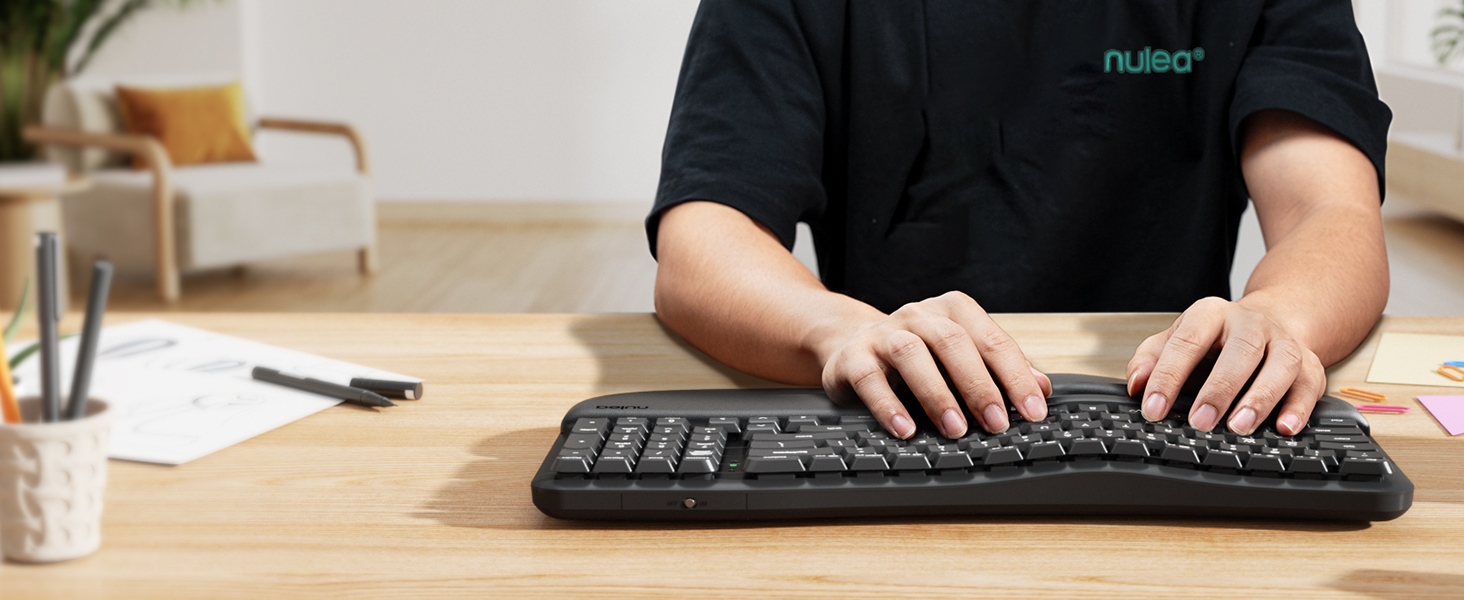 Ultra-Precise Typing with Perfect Stroke Keys
The customized keys make each key feel even and consistent, with just the right amount of pressure and rebound force, giving you a smooth typing rhythm.
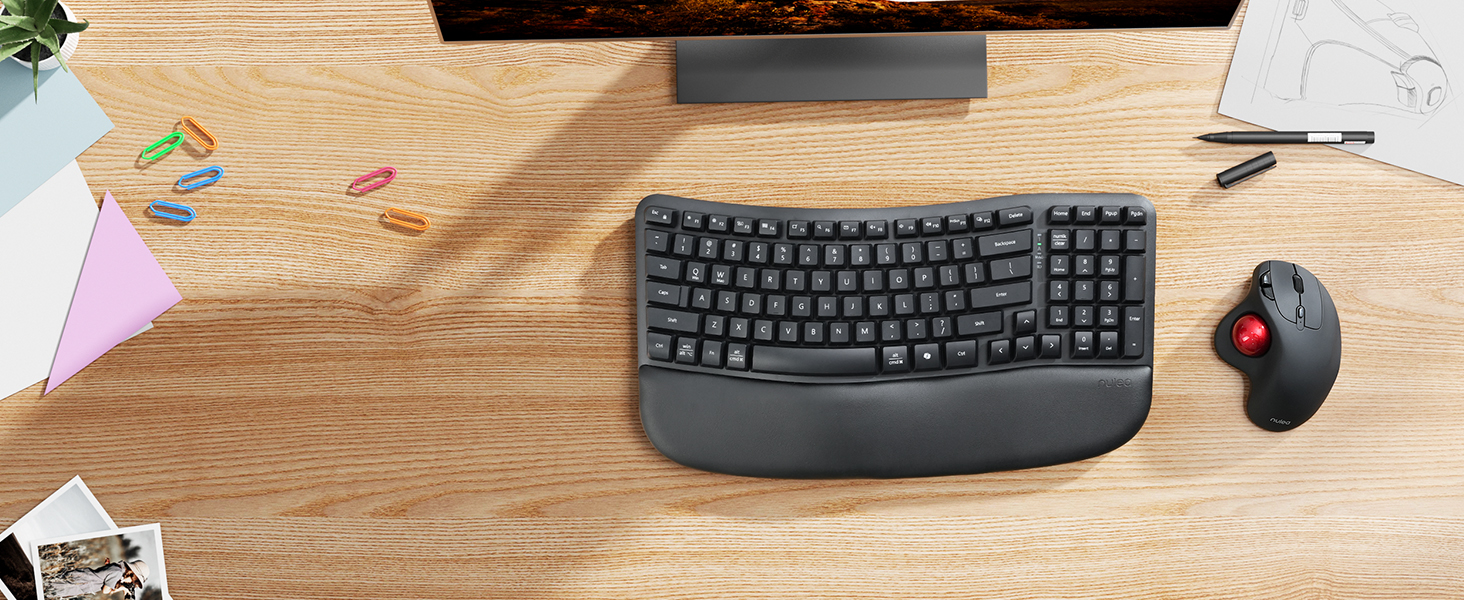 Meet the ERGO Series by Nulea
The ingenious design directly addresses the root cause of fatigue. It creates a movement mode that matches the natural rhythm for you to experience the control process as you wish.
 Meet the ERGO Series by Nulea
The ingenious design directly addresses the root cause of fatigue. It creates a movement mode that matches the natural rhythm for you to experience the control process as you wish.
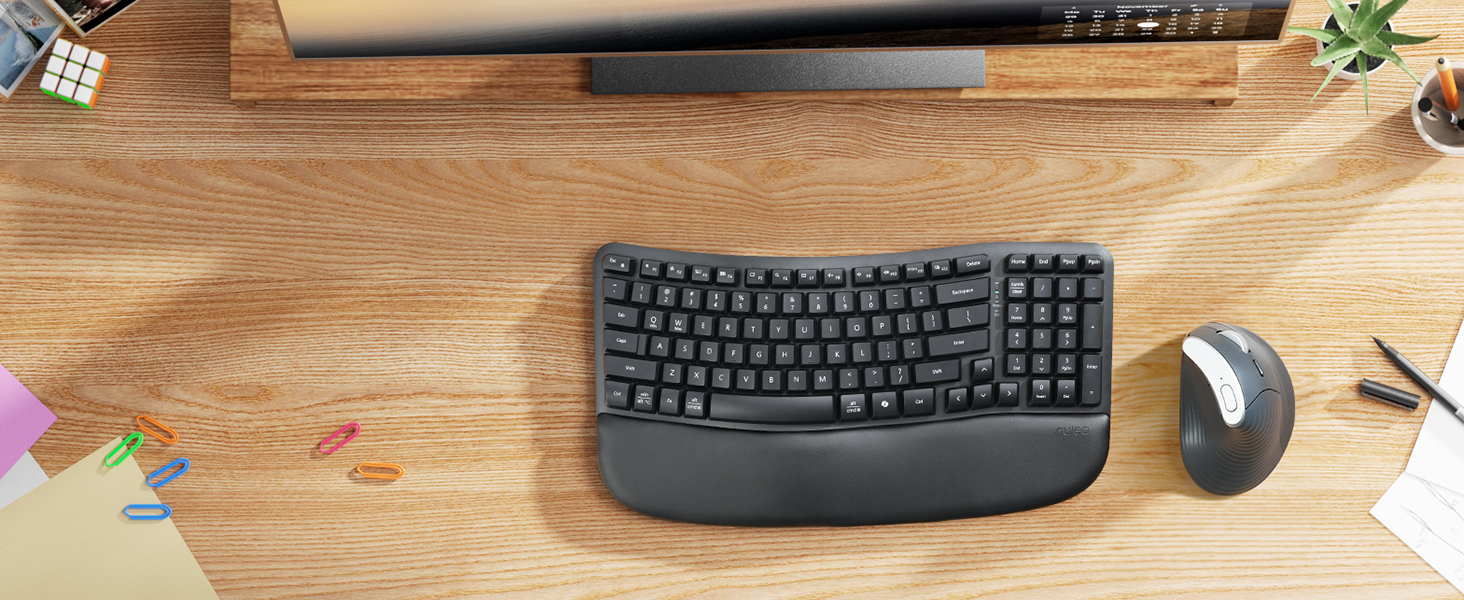 Meet the ERGO Series by Nulea
The ingenious design directly addresses the root cause of fatigue. It creates a movement mode that matches the natural rhythm for you to experience the control process as you wish.

Why don’t the keys on my new RT08 keyboard work properly after I get it?
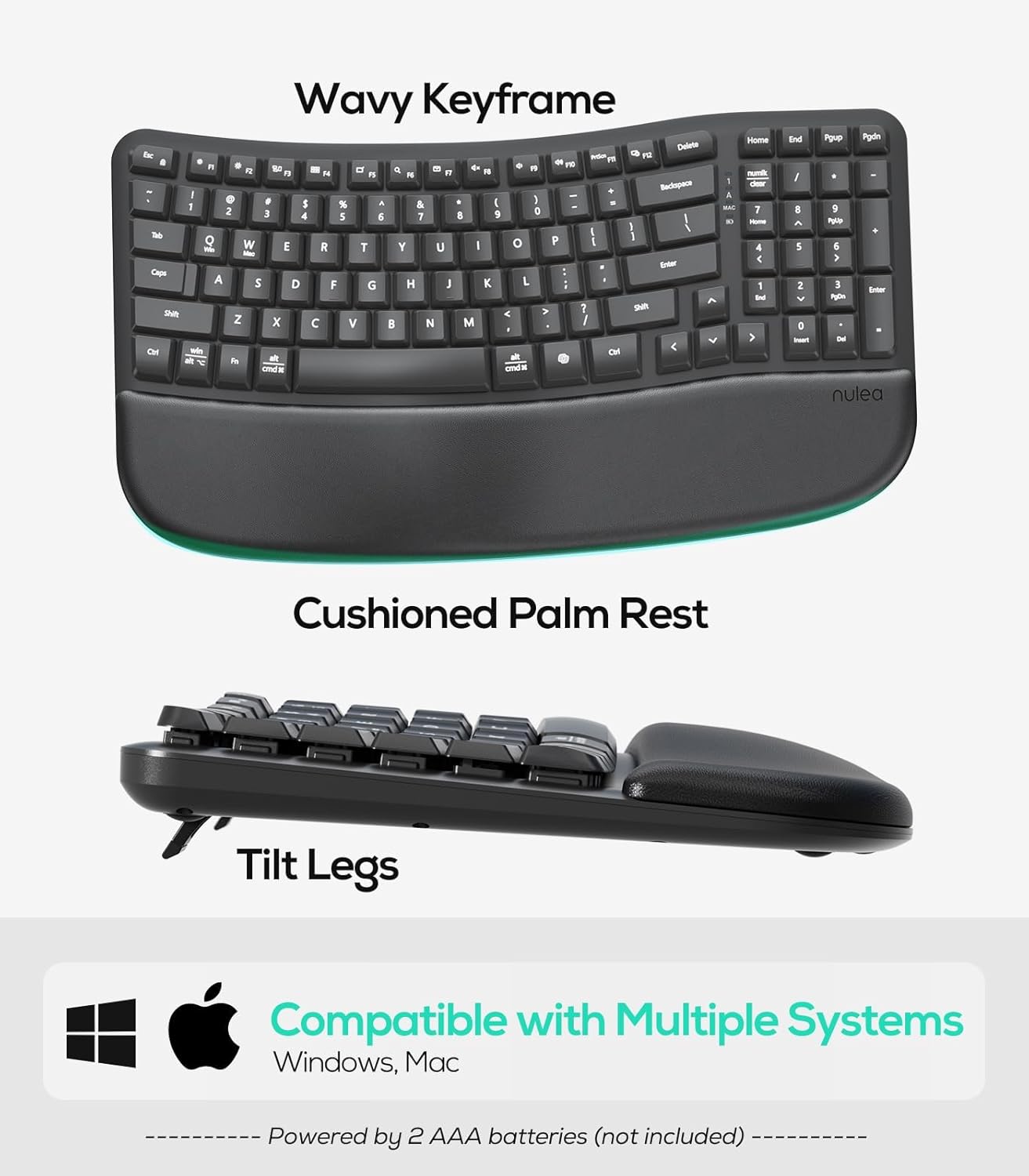
The product needs to be installed with two AAA batteries and then turned on to use it normally.
Is the RT08 Ergonomic Keyboard fully compatible with both Windows and macOS?
Yes. To provide a perfect typing experience on either platform, the printed two-key layout is compatible with both MacOS and Windows.
Wireless Connection and Full Key Layout:This ergonomic wave keyboard gets rid of the constraints of cables, allowing you to enjoy an unfettered typing experience when using it. The full key layout covers all the function keys you need, whether it is daily office document processing or professional software operation, it can easily meet your diverse work and entertainment needs.
Unique Wave Shape:The unique wave shape design of the keyboard perfectly fits the natural curve of the human hand. The arc of each row of keys is carefully crafted so that the fingers can stretch naturally during the typing process, reducing hand fatigue and discomfort. Compared with traditional flat keyboards, this design can effectively reduce the pressure on the wrist and fingers caused by long-term typing, making your typing process smoother and more comfortable.
New Ergonomic Design:Say goodbye to the complex learning curve of split keyboards. Our wave keyboard adopts an ergonomic design concept. It combines the advantages of ergonomics and retains the familiarity of traditional keyboards, so that you don’t need to spend extra time to adapt to a new way of typing. Even users who are using ergonomic keyboards for the first time can quickly get started. While enjoying a comfortable typing experience, it does not affect work efficiency. It is truly plug-and-play and can easily turn on efficient office mode.
Customized Exclusive Typing Angle:Equipped with ergonomic rear footrests, the keyboard’s tilt angle can be freely adjusted according to personal needs. Whether you like a slightly upward angle to reduce wrist pressure, or prefer a flatter typing surface, you can easily adjust the footrest to find the most comfortable posture that suits you. This personalized design can effectively disperse hand pressure and avoid problems such as wrist soreness caused by long-term fixed posture typing.
Precise Crater Key Position:Each crater key position has been carefully molded and strictly controlled in terms of process details. This ensures that the tapping feel of each key position is uniform and consistent, and the pressing and rebounding force is just right, giving you a smooth typing rhythm. At the same time, it effectively avoids the phenomenon of jamming, greatly improving your typing efficiency and user experience.
13 reviews for Nulea RT08 Wave Keys Wireless Ergonomic Keyboard with Cushioned Palm Rest, 2.4GHz Ergo Cordless USB Computer Keyboard, Comfortable Natural Typing, for Laptop, Mac, Windows Black
Add a review

Original price was: $39.99.$29.99Current price is: $29.99.
kmaria187 –
Comfortable and Practical, With a Few Trade-Offs
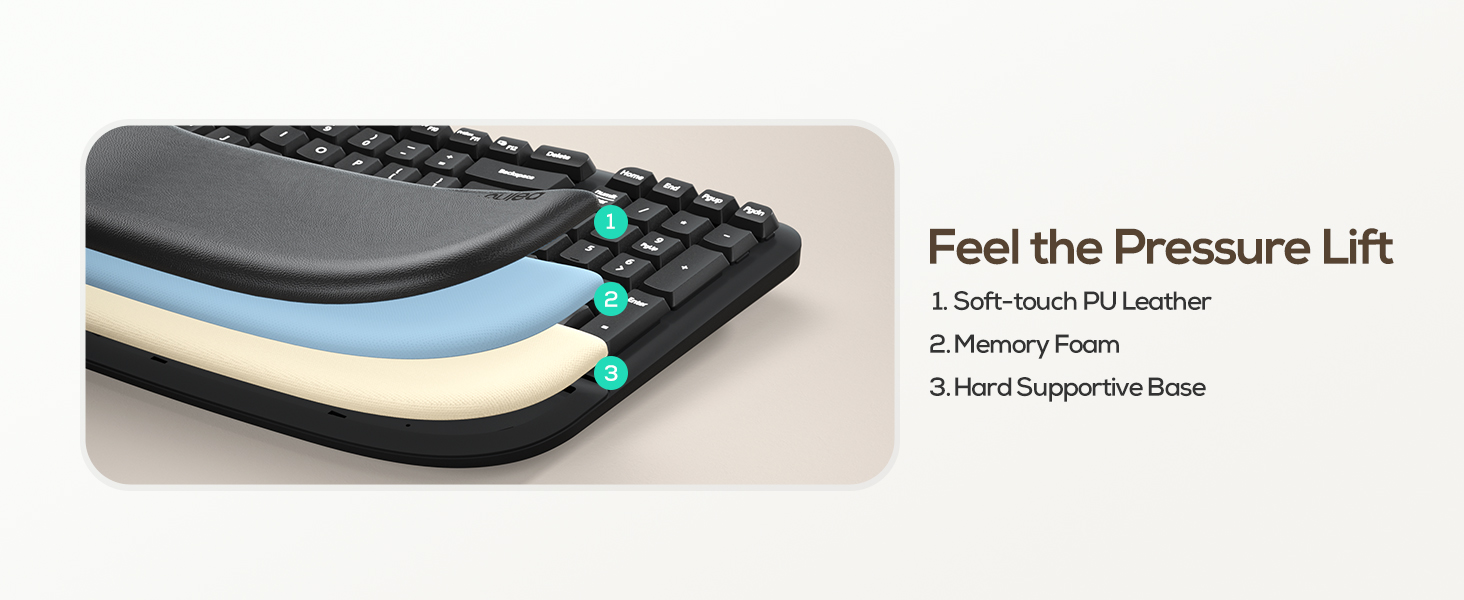
I recently switched to this wireless ergonomic keyboard because I spend long hours typing, and wrist pain was becoming an issue. Honestly, it’s been a big improvement! The wave design feels natural, and the cushioned palm rest is super comfy—I can type for hours without feeling sore. Setup was a breeze, and switching between devices is simple. The keys are soft and quiet, which I like, but if you’re into that clicky mechanical feel, this isn’t it. The key board is fast to respond and functions as it should.Overall, I’m impressed:What I Like:Ergonomic Design: The gentle wave shape really helps my wrists and forearms feel more relaxed. It didn’t take long to adjust, unlike some split keyboards.Cushioned Palm Rest: The memory foam wrist support is a game-changer for comfort during long work sessions.Wireless Convenience: Easy to connect via Bluetooth, and I love the multi-device pairing feature—it’s great for switching between my laptop and tablet.Battery Life: So far, the battery has lasted without needing a recharge.Size: It’s slightly smaller than a standard keyboard, so it takes up less desk space.What Could Be Better:Key Feel: The keys are quiet and soft, but if you prefer a mechanical feel, this might not be for you.No Backlight: If you work in low light, you might miss having illuminated keys.Bottom Line: If you want a comfortable, ergonomic keyboard without a steep learning curve, this is a solid choice. It’s not perfect, but the wrist support and wireless flexibility make it worth it for anyone who types a lot.
MisPrncss86 –
Best keyboard ever
I purchased this wireless keyboard for work because my hand was cramping so much typing on the other keyboard I had. I love this keyboard my wrists and hands no longer hurt. It took me about 2 days to fully get use to typing on it but now typing on a regular keyboard is very different. Now its so easy to type without the ailments. I have not had to change batteries yet since purchase date the battery life is amazing. Connectivity from the keyboard to computer was easy and worth every bit of thr money I paid. The keys fit to my hands perfect and so functional. I will be again.
Ruth –
GET IT
This is a GREAT dup to the Logitech ergonomic keyboard!!!I was obsessed with my Logitech ergonomical keyboard but the connection was so bad. So I gave this keyboard a try and it’s the BEST DUP!My keyboard search is now over! A new keyboard makes work more enjoyable so I had a time when I bought so many keyboard but I keep going back to this one.I work on my computer for 8 hours a day and this keyboard sits perfect on my hands/wrist. I never have any pain.It was quiet at first but after using it for a year, it’s slightly clicky now. Still not too loud for office use. I recommend this key board.
RM925 –
Great keyboard, helps with wrist pain
I really like this keyboard, I was having wrist pain and discomfort. This has not only help with that but the layout is much more comfortable for my hands and has improved my typing, not that it was great to begin with. But a little better.
R. Young –
Comfortable out of the box and with proper manual keys (no chicklets!!)
I’ve been searching for a comfortable keyboard since I was diagnosed with tendonitis in my wrist and have tried few that some of my co-workers have. The ergonomic ones were too spread out for my smaller hands. This one, by not being split is just the right size. I was typing on it normally within minutes with no retraining needed. I also love that I can raise the wrist rest so my fingers are lower which provides a more neutral wrist position. Finally, it has proper keys!! I’m not a fan of chicklet keys and these are good manual keys with a nice feel while also being quieter than a standard clacky manual keyboard.The one thing I don’t like is that it runs on 2 AAA batteries. You’d think they’d have a rechargeable one by now.
D S W –
Love my wireless keyboard
Love my wireless keyboard! Easy to connect and compatible with my older screen. Well made and very comfortable to use. Great keyboard for the price. Would recommend!!
A Reviewer –
I’m using it right now
Great, comfy keyboard. Better than the Logitech Wave Keys. Well designed and ergonomic enough for hours of typing per day. Helped manage my carpal tunnel. The dongle makes connection to your PC seamless.
Peaceful Waves –
Great office find
I love this keyboard. Perfect size, quiet keys. Great ergonomic design. I type all day everyday so was very pleased.
HCD ☕️ –
Need a wider and more comfortable set for all of the typing that you do? This lovely keyboard from Nulea will absolutely do it for you! It certainly has been a pleasant addition for me.I use an iMac and while I really love the minimalist keyboard that comes with it, it isn’t a full sized keyboard like one with a numeric section for example. I’d prefer to be able to rest my arms a little further apart sometimes, than closer together like is required for the iMac keyboard. This Nulea keyboard helps with all of these preference!The colour is a sweet pastel pink, not bold, but also not bland. My iMac is green, so the ink is actually quite complimentary to the monitor and mouse! I’m all about colour blocking, so I was happy that I could get the keyboard in an actual colour other than just black, grey, or white.The wave in the board is very hand-friendly. It significantly reduces the potential for cramping hand, or aches in your wrist. Further to that, the memory foam wrist pad is a delight! Proper support goes a long way, especially when you are typing for a long while. (Such as writing reviews! 😉) It’s comfortable, soft and certainly ergonomic. The optional kickstand legs beneath the board is an awesome touch as well, I find myself using the upper two for slight elevation.The keys all work properly, and it took very little time from unboxing to pairing up with the computer. You’ll find the connecting usb device in the battery compartment on the back of the keyboard – clever! FYI for iMac users: for me I only have two usb-c ports on the back of mine. Fortunately, I also have an external hub that houses other various ports that computers such as the iMac might need, other than just usb-c. So, I was able to add the keyboard usb into the external hub, and it still connected the keyboard to my iMac flawlessly, as if it was directly connected to the computer instead of a port. This was great news as I paired it up and had zero issues with doing so. 👌Another tip that was pretty significant for me personally: if you love to use keyboard shortcuts for cut and paste, undo etc. (ctrl+c, crtl+p, crtl+z…), you’re going to want to head into your keyboard settings to adjust the shortcuts > modifier keys. Switch the Option and Command keys to the opposite of each other. Now you will have those previously mentioned shortcuts all set up to go.Overall, loving the Nulea RT08 keyboard! Definitely recommend.________________Product review for 📌Seller/Brand: • Nulea RT08 Wave Keys Wireless Ergonomic Keyboard with Wrist Rest, Adjustable Tilt, Natural Typing, 2.4GHz Cordless USB Computer Keyboard for Windows, Mac, Laptop Pink
Brian Carmichael –
Perfect keyboard for working from home. Compact, great touch, quiet. I really appreciate the soft padding below the space bar. Excellent keyboard!
GЯΛƬi 𝗧𝗲𝗰𝗵 ! –
🟢 PROS➜ Very well thought out layout to maximize keys while minimizing footprint➜ Love the wave design and all-white aesthetic➜ Cushioned wrist rest feels very nice➜ Feels very natural to type on➜ Keys are very silent🟠 MEHS➜ Not seeing any real advantage so far with wave design🔴 CONS➜ FN key placement is very wrong IMO➜ No BT connectivity, only 2.4Ghz🔵 MY THOUGHTSI’m really pleased with this keyboard, it’s got a fantastic optimized layout that makes typing feel natural and comfortable. For a full size keyboard, I appreciate the optimized layout that minimizes footprint. The wave design looks great, and the all-white aesthetic fits perfectly into my workspace. What I like most is how silent the keys are, which is a huge plus for anyone who works in a quiet environment.If I had to make one criticism though, it’d be that it might be hard to adapt to the keyboard layout. In the manual, it explicitly mentions that those who struggle typing with the ergonomic wave design will eventually adapt over time. But really, I don’t think it’s the wave design that’s the issue here, but rather the layout of the keys. For instance, the FN key sits right where the WIN key usually sits on most other keyboards. Why did they have to put that there? That’s the 𝗿𝗲𝗮𝗹 issue, not its design. The placement of the arrow keys will also need some getting used to as well.🟣 CONCLUSIONOverall, this keyboard is a solid choice for the price of $30, and I’m really pleased with how it fits into my setup. The wave design looks great and feels natural to type on, and the silent keys are a huge bonus. Although there are a few minor layout quirks, I think eventually I will get used to them as the manual suggests.
Astoria –
I’ve been eyeing ergonomic keyboards for years, ever since my old director let me try hers. I already use a white ergo mouse at home and love it, but that mouse has definitely picked up some staining from natural skin oils. When I saw this keyboard came in white, I hesitated for exactly that reason. The pink felt like the safer choice, and honestly it fits my space since I already have a lot of pink accents around anyway.The shape is definitely wacky at first. My hands kept drifting back toward where a normal keyboard would be, and there were a few moments where I felt like I’d forgotten how typing works. But it reminded me of when I first switched to an ergonomic mouse. That felt strange too, and now a standard mouse feels wrong. This keyboard is giving me the same vibes. Once your hands start to understand the shape, it becomes a lot less intimidating.It’s comfortable to use, and the integrated wrist rest helps more than I expected. I’m not fully adapted yet, but I can already tell that once my brain commits to the new layout, going back to a regular keyboard is going to feel bizarre.
Valérie l. –
Super clavier j’adore