

Nulea Wireless Ergonomic Keyboard, Split Keyboard with Cushioned Wrist Rest, USB and Bluetooth Connectivity, USB-C Rechargeable, Compatible with Windows Mac
$49.99
Related Products




Product description


Nulea Wireless Ergonomic Keyboard
The video showcases the product in use.The video guides you through product setup.The video compares multiple products.The video shows the product being unpacked. Nulea Wireless Ergonomic Keyboard Merchant Video
Multiple Connection Options For Ergonomic Keyboard

 Elevate Your Typing Experience
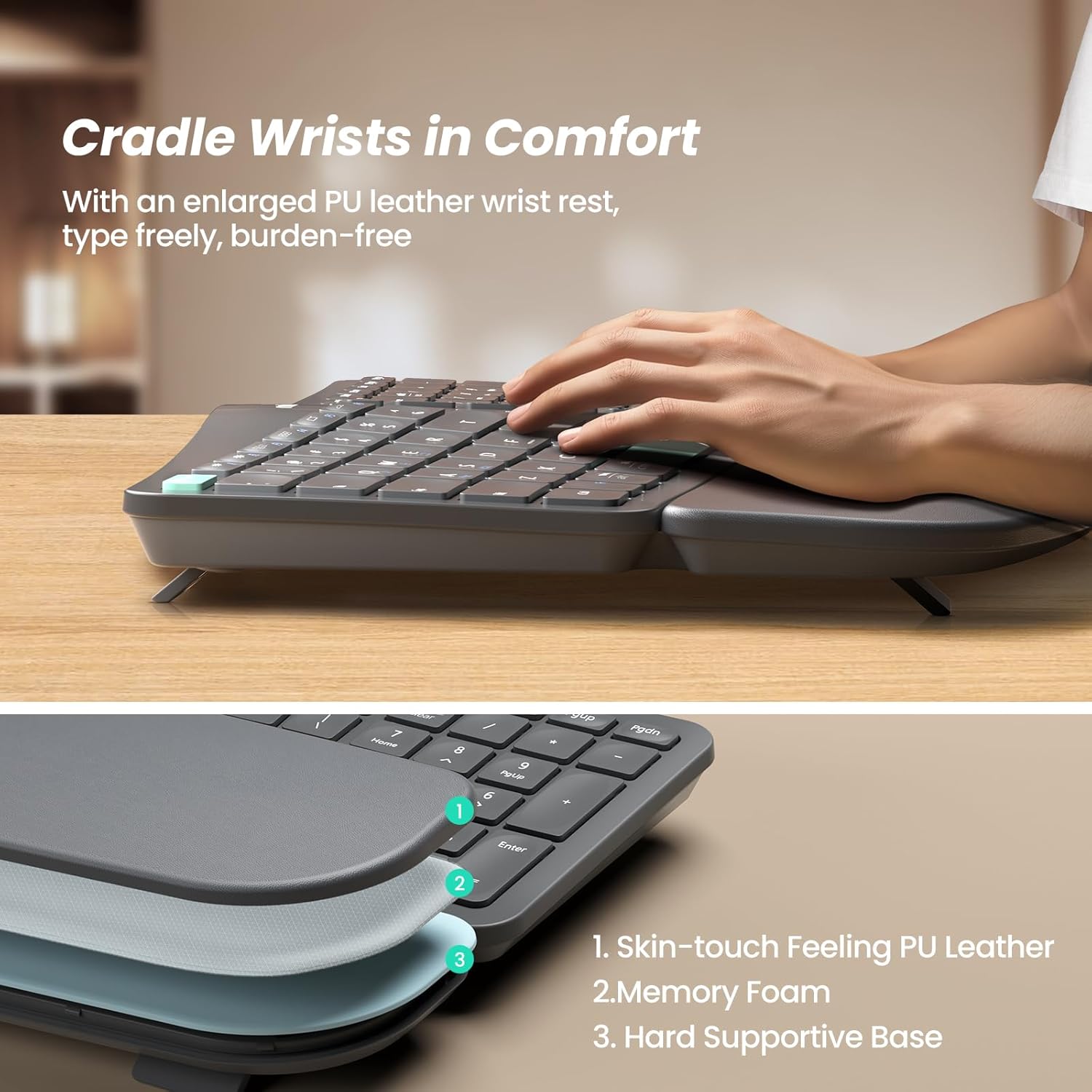
Experience better palm and wrist support with a larger pillowed palm rest, enhancing your typing comfort.
 Elevate Your Typing Experience
Experience better palm and wrist support with a larger pillowed palm rest, enhancing your typing comfort
 Redefining Comfortable Typing
Discover the ergonomic split & splayed design for reduced wrist and forearm strain.

Work With Your Favorite – Compare Nulea Ergonomic Keyboard Series
Add to Cart
Add to Cart
Add to Cart
Add to Cart
Add to Cart
Customer Reviews
4.5 out of 5 stars 385
4.5 out of 5 stars 108
4.6 out of 5 stars 618
4.6 out of 5 stars 232
4.4 out of 5 stars 341
4.3 out of 5 stars 1,559
Price
$49.99$49.99
—
$19.99$19.99
$37.99$37.99
$57.99$57.99
$64.99$64.99
Number Of Keys
101
103
34
101
101
101
Layout
Curved, Split
Curved, Split
Ergonomics
Curved
Curved, Split
Curved, Split
Palm Rest
Pillowed/Cushioned
Pillowed/Cushioned
/
Pillowed/Cushioned
Pillowed/Cushioned
Pillowed/Cushioned
Connectivity Tech
Bluetooth, 2.4G USB
Bluetooth, 2.4G USB
Bluetooth, 2.4G USB
2.4G USB
USB Wired
Bluetooth, 2.4G USB
Compatible Devices
PC, Laptop, Smartphone, Tablet
PC, Laptop, Smartphone, Tablet
PC, Laptop, Smartphone, Tablet
PC, Laptop
PC, Laptop
PC, Laptop, Smartphone, Tablet
Power
USB-C Rechargeable
USB-C Rechargeable
USB-C Rechargeable
2 x AAA Batteries
USB-Wired
USB-C Rechargeable
Why does a button malfunction (no response after pressing)?
The keyboard may be in low battery state and the connection may be unstable. Please use the included charger to charge it before use.
Why do the keys seem to be stuck and won’t press or release properly?
The buttons may be stuck due to food crumbs or other debris. You can use a small brush to clean them.
Ergonomic Split Design: Embrace a more natural typing posture with Nulea ergonomic keyboard’s distinctive split design. It adapts to the natural alignment of your hands, ensuring comfort and reducing strain during long typing sessions.
Seamless Dual-Mode Connectivity: Enjoy the flexibility of smooth transitions between devices with our dual-mode (Bluetooth & 2.4G) wireless ergonomic keyboard. Whether you’re at work or play, easily switch between different devices for a streamlined experience.
Rechargeable for Uninterrupted Work: Say goodbye to the hassle of constantly replacing batteries! This ergonomic wireless keyboard boasts an impressive 200-hour battery life, ensuring you stay productive and uninterrupted.
Luxurious Wrist Support: Experience the pinnacle of comfort with our keyboard’s oversized wrist rest, crafted with a soft, skin-friendly leatherette design. It provides ample support to your wrists, helping prevent fatigue and strain.
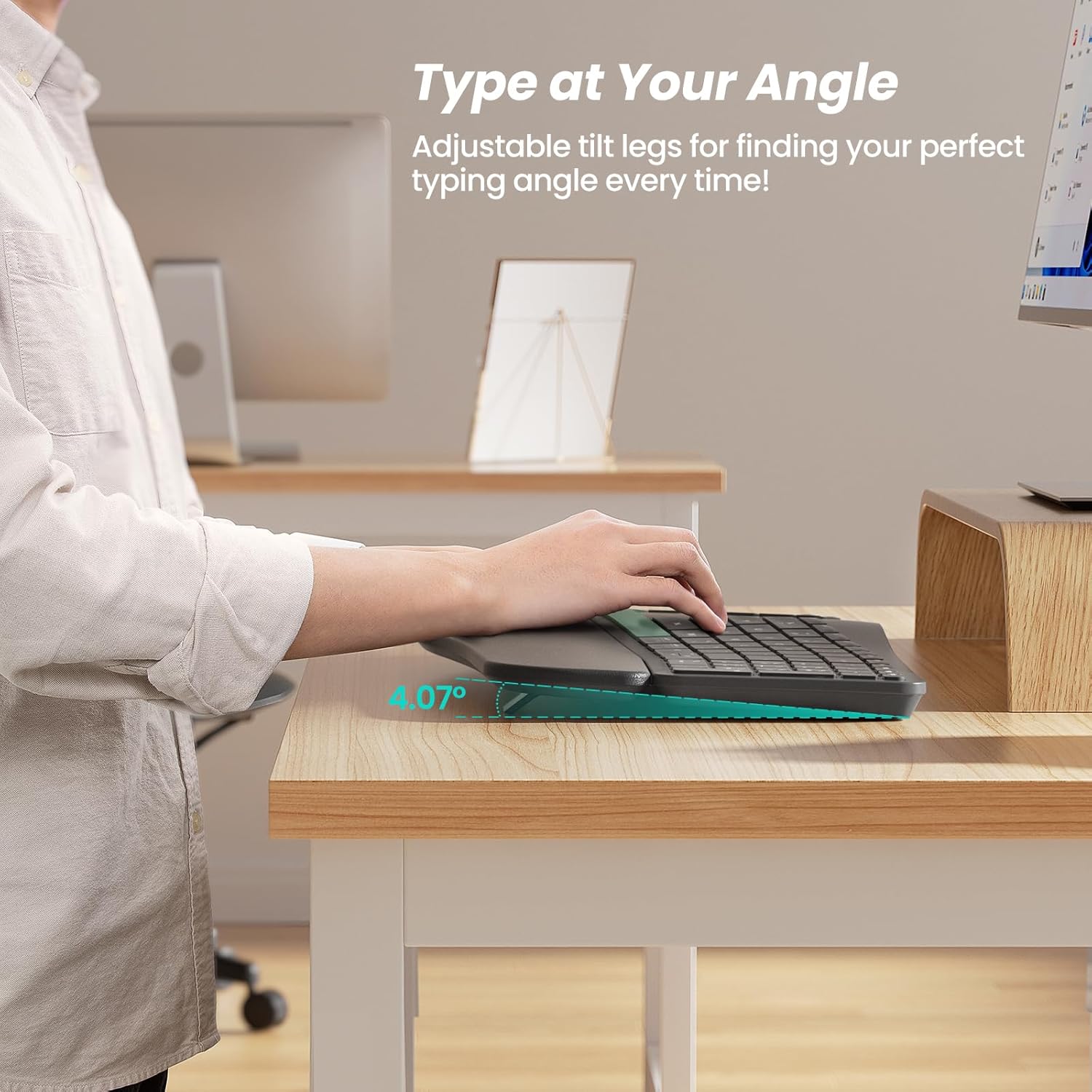
Adjustable Tilt for Optimal Comfort: Customize your typing angle with ease! This keyboard features adjustable support tilts, offering three different angles to suit your personal preference and ensure ergonomic alignment.
Tip: If the buttons do not work, it may be due to low battery, resulting in unstable connection. Please use the included charger to charge before use.
13 reviews for Nulea Wireless Ergonomic Keyboard, Split Keyboard with Cushioned Wrist Rest, USB and Bluetooth Connectivity, USB-C Rechargeable, Compatible with Windows Mac
Add a review

$49.99
UK –
Very good typing keyboard for both windows and Mac
Love the keyboard! The keys make a mild click not like a mechanical keyboard. Connects via Bluetooth or has a USB dongle on the back of the keyboard. The key size, comfort and the shift key are all where they should be. There are no missed letters when typing and my speed has gone up and realized how much a good keyboard can do. No idea about the battery life as I am yet to use it for that long, but they have multiple ways to charge using USB or USB C all in the same cable. I just love the thoughtfulness of just providing one cord to charge. As for the connectivity it is pretty solid, I could turn around and even put the keyboard in my lap and still the typing was steady. Great functionality and features. Works for both windows and Mac. Would definitely recommend it.
Shelley Averette –
Great keyboard
Keyboard is great.Battery life has been good, however I have not tested the limits. I pretty much charge it at the end of each 10h workday.It’s very comfortable. You have lifts at the front and back end of the keyboard to adjust the angle to your liking.It’s lightweight and not as bulky as some of the other ergonomic keyboards that I’ve had.Overall I give it 5 stars.
gigi r. –
Loved it so much I bought two
I love this Nulea wireless ergonomic keyboard in pink so much that I now have one at home and one at work. It’s comfortable to type on, easy to connect, and looks great on my desk. Even my daughter loved it and bought one for college. Stylish, functional, and very comfortable—highly recommend.
Micah Gillette –
**Comfortable Keyboard With a Slight Learning Curve**
This keyboard took me a minute to warm up to, but once I got used to it, I ended up really liking it. The split layout and wrist rest make typing comfortable, and the overall build feels solid. The arrow keys are definitely small—something I knew going in, but they still feel tighter than I’d prefer.My biggest headache was the setup process. The instructions for connecting it to my MacBook (2019) were not helpful at all. I had to sort it out through YouTube before it finally paired.On the positive side, the rechargeable battery is fantastic. I charge it about once a month, and even with 3–5 hours of daily use, I usually have more than half the battery left. The key travel isn’t very deep, but it hasn’t been a deal breaker.Overall, a great keyboard once it’s set up, even if the instructions could use some serious improvement.
Valerie Guidry –
Best yet!!!
This has been the best keyboard. It’s a very natural way to type. It has saved my wrist.
Maya –
Love it
I love the keys and the color. It’s comfortable and battery lasts a long time on one charge
Meera Martin –
Buy this!
This changed my life. So easy tk use. Loved the keyboard sound and hos easy it was to sync to my laptop. Reduced my wrist pain and I recommend to all
Gillian P. –
Very bad investment!
The characters stick even though the key itself isn’t stuck. I.E. type a “P” and 10 “P’s” appear on the screen. Hit the “backspace” to remove the 9 “P’s.”Suddenly, all the work previously typed gets removed. Frustrating!Final straw, I charged it over Thanksgiving, it died Friday about 3. I had to grab a wired keyboard to use for the rest of my work day. So, 4 weeks in, the keyboard stopped working. My Amazon 30 day return ended on Thanksgiving Day.I should have listened to the reviews, but I thought, “what’s the likelihood that would happen again?” Now, I would say, “Very Likely!” Go with another pink option, if you can!
carol –
I got this keyboard because I wanted a wireless keyboard on every level of the house. There are times I want to do emails on my cell phone and the touchscreen is too slow. This keyboard connected to the cell, my iPad etc super easy. Even the tv, I can just type my search in now instead of scrolling through the letters on the phone screen.It came with a sticker with the function keys listed so I stuck that in place and overall this is a fantastic wireless board. It doesn’t have the roller ball which is great because I have one of those and the ball falls out if it’s not flat. So this board I can carry around one handed no issues. Toss it on the couch, move it to the kitchen, whatever, wherever. Plus the cat won’t steal the ball.Came with charging cord that’s usb c and on the other end it’s got an adaptor to turn that end to either usb c or usb a . That’s a nice feature for plugging into a charging cube that’s still on old connections or newer ones on usb c . You can also find on the back of the board is a small plug in wireless usb a controller for using on old computers without wifi or Bluetooth connectivity. I was concerned that meant it wouldn’t connect to my cell without that plugged in but nooooooo, that’s an option not a necessity!!!!! Totally works without it. I just turned the board on clicked the function command for pairing looked on my phone and iPad and both just connected. No problems.Highly recommend getting this one.Thank you
ET –
Very comfortable keyboard, feel solid and good value. 3 downside for me are no right CTRL key, the up and down arrow is too small and finally the DEL key is at an unusual location.
Gabriel Glez –
Es muy cómodo las teclas muy suaves me gustó mucho
Software Developer –
As someone with a very expensive split ergonomic mechanical keyboard that I use regularly for work, this keyboard was surpassingly pleasant to type on. The membrane keys have a decently satisfying tactile feel, similar to a good chiclet laptop keyboard. The hand rest padding was nice and plush while hard enough to keep my hands stable while typing. And the angled and spaces keys felt fairly natural to me. As the keys are still angled towards one side, it’s still not perfect for your shoulders, but I think this is still a significant improvement ergonomically over a standard keyboard.While you can’t use the keyboard plugged in via USB, you can connect wirelessly and then have the USB cable plugged in permanently for power. This was useful as I didn’t want to have my older mom have to deal with remembering to charge her devices.For those new to ergo split keyboards: It does take some time to get used to a split keyboard as the positions of things are slightly different, but if you are a good touch-typist already, then I don’t think it’ll take you too long to adjust to it. I would recommend putting up the bottom stand to help provide a more neutral angle, which made it a bit easier for me. Otherwise, I would expect a mild decrease in typing speed for a couple weeks.Given the extremely fair price, if you’re someone who uses a keyboard for long periods of time and are looking for an affordable replacement, I’d suggest giving this option a try! It should do a good job at reducing tension and nerve pinching.
frank –
Super happy