

Qolsys DW Mini-S Wireless Contact Sensor for Windows & Doors – S-Line Encrypted 319.5 MHz – Check Compatibility
$22.99
Related Products


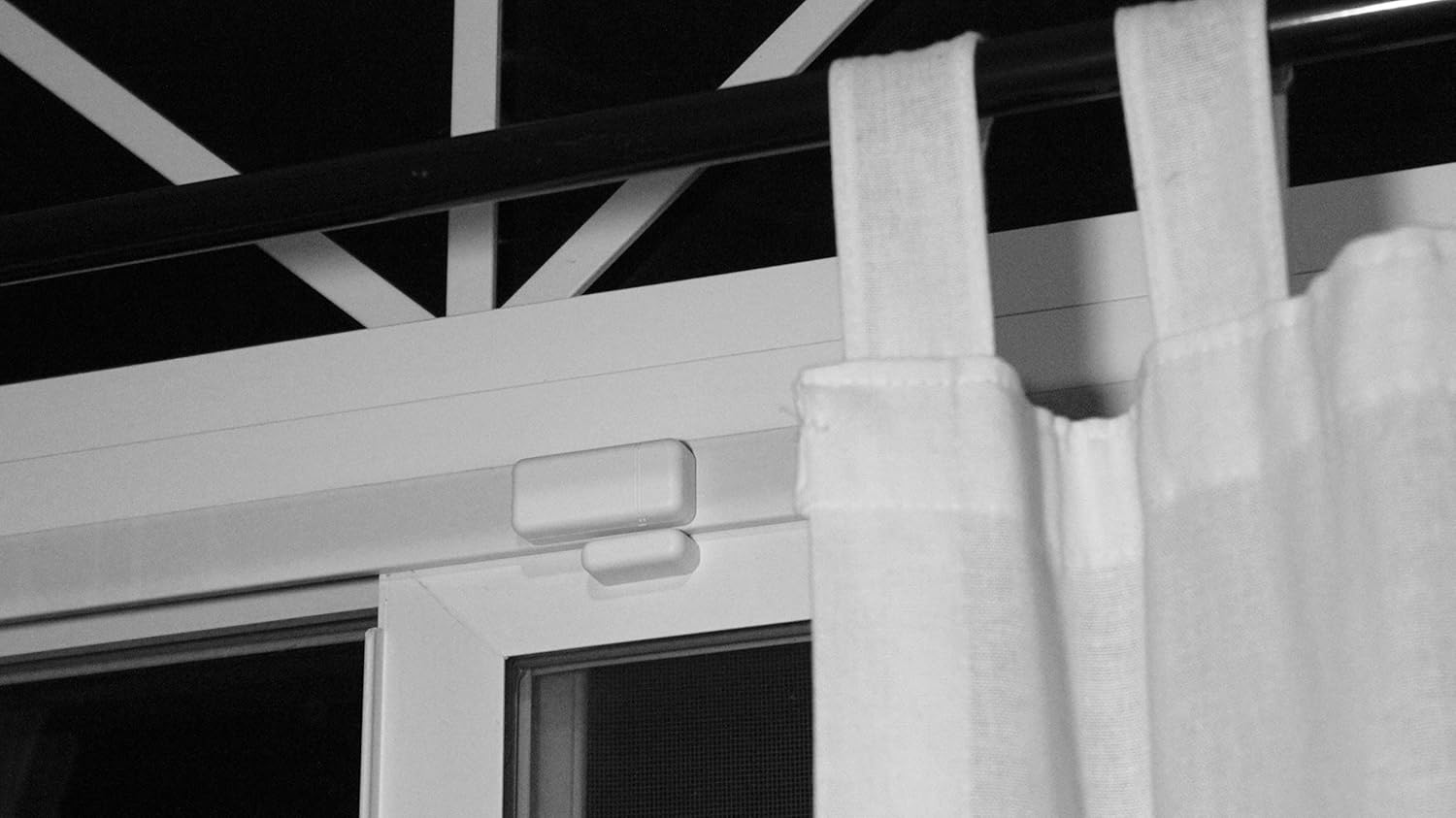

The IQ Mini DW-S is an ultra compact encrypted sensor that securely connects to the IQ Panel 2. Using our proprietary S-Line encryption technology, encrypts signals sent to the IQ Panel while still providing backwards compatibility for legacy 319.5 systems (wireless frequency). Easy to install on anything that opens or closes, the IQ Mini DW-S can provide intelligent notifications like “door left open” can be custom named, and can even support Smart home rules like “when door opens, turn on light” or “when door left open adjust thermostat to save energy.” Boasting up to eight years of battery life, the IQ Mini DW-S uses an innovative board and antenna design to extend range and allow mounting on a variety of surfaces. The IQ Mini DW-S also includes a rare earth magnet for flexible mounting options in a variety of situations
ENCRYPTED SECURITY – Utilizes advanced S-Line encryption to securely transmit signals to the IQ Panel, while maintaining compatibility with legacy systems that operate on a 319.5 MHz wireless frequency.
INSTANT ALERTS – Detects movement over 1 inch and notifies the IQ Panel immediately Ideal for doors windows safes medicine cabinets and more
SMART HOME READY – Works with Alarm com to send text alerts and enable automation like turning on lights or adjusting thermostat when triggered
EASY INSTALL AND TAMPER ALERTS – Installs quickly with included adhesive Tamper switch sends alert if sensor cover is removed
CUSTOMIZABLE AND LONG LASTING – Set custom names chimes and voice prompts Includes 2 CR2032 batteries with up to 5 year life and 600 foot range
8 reviews for Qolsys DW Mini-S Wireless Contact Sensor for Windows & Doors – S-Line Encrypted 319.5 MHz – Check Compatibility
Add a review

$22.99
Pau sian tuang –
Ok
Good
Johnny M. –
Perfect
Works great
Ken J –
Great replacement security sensor
Great generic replacement alarm sensor that was compatible with my existing security system.
Maestro –
Frontpoint Security Compatible Window Sensor
Works with my Frontpoint Security system but you need to call Frontpoint Support to help you set it up, since it is not a window sensor sold directly by Frontpoint.
IM –
BOTH TIMES RECEIVED USED
Ordered twice, the 2nd time as a replacement. BOTH TIMES RECEIVED USED sensor with a torn original paper box, half-opened sensor plastic cover, and batteries drained without protective tabs. Did not even try to install them in my system. Returned both USED sensors immediately.
Eva Dwyer –
Saved me $160
I have ADT and when we replaced our front door, we accidentally threw out the tiny piece that sticks to the door frame to let the system know the door is opened/closed (attached in the pic). First of all, the ADT customer service lady told me that I would have to have a service person come to my house to install the new sensor ($100 for the service) and pay for the new piece ($60). When I googled “ADT front door sensor,” the exact piece that I needed was here on Amazon for much MUCH cheaper. The lady on the phone guaranteed that this one wouldn’t work and I needed a specific one installed by an ADT service person. She even told me that every time someone calls asking for a replacement piece, they offer the upgrade and even though I told her I didn’t want the upgrade and just wanted the simple piece, she didn’t listen. So I ordered it anyways. And it works perfectly. I saved so so much money! If your system looks like mine, it’ll work.
Ashtin5 –
Works
Why did you pick this product vs others?:Works well with my ADT security panel, cheaper than buying from them directly.
Christine Brown –
Easy Peasy Install and Great quality
This is the same product that Brinks used to install our Qolsys 2 panel security system. I only got a couple of window sensors at the time because of price and with my intention to “add on” to your system.I saw these for almost half of the price that I would pay ordering from the Brinks site.This was so easy to install. Just search the internet and you will find a videos how to install it.My initial issue was finding the darn installation icon on the Q2 panel in the settings. After a call to Brinks, they gave me the installers code. So after you go to Settings, advanced Settings the panel will ask for your security code. After you enter that code it should have an installation Icon (mine has a screw gun) and bam easy. However, I put my code in and no installation icon. I called Brinks and they gave me the installer code. That is just some random code. I don’t know how they felt about giving me the code, but as the homeowner, I absolutely should have had that anyway. Once I got that code, BAM… Here comes the easy peasy install. You can choose the smart install option and no programming involved. Trust me.. If you have this system, you have an IQ above 50, you can do this! I did. 🙂