

SABRENT USB-C Hard Drive Docking Station, 2.5″/3.5″ Inch SATA SSD & HDD Tool Free 10Gbps Docking Station, Hot Swappable, Supports 20TB Drives, for Windows and Mac (DS-UC1B)
$3.99
Related Products


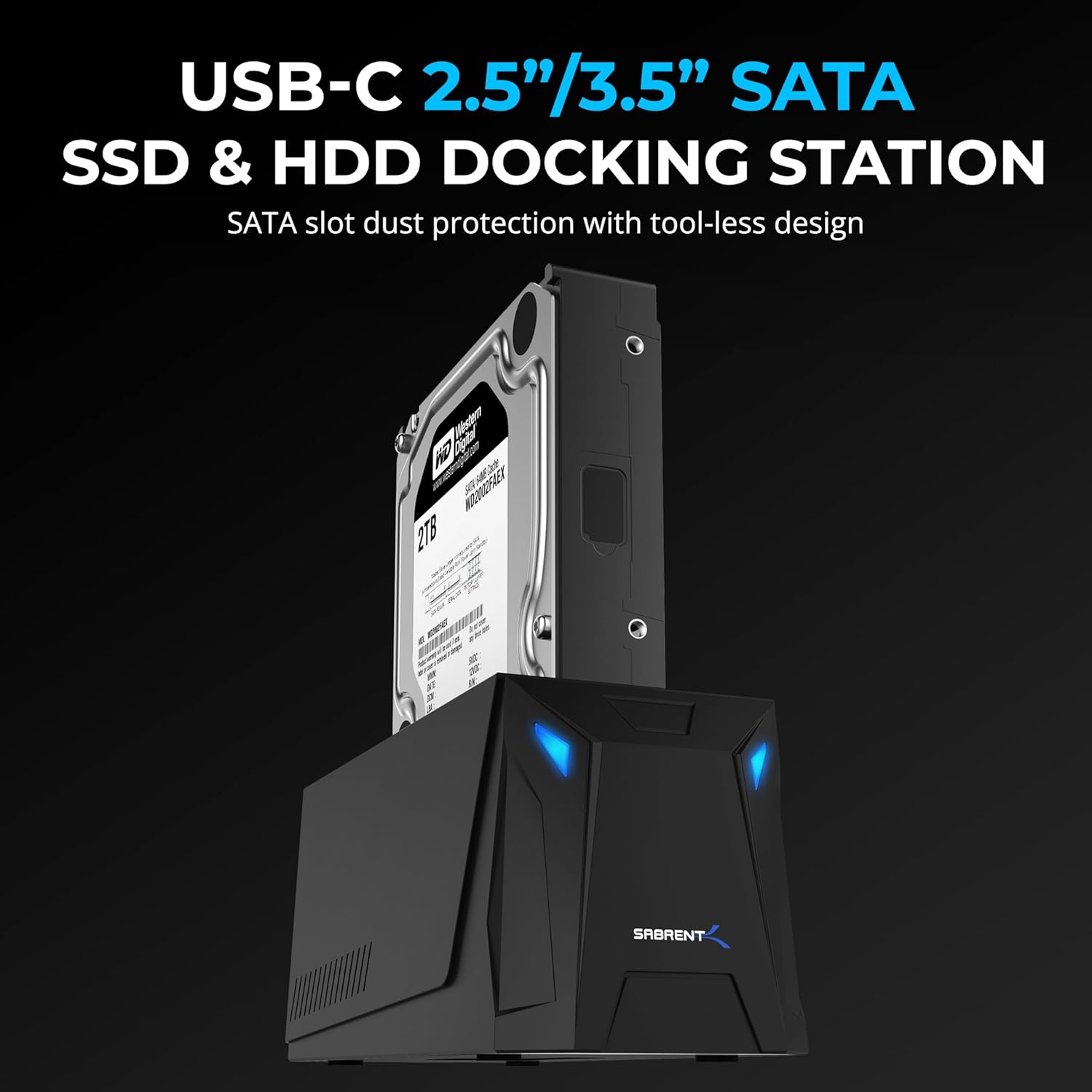


Your “everything” SATA docking station is here. New technology makes sure you can get the fastest connection possible for your SATA SSDs and HDDs, old or new. The Sabrent USB-C 2.5”/3.5” SATA SSD & HDD Docking Station (DS-UC1B) accepts both 2.5” and 3.5” SATA SSDs and HDDs, handling back to SATA 1.5Gbps (“SATA-I” / SATA-150) and supported with an external power supply to maintain a stable and reliable connection. Get the most out of SATA 6Gbps (“SATA-III” / SATA-600) with the 10Gbps (USB 3.2 Gen 2×1) interface, which is plug and play with no drivers required – or connect to older 5Gbps (USB 3.2 Gen 1×1) or 480Mbps (USB 2.0) ports thanks to full backward compatibility.
The use of newer technology also means this external drive dock can easily support large-capacity hard drives of 20TB and beyond. Simply align and dock your SATA drive into the tool-less bay, designed with a retractable dust cover to protect the connector, and access your files or prepare the drive for fresh use. The docking station is also hot-swap capable, but be sure to finish your work first. We’ve made things even easier by including USB-A and USB-C to USB-C cables to connect with pretty much any system. The docking station is designed for Windows and macOS computers but will work with Linux and may be compatible with other devices, so get started on your storage projects today.
Universal Docking: The SABRENT USB-C 2.5”/3.5” SATA SSD & HDD Docking Station (DS-UC1B) is your one-stop solution for handling 2.5” and 3.5” SSDs and HDDs for backup and other storage needs. This HDD Dock has everything you need to get started, including a power adapter for 3.5” HDDs to ensure reliable operation.
Easy USB: Enjoy the maximum performance possible from SATA drives with our SATA dock 10Gbps (USB 3.2 Gen 2×1) connection. Plug and play with no drivers needed, hot-swappable, and backward compatible with 5Gbps (USB 3.2 Gen 1×1) and older. We’ve even included both USB-A and USB-C to USB-C cables for your convenience.
Simply Compatible: This External Hard Drive dock is designed to work with a range of SSDs and HDDs. This includes drives in both the 2.5” and 3.5” form factor from SATA 1.5Gbps (“SATA-I” / SATA-150) and up. This SATA hard drive docking station is also designed to handle high-capacity drives of 20TB and larger, so it will work with you moving forward.
Tool-Less Design: The docking station drive bay is easy to use – simply align and plug in your SATA drive! It’s tool-less with a retractable dust cover to protect the SATA connector from debris. Insert and remove drives in seconds. It’s easy to swap and go, backup, transfer, and more.
It’s SABRENT: We hope you love our products as much as we do! If so, please visit the Manufacturer website to register your product. Also, contact technical support with any questions you might have.
13 reviews for SABRENT USB-C Hard Drive Docking Station, 2.5″/3.5″ Inch SATA SSD & HDD Tool Free 10Gbps Docking Station, Hot Swappable, Supports 20TB Drives, for Windows and Mac (DS-UC1B)
Add a review

$3.99
SN –
Good speed, good fit, works with two drives at once.
I’ve had this for a few days now, used it to transfer some data without having to keep powering my PC off/on and swapping drives. I’ve had no issues using it, using multiple 3.5″, multiple 2.5″, or mixes at the same time. Just a basic transfer in Windows 11, reading from two 3.5″ HDDs in this enclosure going to a SATA 3 RAID 0, was going at 60 MB/s per drive. Going to a SATA SSD was a bit faster, but I don’t remember the exact numbers.The power cable is ~5 feet, which may be a problem depending on your setup, but it’s easily solved with an extension.I had no problems with stability or fit with either 2.5 or 3.5 drives, even some odd-sized ones that I pulled from old external drives. I will say to make sure you eject the device through your OS when possible, and don’t pull mechanical drives without giving them time to spin down first.I saw some reviews before I got this saying that only one drive was accessible. If that’s the case for you, you may want to swap the drives in the bays of the enclosure to see if the same one is visible, and check your disk management software to make sure your disk is mounted/initialized.
mike hembree –
Great addition to an IT work desk
Love this dock. Works great and it is used amlost every day. Not only do I have my backup drive in it but I can also use it for my Nvme2 drives which is great. I have not yet tried to copy from one drive to the other but I’d say it should work.
Steven C. –
Solid Dock With Great Performance, But Hot-Swap Needs Improvement
This dock delivers excellent performance — fast transfer speeds, stable recognition of large enterprise drives, and a sturdy build. It works reliably for day-to-day use and handles high-capacity drives without issue.The only drawback, and the reason I can’t give it 5 stars, is the hot-swap function. Ejecting one drive ends up disconnecting both at the same time, which is inconvenient if you’re trying to swap only one.Overall, it’s a dependable dock with strong performance, but it would be even better if hot-swap worked independently per bay.
Shelley Plumlee –
Super Convenient and Fast for My Drives
I got the SABRENT USB Type C SATA Dock to connect my 2.5” and 3.5” SATA drives externally, and it’s been fantastic. Setup was a breeze—just plug and play with no extra drivers needed.The USB-C connection makes transfers fast and stable, and it supports both SSDs and HDDs easily. I love that it can handle both sizes of drives, so I can swap them out whenever I want without hassle.The build quality feels solid and the dock holds the drives securely. I’ve used it for backups and data recovery with zero issues.If you work with multiple SATA drives or want an easy way to access old drives, this dock is super handy and reliable. Definitely recommend it!
J. D. Rogers –
Great little unit for multiple SATA drives to USB 3.
Great little unit. Hold four SATA drives and ports through one USB 3.0 port. Works flawlessly. Well built, nice magnetic top. The cooling fan is helpful, and you can switch it on/off independently. I read complaints about fan noise — I don’t think its too bad at all. Just a slight white noise, almost like one of those white noise sleeping machines. About 55db. Makes me feel like a nap. Have dropped 5 different SATA HDs in there of different ages and sizes, current to 10+ years old, 240GB to 1 TB, all recognized and working flawlessly. Sometime a little tricky getting odd-thickness (too thick or thin) drives to seat, just be cognizant. Great value too. Clone drives, or group them to increase storage size. I’m storing old movie clips on them.
L. Lee –
Had A Lot Of Promise. Only Provided a Lot of Frustration.
I have always liked, trusted and purchased Sabrent products. Thought I could purchase this as a cheap man’s attached storage to use as a DVR to my mini Win 10 HTPC. I have Synology DS409slim and DS416slim 2.5″ NAS boxes and thought this could give me similar capability as a side mounted USB external drive on the cheap.Tried though I might I could not make it work. Sadly, even with it’s low price, because of its limitations I can’t see any functional use for this product at all. In the end I purchased another DS416slim and relegated DVR duties to my DS409slim.As advertised the drives are accessible at flash SSD speeds. The drives are easily installed and it looks as if this enclosure can accommodate even 15mm tall drives. This product had the possibility of displacing the DS4XXslim series as the only 4 bay 2.5″ device on the market. Sad that it misses this mark by a large marginFanFirst of its certainly nice that it has a fan, however you’ll probably never want turn it on. It is very loud. If you fill this box with SSD’s you don’t need it. However if you use HDD’s with the lid on without the fan they will surely overheat. Just one HDD in this box without the fan, ran so hot I was concerned the drive would fail prematurely. They should have given the option to set the fan speed.LED lights.The LED’s are overly bright. It would be nice to dim them or turn them off entirely. Surely a minor issue but annoying when you turn off the lights and watch TV with this in the room.Not Hot SwappableThis was the deal breaker. When drives are plugged in, the other installed drives rebooted. Sometimes the drives did not reinstall themselves and remained offline. I used a mix of SSD’s from Samsung, Crucial and Silicon Power and a WD HDD.Although the ardvert says “Hot Swappable” I did not find it to be the case. If I formatted a drive and then unplugged and then reinstalled to the same slot, frequently the drive would not reappear in Windows Explorer. I could take that same drive and put it into a different enclosure (Sabrent EC-RDSV) and it would display with a drive letter properly in Explorer. Put it back into the DS-4SSD and the drive is still unreadable. Move a drive to any of the other slot of the DS-4SSD and you risk it being unreadable.I tried combining multiple drives into one using Disk Manager. Win 10 would not allow this. I tried doing the same thing in Storage Spaces in Win 10. Often it would fail to work though I tried many different drive combinations. Each and every time when it did allow the DS-4SSD to create a Storage Space, in a short time it would post an error saying one of the drives was not available. Often the Storage Space could not be removed and the SSD’s and HDD were “bricked”. I had to find a Win 7 computer and use Disk Manager and the Diskpart command to recover them.Once some of these drives had been “bricked” and recovered, the DS-4SSD would not only not recognize them, but plugging these in would sometime make the other “unbricked” drives disappear. Incidentally I was able to use two Sabrent EC-RDSV enclosures and create and remove Storage Spaces with my drives without incident. There is something wrong with the product or my copy of it.It is not easy to reach out to Sabrent to get support. No tech support phone number. This product in my opinion has a lot of promise. If it worked it could have been valued much higher. However as it is it was a waste of a week of my time and $60.00.My wife after seeing all my frustrated attempts to get this working urged me to buy another $300 DS416slim. I put all of my “bricked” and “un-“bricked” drives into it. It formatted them without incident, combined them into a RAID5 partition using SHR. I created an iSCSI share that was designated as the D drive. I configured my Silicon Dust DVR onto the iSCSI share and went to bed peacefully for the first time in a week.Sabrent, sorry. Wanted to like this. Couldn’t.Regards All and Good Night
Rodney Young –
Great product
What a lifesaver. Thank you for simple, but very functional and easy to use.
Ed M “Video game/Guide Collector “ –
Simple. Easy to set up
Works great. Hook up is simple. PC recognized Hard Drive as soon as you swith the power on.
R. W. P. Fhij –
Makkelijk te openen en vervolgens stop je er disks in. Ik heb er alleen ssd’s ingestopt met verschillende formaten, die ergens waren overgebleven. Op deze wijze hebben ze nog een tweede leven. Werkt prima.
mediapro –
I am using 2 of these since about 2 to 3 month and they just work fine.
Lars Ehrenström –
Seller: Sold as used at half price. Original packaging, complete and spotless. Great bargain.Product: The 4-bay dock is used with four 8 tb Samsung QVO ssd:s and connected to USB 3.0. Read speed a satisfying 350 MB/s. No write speed data yet. When idling or reading, drive temps are under 50C with the lid taken off. Continous writing gets them up to 58C. Then the lid comes on and noisy fan activates, reducing temp to 48C. This thing is better than I expected.
janekg –
This is a reliable product and works well at reasonably fast transfer rates. Be careful where you buy since your purchase may ‘not’ include the power supply for your country. Sellers only sell product as is …
Katja Spengler –
Langzeittest ****4,5, Läuft seit >5Jahren im Dauerbetrieb (mit ausgemusterten HDD/SSD) zuerst mit 4x HDD seit ~2Jahren mit 4x SSD, verwende die Dock “nur” als Backup-Lösung täglich -ohne- Lüfter / Deckel, hatte in dieser Zeit genau 1x ein Problem mit einem HDD Ausfall, lag aber wohl eher am Alter der HDD ;-), der Betrieb ohne Lüfter (wg. etwas nervigem Geräusch, deshalb der halbe *Abzug ) führt zwar zu etwas höheren Temp., das hält sich aber wirklich in Grenzen und bringt keine Probleme -zumindest nicht mit 5400rpm, 2,5″HDD-, bei 7200er-HDDs könnte es natürlich anders aussehen und würde ich in diesem Gehäuse auch nicht empfehlen.