

WWZMDiB 5 Pcs PIR Sensor Compatible with HC-SR501 PIR Motion Module for Arduino Raspberry Pi STM32 (Comes with 2 Dedicated Cases)
$9.99
Related Products


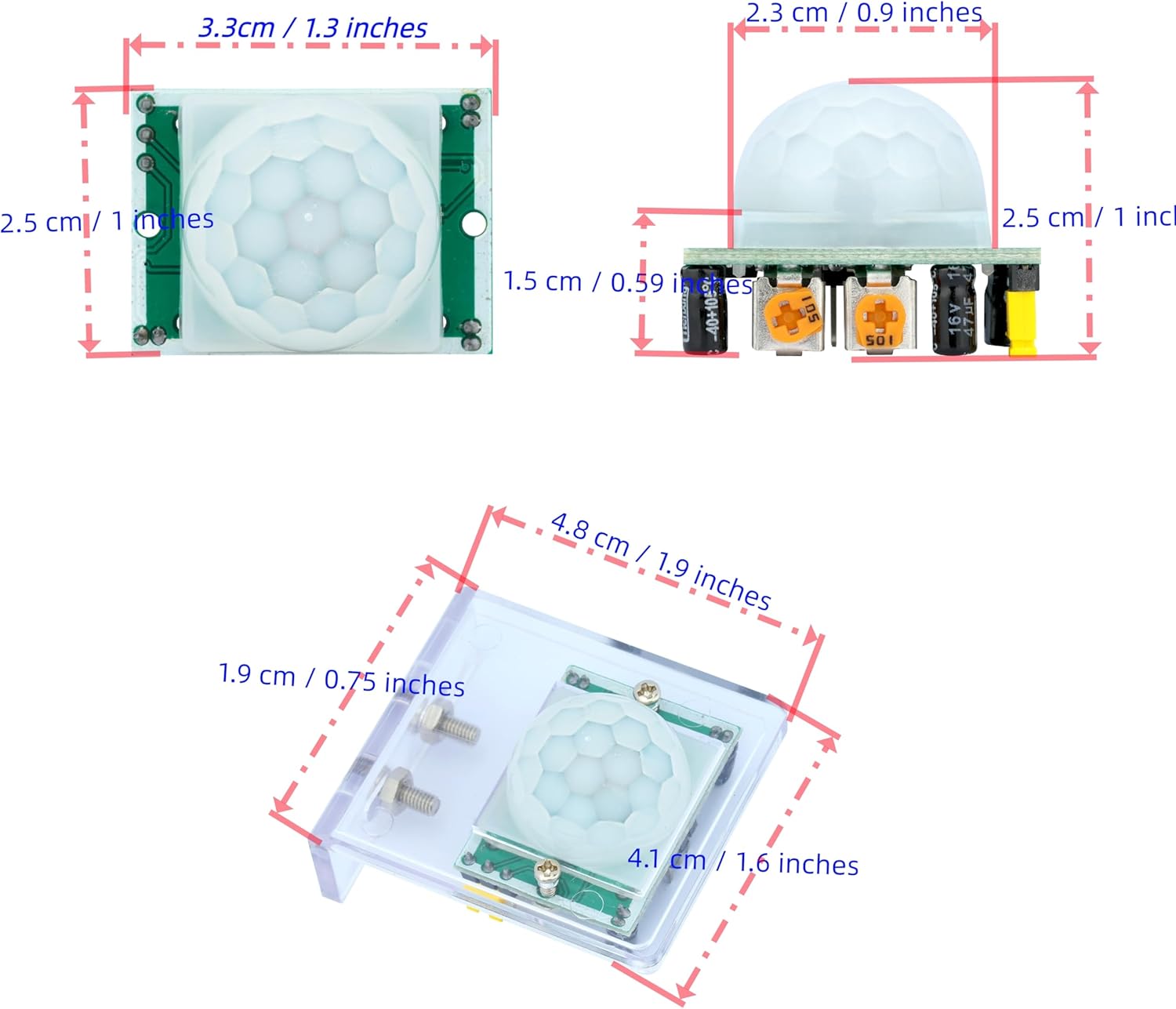


WWZMDiB 5 Pcs PIR Sensor Compatible with HC-SR501 PIR Motion Module for Arduino Raspberry Pi STM32 (Comes with 2 dedicated cases)
WWZMDiB 5 Pcs PIR Sensor: When a human body enters the sensing range, the temperature difference between the body and the background causes a voltage change in the pyroelectric device. After amplification and comparison, the voltage signal is output.
Voltage:DC 4.5-20V
Detection Angle: <110 ° cone angle Lens size
Detection range: 3-7 meters (10-23 feet)(adjustable)
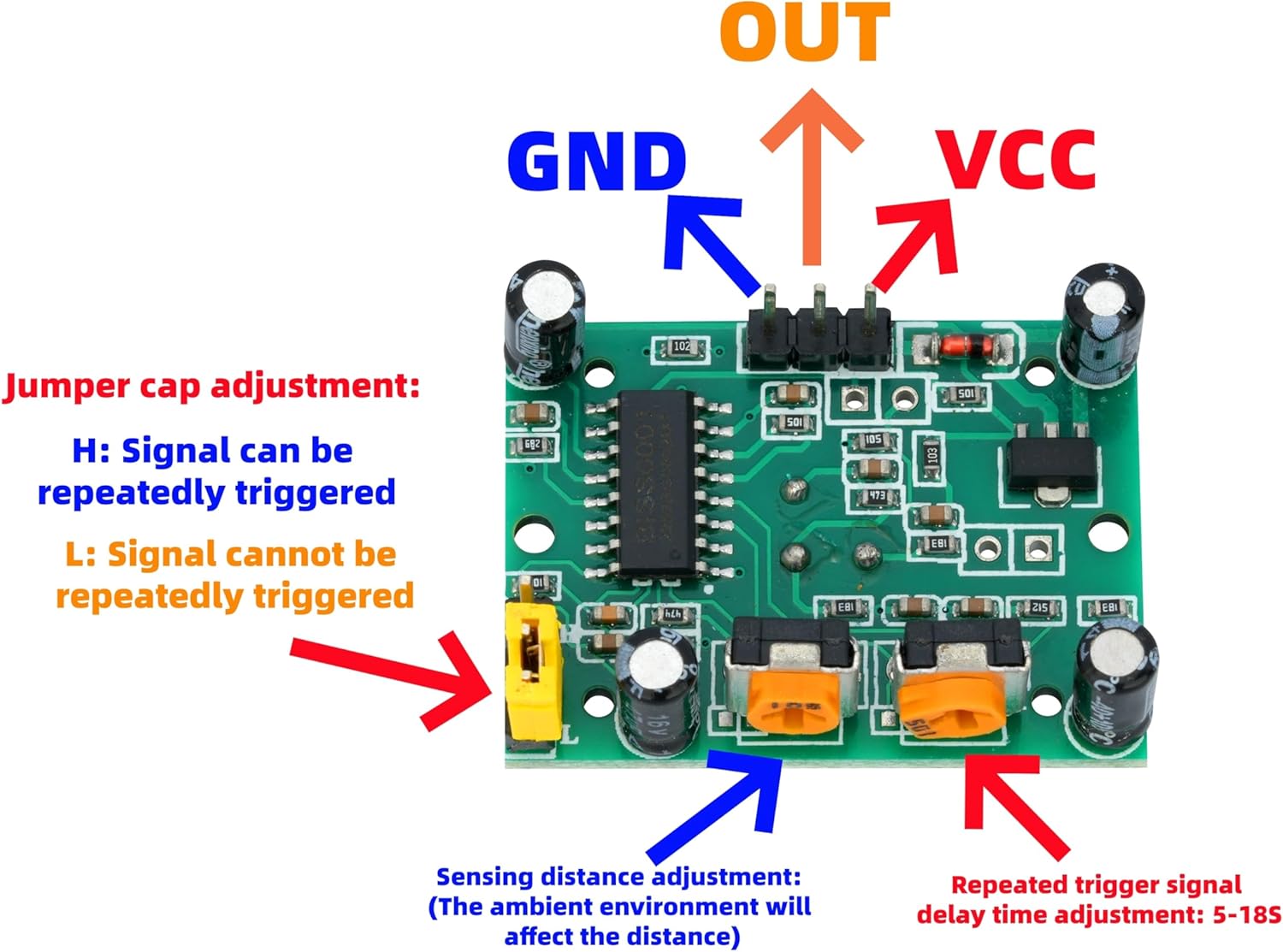
Two triggering modes: H: The output signal is maintained as long as a person is present. L: Triggered once with each change.
8 reviews for WWZMDiB 5 Pcs PIR Sensor Compatible with HC-SR501 PIR Motion Module for Arduino Raspberry Pi STM32 (Comes with 2 Dedicated Cases)
Show all
Most Helpful
Highest Rating
Lowest Rating
Add a review

WWZMDiB 5 Pcs PIR Sensor Compatible with HC-SR501 PIR Motion Module for Arduino Raspberry Pi STM32 (Comes with 2 Dedicated Cases)
$9.99
D. Krakowiecki –
Works great
Great selection for the project i am working on.
Roger –
Awesome
I used one of these to make a front door alarm. It work perfectly
Sandra Heilman –
Works fine.
Works fine.
Marc –
Sensitive sensor
Very sensitive sensor
Mario A Soto –
None of the sensors worked
Only one of the five PIR sensors out of the box worked. The four non working sensors would continually trigger even when there was no motion to detect. When I adjusted the sensitivity of the remaining sensor, it also began continuously triggering .
Hairface –
Easy to setup and use.
Nice little sensor, easy to adjust sensitivity. Perfect for small footprint projects. Using sensor for mailbox to detect when mailbox door is open then notify us at the house.
M Lortz –
A Passive InfraRed (PIR) sensor. Has worked great for my Raspberry Pi camera project.
The kit comes with two plexiglass mounts (with screws and bolts), 8 inch (200mm) male to female connector wires, and female to female connector wires. There is also a cute little screwdriver.The picture here shows the pinouts for connecting to a microcontroller and the two potentiometers used for adjusting ranges and sensitivity.The yellow jumper is used to select how the sensor operates.If you want the sensor to stay active all of the time when there is motion in front of it, you place the jumper on “High”. If you want the sensor to detect motion and then turn off, you use the “Low” position. Mine came from the factory in the “Low” position.
David –
2 good 3 bad
Seems to be the standard when ordering cheap sensor off amazon, two worked three didn’t. Good thing I only needed one.