

2 Pack Energy Monitoring Smart Plugs – Alexa WiFi Plug App Control with Timer, Group Control Function, Compatible with Smart Life & Tuya APP, Voice Control
$23.99
Related Products


Product description

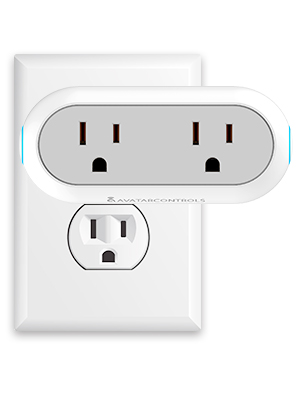
Avatar Controls Dual Smart Plug
 Avatar Controls Smart
Avatar Controls is a high tech company which professional R&D, manufacturing and sales of Alexa enabled devices, voice control tech and intelligent tech. The main products include IoT(“Internet of Things”) products, smart home hubs, products work with Alexa, independent voice control products, home security system and so on.
Company vision: Intelligent makes life more simple.
Dual Smart Plugs
Avatar Controls 2 in 1 smart plug allows you to create customized schedules for your devices so that they run on your schedule. You will find that intelligent life can make your daily routines simpler and more effective.
You can control your appliances wherever you are and anytime, no hub required.
Works with Smart Life APP/AvatarControls App Works with Alexa and Google Assistant Schedule feature Timer function Only supports 2.4 GHz Wi-Fi network first connection Energy Saving
More Function

Energy Saving
Turn On/Off the connected devices wherever you are, thermostats, lamps, water heater, coffee makers, fans, switches and other devices on before arriving home or after leaving.

Convenient for the Old
Offer easy way to control household appliances for elder or anyone has difficulty in moving or pressing,friend product for your life
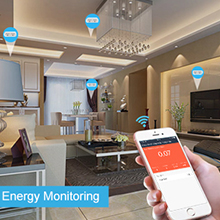
Energy Monitoring
A good way to watch your home’s power consumption. The APP provides specific details about how much power each appliance is eating, and what it’s costing you, save electricity and bills

Device Sharing
Can share the smart plug with your family by sharing the device. The Avatar Controls Smart Plug made you and your family relationships even more intimate. Convenient smart plug makes you happy every day.
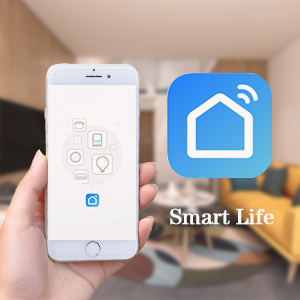
Need to Download Smart Life/Avatar Controls App
Search “Smart Life” on Phone or Scan the QR code on User Manual to download it.SSet up your Smart Life account. Add Device>Lighting devices and confirm the device in the App.CConnect the bulb to your local 2.4G WIFI with your phone connecting to it.
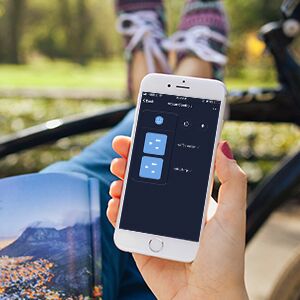
Only work on 2.4ghz band WiFi.
My system at home is set with band steering, which means it will select 5Ghz if possible but still available for legacy hardware. With these, that created a problem. Once I created a 2.4Ghz only SSID, these connected fast and have worked perfect!
Sync with Alexa
Log in Alexa App, choose Skills, and search “Smart Life”.Select Smart life in the search results, and then click the Enable skill.If account has been bound, click on Disable Skill and click on Enable to bind a new account.Input your account registered for Smart Life App
Connect Google Assistant
Login Google Home app, select “home control” of menuTap “+” and search “smart life”Chose Smart Life and enter your app account and password”Link Now” and start your home journey
Smart Life App
Tips for Connection
Alexa
Google Assistant
Customer Reviews
4.2 out of 5 stars 2,468
—
—
4.2 out of 5 stars 760
4.2 out of 5 stars 62
—
Smart Life/AvatarControls App
✓
✓
✓
✓
✓
✓
2.4GHz WiFi
✓
✓
✓
✓
✓
✓
Timer
✓
✓
✓
✓
✓
✓
Alexa/Google Assistant
✓
✓
✓
✓
✓
✓
Device Sharing
✓
✓
✓
✓
✓
✓
Group Control
✓
✓
✓
✓
✓
✓
【ENERGY MONITORING & TIMER FUNCTION】Track current and historical power usage for connected devices and effectively schedule your usage to save on your next electric bill. With the convenient timer function, the smart home plug can on/off automatically up to your mind
【Hand Free by Voice Control】Smart plugs compatible with Alexa Google Assistant SmartThings Siri, only say to them if you need turn on/off electricals
【Timer Schedule & Device Sharing】30 group timing, never come home to a dark house, also share the device to your family, it is no worried when you go out or if the phone not stand by
【Easy Installation & Control Anywhere】Internet was needed(the first time to connect needs to 2.4GHz), Smart Life APP, you can control your device anywhere anytime, no hub required
9 reviews for 2 Pack Energy Monitoring Smart Plugs – Alexa WiFi Plug App Control with Timer, Group Control Function, Compatible with Smart Life & Tuya APP, Voice Control
Add a review

$23.99
SHEILA STANCE –
These are fantastic
I have bought several of these. They can be controled by Alexa as a whole unit or individually. Worked great for me when I got 2 identical lamps installed on either side of my couch. Then I needed them for Christmas lights which I could synch with dusk and dawn! No rememering to unplug the lights in the morning!
Justin15 –
I’d buy again
Works great on everything I’ve plugged in and links up with Alexa well. The app isn’t the best, smart life app works better. Can be somewhat difficult to connect to wifi.
SK –
Finally, A Smart Plug That Lets Me Yell At My Lamps
These smart plugs are a game changer! I can now bark orders at my household appliances through Alexa and they actually listen. “Alexa, turn on the living room lamp so I can binge Netflix in proper lighting!” It’s like having an obedient, voice-controlled butler for my electronics. My lamps have never felt so intimidated. The energy monitoring is also clutch for seeing which devices are low-key electricity vampires. Thanks to these smart plugs, I’m the master of my domain once again.
Andres Martinez –
Didn’t connect
It took long time to arrive home and that not a problem. I have several intelligent devices at home including individual plugs, bulbs, Sonos etc. All the devices are easy to install and to check every unit out though Alexa or SmartLife app but not this Smart plug… for some reason I could found them is any way possible.
Brian D Bixler –
Does not work on 5ghz
I could not set this up because I have a dual band router and cannot turn off the higher speed, so it does not pair. I had to send it back.
chris –
Disappointed
I had to link it manually and 1 of the 2 stopped working the first day. I will not be repurchasing and looked for an alternative just incase the remaining 1 dies.
Marlene –
Muy buenos
Son excelentes. Se integran muy bien con Alexa.
Jaided Dreamah –
Adding Device a Struggle, but Works Great
First, this device can be installed on the “Smart Life” app which was a big thing for me.The instructions in the app are far better than the paper in the box.I’ll tell you what I needed to do to connect finally.***I had a bit of a frustrating struggle trying to add device. I followed the instructions, waited out the 2 minute timer only to be told it did not connect. I did this process 7 times before I clicked on the link in the app that says something like “If you can’t connect” or something to that effect and it gave me a couple of things to try and one suggestion worked perfect.***When Adding Device in app, choose the “Wifi Power Strip” (I guess 2 outlets are considered a strip).Plug Device in…. wait for lights to come on and do their thing.Hold down the power button on the side for 5 seconds until it shuts off.Then hold down the power button again but for *10 seconds.You want the light to be blinking SLOWLY not flashing… a sloooow blink.OPEN APP, ADD DEVICENow, with app (phone etc) go into WiFi and your plugs should show up thereConnect to the Plug like you would any WiFi and the app will do the rest.***It went very smoothly once I tried the alternate way.Enjoy!!!
Bertha A. –
Me gusta su funcionalidad mucho, solo no toleran la carga de el microondas, se apaga… Por lo demás me aparecen excelente