

Canon imageFORMULA R30 – Office Document Scanner, Auto Document Feeder, Duplex Scanning, Plug-and-Scan Capability, No Software Installation Required
Original price was: $323.00.$209.00Current price is: $209.00.
Related Products
![Canon Megatank G3290 All-in-One Wireless Supertank [Megatank] Printer | Print, Copy Scan | Mobile Printing |2.7″ LCD Color Touchscreen | Auto Duplex](https://thesmart-zone.co/wp-content/uploads/2025/12/71xXs7dyuWL._AC_SL1500_.jpg)


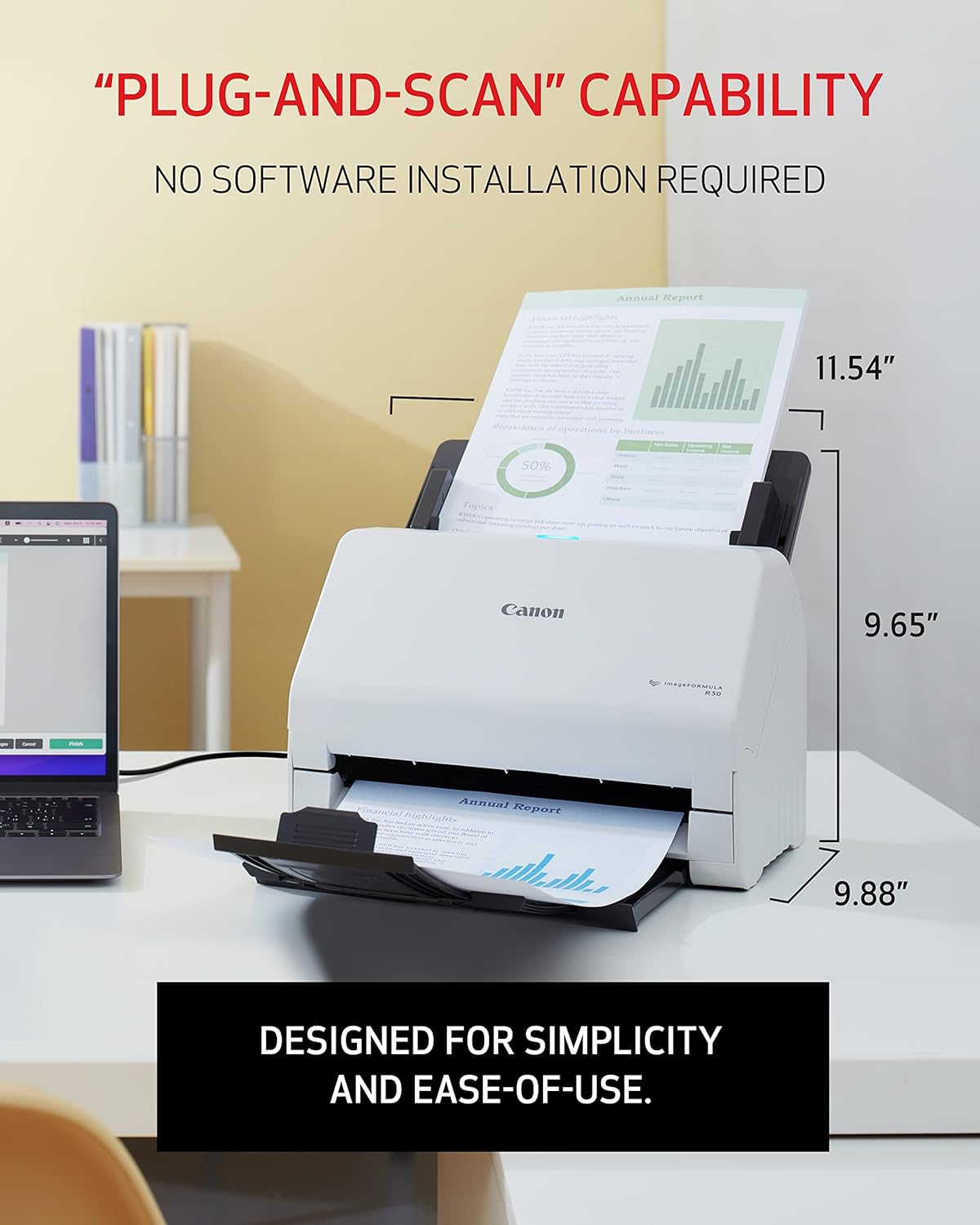


The Canon imageFORMULA R30 office document scanner is designed for simplicity and ease-of-use. With no software installation required, the scanner is simple to set up and can be used directly out of the box, making it ideal for small office / home office and small business use.
Stay organized: Easily convert your paper documents into searchable digital formats
Reliably handles many different document types individually or in mixed batches: documents, invoices, contracts, business cards, and more
Easy Setup: Simply connect to your computer using the supplied USB cable
Fast and Efficient – Easily scan both sides of a document at the same time, at up to 25 pages-per-minute, and with a 60 sheet automatic feeder
Built-in Software – Use your scanner with ease as the powerful scanning software is already built-in, requires no installation, and updates automatically
13 reviews for Canon imageFORMULA R30 – Office Document Scanner, Auto Document Feeder, Duplex Scanning, Plug-and-Scan Capability, No Software Installation Required
Add a review

Original price was: $323.00.$209.00Current price is: $209.00.
DonnaL –
The Perfect Scanner for a Big Job
Recently, my sister loaned me a notebook with 1,022 type written pages of my grandmother’s diary. Before our mom passed, she had typed it from the handwritten diary stemming from 1932 to 1975 when granny passed on. I wanted to scan it into the computer so everyone in the family could enjoy reading it. If I was to attempt that using my flatbed scanner it would take forever. So, I reached for good ole Amazon. I had no idea which scanner to get so I went with Amazon Favorite which was this scanner. Some of the reviews mentioned it uses a built-in program, when you plug in the USB it shows up as a USB drive and there is an EXE program there. That’s different than a lot of scanners that require installing software on your computer. Personally, I liked this way better. It was so simple to use and no fussing with drivers or whatever. I think it’s brilliant, especially for someone like who just needs to get a project done. The scanner worked perfectly! It scanned both sides which I needed since mom had typed on both sides of the sheets. It was pretty fast too. I received the package on my doorstep at 11AM as promised by Amazon and I was all set up and running by around noon. I took my time, I wanted to be careful. I ran a couple of test runs. I loved that you can put about 60 pages at a time in and it scans them then you put the next 60 in and it adds those on to the PDF. I didn’t count the pages, I just guessed. I noticed that a couple of times I put more than 60 in. In one case I put 92 pages in but it worked fine anyway. I was completely done with grandma’s diary by around 2PM! And have the PDF up on Google drive and everyone is having fun reading it. So cool. I guess I am the official scanner person now because a cousin sent me a memoir manuscript our grandpa did. More scanning! Ha. No problem.
Bill T –
Can’t say enough paise for it
I have been heavily committed to ‘consumer’ imagining since the earliest days in the 1980’s. I’ve carried around bulky scanners in my audit practice, used 3-in-one printer/copier/scanner products in the office. But I’ve never found a better, more cost effective, efficient piece of gear than this one. Installation was automatic beyond description. Copy quality is amazing. Automatic conversion of image to PDF is a wonder. Back/front automatic capture with auto-skip of blank side is super. As is the ability to load documents of size and still have continuous, perfect image operation. As real value for money system, it more than just a device. The combination of software & hardware is the best. The only drawback is the fac that it will not handled bound (book) sources, loose pages work fine.
HB –
Great for double sided scanning
Happy with this machine. Fast and easy to use
Gregg Battaglia –
Windows does NOT see it as a scanner (NOT TWAIN)
Not worth the time or money. The scanner has its software embedded, which could be nice, but it claims to be a TWAIN scanner, yet Windows does not recognize it as a scanner. Windows sees it as a disk drive which allows you to run their software, but you can only use it with their software. There are plugins you can download for a few other options, but none of them allow Windows to see it as a scanner, so you cannot use other scanning software. It also scans on the slow side. Unfortunately, my client waited too long to connect it, and we can no longer return it. In an office, you are better off with a Xerox D50 or Epson ES-580 for TWAIN use and a ScanSnap ix2500 if you don’t need TWAIN. This thing works as if it’s meant for a home user with no need other than to scan with their app and nothing else. It will scan a document to your computer, but in a very basic way. Even with its VERY low price point, I would not waste the time.
R. Adams –
OCR is not built into the device. An external OCR program is required.
The description on Amazon indicates the scanner is OCR capable, leading one to believe it can create an OCR copy of a file. Not true. If you talk with tech support, an add-in tool is available which will be a shortcut to create an OCR copy–if your computer has an OCR program on it–like MS Word, etc. However, OCR is available without the add-in, but it takes two steps. 1. Scan the document to create a pdf copy and save it to your computer. Make note of where it is saved. Or, find the pdf copy using File Explorer (Find on the Mac). 2. Open Word and click on “Open”. Use “Browse” to locate the pdf file, and select the pdf file. (The title will consist of the current date–year, month, day and time) An OCR copy will open on your screen. Save it and you are finished.This is an excellent tool. I’ve dropped one star because the description leads one to believe the OCR is built in. BTW, if AI is asked if the scanner is OCR capable, the response is “yes”, and specific instructions will be provided. But the commands it suggests you to use are not available in the software commands.Again, this an excellent tool, very fast in B&W, a little slower in color.
June Wilson –
Excellent Scanner
My Brother scanner was not supported on Windows 11. Purchased Canon because of price but am extremely impressed with how easy this one works.
Ryan –
Document scanner
One of the best pieces of technology I’ve ever added to my office. We are transitioning from paper to digital for all patient files – we’re talking tens of thousands of files. Hundreds of thousands of pages. This machine breezes through stacks of paper like it’s nothing.Easy setup, just plug and play. You can customize the settings to really make it scan quickly. At the best I’m getting 50 pages through in only a handful of seconds. The quality is also great and some PDFs are able to be highlighted and read afterwards which is very impressive. I highly highly recommend this product.
Amazon Customer –
Easy as 123
takes 5 seconds to hook up and your scanning
Hhg –
I bought this for my home office for my daily documents scanning and I meet it on my desk amd it’s very convenient. I have two other big ones printer/ scanner but this fits on top of your desk and doesn’t take much space.And scanning quality is much much better than a large printer/ scanner. Paper never get stuck.100% recommend.
Victor Sanchez –
Por la marca se sabe que es un buen producto, cumple perfectamente las espectativas como lo indica su descripción o ficha técnica, y para uso administrativo está es la mejor opción
UnAlguienDelMundo –
Excelente, super fácil de instalar y de usar..gran calidad de imagen. Es muy rápido
Marion Brush –
Very happy with this scanner. Easy to set up and use.
Ronnie MacCarl –
Doesn’t have WIFI, needs to connect to laptop, cannot direct it to save to a USB port instead of having scan to laptop, save it and then transfer it to the USB stick. Too many step when trying to save time.