

Cudy AC1200 Dual Band Unlocked 4G LTE Modem Router with SIM Card Slot, 1200Mbps Mesh WiFi, 5dBi High Gain Antennas, DDNS, VPN, Cloudflare, LT500
$11.99
Related Products


Product description
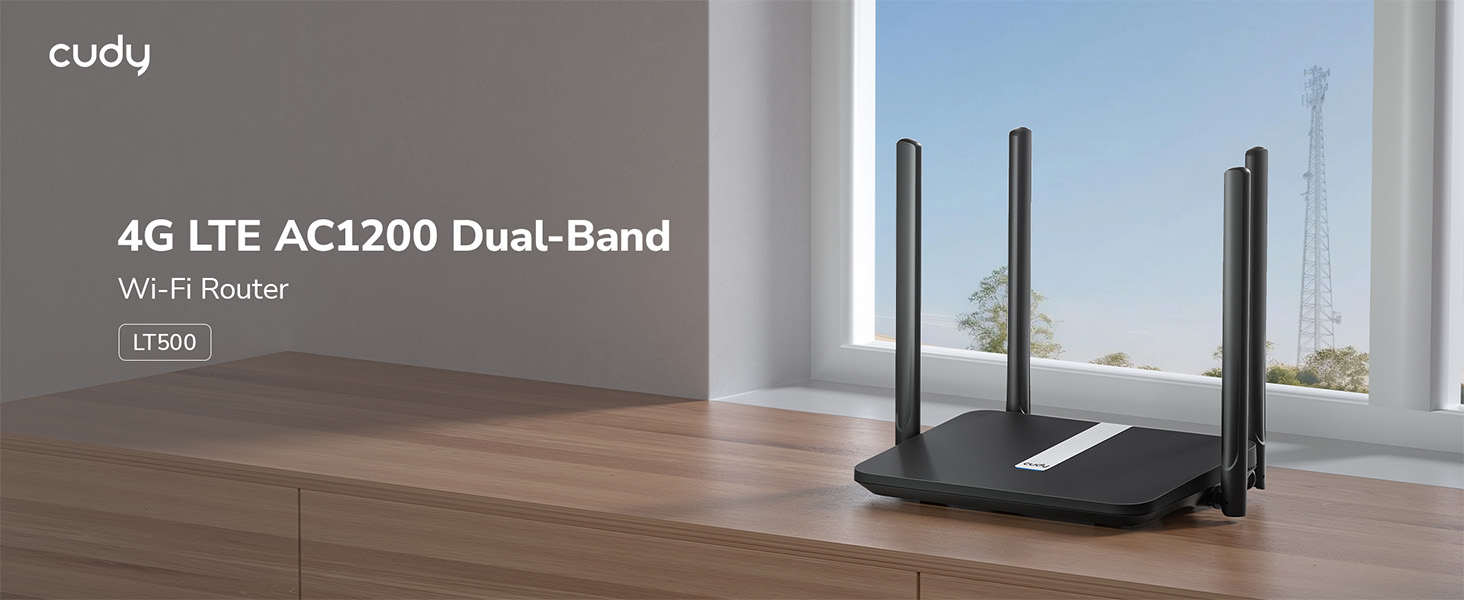
Turn Everywhere 4G into High-Speed Wi-Fi 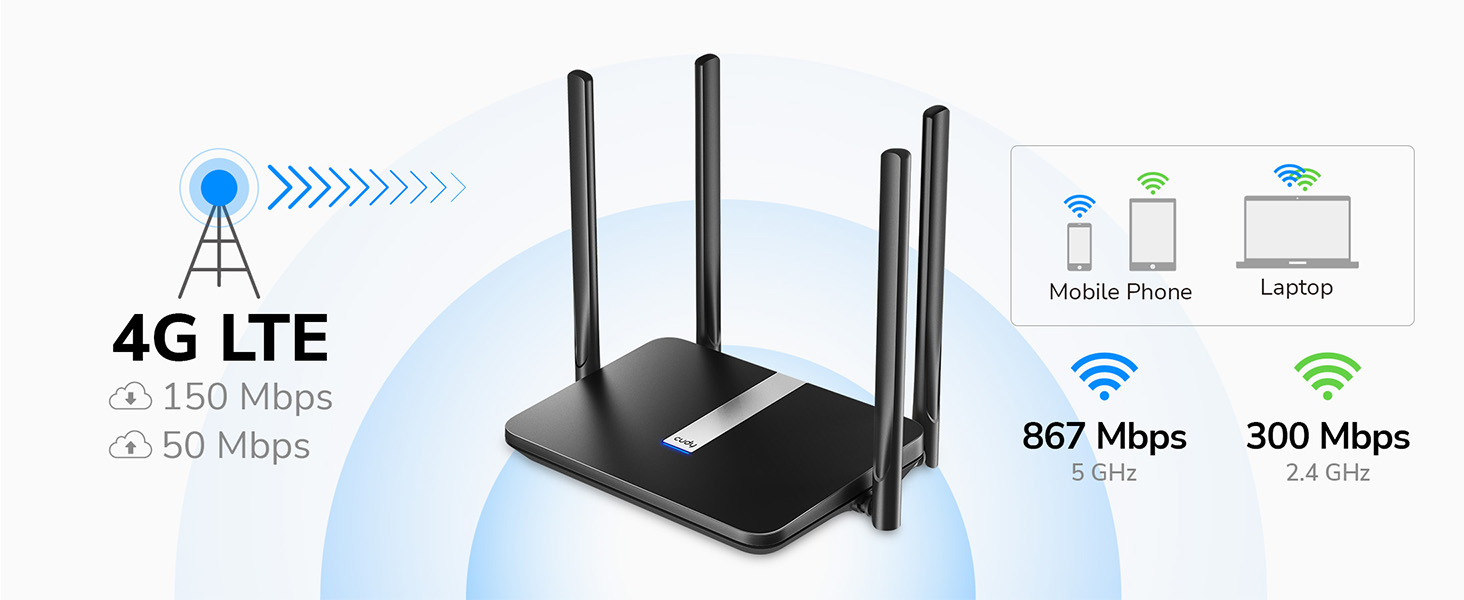
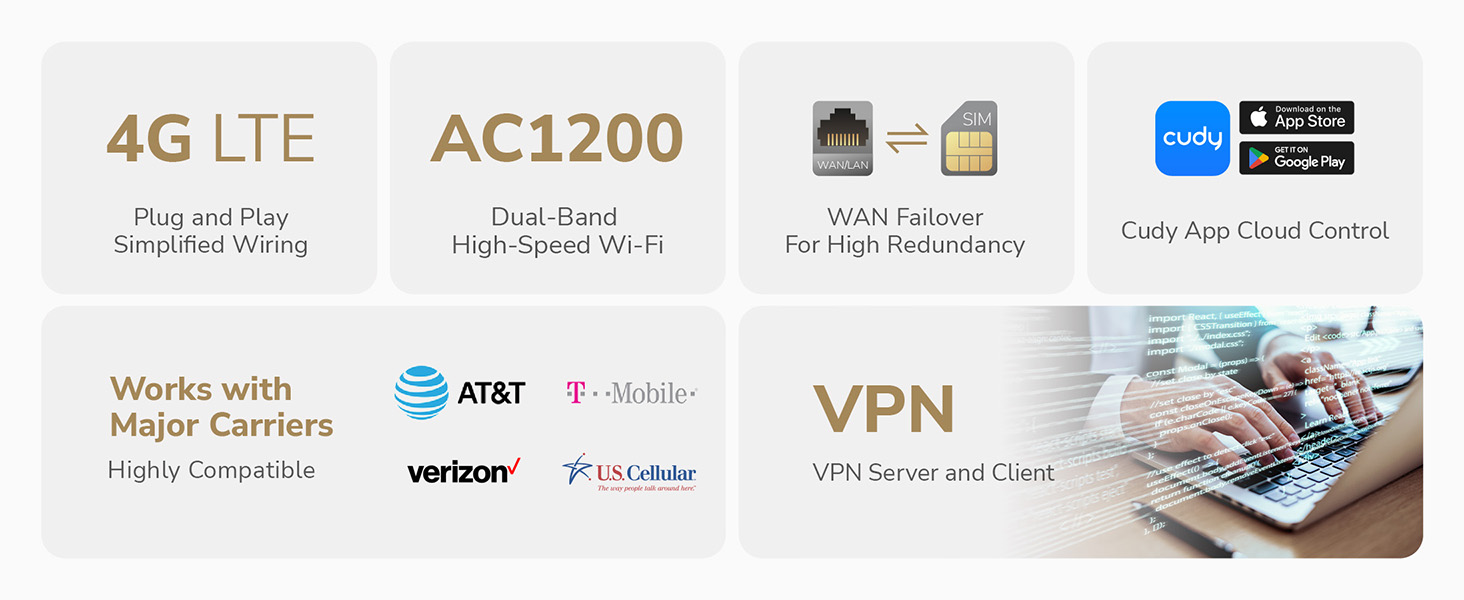
Plug in a nano SIM card and connect 4G with a DL speed of up to 150 Mbps. Share the connection via a high-speed dual-band AC1200 Wi-Fi for more than 40 devices.
Stable Internet. Online Guaranteed. 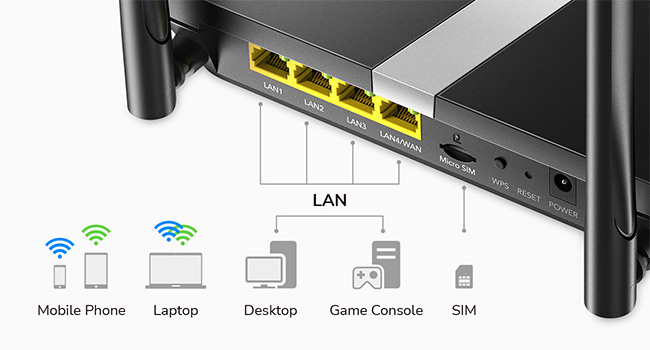 Reliable Wired Sharing over Four Ethernet Ports
Share network via four 10/100 Mbps Ethernet ports, providing stable connections to TV, PC, console, and printers.
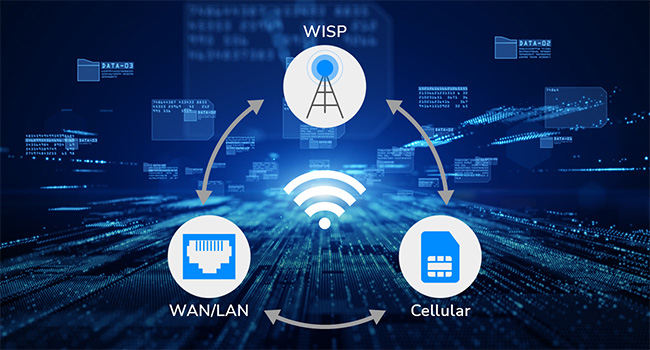 Stay Connected
Add redundancy to your network with WAN/WISP/4G connection backup, ideal for surveillance and retail use to protect your business.
East Setup. Versatile Functions.  Online Management
Set a WiFi schedule and a blacklist of domains or IPs to prevent inappropriate content and protects your kids.
 VPN
VPN
Grab your files conveniently from the remote network with ZeroTier/WireGuard/ OpenVPN/IPSec/L2TP/PPTP.
 DDNS
DDNS
DDNS binds a domain to your network so you can always access your network without a static IP address.
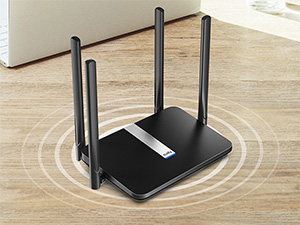 High-Gain Antennas
Delivers stable performance with high-gain antennas, for decent web browsing and video streaming.
Plug in a SIM Card to Enjoy the Network  Home
Home
Plug and play easy-to-install WiFi for every home—no rigid broadband subscription is required.
 Automobile
Provide decent networks for all devices on your road journey.
 Surveillance
Make sure the network is always on with the WAN + WISP + 4G backup function.
 Booth
Booth
Utilized the flexible pay-as-you-go plan to equip your temporary booth with a fast network. (SIM card is not included)
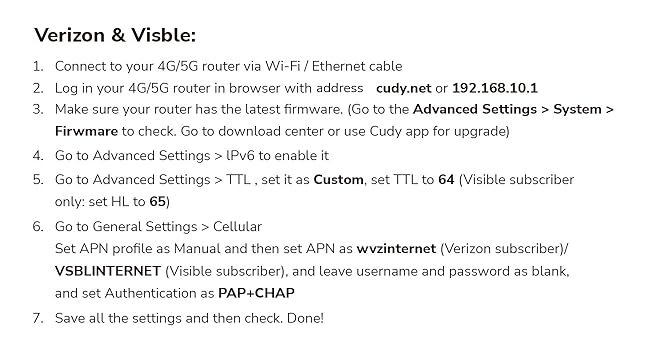
Works with Major 4G providers(North America). Simply insert a SIM card to get download speeds up to 150Mbps.
LT500 provides a better user experience by providing both 2.4GHz & 5GHz Wi-Fi bands, making it possible to enjoy 867Mbps ultra-fast 5GHz Wi-Fi speed.
High Gain Antennas For Better Performance. The 4 x 5dBi antennas boost the sensitivity of the router, improve the signal quality of 4G LTE and Wi-Fi.
With built-in PPTP/L2TP/OpenVPN/WireGuard VPN Clients, LT500 can establish a connection to transport all your online data and traffic.
Simply insert the SIM card in the router and type in the PIN in the web configuration page to start exploiting a stable and fast wireless.
10 reviews for Cudy AC1200 Dual Band Unlocked 4G LTE Modem Router with SIM Card Slot, 1200Mbps Mesh WiFi, 5dBi High Gain Antennas, DDNS, VPN, Cloudflare, LT500
Add a review

$11.99
Ranger –
Good Solution
Has worked solidly since installed. I bought to replace a cheap T-Mobile router. It was easy from the beginning, it connected to the T-Mobile network with out a problem once the sim card was put in. It solved the issue of having to reboot the old router about every week and a half. I haven’t touched it since installed and signal improved, range also improved, speed is much better. This router is mainly used for my security cameras.
Christopher Crumpton –
Pretty much anyone can set this router up and use it
This is hands down, one of the most easy to use routers, that I have ever seen. You simply pop in your sim card, connect to the network, it pops up the web page, and you select the options you want, done. I love that it has preconfigured APN’s to choose from, without having to hunt down that option in menus, and fight against programming one in, like my CPE-0001 cellular router.The menu layout, options, telemetrics, are all extremely well laid out, easy to understand, easy to edit, change.I went from a CPE-0001 LTE router to an AT&T Unite Explore/Netgear AC hotspot, to this router, and immediately I was getting much better speeds, more consistent connections and traffic, and had zero issues connecting range extenders, devices. I ended up not even needing the range extenders, as this one has roughly double to triple the output range as my previous routers.If you are stuck in a rural area with no real options for broadband Internet, this is the router you need. Buy an unlimited cellular data plan SIM, pop it in this router, and voila, you have Internet, that beats the snot out of Hughes net and viasat, for way cheaper and way more useable data. If you can get the 5g version, and have towers remotely near you, you’ll get near broadband speeds, but face the usual data caps with throttling after around 500-800gb. If you do go that route these Cudy routers just can’t be beat IMO for the price and ease of use.
Amazon Customer –
Awesome
This device is awesome. Works great and good signal. I never knew you could do this with a phone SIM card. I end up cutting or Internet do it to be too expensive. I had a free mobile line which I never use. I came across this device and I order a SIM card from my provider. And boy let me tell you this router works excellent. A so easy to set up just plug and play.
B.c –
good for a back up, not super fast
were having constant comcast issues, so got this as a failover back up, as my wife and I work from home, not using as a regular connection for the whole house but mainly for work computers.as this is a back up, and $90 it was a good deal.We have this connected so the lan switch on the cudy is enabled, and the cudy is connected to our modem via Ethernet cable.when the main Internet fails it switches over to the google fi sim card.THE SETUPIm using a Google fi data sim, that they will send you for free.set up was easy, and i just activated the sim card and stuck it in, worked right away, no hassle.interface and settings are well layed out(but have no clue on what they all do).have some issues accessing the advanced features at times, a bit clunky.instructions on how to turning on the lan switch are on the cudy website.THE NOT SO GOOD, but not deal breakers.as this is a back up, we dont need much speed, but if you are using this for the whole house or as the main Internet, be aware.1. when cudy is connected to our main router(wired connection), we get a little less than 1/3 the main router speed, i. e main is 250mps, on cudy is about 80 mps, when using a wired connection to the cudy2. 5g speed (wired connection to the cudy from main router) between main and cudy, also about less than 1/3, i e 250 mps on 5g on main router, about 80 mps on cudy3. (on sim card) , about 30-40 mps either wired to cudy or on the 5g, not sure if this is because of the fi sim, or that it is only a 4g deviceSUMMARYThis is fine for what we need, but may not be great if you are using it as the main connection, a 5g device may be better
Copihue –
DOES NOT WORK IN CHILE
I bought the product because it is advertised to work in the Americas, WRONG. I spent nearly a month trouble shooting, till I concluded that I needed to return the product.The instructions of the device did not match what I was seeing on my computer, they were totally inadequate in Chile. It takes more than having the ability for the modem/router to work in Latin America to sell the product as working in all the Americas. You need to be able to configure it. I am an end user, not an internet specialist who can get into the weeds to set the correct parameters to the device, and in Latin America it is very difficult finding someone who knows how to do it. The product may be plug-and-play in the US, but definitely not in Chile, and probably not anywhere in Latin America.I changed my internet provider, because they did not help me configuring the product, but that did not solve the issues. If one looses a signal, which happens a lot in remote or rural areas, I was told by the second internet provider that I need to reset the device and the configurations went out the window. Since it took about twenty (not an exageration) to get to speak to someone who knew how to do it, I gave up. I wasn’t going to go through that every time that I lost a signal, and the provider who set the right configurations did that from their office without telling me what they did. Someone told me that if they tell you how to configure the product, they might be fearful that you will know how to get the service without having to pay. I have no idea if this is correct, but it might be the reason why tech support of the internet provider do not know how to do it.Tech support at Cudy works only by email, no phone, and Monday through Friday on a different time zone, probably Asia, so at best my queries were answered the next day. That is very tough when you are without an internet connection and you are in a remote area where you need the internet to conduct all your personal business. One needs a product that is plug-and-play.When I researched the device I was told that the signal extender, which I did not need, came with it. I took it since “it comes with it” implies that it is free of charge; it was not. I had to pay not only the product that I did not need, but import fees for it too. I supposed to get free shipping, I paid US$23.44.If you are thinking of buying this product for use in Latin America from Latin America you will need to pay for Import fees; in Chile they were US$38.01. To return the product it cost me US$65.70. Amazon gets discounts which you as the end user will not get when you return the product. MercadoLibre which is the Latin American version of Amazon sends you labels with the shipping charge included. That is definitely something that Amazon needs to emulate, because they are going to have to return the shipping costs to me. That’s also where you as a buyer probably need to go to buy a modem/router if you are going to use it in Latin America.The product itself is probably very good, but all these other issues are very significant factors which don’t appear to have been addressed at Cudy, so that I do not recommend that you purchase the product unless you know exactly how to configure the modem/router yourself. If you are travelling through Latin America and you will be going through various countries, at least you got a warning from me which is more than I got.
cesar2a –
Routeur facile à paramétrer RAS!
Andrea –
Modem acquistato per lancasa in campagna, dove la rete si prende con molta difficoltà e la saponetta classica non offre né stabilità di connessione né autonomia sufficiente per non essere sempre collegata alla rete. Devo dire che funziona molto bene, la connessione è stabile ed anche la ricezione del 4g grazie alle antenne è buona. Inserita una sim ho. mobile senza necessità fi configurazione, una volta attaccata la spina in circa 30 secondi era già perfettamente funzionante senza modificare od impostare apn. Considerate sempre che se non c’è campo non può fare miracoli e connettersi ad una rete che non c’è. Per quanto riguarda l’utilizzo come modem o router per linea fissa non posso dire nulla perché l’ho acquistato solo ed esclusivamente per la linea 4g. Avesse avuto anche il 5g sarebbe stato da 6 stelle. Ottima anche la gestione web molto semplice e ben suddivisa in varie sezioni facilmente accessibili e visivamente ordinate.
Peter Shved –
Very good. Easy setup. Working perfectly. Good range.
jl789 –
Be wary. Unless you get a really good reception inside your home, it might be worth looking at other options.edit: This routes has been absolutely useless for me and has basically been usable.
Nokuthula Vilakazi –
Insert SIM and plug it in and it works like a charm. I use it with a Vodacom SIM and it works well