

Ergonomic Wireless Keyboard and Mouse Combo, 30dB Quiet Full Size Keyboard Set with Wave Keys & Soft Palm Rest, Dual-System Switch for Windows/Mac, Ideal for Business Teams Home Office—Sablute
Original price was: $49.99.$36.99Current price is: $36.99.
Related Products




From the brand



30% OFF — Ergonomic Collection
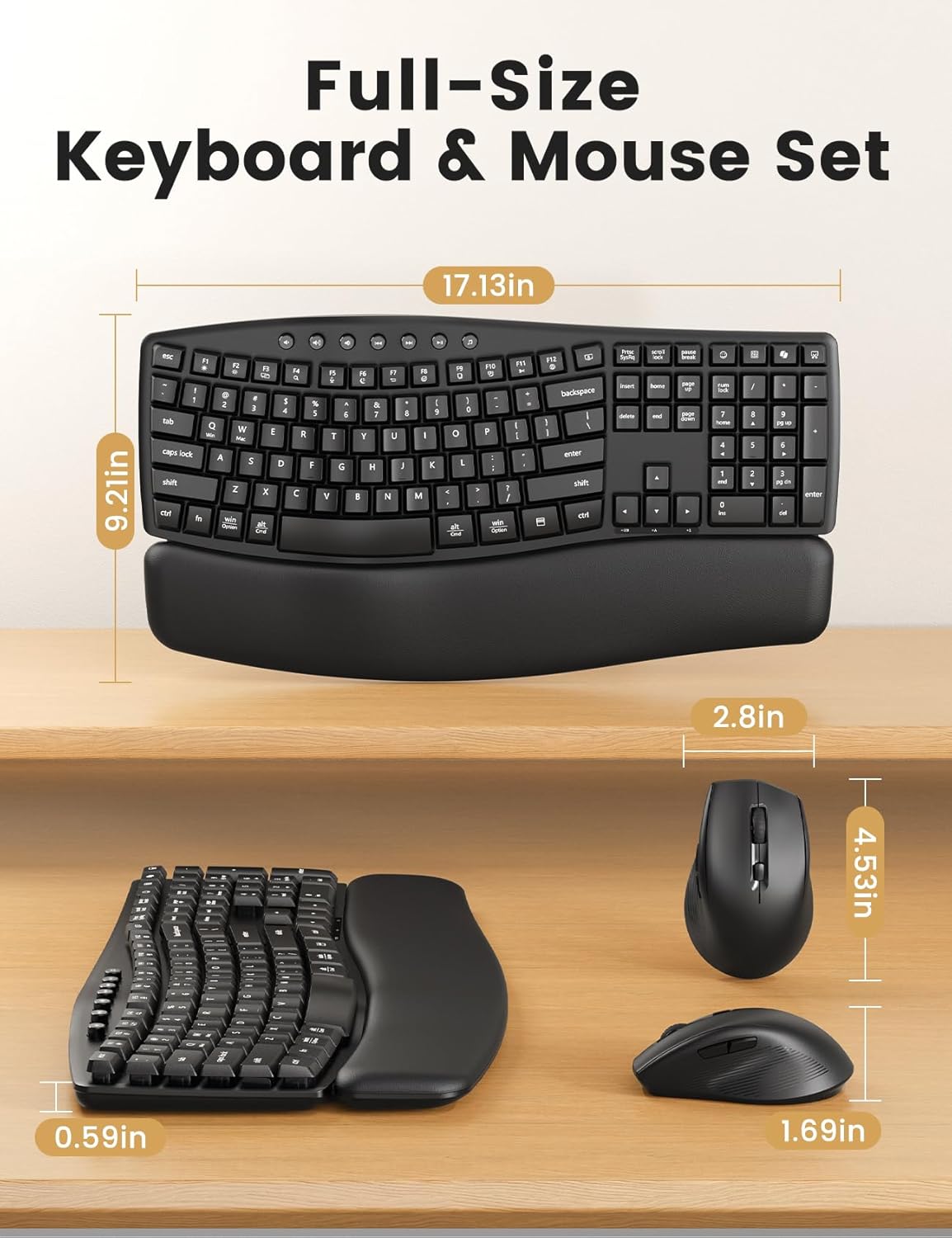
Ergonomic Wave Keyboard – Work Comfortably for 8+ Hours – Flat keyboards bend wrists and cause fatigue. Our ergonomic wave keyboard keeps hands in a natural position, reducing strain by up to 40%*. Work comfortably all day—invest in your health while making work effortless.
Cloud-Like Palm Rest Comfort – Unlike plastic palm rests that feel cold and hard, this soft-touch leather palm rest stays warm and gentle on your wrists. Crafted from premium materials, it maintains its soft, luxurious feel through long hours of daily use—durable, wear-resistant, waterproof, and easy to clean.
Modern, Professional Design – Featuring a matte finish, sculpted curves, and clean lines, plus a spill-resistant build. Perfect for personal desks or large-scale office setups—showcasing commitment to quality and detail. 🛡️ Backed by a 30-day return policy and 1-year free replacement for peace of mind.
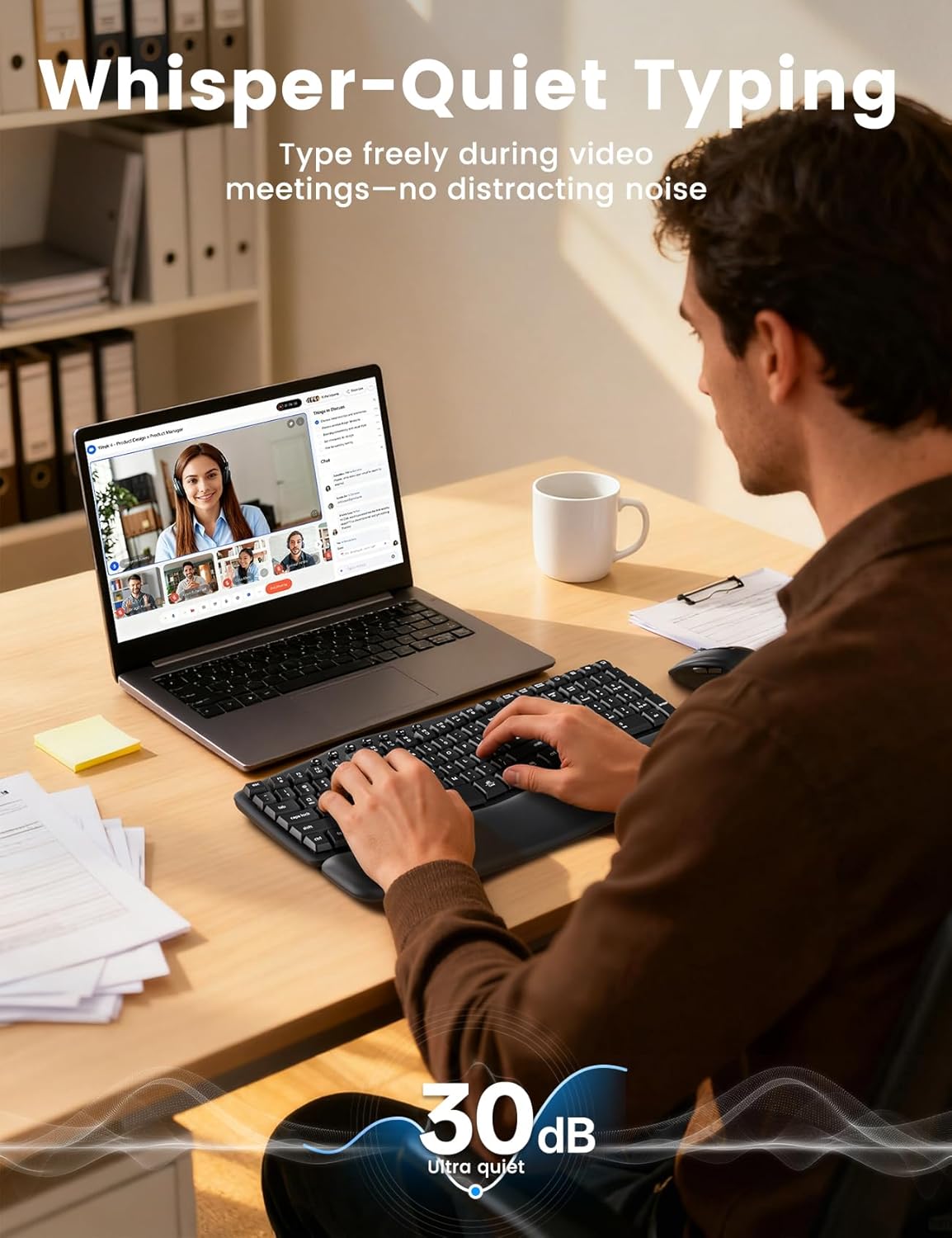
30dB Ultra-Quiet Typing, No More Clacking Keys – This ultra-quiet wave keyboard lets you focus and work clearly—ideal for spreadsheets, Zoom calls, shared workspaces, home offices, or late-night sessions.
Ergonomic Mouse with 11 One-Touch Shortcuts – Raised-left design supports natural hand posture and reduces wrist strain. Three DPI levels—800 / 1200 / 1600—and 11 one-touch shortcuts make tasks faster and more efficient. Note: Some shortcuts not Mac-compatible; core functions work smoothly
Plug & Play – Compatible Across Devices- 1 USB-A/C receiver connects both keyboard and mouse. Works with Windows, macOS, Chrome OS, Linux, Android, and more. Compatible with PCs, laptops, MacBooks, tablets. With stable 33ft wireless range.
Note: Powered by 2 AAA batteries (keyboard) and 1 AA battery (mouse), not included. USB receiver stored in mouse — controls both devices seamlessly.
13 reviews for Ergonomic Wireless Keyboard and Mouse Combo, 30dB Quiet Full Size Keyboard Set with Wave Keys & Soft Palm Rest, Dual-System Switch for Windows/Mac, Ideal for Business Teams Home Office—Sablute
Add a review

Original price was: $49.99.$36.99Current price is: $36.99.
Rejina –
Best Quiet Keyboard and Mouse Combo Ever!
This Sablute Quiet Wireless Keyboard and Mouse Combo is exactly what I needed for my home office! The keys are whisper-quiet, and the wave design with the soft palm rest makes typing super comfortable for long hours. The mouse is smooth, responsive, and fits perfectly in my hand. I love how easy it was to set up — just plug in the receiver, and everything works instantly on both my Windows and Mac devices. It looks sleek on my desk and performs flawlessly with no lag or noise. Perfect for business, home, or study — absolutely worth every penny!
Skeeter –
Best all Around Keyboard Quality & Function
This keyboard does not take long to get use to. It is an advantage to have the volume, forward and reverse keys on top. It also has paste and cut keys. The front wrist pad is a great size and really helps prevent fatigue. The keys are more comfortable than most keyboards and quiet. The slight curve to the keyboard also helps prevent fatigue and makes it easier to type. The heighth adjusters are much more stable and heavy duty than most others. The mouse is comfortable and easy to use. Great quality great buy!
Noejeo –
Good deal
Nice keyboard for a nice price. Quiet soft keys and the mouse is comfortable. I have bad wrists and work on a computer all day. This was perfect
Kindle Customer –
White Wireless Keyboard and Mouse Combo for MacBook & Windows, 30dB Quiet Ergonomic
Nice keyboard and mouse. Works well with my Dell.
Jazgul –
Super Quiet and Comfortable Combo
I love this keyboard and mouse set! The keys are soft, quiet, and comfortable to type on for long hours. The mouse works smoothly, and setup was quick. Perfect for my home office.
T. Fritz-Powers –
Great Keyboard
Great keyboard. Quiet and very responsive.
Victoria –
Very comfortable but…
Mouse is kind of touchy and you can find yourself moving things you don’t mean to. Verify keyboard is compatible with your or your employers systems.
Barbara DeGirolamo –
Quiet and comfy
Keyboard is awesome. Very quiet and comfortable.
Sarah –
I ordered this keyboard to have a nice wireless option for a keyboard. I’m happy with my keyboard setups, but sometimes I want to sit away from the desk with a keyboard on my lap. There probably aren’t many keyboards that I can do that as well as I can with this one. It comes with its own wrist support – a nice wide cushion.The keyboard requires two AAA batteries and the mouse requires one AA battery. I had a little trouble getting the first AAA battery in. I took them all out and found it difficult. The first keyboard battery has to be pushed halfway in, so pulling it back out needs a little grip. I put ribbons underneath all three batteries for when they’ll need to be replaced later.I easily installed this keyboard/mouse combo on my old Windows 7 laptop, and on this Windows 10 desktop by plugging in the dongle and waiting for it to be recognized. I wanted a wireless keyboard and not Bluetooth; my computers don’t recognize Bluetooth devices very well. The mouse is fine and one of my better ones, but I haven’t used it much. I have plenty of trackballs and mice already. It has the usual Left, Right, and scroll buttons. Unusually for me, the two buttons on the left side are Back and Forward (web browsing). I can see that those buttons might be useful, but I really like my trackballs.The mouse has a storage compartment for the dongle. It’s nice that there is one, but it’s too bad for me. I was mostly only interested in the keyboard, so I would rather store it there when needed.Using the keyboard initially felt cramped, which is weird because the key spacing on the main keypad looks the same as my regular keyboard. I’m using this keyboard to type this review, and it’s fine.Sometimes I want to press Backspace and overreach, and accidentally press the Logoff key (with a monitor icon). It disrupts what I’m doing. My other keyboards don’t have that key. It’s a little annoying, but I’ll have to learn not to overreach. I tried using a program to disable the key (SharpKeys), but pressing the key just logs off and the keystroke isn’t recognized.This keyboard has a good feel, with its wrist support, wide surface, and curved keys. It’s definitely quieter than the clicking of my regular keyboard. Most of the problems I have with it are adjustable, and are things that I can get used to. I’m happy with this keyboard. It gives me a comfortable way to type away from my desk.
Adam –
Great kit for low budget wireless keyboard and mouse.The mouse is very quick without any lag and ergonomically correct for long periods of use.The keyboard is very supportive and comfortable as if it molds to your wrist and hands, making typing much less tiresome and without so much fatigue on your arms with the padded fore area to rest onAll you have to do is pop the usb radio into your laptop port and once your computer sees the device, just turn them on to connect.The charge takes some time but they both last days and seem to go idle when not being used ti save power. They wake up instantly with any use at all.The touch are both firm and concise yet very quiet without annoying key strike clicking.Mine came well packed in a labeled box with graphics and are exactly as shown in the ad, arriving promptly and without any damage.A nice set for very little money, I’ve liked my Bluetooth direct set like it a lot too. It also works great.
BM –
This is a good quality wireless keyboard and mouse combo that uses a USB-A dongle for communication. There is an adapter so you can use the dongle with USB-C. The package comes with the keyboard, mouse, a USB-A dongle, a USB-C adapter for the dongle, and some good instructions. The keyboard requires 2 AAA batteries and the mouse requires 1 AA battery. Note that the batteries are not included. Once I placed the batteries in the mouse and keyboard and inserted the dongle into my laptop, I was connected and working right away. Note there are on/off switches on the bottom of the mouse and keyboard that must be turned on. I like thatyou can turn these switches off to preserve battery power when the keyboard and mouse are not in use.Although this an ergonomic keyboard, I find the angles to be less extreme than other ergonomic keyboards I have used. I much prefer this keyboard and find it easier to use out of the box. The palm rest is the perfect height and feels very natural when using the keyboard. It is also very, very soft with just the right amount of padding for long periods of use. There are legs on the back of the keyboard that allow you to select from 2 different heights so you can choose the angle that works best for you.I really like how quiet this keyboard is. I can easily type while I am in virtual meetings and don’t have to worry about the keystrokes becoming a distraction.The mouse is very comfortable to use as well. I like the size and find that my thumb can easily access the buttons that can be paired to keyboard shortcuts.Overall this is an excellent wireless keyboard and mouse combo. I have been using this combo for 2 full days of office work and find it to be very comfortable to use with no lag time when using the mouse or keyboard. This combo also comes with a 30 day return policy and 1 year replacement warranty for piece of mind. I give this keyboard and mouse combo at 5 stars.
Melodymaster –
This keyboard is well-made, with considerable heft. It connected easily to my Windows PC. All the keyboard shortcuts work, including copilot and annotation. What’s really cool is that when I turned on the keyboard after plugging in the dongle, the Settings -> Personalization -> Text input window immediately opened up on its own, displaying copilot customization and text input options.The keys have a pleasant springy soft touch, with positive contacts. There were no missed characters during fast typing.The mouse is curved so as to fit comfortably in the average hand. it is responsive and fast, with DPI resolution adjustable to four levels via a button on top of the mouse. It is a general OEM product, identical to low cost mice that can be bought individually under other brands, of which I have one. But it is a good design..This is a comfortable, completely up-to-date keyboard that complements and takes advantage of features in the latest builds of Windows 11, more so than any other keyboard I’ve encountered. I like it.
Sam –
This Sablute wireless keyboard and mouse combo works really well — the keys are quiet, soft to type on, and the mouse is smooth. I like the ergonomic design and how comfortable the wrist rest feels. The only small downside is that the keyboard feels a bit lightweight, but overall it’s a great set for home or office use!