

j5create iPad/iPhone to Windows Collaboration Sharing Hub, Use iPad as a Second Display for Windows Laptop, Transfer Files Between iPhone and Win PC, Wormhole Switch CrossLink (JCH422)
Original price was: $69.99.$8.99Current price is: $8.99.
Related Products






Product description


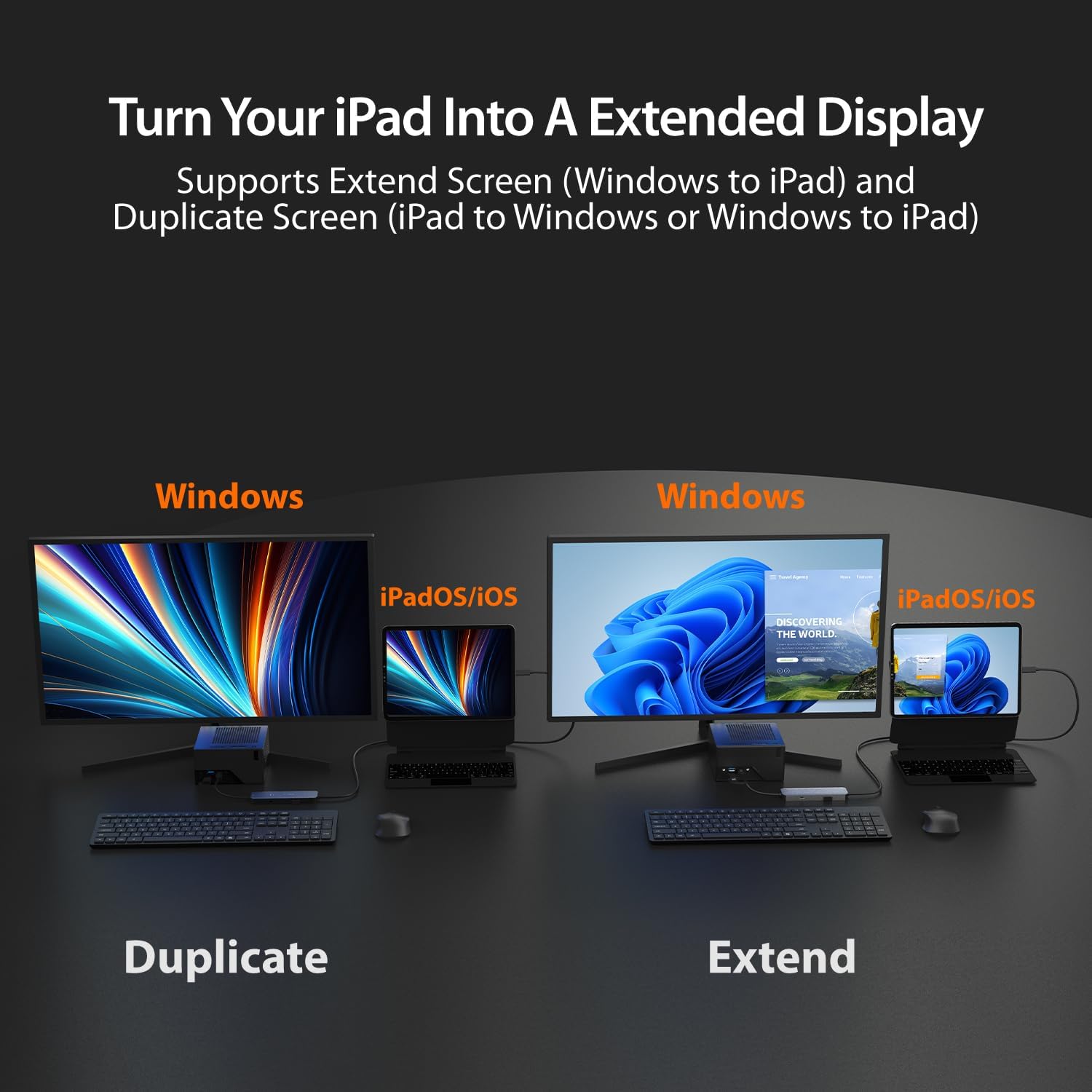
1 iPad as Extended Display
2 Boost Efficiency w/ iPad


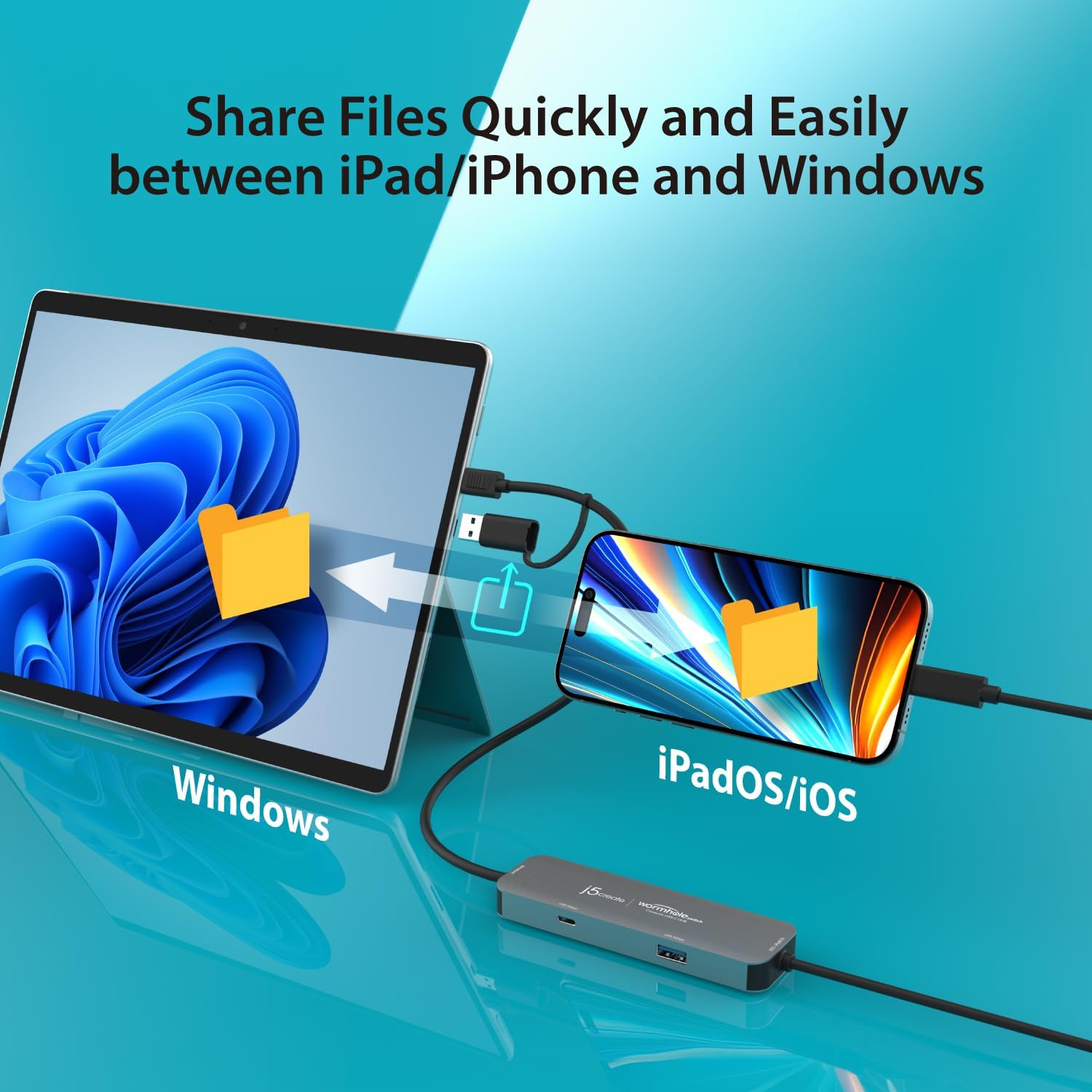
1 Fast & Easy File Sharing
2 How to Transfer Files


1 Annotate Thoughts Easily
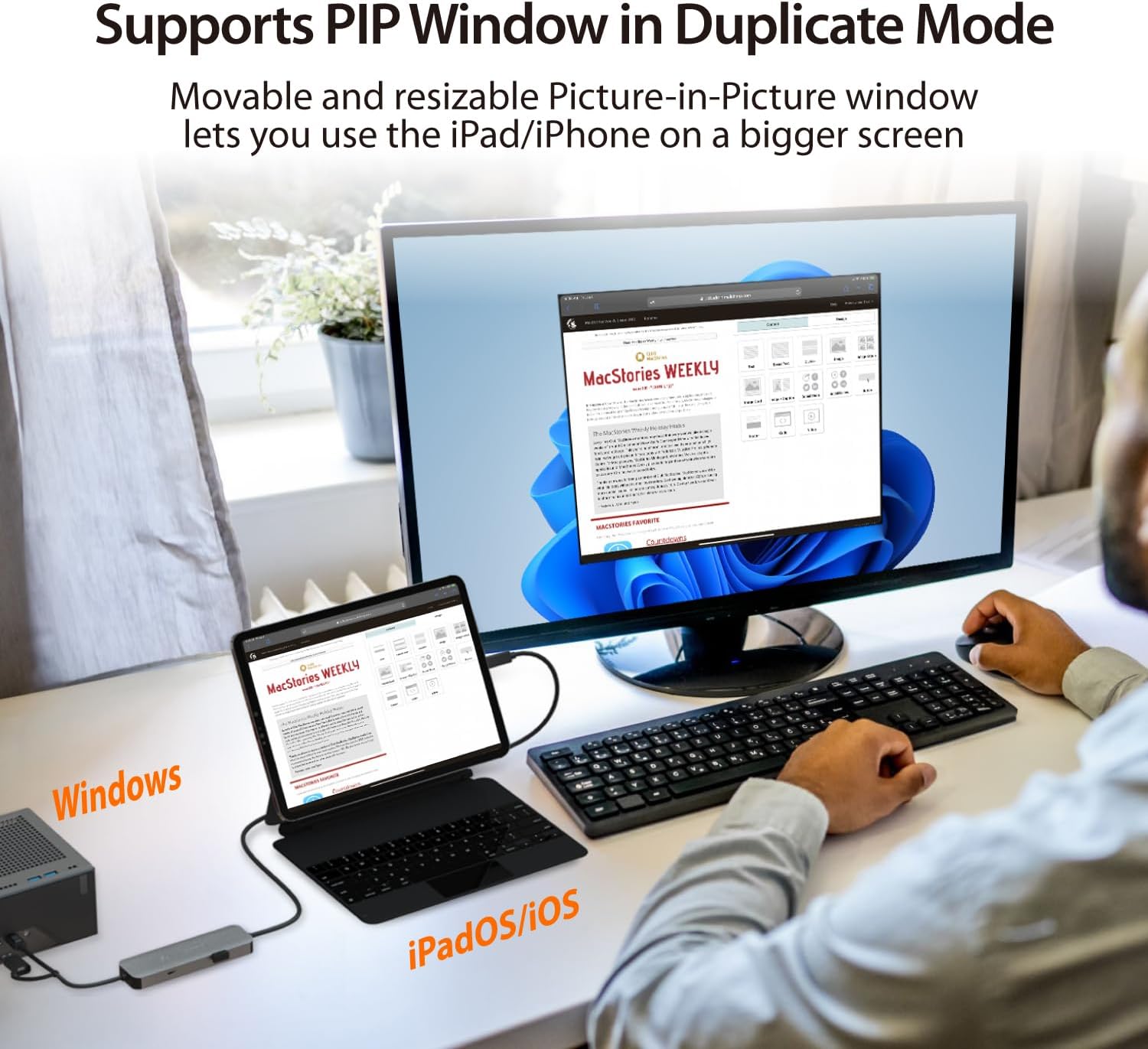
2 Support PIP Mode
3 Boost Laptop Capabilities


1 Wide Compatibility
2 Work with Various Devices

【 Effortless Windows & iPad/iPhone Collaboration 】 Break platform barriers with the JCH422 CrossLink HUB. Transfer files, share screen, and extend displays between Windows and iPad/iPhone devices seamlessly.
【 Turn Your iPad Into a Second Display 】 Boost your productivity by using your iPad as a secondary screen for your Windows laptop. Whether extending your workspace or mirroring content, enjoy a fluid and dynamic workflow.
【 Fast & Simple File Transfers 】 Move documents, photos, and videos effortlessly between your Windows laptop and USB-C iPad/iPhone. No cloud storage or internet connection needed – just plug and transfer.
【 Turn Your iPad into a Graphics Tablet 】 With virtual multi-touch and pen pressure support, your iPad becomes a responsive drawing pad for Windows, perfect for digital artists, note-takers, and creatives on the go.
【 Expand Your Connectivity Options 】 Equipped with a 5Gbps USB-C and 5Gbps USB Type-A port (work with Windows laptop only), this compact hub lets you connect essential peripherals like a mouse, keyboard, or flash drive whenever you need them.
6 reviews for j5create iPad/iPhone to Windows Collaboration Sharing Hub, Use iPad as a Second Display for Windows Laptop, Transfer Files Between iPhone and Win PC, Wormhole Switch CrossLink (JCH422)
Add a review

Original price was: $69.99.$8.99Current price is: $8.99.
Abacus –
Magic in a wire
Many of us use two or more monitors when working at home on our computers these days. When we go on the road, we tend to lose a lot of productivity unless we carry an external monitor. In lieu of an external monitor, if you tend to carry an iPad as well, you’re problem can now be solved and your productivity can now be restored with this amazing little device.I travel a reasonable amount for business and always bring my iPad and PC Laptop when I travel. Truth be told the iPad is mostly for movies and email, but the laptop Windows PC is my lifeblood for actual productivity. Since my first iPad many years ago I’ve thought there should be a way to connect it as a dumb monitor to my laptop and use as a second screen. Well, I was thrilled to see this J5create wormhole Crosslink adapter which does just that and more. It’s lightweight, it’s connecting wires are permanently attached, and it is simple to use.This product is recognized by your laptop and installs a driver, and then appears as an external drive from which you load the embedded app on the PC side. On the iPad side is one app download from the app store and you’re set. The device has clear labels on it which end of its cable goes to the laptop and which to the iPad, so pretty error proof. On my Win10 machine using USB-A (8 or 9 year old device) the entire hookup process was about 90 seconds including downloads and installations. It was a little longer om my Win11 work PC using USB-C as I triggered all the security alarms as the app was not among the list of corporate approved apps by my employer, but that was resolved over time. The user application sits on the iPad, where you can determine if you want the iPad to use the PC screen or the PC to use the iPad screen, and whether you want to use their whiteboard application (which is actually very usable!). It then communicates with the PC and you’re off and running. On the PC side this appears as a second monitor in Windows which you either mirror or extend (again through the iPad application). I noticed that I couldn’t change the resolution of the iPad on my PC in the Windows monitor settings, but was able to enlarge the image it to make it readable for my old eyes. Another thing I noticed is that in my case my PC mouse was difficult to see on the iPad until I changed the cursor. Oh, and I now had touch capabilities for windows and apps on the iPad side for my non-touch screen PC which was also incredibly cool. My only negative is that I run a lot of concurrent apps and I did encounter the occasional curser lag, but it never became a hindrance.The device is small enough to throw in your laptop case or backpack, and always have with you. For me, this is an absolute game changer.Overall, this is just a magic box that solves what I’ve wanted for years, and it provides even more.
AverageConsumerFam –
Frustrating, slow, and unreliable photo transfers
This review is for the following item: j5create iPad/iPhone to Windows Collaboration Sharing Hub, Use iPad as a Second Display for Windows Laptop, Transfer Files Between iPhone and Win PC, Wormhole Switch CrossLink (JCH422).It cost $69.99 when I ordered it.This thing is maddening to use. It claims to let you transfer photos between iPhone and Windows, but in reality it can’t handle more than about 65 at a time. If you try more, it either freezes on the transfer window or just shuts itself down after spitting out a random handful of files. When it does decide to work, the speed is glacial—you’ll be sitting there forever waiting for progress.As a Windows user who isn’t fluent in the Apple ecosystem, I found the whole process exasperating. It takes trial and error just to figure out its quirks, and even then, reliability is a coin toss.Yes, it’s small enough to toss in a laptop bag for travel, and technically you’ll eventually get your files transferred. But for $69.99, I expected something far more consistent and usable. Right now it feels like a clunky stopgap, not a trustworthy tool.
PaddyOC –
Handy Tool for Connecting Apple Devices to Windows
I’ve been using the j5create collaboration hub to link my iPad and iPhone with my Windows laptop, and it’s made multitasking so much easier. Being able to use my iPad as a second display is great for keeping reference material or notes open while I work, and the file transfer between iPhone and PC is quick and straightforward. Setup was simple, and it doesn’t require a bunch of extra software or complicated steps. The only thing to note is that the transfer speed isn’t lightning fast for huge files, but for everyday use, it works really well. It’s a solid little gadget that makes bridging the gap between Apple and Windows much less of a hassle.
EverNoticeThat –
This Outstanding little Hub unlocks the Power of PC and Apple Devices
The j5create Wormhole Switch CrossLink USC-C HUB is one of those products that makes you wonder why it wasn’t created before. As a cross-platform user, I can appreciate the utility on offer with this super-useful hub. The contents of this little box unlocks the capability inherent in both your PC and Mac devices. I found it easy to use, and can’t believe I ever managed to go without it before. But now that I’ve tried the j5create Wormhole Switch CrossLink USC-C HUB, there’s no going back. With a plethora of features, this is a must-add to my gear bag. I can’t recommend this highly enough!
Quality Assurance Officer #14245 –
I didn’t realize the full capabilities of this thing
So, I got this just so I could make file sharing between my iPhone and PC easier. I have a Macbook Pro with a shared folder between my PC and my Mac on my home network, and it’s honestly just a pain to upload to the Mac then transfer it a second time to the PC (sometimes they’re big video files).I didn’t realize that you could use this to create a second monitor for your PC out of your iPad, with full multi-touch and pen support. You can use this to turn your iPad into a digital drawing pad(I know it already is one) but for your PC. Which is handy for me, because certain programs handle way better on my PC with it’s beefier GPU.This also has, on one end, USB-C and an adapter for USB-A 3.0, and an additional input port for both. So, it’s a hub, too. I’m pretty excited to see what sort of neat workarounds I can create with this tool.
Marc0 –
Game-Changer for iPad and Windows Users!
This little device exceeded my expectations!I can now use my iPad as a second screen for my Windows laptop, super useful for multitasking.File transfers between my iPhone and Windows PC are fast and easy, no more complicated workarounds. Setup was simple and it worked right out of the box. The build quality feels solid, and the connection is stable.The Wormhole Switch CrossLink technology is brilliant. If you use both Apple and Windows devices, this hub is a must-have!