

Logitech Wave Keys MK670 Combo, Wireless Ergonomic Keyboard with Signature M550 L Wireless Mouse, Comfortable Natural Typing, Bluetooth, Logi Bolt, for Multi-OS, Windows/Mac – Graphite
Original price was: $89.99.$9.99Current price is: $9.99.
Related Products




Experience day-long comfort and productivity with this wireless ergonomic keyboard and mouse combo. Typing feels instantly familiar on Wave Keys’ wavy keyframe design. The cushioned keyboard palm rest lifts pressure and improves wrist support. The Signature M550 L Wireless Mouse features a contoured shape and rubber side grip to keep medium- to large-sized hands comfortable throughout the day. This wireless keyboard and mouse combo is made with recycled plastic (10) and connect easily using Bluetooth or the included Logi Bolt receiver. The ergonomic keyboard has up to 3 years of battery life, while the mouse has up to 2 years of battery life using the included batteries (3).
Meet the comfort combo: Get comfier with the Wave Keys Ergonomic Wireless Keyboard paired with the Signature M550 L Wireless Mouse – a great fit for medium- to large-sized hands
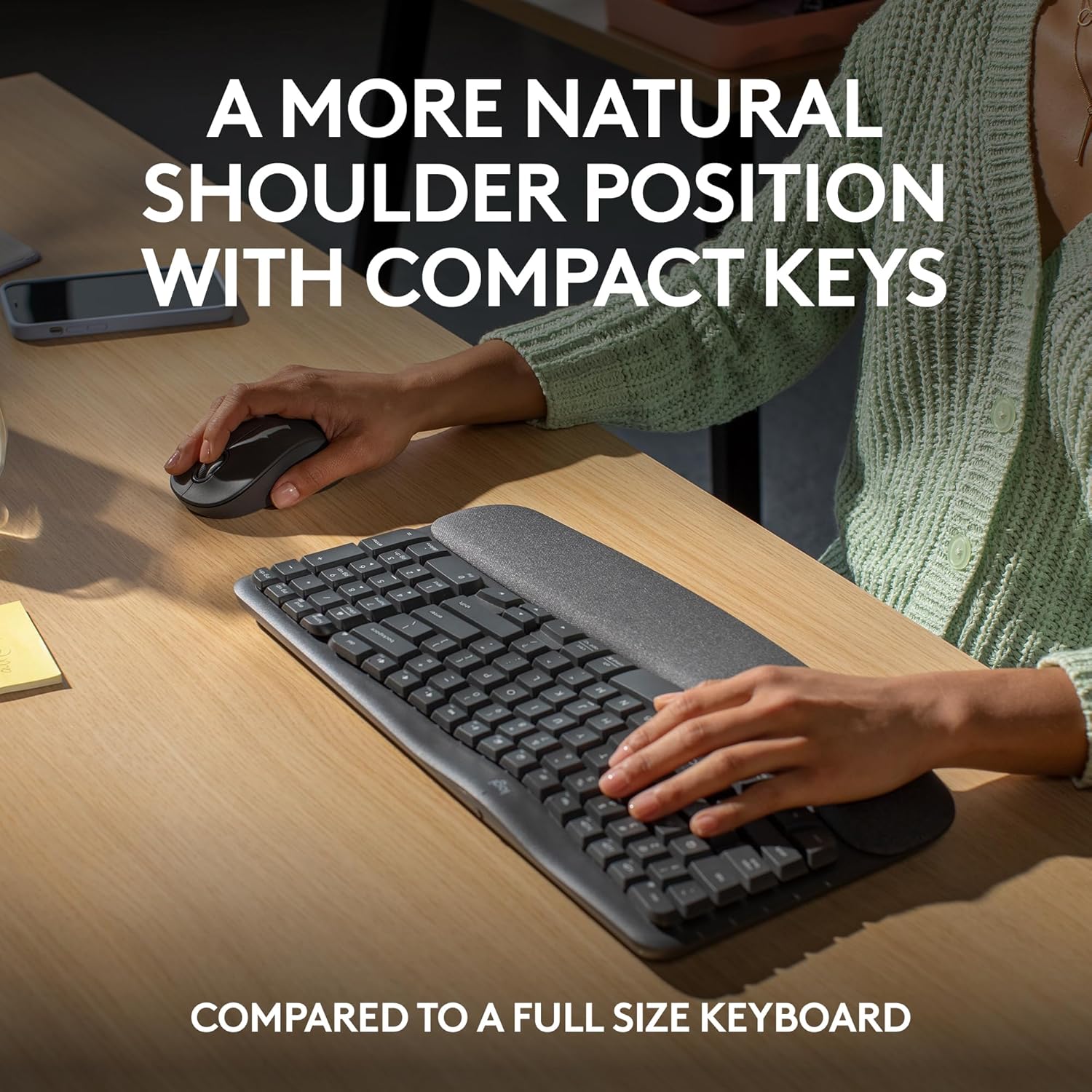
Compact keys: Wave Keys’ compact size allows you to bring your mouse closer to your body, resulting in a more natural shoulder position compared to a full size keyboard
Type in comfort all day long: The wavy design of this compact keyboard places your hands, wrists and forearms in a natural typing position for all-day comfort
More palm support, less pressure: A cushioned palm rest with memory foam gives you more wrist support throughout the day (1)
Less noise, more focus: On top of its sculpted design and rubber grip, this quiet mouse uses SilentTouch technology to make workdays more peaceful with 90% less click noise (7)
Scroll smarter: Scroll through documents line by line, or fly effortlessly through long web pages with SmartWheel
Smoother days, your Way: Personalize your Wave Keys experience using the Logi Options+ App, where you can choose shortcuts that save time and keep your work flowing (2)
Connect the keyboard via Bluetooth or Logi Bolt and use Easy-Switch* to toggle between PC, tablet, and phone (Windows/macOS/iPadOS/ChromeOS); *not-applicable for Signature M550 L mouse
Plastic parts in Wave Keys and Signature M550 L include certified post-consumer recycled plastic (Keyboard: 61%(5), Mouse: 65%(6))
In case of wireless keyboard or combo (keyboard and mouse), the USB receiver is usually provided either inside the mouse (under the battery cover) or attached within the product packaging
9 reviews for Logitech Wave Keys MK670 Combo, Wireless Ergonomic Keyboard with Signature M550 L Wireless Mouse, Comfortable Natural Typing, Bluetooth, Logi Bolt, for Multi-OS, Windows/Mac – Graphite
Add a review

Original price was: $89.99.$9.99Current price is: $9.99.
paulabear86 –
Most comfortable and useful keyboard yet!
Definitely the most comfortable and quiet keyboard I have used to date. The function keys on this are so convenient. Setup is easy and the touch response on the keys feels so natural and so quiet. It is not backlit but that is fine for me because the quality of the keys is worth it. With keyboards being so expensive these days for the gamer sect, this is the perfect value for the rest of us who use the keyboard for data entry purposes. I stumbled upon a function key for print screen that is a gamechanger for me in my work, so I am very pleased.
Matt B –
Best keyboard I’ve owned
I have been using this keyboard for work and personal use for 2 days and am loving it so far. It’s perfect for my needs and here’s why:1. It has all the functions I need and then some2. It’s just the right size. I was using a separate keyboard for my personal pc than for my work laptop and the other keyboard is much larger, not leaving much room for my mousepad in the desk tray.3. It connects seamlessly to both, my laptop and desktop so I don’t even have to use the other keyboard now! I wasn’t looking for that but is a HUGE plus now that I have it setup. You can save 3 connected devices and switch between them using F1, F2, and F3. This was a huge help since I use the same monitor for both devices (I bought an hdmi splitter for that) but would have to use 2 different keyboard/mouse each time I switched. Now I only use 2 different mouses (mice?) which I’ll probably upgrade as well.4. The keys have good response without being noisy. You can hear them, which I prefer, and feel the feedback, also preferred, but you don’t have to press hard and don’t get the loud click-clack of old school keyboards.5. It’s comfortable to use, at least for me. The palm rest cushion is soft but seems like it will hold up for a long time. The major keys are reachable without lifting my palm and there was minimal adjustment from my much larger keyboard.6. Very easy setup (I use Windows…can’t speak to Mac, Google OS, etc.). As soon as I turned on the keyboard, it paired with my laptop. I had to do absolutely nothing for setup (see note below).The ONLY very small con I have is that it doesn’t tell you anywhere in the packaged instructions that you can pair multiple devices. I knew this from another reviewer. Even then, I had to search how to do it, because it’s not obvious on the Logitech website. Once I figured it out, it was very easy to do (have your laptop/pc/whatever search for bluetooth devices and hold down the button F1/2/3 button that you want to assign to that device. The device will then discover the keyboard and you’re good to go).Other Notes: I would recommend this keyboard to anyone. It’s pricier than other keyboards I’ve bought but I didn’t add a con for that because I believe it’s definitely worth it. You can change how the function keys work using their application and even setup “smart actions” which will do a bunch of stuff like opening your favorite apps and a bunch of other stuff. All of this stuff is configurable too, although, I haven’t tried to use it yet. I just needed a keyboard so I didn’t have to use my laptop keyboard but got many features I didn’t even know I needed! Get this keyboard!
SavvyShopper –
Great keyboard. I love it!
I love this keyboard. I used Microsoft Comfort Keyboards for years and when my last one needed to be retired, I purchased this one to test it out. It’s awesome. Here’s what I like:1. It’s very comfortable to use – the curve and the hand positions are great. So is the wrist cushion.2. It’s smaller than a traditional keyboard, freeing up desk space.3. The function keys have thoughtful primary functions and an app to customize the fn combo.4. The ability to connect via Bluetooth AND a dongle. And the ability to connect with three different devices with the click of a button.5. The ability to support both Windows and Mac features and toggle between them. So if you move between systems, you can use the same keyboard.6. The indicator lights for which system you are connected to and the battery work well.7. It uses AAA batteries and doesn’t require a special expensive battery.8. It has a convenient place to store the dongle when not in use.I am very happy I purchased this keyboard.NOTE: I also purchased the keyboard skin to go with it to protect it. That works great too!
Timreh Revlis –
Comfortable to use, Best kybd I’ve used in 2024, but certainly not the best keyboard I’ve ever had.
Years ago, I had a wired Microsoft ergonomic keyboard that actually split the right hand from the left. I loved it. I wore it out. Ever since, I’ve been generally unhappy with subsequent keyboards I’ve tried. I’ve got eight or ten, unused keyboards in a closet.I really like the Logitech Wave Keys Wireless Ergonomic Keyboard. I like the compact size, even though I didn’t think I would, because I’ve always used a full-size keyboard except in a few Bluetooth connectivity applications.I’ve been a touch-key typist since High School. I love the “key travel” and “key response” of this keyboard. It’s not mushy, and the springs provide solid return. The keys press down an appropriate amount. On some keyboards the “key travel” (how far down the key presses) is so deep, it actually makes my hands tired sooner.On many other keyboards, the response is not as sure, and for some reason I get double-characters as I type. Even after adjusting the keyboard “key repeat rate” the double-characters appear, so it’s not due to a long press of my fingers. On this keyboard, I’ve not experienced double-characters being inadvertently produced at all as I type.I’m disappointed in the inability to define more keys. Only a subset of the F-key row can be re-defined.The fact that there is no inverted-T configuration is a challenge, as well as the uncommon placement of page up, page down, delete, and end. I’ve used Microsoft Power Toys to redefine the keypad insert, and delete to be delete and backspace as well as redefining the Home key to be “Snip” since Windows uses the PrntScr key to access the screen-snip/screen-shot function. (Note, when using Microsoft Power Toys to re-define keys, the Power Toys program must be started first. You should consider putting it in your startup folder.)I used the LogiOptions+ to turn off the keypad toggle function of the clear button on the keypad so my re-defined buttons are always accessible. I also used the LogiOptions+ to set the F-Keys to be their primary function instead of the media controls being primary. That decision reflects the primary concern by Logitech to be easier for novice computer users who don’t use F-keys for computer functions. I suppose it makes sense. Novice computer users are more common than the well-initiated. The experienced computer user can more easily find work-around methods. Nevertheless, it’s an annoyance.Also, I found the LogiOptions+ software to be non-intuitive and difficult to use. I eventually figured out what I wanted out of it, but it was not intuitive for me at all. For such an elaborate-looking application, it doesn’t do very much, and what it does, it doesn’t do very well.In addition, Logitech’s support people speak exclusively in “logitech” jargon, and if you don’t know the “logitech” name they’ve given to standard keys, you’re left wondering “What’s that?”Overall, this is the best keyboard I’ve tried and used in 2024. If it doesn’t wear out, I’ll probably get another year or two out of it.
Eric Ferrer –
Lo que ofrece el proveedor
ricardo –
teclado logitech de muy buena calidad, llego sin problemas, funcionando muy bien, recomendado
Pinar Giter –
Merhaba klavyenin içinden usb alıcı çıkmadı göndermenizi rica ediyorum
Werner Jonas –
the Logitech Wave keyboard is great, I was surprised to see that it is not a full sized keyboard and initially had to get use to not overreach for a key on a normal sized keyboard.I love the palm rest and overall I cannot fault anything on the keyboard and brand.
AlbertaMike –
A well-designed keyboard, well-sized and highly functional. It feels well-designed and well-built. It was easy to connect to my PC and easy to manage via the Logi Options+ app, which I also use to manage a Logi mouse. Part of the magic of why it’s easier on your hands is the compact nature of key placement, i.e., it offers all the functions of a full-size keyboard but in a smaller form factor. My hands are large (i.e., I wear size large gloves), and I find the keyboard perfectly well laid out; I don’t feel crowded, but this might be an issue if your hands are even larger.A couple of items that I will need to get used to are the placement of the delete key and the arrow keys. I figure it’ll take a couple of days, and I’ll have the muscle memory, so no biggie. The keys are quiet and firm, yet easy to push.The wrist rest is nice, and I think it will help address the numbness issues I encounter during long work sessions. I’m using it on a sit-and-stand desk and will fine-tune the height to get things dialled in right, but in the meantime, it’s working well.You can program a number of the function keys via the Logi Options+ app, something I’ve done with the mouse; this can be a huge time/keystroke saver for repetitive work. You can also enable the top row to be either F-keys or media keys, which means you don’t have to push the function key along with the F-key that you want to use.In case you’re wondering, no, this keyboard is not backlit. More importantly, it has raised lines on the home keys, and as a touch typist, this is all I need. I don’t look at the keyboard, and don’t need it to be backlit. To be honest, I would find it distracting and annoying. Yes, the Caps Lock key has a tiny light on it.Between writing for my PhD and my day job, I easily type for 10+ hours a day, hence why I opted for the ergonomic layout. Other than the minor items mentioned above, which I can adapt to, I think this will be an excellent keyboard to work with.This is an excellent keyboard and well worth the price. I would highly recommend it for someone who can touch-type, doesn’t care about backlit keys, and wants the enhanced functionality of programmable keys.***Update one week laterEverything above is still true, but I found the keyboard to be too small for my hands; there were too many awkward finger twists, etc., and it was interrupting my typing/workflow. So, I returned it and got the larger Logi ERGO K860 For Business keyboard – love it!