

Nulea RT05 Wireless Ergonomic Keyboard, Split Keyboard with Wrist Rest, USB-C Charging, 7-Color Backlight, Natural Typing, Bluetooth and USB Connectivity, Compatible with Windows,Mac
$69.99
Related Products


Product description

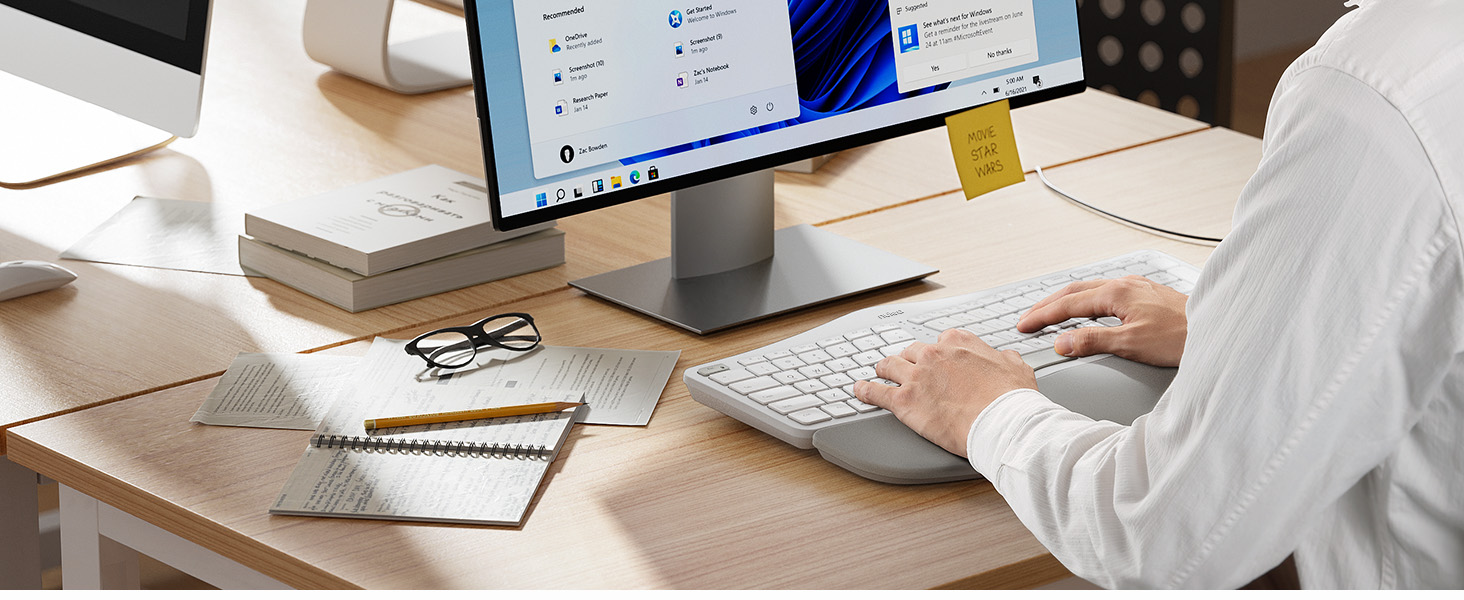
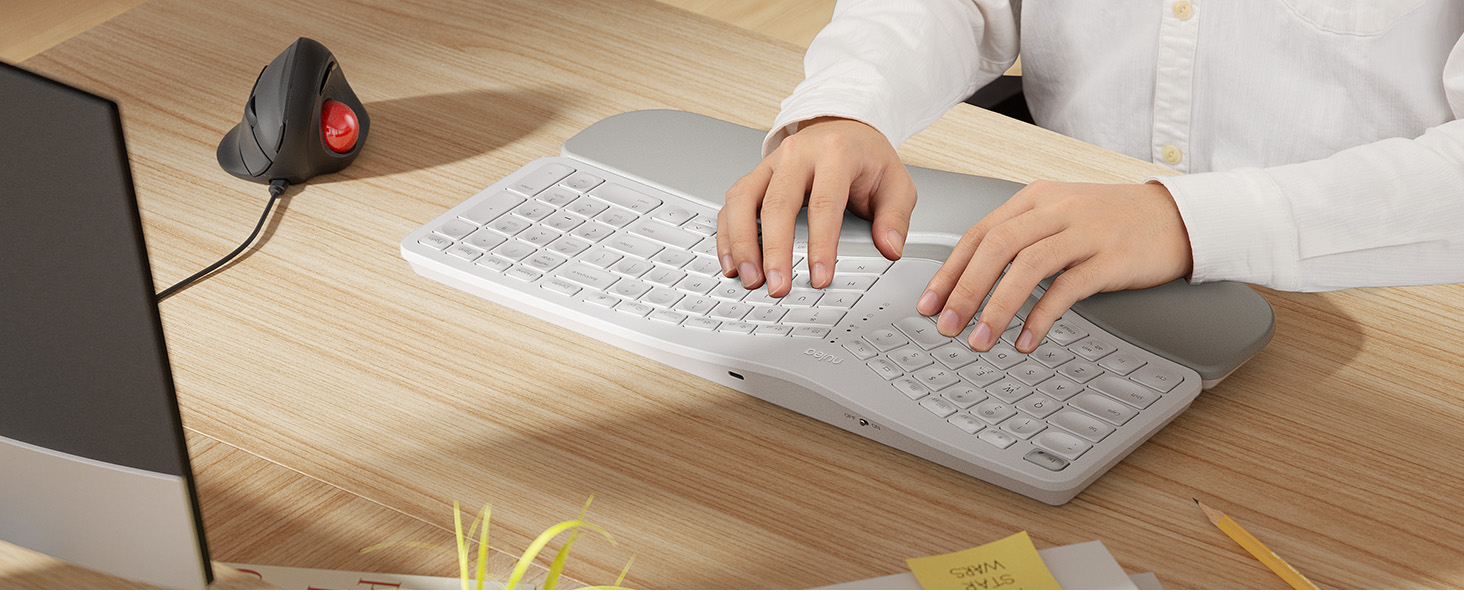
 Customizable Backlighting
Choose your favorite keyboard backlighting setting and take your desk setup to the next level
 Designed to fit your fingertips
With specially shaped keys, each tap offers satisfying feedback


 Meet Nulea Ergo Series
Promote natural postures and relaxed movements with innovative and smart designs
 Meet Nulea Ergo Series
Promote natural postures and relaxed movements with innovative and smart designs
 Meet Nulea Ergo Series
Promote natural postures and relaxed movements with innovative and smart designs
Our Responsibility to Society 
Exceptional Comfort: Standard keyboards force you to hold your wrists and arms at angles that can cause discomfort or pain in your hand, arm, or shoulder. With Nulea ergonomic wireless keyboard, it can help you position your body more properly, with your shoulders relaxed and can reduce the risk of fatigue and injury by its split, splayed and curved design.
Easy Switching: By Bluetooth and 2.4G USB, the Nulea bluetooth keyboard can establish connections with up to three devices simultaneously and switch between them by pressing a button. This function allows you to utilize the keyboard to begin writing an email on your computer, switch to your smartphone to send a brief text message, switch to your laptop to change the background music, and then switch back to your PC to finish that email with one-tap.
Adjustable 7 Color Backlight Lighting: The wireless bluetooth keyboard has a colorful backlit design. You can choose your own brightness and lighting kind with its 3 brightness levels and 7 color options, depending on your preferences. You can choose from blue, green, red, cyan, purple, yellow, and white. Choosing your favorite keyboard setting and take your desk setup to the next level.(When the battery level is below 10%, the keyboard will turn off backlight to ensure basic user functionality).
USB-C Quick Charging: You’re getting tired of being bothered with battery problems. With its larger internal battery (2000mAh) and longer operating time—especially when the backlight is off—this wireless rechargeable keyboard enables you to focus entirely on your work without pesky interruptions. While the battery indication is on, recharge using the USB-C charging cord. Simple and practical.
Adjustable Tilt Legs: With 4 adjustable tilt legs, you can adjust the wireless keyboard to 3 different tilt levels. So that your hand and wrist will feel less of pain because of the comfort that you will have. The purpose of this design is to always keep your wrist in a comfortable position for different postures.
8 reviews for Nulea RT05 Wireless Ergonomic Keyboard, Split Keyboard with Wrist Rest, USB-C Charging, 7-Color Backlight, Natural Typing, Bluetooth and USB Connectivity, Compatible with Windows,Mac
Add a review

$69.99
kyle wagner –
Ergonomic, easy to use, multi-computer support is great, company backs their product
Got one of these about a year and a half ago. Great connectivity, easy to use, keys feel comfortable. Very good design, ergonomic layout means I’m never feeling any wrist or finger soreness even after a full day of typing (I use this every day at work and home). I love the switching function (to switch between 2 computers) – it’s easy and fast to do. Also means I only need 1 keyboard to work with 2 machines.It had a shift key that started coming up – I contacted them with images of the problem and after basic troubleshooting, they shipped me a new one with no hassle. It’s rare to find a company that will stand behind its product. Highly recommended – sounds like they’re in it for the long run and are dedicated to making a quality product!
Amy W –
Good keyboard, good price
I needed a new keyboard for work. I was using a Microsoft Sculpt. I LOVE that keyboard and how comfortable it is. However, after only a year of use it started disconnecting randomly and it was super annoying. I tried new batteries, making sure drivers are updated, etc. I am on a computer for work 40+ hours a week and need my keyboard to be reliable.So, I begin searching. I wanted something that was split again, had options for tilting, backlit and not too expensive. This one came up in my search and after reading several reviews I decided to give it a try.Unboxing and getting it connected was super easy. It can connect by blue tooth of USB piece. I also love that I can set it up to be connected to my laptop, and to my phone and can toggle between the two. The color options for the backlight are a nice touch. You can also adjust how bright they are.There was a bit of a learning curve in getting used to typing again as my sculpt had a lifter on it that made the keyboard angle down in the back more. I liked that, and the feet on this keyboard do not give me quite the same angle. I may use the old riser from my sculpt on this one somehow, but for now its not super uncomfortable or anything. My typing speed is just as fast.The keys feel nice when pressing them and they are not super loud. Battery life seems pretty good so far. I do like that there is an off/on switch so that I can turn the keyboard off when I go to lunch and when I leave for the day.Time will tell, but so far I am impressed with this keyboard.
Dr Dude –
Perfect – but not for Windows
I’m really at a loss as to how to rate this keyboard. I’m a professional programmer and I use Windows OS. There is a lot to like about this keyboard and not much to dislike. The keys are perfect – just the right spread and feel. The keys are concave and fit the fingers well. The ergonomic split is perfect. The keyboard slant and the wrist rest are perfect. The weight and feel are perfect. (Do you notice a trend yet?). The battery is rechargeable, which I really like.There are a couple of things that I dislike – so much so that I am returning the keyboard. First, the home, end, page up, and page down keys are just sort of stuck at the top of the rest of the keys – there is no dedicated key block for this. Same for the arrow keys – just sort of smooshed in with the rest of the keys. The backspace key is where it is supposed to be but the delete key is in an unusual position (think MacOS).As a professional programmer, I am used to having the keys in separate blocks. This way, I can just feel for the key positions without having to take my eyes off the screen to hunt for them. This is a huge downer for me.Second, the function keys are all dual-purpose. This would be OK but the dual purpose function is active by default. To use a function key (F1, F5, etc.) it is necessary to press the Fn button. This is completely unacceptable. It would be nice to have a button that would flip the key layout from normal to alt function keys and leave it there so that I could set it for the most common use.These two things are show stoppers for me. I still rated the keyboard as a 5 overall because it is so well implemented. But it is not a traditional Windows keyboard. Windows users use the backspace *and* the delete key a lot so it’s nice to have them findable by feel. Also, Windows users use function keys (F1-F10) a lot so it’s nice to have them accessible by default.If Nulea were to put out a Windows style keyboard with Bluetooth I would buy it in a minute. In fact, I’d probably buy 3 or 4. I wound up buying a competitor’s keyboard that I don’t like nearly as much but it fits my coding style better. Sigh.
Cosi M. –
Que excelente teclado, calidad premium.
Raghu –
1. The price is too much when compared with the quality of the product, I paid almost 12k.2. The plastic was smelling when I opened the keyboard from box.3. The control buttons are not at the right position, right control button is missing which makes harder to work.4. The Pam rester cushion was coming out.5. Left arrow button was almost coming out as well.
BRCL –
LOVE this keyboard!! It is ergonomic, backlit with multiple colors and dim-ability, soft keys, and UBC Type-C chargeable!Absolutely love the fact that you can connect it to 3 separate devices. 1 via a usb dongle, and two via bluetooth. Totally worth getting this.
Tina –
I have been using this keyboard for about 4 months. The design is great and helps to relieve some of the pain in my hands from typing. The wrist support that is attached is confortable also. The backlit keypad is great especially in low lght places. The internal battery ast forever. I think i have only charged it 2 or 3 times. The CTRL key came off so I emailed the company. They responded within a couple hours, we emailed back and forth about a replacement and what options I had once. Within 24 hours they are sending out a replacement at no charge. I would 100% recommend this keyboard.
Rachel M Dickens –
This keyboard is fabulous! The wrist pad is soft and comfortable, the keys are spaced well and make typing (for a touch typist) easy… only a few hours in and I’m hitting the right keys 95% of the time… in a couple of days it will be hard to go back to a ‘normal’ keyboard! The lights are an added bonus and the key strokes are clear. Delivery from USA was pretty quick and set up simple. Particularly like the ability to toggle between laptops meaning you only need 1 keyboard on your desk