

Replacement Voice Remote Control for TV-Stick/Insignia Toshiba TCL Hisense Stick Smart TVs(1st/2nd/3rd Gen)
Original price was: $17.46.$13.97Current price is: $13.97.
Related Products


Product description
QA: What do I need to do first after receiving the product?
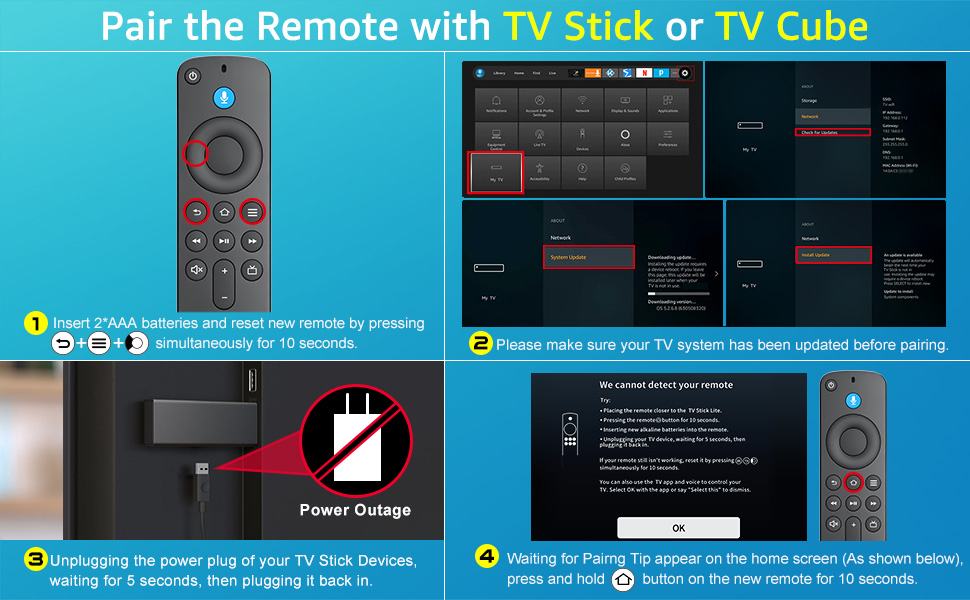
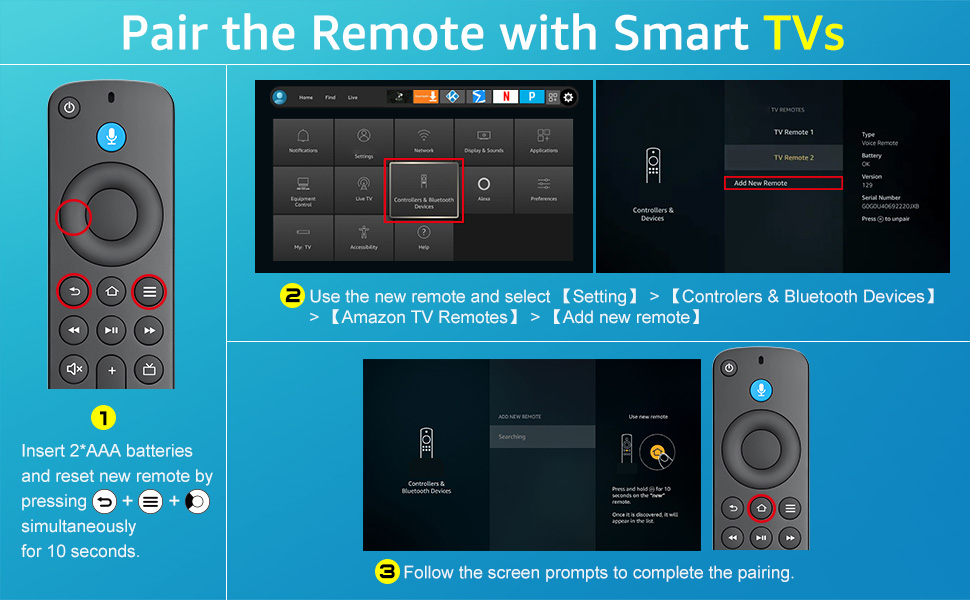
A: Since the product will be tested to see if it is fully functional before leaving the factory, you need to reset the product first after receiving it. Reset operation method: “Press Left” + “Menu” + “Back” buttons simultaneously for 10 seconds. When the reset is complete, the indicator light on the remote control will flash three times. After a successful reset, pair the TV or TV Stick again.
QA: How to pair and connect to my *** TV?
A: The remote comes with infrared tech, you can control your TV without pairing, but you can’t use the voice function under this mode. After confirming that the TV itself comes with voice tech, find the settings on TV > Controllers & Bluetooth Devices > Add New Remote > Press and hold “Home” button for 10 seconds as prompted by the TV, then release the “Home” button > Pairing to the TV successfully > Test the voice button to see if it works.
QA: How to pair connect to my *** TV stick and *** TV cube?
A1: If you still hold an old TV remote, use the old TV remote to find the settings on your TV > Controllers & Bluetooth Devices > Add New Remote > Press and hold “Home” button for 10 seconds as prompted by the TV, then release the “Home” button > Pairing to the TV successfully (If you could not find your old TV remote, you can choose to use a cell phone to control the TV to select settings operate)
A2: If you don’t have an old remote to control the TV stick, you can reset the new remote control. Unplugging the power plug of your TV Stick Devices, waiting for 5 seconds, then plugging it back in, then wait for the pairing page to appear (the time of the pairing page is determined by the TV), don’t press any buttons during the process. After the pairing page appears, press and hold the “Home” button for 10 seconds according to the prompts, then release the “Home” button and wait for the pairing to complete automatically. (This pairing method is the most uncontrollable due to the uncertainty of when the pairing page will appear.)
QA: How to solve the problem when I can’t use the power button, volume button and mute button after connecting the new remote to the TV stick?
A: Find the settings on TV > Equipment Control > Manage Equipment > TV > Change TV > We have detected your ****** TV > ls this correct? > Yes (Whether the brand of the TV detected is correct, select yes for correct, no for incorrect) > Your TV Stick remote has been updated > OK
QA: If the remotes linked to the TV are full and I can’t add new remotes, how can I solve the problem?
A: Find the settings on TV > Controllers & Bluetooth Devices > Select the old remote control to be deleted > Press the “Menu” key > Click “SELECT” to delete it!
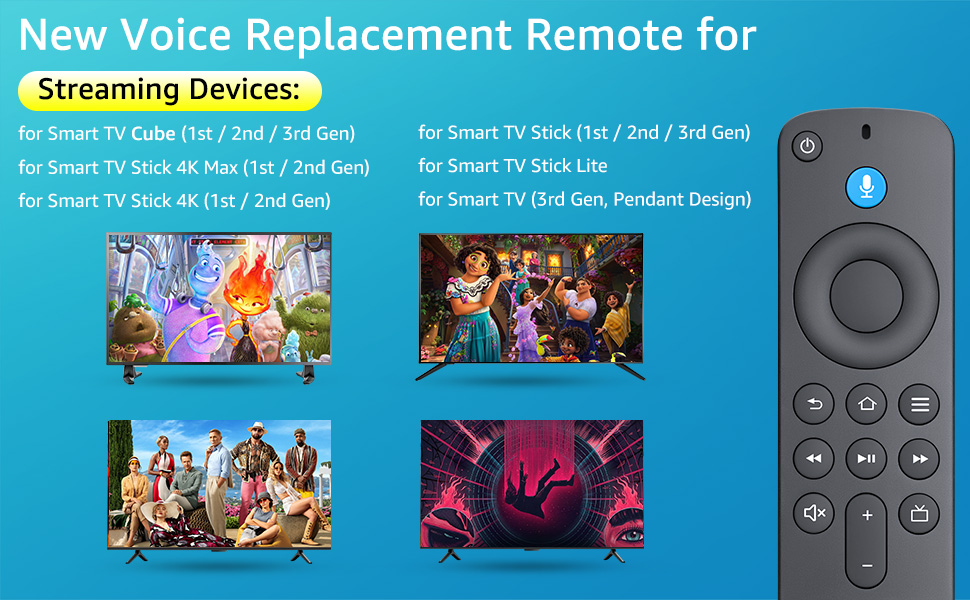
【Applicable Models】New replacement voice remote compatible with Smart TV Stick 4K Max(1st / 2nd Gen), Smart TV Stick 4K(1st / 2nd Gen), Smart TV Stick(1st / 2nd / 3rd Gen), Smart TV Cube(1st / 2nd / 3rd Gen), for Series Smart TVs, 2/4 Series Smart TVs, for Smart TVs:LF711/LF621U/LF421U/LF221U/C350/A810U/A710U/M550/V35 series, for Smart TVs:F30/F20/F50/DF710/DF711/DF310/DF510/DF311/DF620 series, for Smart TVs PN450/PN651/PN851/PN951 series etc.
【One Replaced More Remote Control】Replacement remote control for TV Stick Voice Remote(2nd Gen/3rd Gen/Lite/Lite 2nd Gen) and for TV remote control(NS-RCFNA-21, CT-95018, CT-RC1US-21, NS-RCFNA-19,CT-RC1US-19) etc.
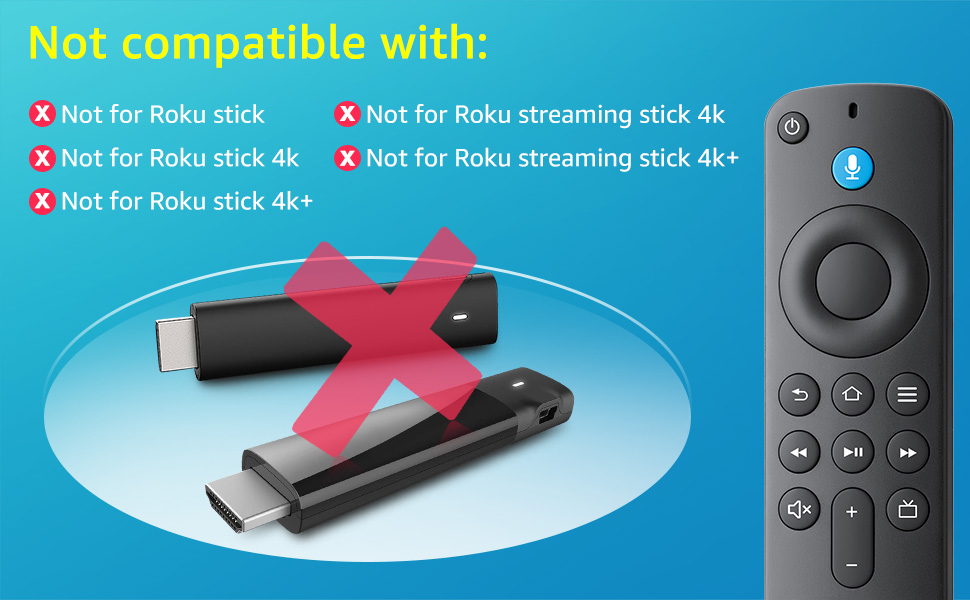
【Not Compatible with】Not compatible with Roku stick, Not for Roku stick 4k, Not for Roku stick 4k+, Not for Roku streaming stick 4k, Not for Roku streaming stick 4k+
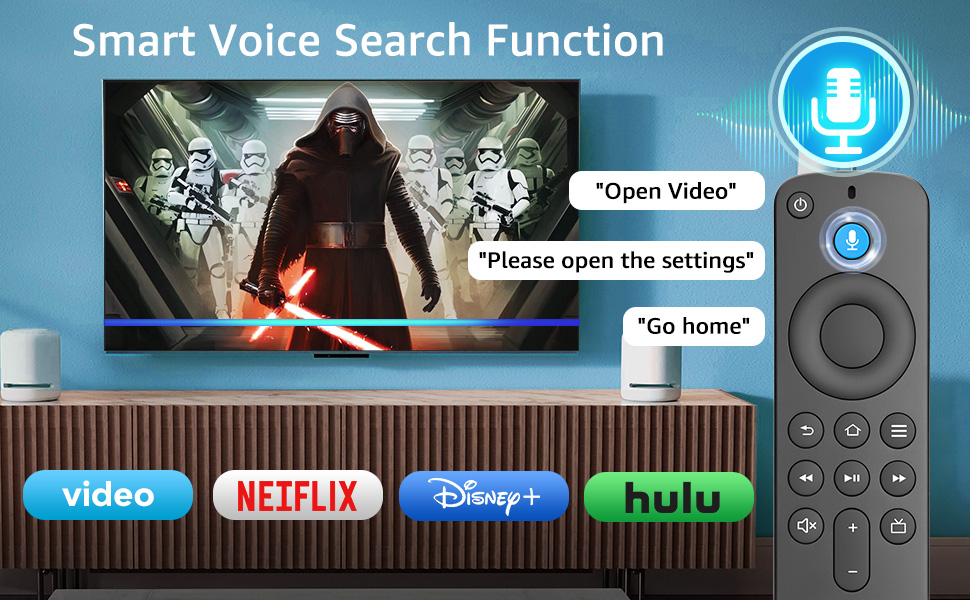
【Activate Voice Function】The remote control comes with manual, please follow the instructions to pair and activate the voice function. Easy and intuitive, the voice remote lets you control your favorite content with your voice.
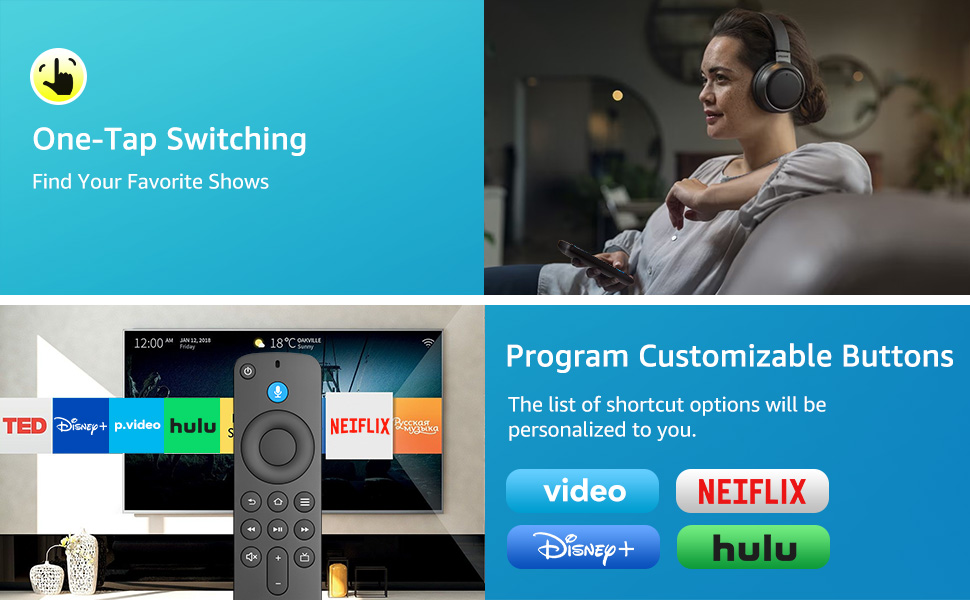
【Customization Buttons】The remote control includes 4 shortcut buttons and 2 customization buttons, press and hold 1 or 2 to program customization buttons, you can instantly access your favorite streaming services, eliminating the need for multiple steps.
【After-sale Service】Package including 1*replacement voice remote control and 1*user manual(batteries not included).We also provide 60 days after sale service, if you have any questions, please contact us directly and we will get back to you within 12 hours.
13 reviews for Replacement Voice Remote Control for TV-Stick/Insignia Toshiba TCL Hisense Stick Smart TVs(1st/2nd/3rd Gen)
Add a review

Original price was: $17.46.$13.97Current price is: $13.97.
Andrew C. –
Replace those worn-out remotes with ease – Thanks guys
I purchased two to replace the ones that had no paint left on the buttons and had to fight with to change a channel. They showed up within hours of placing the order and were extremely easy to place into service. Alexa did all the work. The blue button voice control works awesome; it was lost on the old remotes. Compatibility to my Vizio tv was easy and quick, the whole process took a person who is not computer savvy seconds to hook up and start changing channels with ease once again.
Jessica –
Easy Setup, Great Features
Needed a replacement after our original remote met an unfortunate end (thanks, pup). This one connected easily and has worked flawlessly. The extra buttons are a nice bonus and make navigation smoother. Solid choice for any Fire Stick user.
LaMont Andrews –
Great fire stick remote replacement.
I had an Amazon fire stick remote that was eating batteries, I purchased this one to replace that one, it works perfectly, actually is better than the remote that comes with the fire stick.
Reuben Barker –
Good Buy
Worked well and was easy to pair with fire stick
eviltwin –
Works perfect as a replecment
I got this after losing my other controller, that I ended up finding a month later haha. It works great, it was easy to install. I am gretful to have this option instead of buying an all new fire stick
MIGmaDiva –
Works great!
I bought this remote to replace my remote that came with my Fire cube. It took me a couple of tries to get it to work, but when I did, it worked perfectly!! So glad I found this remote. It works seamlessly with my tv.
Kelvin from Austin, TX. –
More features and fast sync
Besides the 4 assigned direct access buttons to netflix, hulu etc, there are 2 additional buttons you can assign to something of your choice. The syncing of the new remote to the firestick is incredibly fast!
Laura –
Works, but is actively annoying
I’ve had this remote for just over two months after ours was lost to the inside of some furniture, so I didn’t want to spend TOO much because we may fish the other one out some day. First and foremost – if you want to turn your Fire TV on and off, navigate around apps, and watch things, this remote will do that job for you.It does, however, also regularly turn the TV on at random when it’s off. That might be the leading cause of why its battery life is terrible. I’ve just had to change the batteries after two months of use. Surely a small remote isn’t that consumptive of electricity?Anyway, it works, but it’s pretty mediocre. And I’ll probably end up spending more on batteries in a year than I spent on the remote in the first place.
Gisele –
I. Avait briser l’originalRapport qualité-prix ok
Rick McAllister –
This remote works but plastic is very cheap. Battery cover clip weak and broke off, had to tape cover to make stay on. Royal pain when you need to change batteries which I might add this remote seems to eat batteries fast.
ahmed elmalah –
Not bad
Kera –
Didn’t have to hook up to tv just put batteries in and bam….it worked.
Jean-Philippe –
Remplacement d’une manette TCL beaucoup plus haute de gamme mais de remplacer par la même chose aurait été trop dispendieux. Bonne alternative quand on a des enfants.