

Synology 5 bay NAS DiskStation DS1019+ (Diskless), 5-bay; 8GB DDR3L
Original price was: $1,199.99.$1,070.00Current price is: $1,070.00.
Related Products


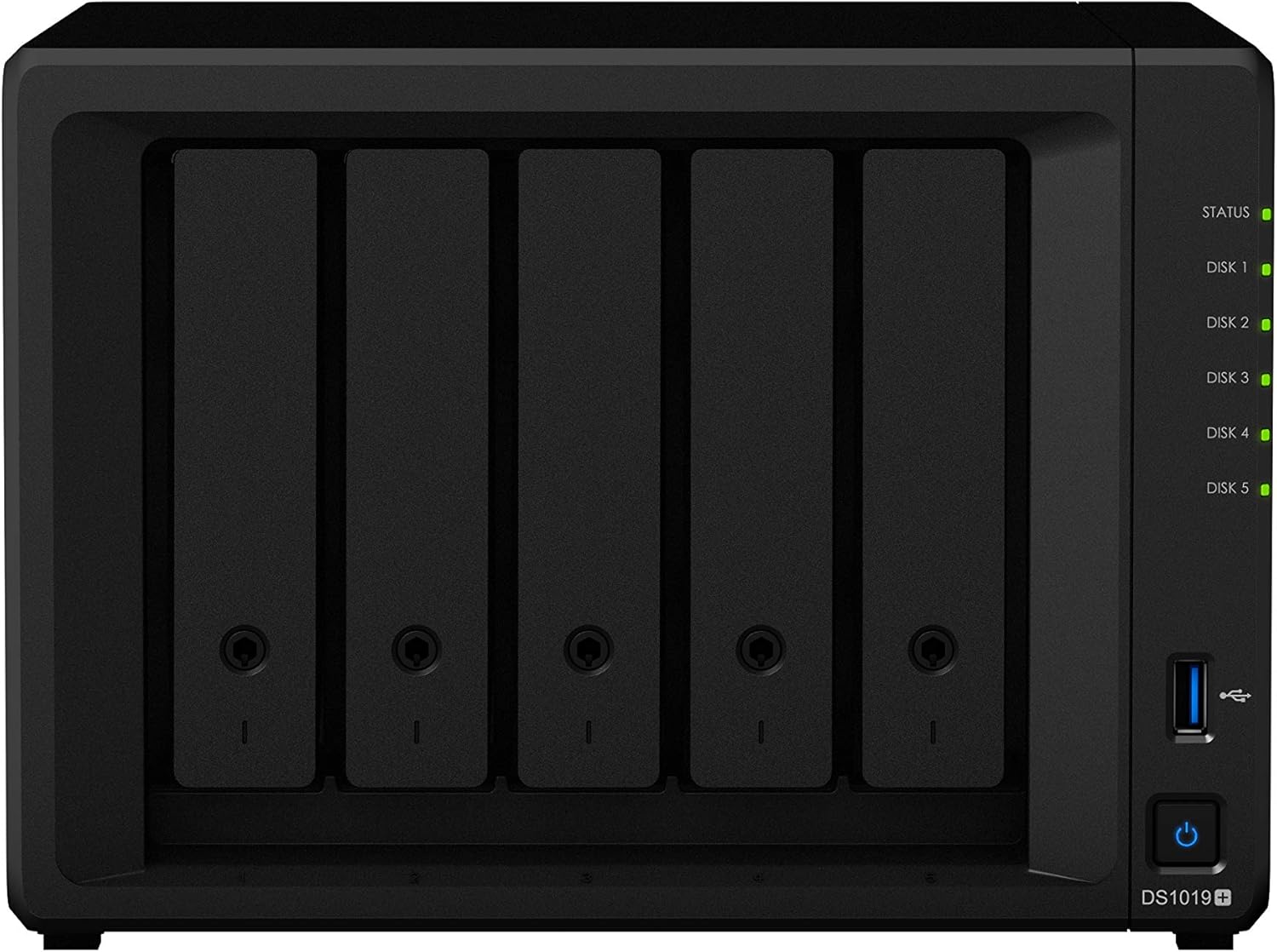

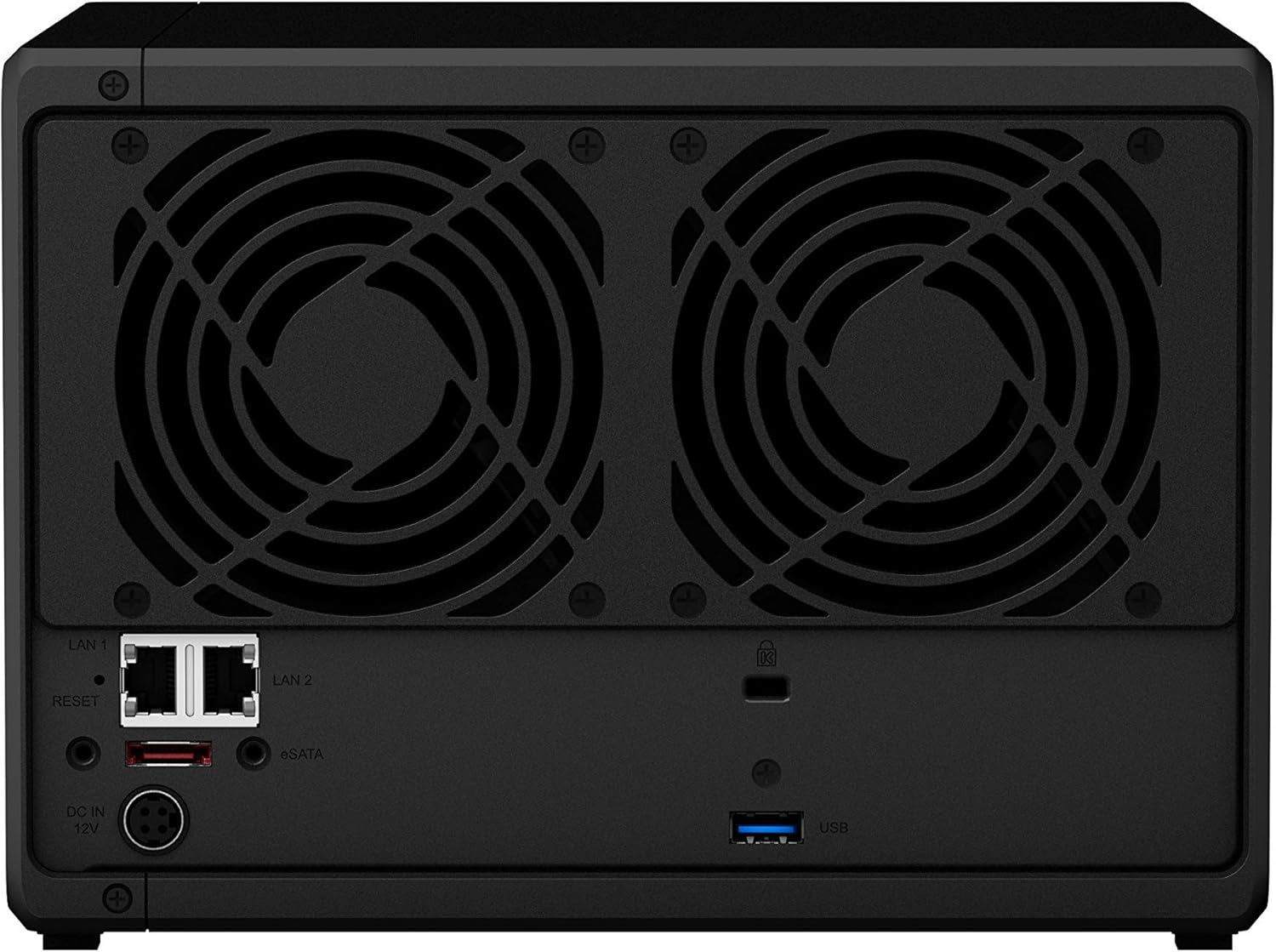


Synology DiskStation DS1019+ is a 5-bay NAS designed for small offices and professional home users. With versatile built-in applications, DS1019+ easily fulfills your various office requirements, including collaboration, file sharing, data backup and recovery, and is even ready for virtualization deployment. Its 4K video transcoding capability also makes it a perfect fit for streaming and sharing your ultra HD video collections. DS1019+ is backed by Synology’s 3-year limited warranty.
Quad-core CPU with AES-NI encryption engine, delivering reading and writing throughput at over 225 MB/s even when data are encrypted
Loaded with two 4GB DDR3L memory module, providing 8GB memory capacity in total.Power Supply Unit / Adapter – 120 W. AC Input Power Voltage – 100 V to 240 V AC .Power Frequency – 50/60 Hz, Single Phase
Built-in two M.2 NVMe SSD slots for system cache support; Dual 1GbE (RJ-45) ports with failover and Link Aggregation support
Dual-channel H.264/H.265 4K video transcoding on the fly
Scalable up to 10 drives with one expansion unit DX517 connected
Connectivity technology: Bluetooth
9 reviews for Synology 5 bay NAS DiskStation DS1019+ (Diskless), 5-bay; 8GB DDR3L
Add a review

Original price was: $1,199.99.$1,070.00Current price is: $1,070.00.
Brian Landis –
Rock solid, easy to set up. Works like a little dream!
I bought the DS1019+ to replace my positively ancient HP Mediasmart 285 (yes, a Windows Home Server from 2008. It refuses to die but I’m finally out of space and it can’t take more than 2TB hard drives easily; so it’s time to upgrade at last.)Setup was a dream. The DS1019+ sits in my network between my router and the rest of the devices, acting as a reverse proxy for my web server (which I have on a dedicated VM on another machine, but will eventually move into the Synology for ease of use and backups). I also set up OpenVPN on it, a Synology Drive server to sync some files, set up my PC’s to back up to it with another program, and configured Hyper Backup to back up the NAS to Backblaze B2. I also encrypted the shares that have personal stuff in them (as opposed to a share with movies, or videos of the dog in the park, etc.)All of that took an hour and a half to set up after I powered the thing on for the first time. Data copying (8.1 TB) was done the following morning. I was expecting it to take a couple of days of tinkering and fiddling.I’ve had it for 2 months now and it’s been rock solid through Oklahoma storm season (with a UPS connected to it.)I just added another drive to bring up the storage capacity, and that process couldn’t be easier. Put in the new drive, then 3 clicks later you’re expanding the pool and you get more room.If you’re not very computer savvy, get help when you set these up. Anyone can do it, but it’s easy to accidentally leave yourself or your network exposed if you misconfigure it.The closest thing I have to a caveat is that this unit was a bit loud with 3x12TB Seagate Ironwolves in it. Those are relatively noisy drives, but once I added some velcro (the fluffy part, not the hooked part) to the bays, added rubber feet, and put it on a foam pad, it’s a lot more quiet now. The fans are nice and quiet; I’ve never heard them at all.Best of all? Room to grow! I still have 2 more bays, and can theoretically add another 5 bay unit to it. The RAM runs around 9% utilized right now. The CPU sits around 2% on average and spikes as high as 60% during heavy write operations. It has legs for me to add SO much more to it if I want. My VM’s will almost certainly move into it later this year, when their host goes offline for good.I’d feel very comfortable running a small business off this thing.
R. Kirby –
Good all around NAS with strong transcoding performance
This is my first experience with any Synology product, and I can say that I’m disappointed that I waited this long to give one a try. Everything just works and comes in a low powered, small size package. I replaced a home built server which had significantly more power draw and was large. Any questions I have are easily answered by just Googling the issue. The downside is that the product is somewhat pricey compared to a DIY solution, but the software, ease of use, and general reliability might be worth it for you. HEVC transcoding performance in Plex is pretty good, especially for such a low powered machine. I have a general understanding of networking and have built my own computers for years, so setup was relatively simple. But for those that don’t have a computing background, it might be worth it to watch some YouTube videos on how to setup the NAS for your usage.
Will –
New to NAS? Save yourself the trouble and use YouTube videos to guide you through setup.
I purchased the Synology DS1019+ in 2019, and was so busy with other things that it took a while to get going with it. BOTTOM LINE: If this is your first time buying a NAS, expect it to take a little while to setup (and a significant amount of time). The great news is that Synology products seem to be the most capable, easiest to use, and most cost effective. The number of features you get with this device will far exceed what you will need, but the flexibility is incredible. JUST HAVE PATIENCE. Watch videos on YouTube. There are a lot of channels covering various aspects of the setup. I recently found a series of videos on the YouTube channel: mydoodads. He has more than 30 videos in a series that pretty much covers everything. Start with video #1 and progress through those (unless you have previous experience). The biggest mistake I made was trying to accomplish the things I wanted to in the wrong order. This is a complicated, fully featured device. I’d you miss a setup step, it could prevent things from working down the line. The learning curve is much less difficult by slowly, and methodically going through the setup. If you follow the order of things, you will definitely save yourself time in the long run. Best of luck, ENJOY!
Armand –
A bit concerned about performance at first, but does extremely well
I replaced a Drobo 5C with this. The Drobo was always marking good drives as bad, and taking my drive array offline. One day, the Drobo started a cycle of reporting every single hard drive as defective one at a time, and going through a week-long rebuild for each drive. I had enough, and bought this as a comparable alternative. I did not initially want a NAS, and getting it setup was a bit difficult because of the way I was using my DAS, but when I finally accepted the way the NAS wants to manage NFS shares, I was able to migrate easily. Only one of my drobo drives were actually bad. With my 5 drive system, I first removed two drobo drives (one-at-a time to allow rebuilding to complete) then migrated enough data to fill the two drives. I then deleted the source data, and proceeded to remove the 3rd drive over, and migrate more data. once the rebuild was complete, I used an 8TB USB 3 drive to moved the rest of my data from the DAS to the USB drive, and then powered off the DAS (Drobo) moved the last two drives to the NAS, and using the USB Copy app on the NAS, I connected the USB drive directly to the NAS and moved the rest of my data over. I am not completely migrated to the NAS, and plan to add the Flash drive cards next.The Plex service runs with no issues, and I now have my NAS managing my USB back on its own, so my USB backup drive is always up to date with all my photos, music, and my private DVD library.The USB backup alone was a huge win. The last time I lost my movie collection, it took me a couple weeks to rip all my DVDs back into my system, and re-organize everything.I couldn’t be happier with this NAS and plan to add the NAS Expansion later to add another 5 drives to my current array.
Ricky Kao –
Good and easy to use.
LM –
Synology’s set-up software is complex and its tutorials are not easy to decode (hence the four stars). Drobo software is easier to use for non-experts. It also takes a lot longer for Synology’s machines to complete their initial backups. However, once you get Synology’s machines set up they appear to connect with fewer glitches than Drobo’s on current Mac OS software.
DiverDutch –
The best NAS brand in the world… 5 bay equiped with 5x 4th NAS WD Reds
Joseph –
This is a robust enough NAS to be able to stream from Plex, record TV shows with a HD Homerun tuner, make backups of servers and desktops and general all around use.As a Plex Server, this NAS does a great job. It has no issues streaming 1080p, recording TV shows or watching live TV with a Plex Pass.Synology keeps its OS up to date with security fixes and feature updates.The Synology Surveillance Station is great if you have generic video surveillance cameras, like Amcrest, Reolink and others. I have been using this feature for years and purchased the licenses to use more cameras at once.The 5 bays give you ample space. I have 5 x 10 TB WD RED drives and with RAID, it gives me 35 TB of formatted space.The Virtual Machine Manager works, but it isolates me from the raw drive images, so I prefer how QNAP easily exposes the drive images their version, primarily for backup purposes. For VM’s, in my opinion, QNAP is a better choice.The iSCSI feature works well.This one comes with an external power brick, which I like better than some previous versions of 5 bay Synology NAS’.Technically, you can upgrade it to 16 GB of RAM if needed for virtual machines. Synology doesn’t support it, but it works.Depending on your needs, both the DS1019+ (5 bay) and DS718+ (2 bay) are great NAS’ and easily recommend them.
Tony Montana –
Lo recomiendo, yo lo compre para guardar las fotos que se van tomando de la familia, pero despues vi que tiene diferentes cosas que puede hacer, ademas si compras la cuenta flex le puedes sacar mas provecho, ami me hace falta aprender a usarlo para poder sacarle provecho. Necesito ver donde puedo aprender.