

TP-Link Deco BE67 Tri-Band WiFi 7 BE14000 Whole Home Mesh System | 8-Stream 14Gbps | 1×10G+1×2.5G Multi-gig Wired Backhaul | Up to 8100 Sq.ft | VPN, HomeShield, MLO, 320 MHz, AI-Roaming (3-Pack)
Original price was: $699.99.$93.99Current price is: $93.99.
Related Products




Wi-Fi 7 Mesh Runs your Entire Home at Full Speed
Step Up to Next-Gen Wi-Fi with the Deco BE67 (3-Pack) Tri-Band Whole-Home Mesh System.
Built on cutting-edge Wi-Fi 7 technology, it delivers 14 Gbps of total bandwidth – perfect for streaming, gaming, video calls, and more. Enjoy smooth, uninterrupted connections throughout your home with AI-driven roaming and coverage up to 8,100 sq. ft.
With advanced features like Multi-Link Operation, 4K-QAM, and an enhanced 6 GHz band, the Deco BE67 keeps up to 200 devices connected with exceptional speed and stability—no more buffering or dropped connections. Designed for busy, connected homes, this powerful system includes a 10G WAN/LAN port, a 2.5G WAN/LAN port, and a USB 3.0 port for lightning-fast downloads, uploads, and file sharing. Set up your network in minutes with the Deco app, and stay protected with built-in security from TP-Link HomeShield. This purchase includes three Deco BE67 units, one quick installation guide, one RJ45 ethernet cable, and one power adapter. The dimensions for this product are 4.23x 4.23x 6.93 inches.
𝐍𝐞𝐱𝐭-𝐆𝐞𝐧 𝐖𝐢-𝐅𝐢 𝟕 𝐰𝐢𝐭𝐡 𝟖-𝐒𝐭𝐫𝐞𝐚𝐦 𝐓𝐫𝐢-𝐁𝐚𝐧𝐝 𝐮𝐩 𝐭𝐨 𝟏𝟒 𝐆𝐛𝐩𝐬 – Deco BE67 delivers smooth 4K/8K streaming, immersive AR/VR gaming, and blazing-fast downloads with speeds up to 8,647 Mbps on the 6 GHz band, 4,324 Mbps on the 5 GHz band, and 688 Mbps on the 2.4 GHz band with 8 streams, and optimize performance on latest WiFi 7 laptops and devices, like the iPhone 16 Pro, Samsung Galaxy S24 Ultra, and PS5 Pro with the latest WiFi 7 technology of Multi-Link Operation, Multi-RUs, and 4K-QAM.◇⌂
𝐌𝐚𝐱𝐢𝐦𝐢𝐳𝐞𝐝 𝐂𝐨𝐯𝐞𝐫𝐚𝐠𝐞 – Up to 8,100 sq. ft. coverage for over 200 devices at a time. Seamlessly connect phones, TVs, gaming consoles, and IoT devices without slowdowns
𝟏𝟎 𝐆𝐛𝐩𝐬 𝐏𝐨𝐫𝐭 𝐟𝐨𝐫 𝐌𝐮𝐥𝐭𝐢-𝐆𝐢𝐠𝐚𝐛𝐢𝐭 𝐂𝐨𝐧𝐧𝐞𝐜𝐭𝐢𝐯𝐢𝐭𝐲 – Each Deco unit features a 10 Gbps, 2.5 Gbps, and 1 Gbps WAN/LAN ports to unlock the full potential of multi-gig internet plans up to 10 Gbps. A built-in USB 3.0 port adds even more connectivity options. §
𝐎𝐮𝐫 𝐂𝐲𝐛𝐞𝐫𝐬𝐞𝐜𝐮𝐫𝐢𝐭𝐲 𝐂𝐨𝐦𝐦𝐢𝐭𝐦𝐞𝐧𝐭 – TP-Link is a signatory of the U.S. Cybersecurity and Infrastructure Security Agency’s (CISA) Secure-by-Design pledge. This device is designed, built, and maintained, with advanced security as a core requirement.
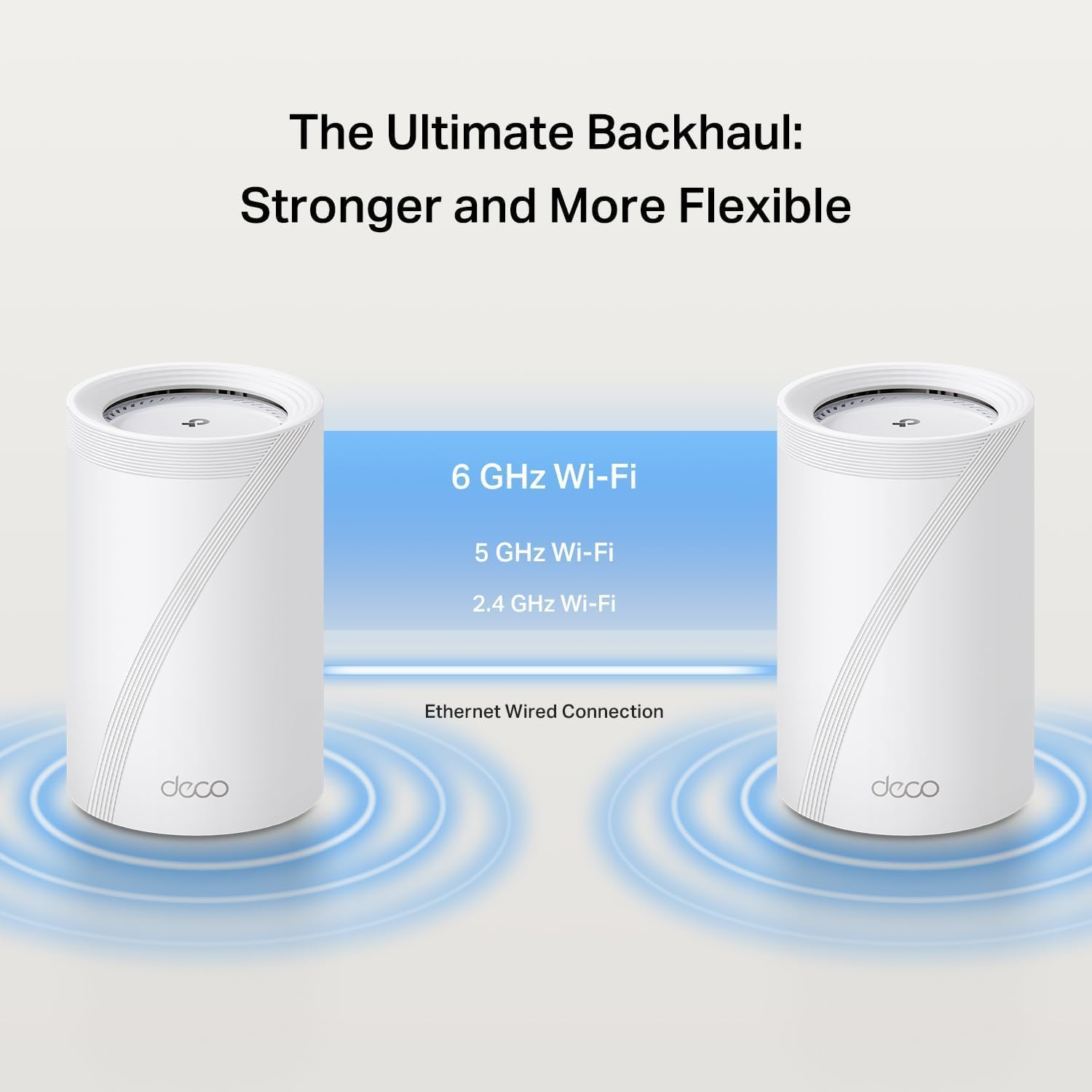
𝐖𝐢-𝐅𝐢 𝟕 & 𝟏𝟎𝐆 𝐁𝐚𝐜𝐤𝐡𝐚𝐮𝐥 𝐟𝐨𝐫 𝐔𝐧𝐢𝐧𝐭𝐞𝐫𝐫𝐮𝐩𝐭𝐞𝐝 𝐏𝐞𝐫𝐟𝐨𝐫𝐦𝐚𝐧𝐜𝐞 – Achieve warp-speed connectivity and ultra-reliable stability across your network with powerful tri-band Wi-Fi 7 and a high capacity 10 Gbps wired backhaul working in sync.§
𝐒𝐞𝐚𝐦𝐥𝐞𝐬𝐬 𝐀𝐈-𝐃𝐫𝐢𝐯𝐞𝐧 𝐑𝐨𝐚𝐦𝐢𝐧𝐠 – Deco Mesh creates a unified home network under a single network name. AI-Roaming technology automatically switches you to the optimal Deco unit for smooth, uninterrupted WiFi throughout your home.
𝗘𝗮𝘀𝘆 𝗦𝗲𝘁𝘂𝗽 & 𝗠𝗮𝗻𝗮𝗴𝗲𝗺𝗲𝗻𝘁: Quickly set up and manage your mesh router using the free Deco App, available for Android and iOS. Get online in minutes with step-by-step instructions. Compatible with all Wi-Fi routers and internet providers, such as Verizon Fios, Spectrum, Cox, Comcast, and more. (Modem must be purchased separately)
𝐌𝐮𝐥𝐭𝐢-𝐋𝐢𝐧𝐤 𝐎𝐩𝐞𝐫𝐚𝐭𝐢𝐨𝐧 (𝐌𝐋𝐎) 𝐓𝐞𝐜𝐡𝐧𝐨𝐥𝐨𝐠𝐲 – Enjoy strong, uninterrupted connections, even while moving, through the combination of multiple Wi-Fi bands into one powerful stream.*
𝐕𝐏𝐍 𝐂𝐥𝐢𝐞𝐧𝐭𝐬 𝐚𝐧𝐝 𝐒𝐞𝐫𝐯𝐞𝐫 𝐒𝐮𝐩𝐩𝐨𝐫𝐭𝐞𝐝 – Enables home devices to access remote VPN servers without installing VPN software on each device. Supports simultaneous VPN and regular internet connections for enhanced security and flexibility.
𝐓𝐏-𝐋𝐢𝐧𝐤 𝐇𝐨𝐦𝐞𝐒𝐡𝐢𝐞𝐥𝐝 – Keep your network secure and your data private with TP-Link’s premium security service. Free features include Basic Network Security, Quality of Service, and Parental Controls.
12 reviews for TP-Link Deco BE67 Tri-Band WiFi 7 BE14000 Whole Home Mesh System | 8-Stream 14Gbps | 1×10G+1×2.5G Multi-gig Wired Backhaul | Up to 8100 Sq.ft | VPN, HomeShield, MLO, 320 MHz, AI-Roaming (3-Pack)
Add a review

Original price was: $699.99.$93.99Current price is: $93.99.
k d nyegaard –
So much better than Orbi 970’s at 1/3 the price.
I bought these to replace my Orbi 970 routers which I have been battling with for 2 years. Set up was SO much easier, all 174 devices connected smoothly, speed is amazing with lower jitter than the 970. All my 27 Sonos speakers connected and stay connected (not so with the 970s). My home is 8,000 sq feet and the units cover it no problems. It is much more stable with a better interface and 1/3 the price!! I finally have piece of mind again!
stenro –
Amazing Performance with Really Easy Setup
Yes, the price may be on the higher side but with WiFi 7, I should be future-proof for a good 4-5 years. Although I am technically inclined, the setup was super easy and quick. Although control of the system is limited to an app (vs. a webpage) everything you need is in there to give you a lot of control and options.I am lucky enough to have a Gig internet connection and once this mesh system was setup and I run a speed test on my phone, I’m getting that full connection over WiFi and great connectivity.I’ve had this for about 2 months now and now issues at all. Although I’m in an apartment, I have coverage for over 1400 sq. ft. The range is great and again, although not cheap, I feel is a good value.
C. C. Rodgers –
All signals EXCELLENT!
So far so good. I was starting to notice on my old mesh system I was getting fair and weak signals on some of my devices. My system was about 8 years old so I decided it was time for an upgrade. I can now say that every device in my house (TV’s, Alexa, Xbox, laptops, Nest, etc) show Excellent signal. Set up was pretty easy using the app. Took about 15 minutes and they look sleek. Some people don’t like the fact there is no info screen on it but I like the simplicity. I also bought the outdoor mesh because we recently had a cabana built that’s about 20 feet away from the house with an 85 inch TV. Like the inside of the house, the TV is getting an Excellent signal with the outdoor mesh.Very happy with the purchase.
Amazon Customer –
Great overall but a few minor issues
Is very nice system, the app is great, the wifi7 is very fast but I have some disconnection of my backhaul (I use wireless but is with full intensity) and some disconnection from some smart devices (IoT). Overall great and I hope can solve these minor issues.
David S –
Budget friendly awesome Wi-Fi 7 Mesh Router!
This thing is GREAT!!! I switched from a Gryphon to this and WOW! Setup was a matter of 10-15 mins tops, very easy, and seamless setup via the app. I now have 3 devices in my home in different areas of the house, vs the 2 prior devices, and rock-solid internet and Wi-Fi 7 throughout. I especially love the handling of older IoT devices as the router seems to know what the IoT devices support up to and automatically connects them to the right band (2GHz vs 5GHz), so there’s been no need to set up a separate network for IoT, nor need to set up a 2GHz or 5GHz band separately, as I did before. The app is excellent and provides helpful information at the touch of a few buttons. Weekly and monthly reporting, AND the yearly fee for the security protection is way cheaper than most brands. For a budget-friendly Wi-Fi 7 mesh network, THIS IS YOUR PRODUCT.
Kevin J. OSullivan –
Great Solution for condos
Works great – coverage is exceptional in an 1800sqft apartment. Had a single hot spot but the construction of the building was such that there were many dead spots.
Christopher Irwin –
Stay away, on my 2nd set and it won’t keep an internet connection for more then 12 hours
I have spent more time dealing with support than using this POS. The issue is that it just randomly drops the internet connection (not the WiFi). I was able to work around this for a bit by using it in AP mode but that still had issues. I was limping along because it’s AP -> AP communication is much faster than the cheap device my ISP provided (but at least that works 100% of the time). A few weeks ago I went back to router mode. I set up the MAC cloning and everything ran great for about 4 hours then it just wouldn’t connect anymore. Support had me do the typical reboot and changed a few configurations then gave up and sent me new hardware. I was a bit skeptical but hey, it’s there device maybe they have a known issue. The new devices showed up so I decided to give it a shot. Setup process works fine, and everything runs great for about a half a day then it just drops the internet connection. Support wasn’t much better this time around. Seems these clowns let the entire senior support staff go on vacation at once so now I have to wait 5 days (at the earliest) to talk to someone. Don’t waste your time or money on this crap! I asked for a refund but that’s going no place fast, just like my internet!!
arecad –
I’ve had Google Wifi (slow) and Netgear Orbi RBK50 (unstable) and now this Deco X90. While this is the first Wifi 6 that I have had, 99% of my devices are on Wifi 5.Simply put, it took less than 5 minutes to setup and the speeds I am getting throughout my whole house are faster than I have ever had with other systems. It hasn’t slowed down or needed a reboot since I powered it up. I’d recommend this to anyone that wants a simple to setup, reliable and fast mesh system. There are no dead spots at all in my 2,700 sq ft home and I got two units on my main floor at opposite ends. I have never seen any device with less than “Excellent” wifi connections since hooking this up. This includes devices on upper and lower floors.The app is great too. A little lacking in features but for regular users it’s perfect.I will circle back to this review if anything changes but so far so good.
Jose A. Casazza Murillo –
Funciona perfecto
HP_Canada –
Had alot of issues with loosing connection every often. Tried expensive Gaming routers did not make any difference as they are good up to one floor I believe.I have couple out door cameras and doorbell camra and had issues connecting to them.Kids were complaining for online school.After doing a lot of research i make up my mind for Netgear mesh system or TPlink Deco.I was already using Netgear router and extender and i love there products.Also i am fan of TP link as well for very long time and used there products as well.A friend of mine at work recommended me TPlink deco as well.Right after installation everything started working fine with full speed and never lost connection, apart of the usual Bandwidth throttling in the evening or weekends.Switching from 75mb cable to 300mb hi speeds internet.Very satisfied so far and will recommend this to anyone who lives in a house with 4 bedrooms with over 60 devices or more. (Supports up to 200 devices).Installed the units in the first floor cross the two corners on the first floor and it covers the whole house back and front and all 4 bedrooms with no more connections issues.Buy it for piece of mind.The other good thing is that Amazon automatically charge me 12 equal payments for another piece of mind.Thanks Amazon and TPlink.
Jonath –
Parfait pour faire un réseau étendu.Facile d’installation, beaucoup d’options disponible , application simple a utiliser.
SloPoke –
The DECO X90 is a very capable mesh system. I have very good coverage across my 3 story home, but since my internet modem is in the basement, I did have to add an extra X90 for the second floor. Roaming is excellent with the mesh access points handing the connections off smoothly as a I move through my home. And to my surprise the 160MHz band is available and in use even though I’m in Canada, something the comparable ASUS XT8 router cannot do. Adding a mesh access point is very easy. That being said, the setup for these routers is all done using the Android or iOS app. The web interface is extremely limited. You also have very few options for tweaking or configuring. You cannot change Wi-Fi channels; the DECO chooses the 2.4GHz and 5GHz channels for you, and you cannot use the backhaul channel as another SSID if you use ethernet backhaul. And you cannot split the SSID names for the 2.4 and 5GHz bands. However, all the basics are there: dynamic DNS, DHCP reservations, guest network, WPS, and port forwarding. WPA3 security is not turned on by default. The ability to give a recognizable name in the DECO app to all the connected devices is a good feature. As for the ethernet backhaul, the access points connect quickly over ethernet, but I found I had to buy a new switch (the DECO only has a single ethernet port available if you use ethernet backhaul), as my D-Link switch did not properly handle the IEEE 1905.1 protocol that the DECO uses to negotiate ethernet backhaul. Not all D-Link switches have this problem, but the one I was using to connect the DECO access points did, which made me think I had a faulty unit until I looked at the TP-Link support site.