

TP-Link Dual-Band AX3000 Wi-Fi 6 Router Archer AX55 | Wireless Gigabit Internet Router for Home | EasyMesh Compatible | VPN Clients & Server | HomeShield, OFDMA, MU-MIMO | USB 3.0 | Secure by Design
Original price was: $89.99.$79.99Current price is: $79.99.
Related Products




The product is multiple voltage compatible, that voltage arrange is 100-240V.
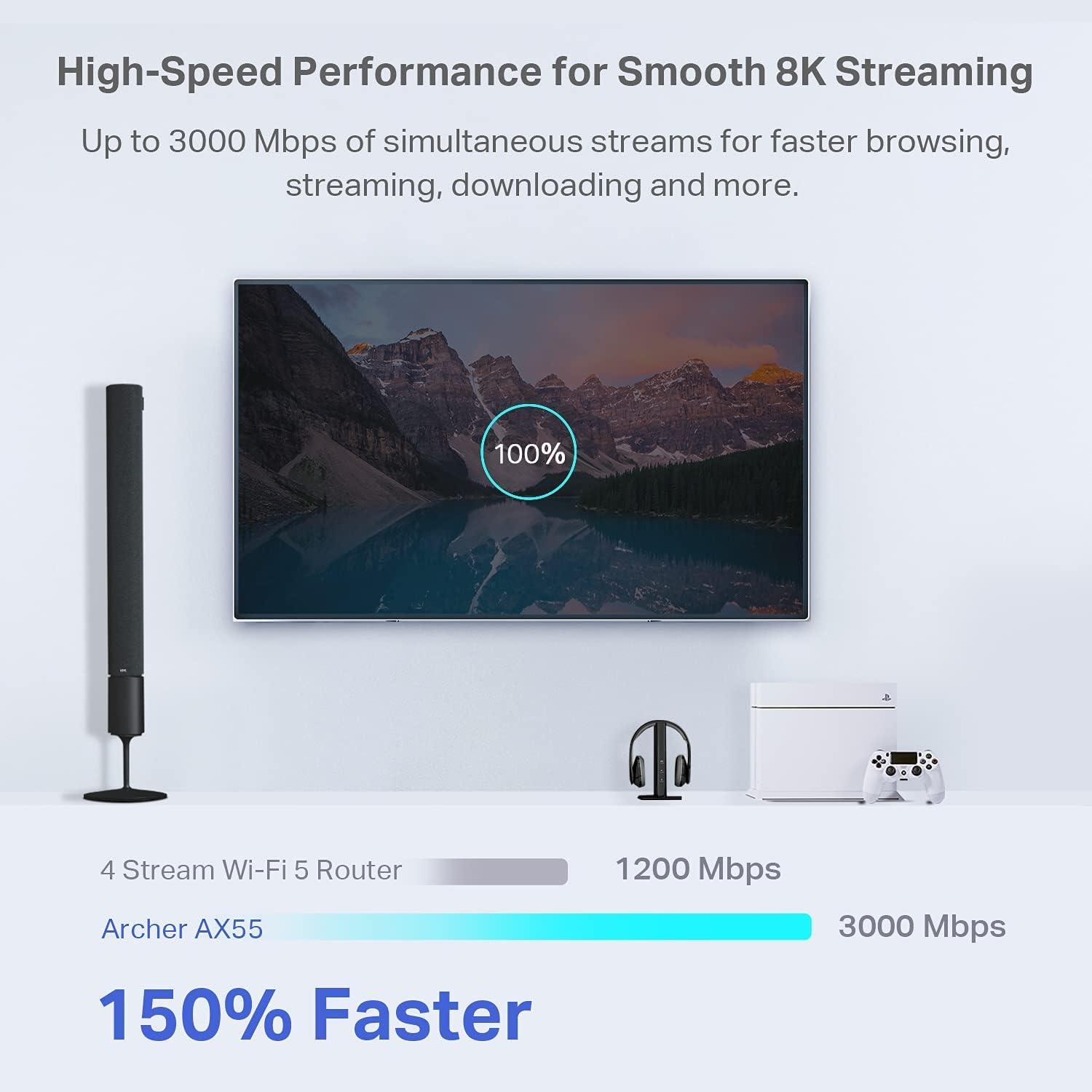
Next-Gen Gigabit Wi-Fi 6 Speeds: 2402 Mbps on 5 GHz and 574 Mbps on 2.4 GHz bands ensure smoother streaming and faster downloads; support VPN server and VPN client¹
A More Responsive Experience: Enjoy smooth gaming, video streaming, and live feeds simultaneously. OFDMA makes your Wi-Fi stronger by allowing multiple clients to share one band at the same time, cutting latency and jitter.²
Expanded Wi-Fi Coverage: 4 high-gain external antennas and Beamforming technology combine to extend strong, reliable, Wi-Fi throughout your home.
Improved Battery Life: Target Wake Time helps your devices to communicate efficiently while consuming less power.
Improved Cooling Design: No heat ups, no throttles. A larger heat sink and redefined case design cools the WiFi 6 system and enables your network to stay at top speeds in more versatile environments.
Compatible with Alexa: Control your router via voice commands and make your life smarter and easier with Amazon Alexa
TP-Link HomeShield – TP-Link’s premium security service keeps your home network safe with cutting-edge network and IoT protection. Free features: 1. Basic Network Security including Security Scan and IoT Device Identification 2. Basic Parental Controls 3. Quality of Service 4. Basic Weekly/Monthly Reports. Visit TP-Link website for more information.
Works with all internet service providers such as AT&T, Verizon, Xfinity, Spectrum, RCN, Cox, CenturyLink, Frontier, and more (A modem is required for most internet service providers).
Buy with confidence – Our highly trained support team is ready to help resolve any setup or WiFi issues at +1 866-225-8139 .
9 reviews for TP-Link Dual-Band AX3000 Wi-Fi 6 Router Archer AX55 | Wireless Gigabit Internet Router for Home | EasyMesh Compatible | VPN Clients & Server | HomeShield, OFDMA, MU-MIMO | USB 3.0 | Secure by Design
Add a review

Original price was: $89.99.$79.99Current price is: $79.99.
trs –
Solid performer
[updated]I updated from a TP-Link Archer C7. I have an Arris SB8200 modem. Here are a few notes.The AX55 signal strength seems a little better, especially in the 5 GHz band. It also adds 802.11ax and WPA3 security as well as “Smart Connect” which allows you to combine 2.4G and 5G bands under a single SSID and have the router decide which to use with each client. You could just give the separate bands the same SSID with any router. In that case each client would decide which band to use. The router login no longer uses a username, only a password.I have now tried “Smart Connect” with 2 TP-Link routers in 2 different houses and I am not impressed. On both I eventually had to separate the 2 bands. It was especially dysfunctional on mobile devices (phones, laptops, etc.). It doesn’t seem to switch bands very easily as you move around. Even stationarydevices seem to bounce inexplicably between the two bands, which can have very different signal strengths.The wi-fi encryption settings can be a problem depending on your equipment. The options are:NoneWPA2-PSK[AES]WPA2-PSK[AES]+WPA-PSK[TKIP]WPA3-PersonalWPA3-Personal+WPA2-PSK[AES]WPA2-EnterpriseWPA/WPA2-EnterpriseI wouldn’t touch either WPA or TKIP. Previously I used only WPA2-PSK[AES]. I would have liked to have used WPA3-Personal+WPA2-PSK[AES] here, but I have an older 2.4G printer with WPA/WPA2[AES or TKIP]. It would not connect unless the router was set to WPA2-PSK[AES] or WPA2-PSK[AES]+WPA-PSK[TKIP]. In the end, I set the 2.4G band to WPA2 (only) and the 5G band to WPA2+WPA3.Configuration and Installation———————————–Installing the router was pretty straightforward. I turned off wi-fi on my laptop, wired it (DHCP) to one of the router’s client ports, browsed to 192.168.0.1, and logged in (password is on the bottom of the router). Alternatively, you could leave your wi-fi enabled and connect to the router’s default SSID, also on the bottom. Doing it over wi-fi is just a bit more risky.I configured it entirely through the web interface using the Advanced menus. I changed the password and IPv4 address and left it with a temporary SSID while walking through all the other settings. After that was done, I shut down my old router, changed the temporary SSID and passcode on the new router to the permanent ones, shut down the new router, and connected it to my modem.I have not as yet found anything I can do with the Tether app that I can’t do, and more easily, with the web interface.The router would not connect to the internet when I powered it on until I remembered that the modem has to be rebooted to pick up the router’s MAC address. It won’t connect to a new router until then. I powered off both, powered up the modem, waited until it was fully up, and then powered up the router. It connected immediately and has been running fine since then.Once connected, I reviewed the internet (IPv4 and IPv6) status and settings. For Comcast, at least in this area, the IPv6 WAN connection type is Dynamic IP(SLAAC/DHCPv6) with DHCPv6 and prefix delegation selected. The LAN type is SLAAC+Stateless DHCP. I prefer to use Google’s public DNS servers (8.8.8.8, 8.8.4.4, 2001:4860:4860::8888, and 2001:4860:4860::8844), I’ve set those to override the Comcast-provided defaults.Performance—————I have 400 Mbps Comcast service with an Arris SB8200 modem. The modem indicates DOCSIS 3.1 service on the downstream side, but not on the upstream side. My laptop wireless NIC is an Intel AC7265 dual-band b/g/n/ac adapter.On a wired connection to the router, I get download speeds of 475+ Mbps. 480 would be the most I would expect given Comcast’s typical practice of over-provisioning by 20%.On 5G wi-fi with 40 MHz channels, I get 475 Mbps next to the router and about 20′ away in the same room. I get 355 Mbps in the next room, which is 73% faster than with the Archer C7.On 2.4G wi-fi with 20 MHz channels, I get 100 Mbs in the next room and 45 Mbs 2 floors up on the opposite side of the house. That’s 25% and 80% faster than with my Archer C7.Those who have unexpectedly slow wi-fi performance and who have “Smart Connect” enabled may be connected via the 2.4 GHz band without realizing it. Another reason not to use that feature.I live in a crowded wi-fi neighborhood with people who think it’s a good idea to use 40 or 80 MHzchannels in the 2.4 GHz band. Don’t do that. It makes all your neighbors’ performance worse anddoesn’t really help yours.
Curt –
Very fast, secure, easy setup, and easily handles multiple devices at a very affordable price.
This is my second TP Link router, my first router being wi-fi 5. Wanting to take advantage of the increased speed with Spectrum, I decided I buy a wi- fi 6 router. My previous TP router had given me a great internet experience, so it was an easy choice to buy another router from TP Link.Setting it up was simple using the TP Link app, and the performance had exceeded my expectations. I’m getting Ethernet speeds wirelessly. I currently have 14 devices connected to my router and haven’t had any performance issues, every device is running perfectly.With this router, I know that I’m getting the internet speed I’m paying for.I’d highly recommend this, or any other router that TP Link manufacturers. It’s a quality company that makes high quality products.
Ameir al rubaiee –
Access point
I recently picked up this router to use as an access point for my upstairs, and it’s been great. Setup was fast and straightforward—took only a few minutes. Once it was up and running, the difference in speed was immediately noticeable. My devices connect quickly, streaming is smoother, and dead spots are basically gone. Overall, a solid, fast, and easy-to-use router that made a big improvement in my home Wi-Fi.As you can see the speed difference before and after using this router.
Neuroscientist –
Works well but with set up quirks
This will not be an in-depth review but will cover some highlights.Pros: This is small and light, which makes it easy to pack for trips. It also has decent speed and range. Now, it’s range isn’t very far — on the 5GHz band I was down a bar in strength about 20 feet away, but the range is sufficient for travel use unless you are staying in a massive room or house. It was generally easy to use and set up was straightforward if you know what you’re doing. If not, I can see it being a challenge to many people because there are no clear instructions included with it.Cons: Set up was not as easy as it could be. The Tether app helped but pulling up the captive portal never worked from within the app. I generally had to plug the router in, connect to it, add the hotel/public WiFi as the network, and then go on a different device to pull up the captive portal. If you’ve been dealing with routers and computers for some time, you’ll figure it out, but otherwise, the process is much too convoluted.Overall, the router is good. I’m hoping it lasts some years. It really should be priced lower though as a WiFi 6 device. I know competition is scarce but at the ‘normal’ price there is a better option for a travel router. At the discounted price of around $50-$60 after credits and coupons that was available recently, it’s fairly priced for the performance. I think $50 would be much more reasonable as a target price for this.
Amir Ansari –
Really fast and furious does wonders for so less price , im able to stream 4k , 8k videos without any lag and smooth gaming on ps5. Much recommended for streamers and gamers. Speedtest results is astonishingly remarkable
Glen from South Australia –
An exceptionally good and easy to use travel modem. However it does not have a kill switch which is the basic point of having it for its vpn capability. Disappointing as I said it’s very easy to set up and seems reliable otherwise.
Mudassar –
I’ve been using the TP-Link AX3000 WiFi 6 Router (Archer AX55) for a while now, and I’m really impressed with its performance. The WiFi coverage is strong and stable throughout my home — even in areas where my old router struggled.The WiFi 6 technology makes a big difference — faster speeds, smoother streaming, and no lag even when multiple devices are connected. The setup was super easy using the TP-Link Tether app, and it supports OneMesh, which means I can easily extend coverage in the future if needed.I also like the built-in VPN support and the robust security features, which give me peace of mind. The router looks sleek, runs cool, and has been very reliable with no drops or restarts needed.Overall, it’s a fantastic router for the price — perfect for gaming, streaming, and work-from-home use. Highly recommended!
ibrahim Fahad –
الراوتر ممتاز واداءه جدا مناسب للاجهزه متعدده وتقنياته ممتازه
Jeramie –
This router is the end of my long journey down a rabbit hole of trying to find a solution of “adding” more storage to an Android device that I felt does not have enough free space. My router before this in terms of wireless coverage wasn’t bad, and its internet speed tests were usually ‘fine’. However, the issue I realize it had was when I began to set up networked storage in my home and its local file transfer speeds over Wi-Fi were abysmal.After dealing with numerous settings on that router, going through two TP-Link extenders that ultimately did not resolve the issue, I ended up just getting this router instead. And I have to say, this fully solved my issue and easily surpassed all expectations that I had. For starters, my previous Wi-Fi 6 router only managed around 30Mbps when doing a wireless-to-wireless local file transfer between two devices. Whether doing a local speed test or deploying an SMB share. This router? Easily managed between 750-850Mbps, entirely over wireless. It was such an unbelievable increase in performance that that alone makes this worth it for me.Setup is as simple as any other router can be, possibly even easier with the ability to set it up with the mobile app that guides you through the entire process if you don’t want to set it up via a computer with a web browser. Giving it the same SSID and password as my prior network allowed all of my devices to reconnect to the network as if nothing happened.Wi-Fi 6, 160MHz channel support, QoS, built in SMB, VPN, Access Control, ability to set it up as an AP, IoT isolation, this router has SO many features for its price, it’s insane. The mobile app is great but you do need to go into the gateway on a browser to access its full host of features. There are new features being added to the router still in the form of firmware updates, that the router is still seemingly frequently receiving.This completely solved my goal of wanting to add networked storage in my home. It’s so nice to be able to transfer files between all of my devices without ever needing to physically connect them again. Transferring files completely saturates the 1GbE NIC whether wireless or wired on all of my devices, and still leaves plenty of bandwidth on the router itself to allow other devices to function normally.There’s not even much to say about its internet performance, it’s great, of course. If you have a gigabit internet plan, you will have nothing to complain about whether wired or wireless utilizing this router. There are no less than a combination of 15 wired/wireless devices connected to this router and none of them experiencing any issues. I am very happy with this router!