

UGREEN NASync DXP4800 Plus 4-Bay Desktop NAS, Intel Pentium Gold 8505 5-Core CPU, 8GB DDR5 RAM, 128G SSD, 1 * 10GbE, 1 * 2.5GbE, 2 * M.2 NVMe Slots, 4K HDMI, Network Attached Storage (Diskless)
$1,499.99
Related Products





Product description
High-Performance NAS Ideal for Small Offices, UGREEN NAS DXP4800 Plus.
The video showcases the product in use.The video guides you through product setup.The video compares multiple products.The video shows the product being unpacked. UGREEN nas team cooperation Merchant Video
High-Performance NAS 4-bay powerful procesor Ideal for small offices, & more, powered by a high-performance Intel processor. Delivers smooth performance for running virtual machines, Docker containers, and demanding workloads.


1 Intel CPU
2 DDR5 RAM
3 Network
4 Storage
5 Expansion


1 System
2 All in One
3 Smart Assistant
4 Remote Access
5 Data Format


1 Sync & Backup
2 Media Streaming
3 Docker & VM
4 Data Management
5 Up-coming Plan


1 Multimedia
2 Backup
3 Remote Access
4 Host Backup
5 Broad Compatibility


1 Professional Servies
2 Award & Media Recognition
3 FAQ
4 Cooling Fan
5 Package Include
High-Performance NAS with Powerful Procesor: DXP4800 Plus is ideal for small offices, & More. You can enjoy smooth performance and seamless collaboration, while making use of advanced features like Docker and virtual machines. It works semalessly across every device inluding Windows, macOS, Linux, iOS, Android or Google services and so on.
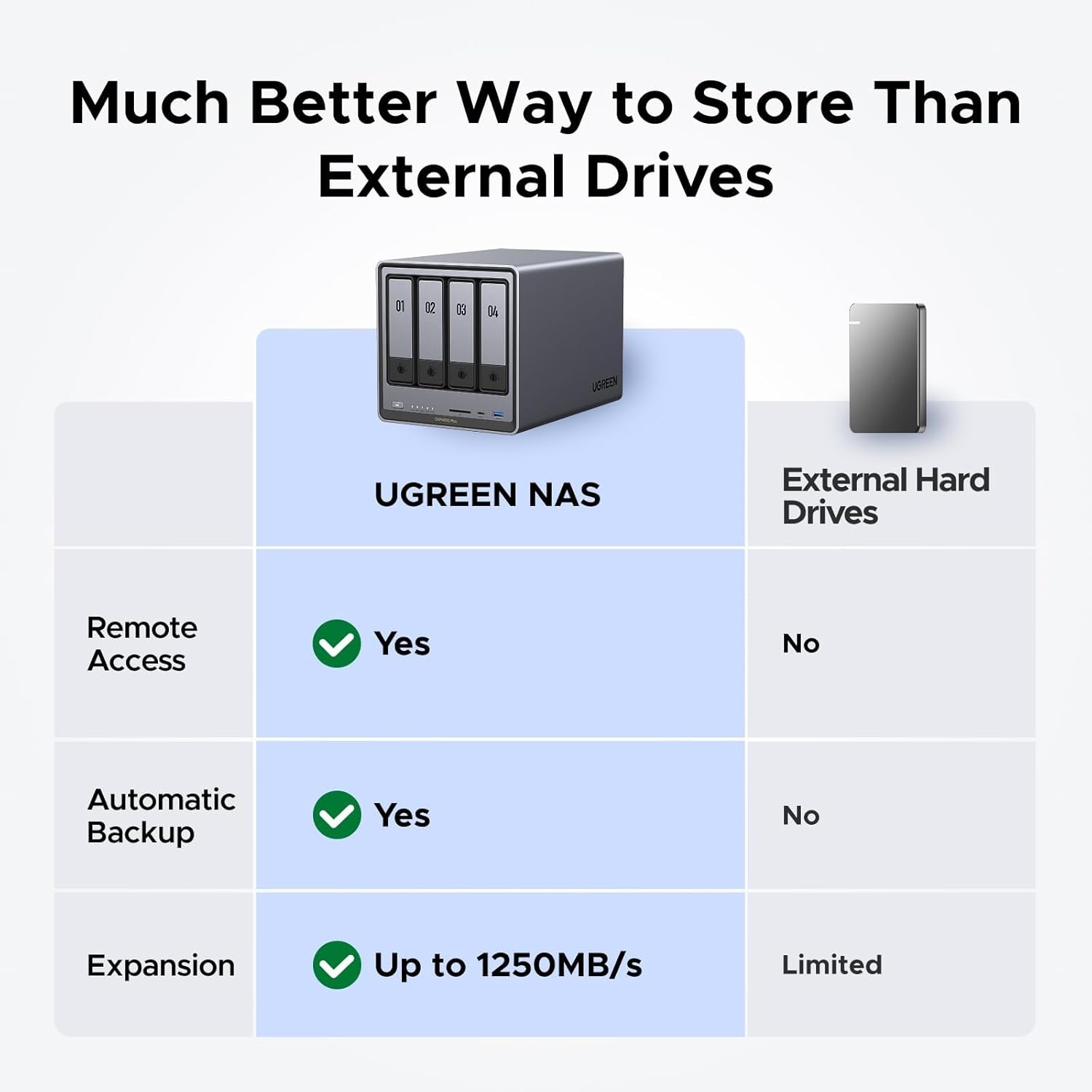
Better Way to Store Than External Drives: NAS offers centralized storage, automatic backups, remote access, and a wide range of RAID options for easy data recovery even if a drive fails. Massive Storage Capacity: Never worry about storage limits again. With up 136TB capacity, you can store 47 million photos or 92,000 movies! *Hard Drives not included.
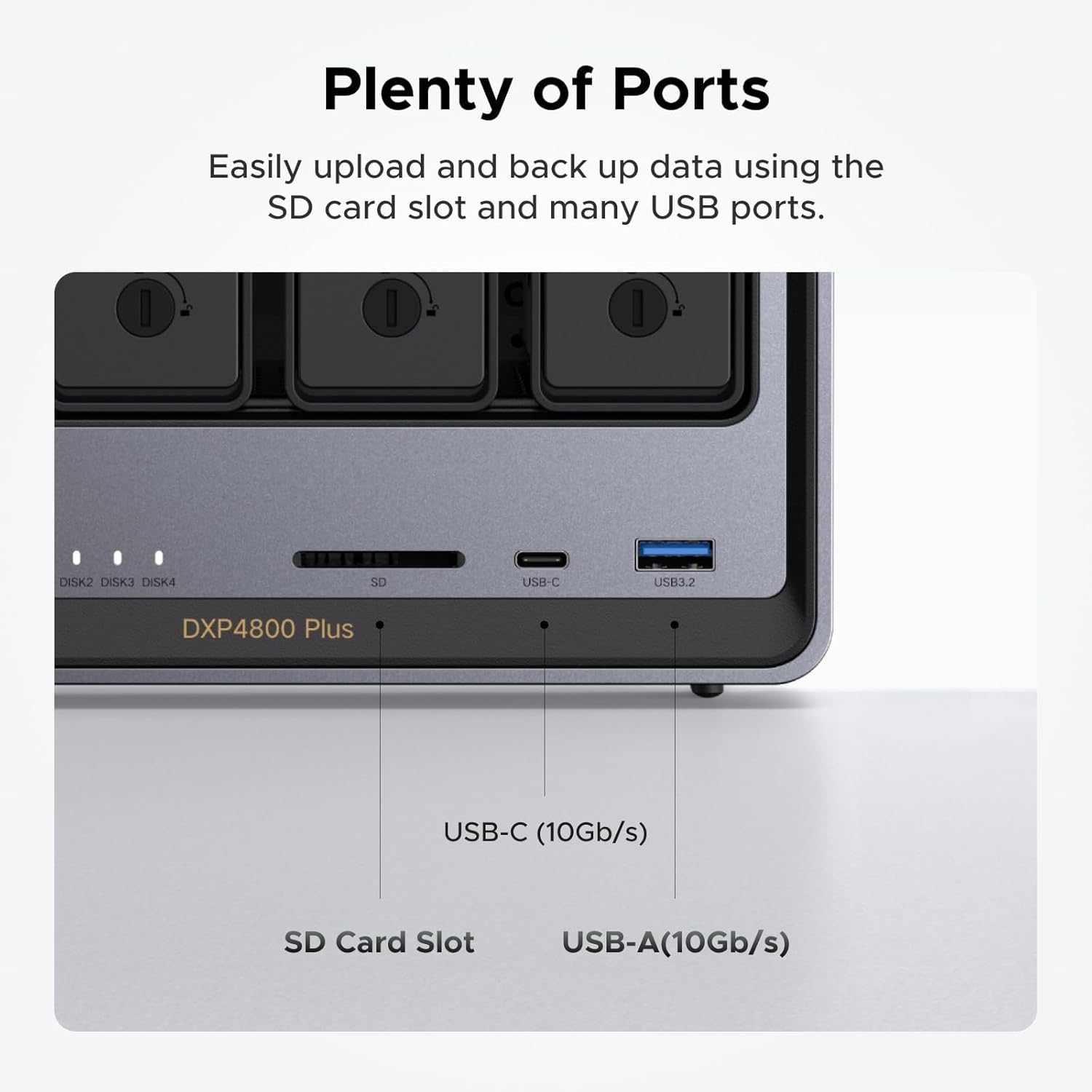
Super-Fast Transfers: Back up 1GB in less than a second using either the 10GbE network port or the 10Gbps USB ports.
Secure Private Cloud: Retain 100% data ownership with advanced encryption to protect your files. Flexible permission management makes it easy to protect your privacy when collaborating with others.
AI-Powered Photo Album: Automatically organizes your photos by recognizing faces, scenes, objects, and locations. It can also instantly remove duplicates, freeing up storage space and saving you time.
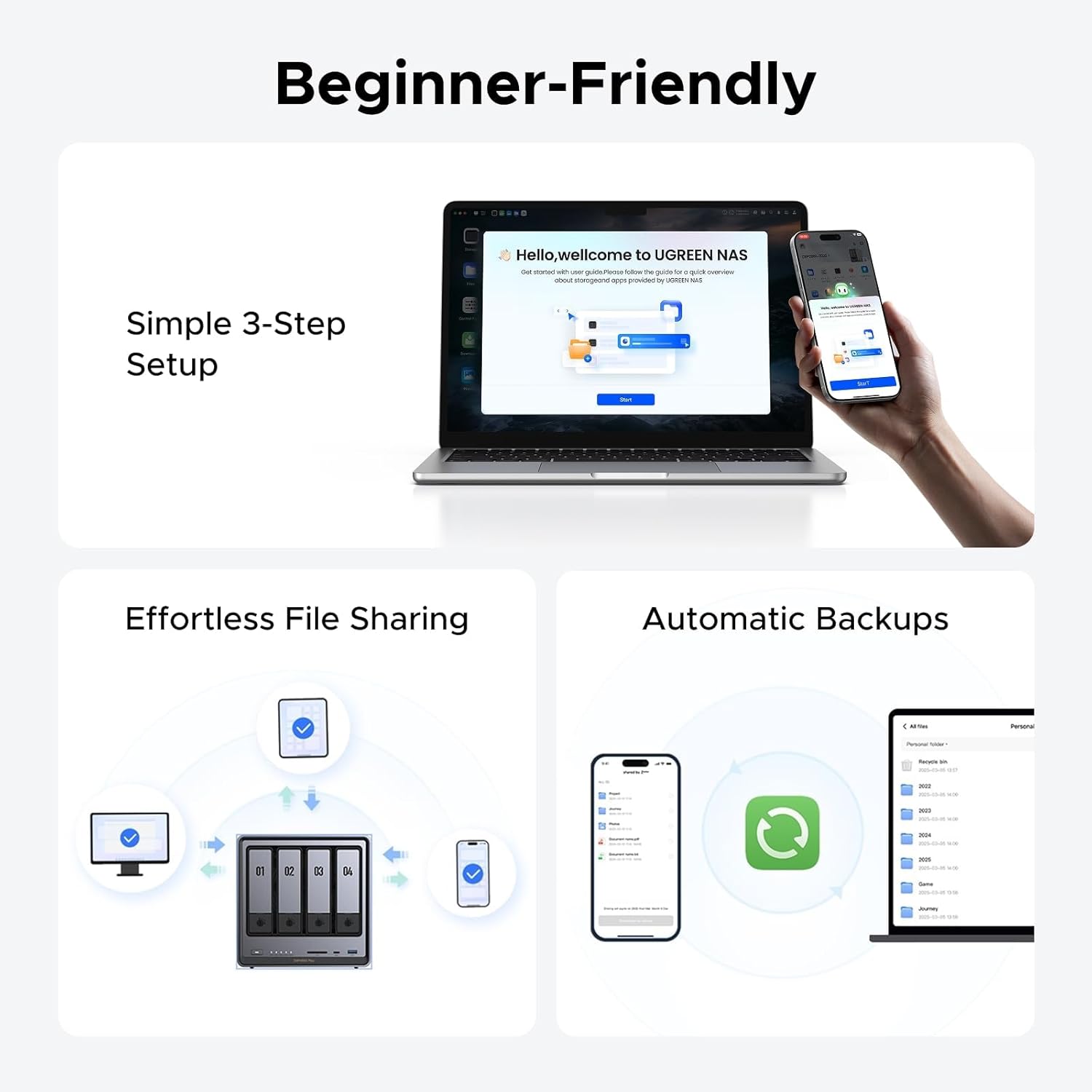
User-Friendly App: Simple setup and easy file-sharing on Windows, macOS, Android, iOS, web browsers, and smart TVs, giving you secure access from any device.
Widely Compatible: UGREEN NASync is compatible with Western Digital, Seagate, Toshiba, and more third-party hard drives. Please check our compatibility list for full details. Note: Storage hard drives are not included and need to be purchased separately.
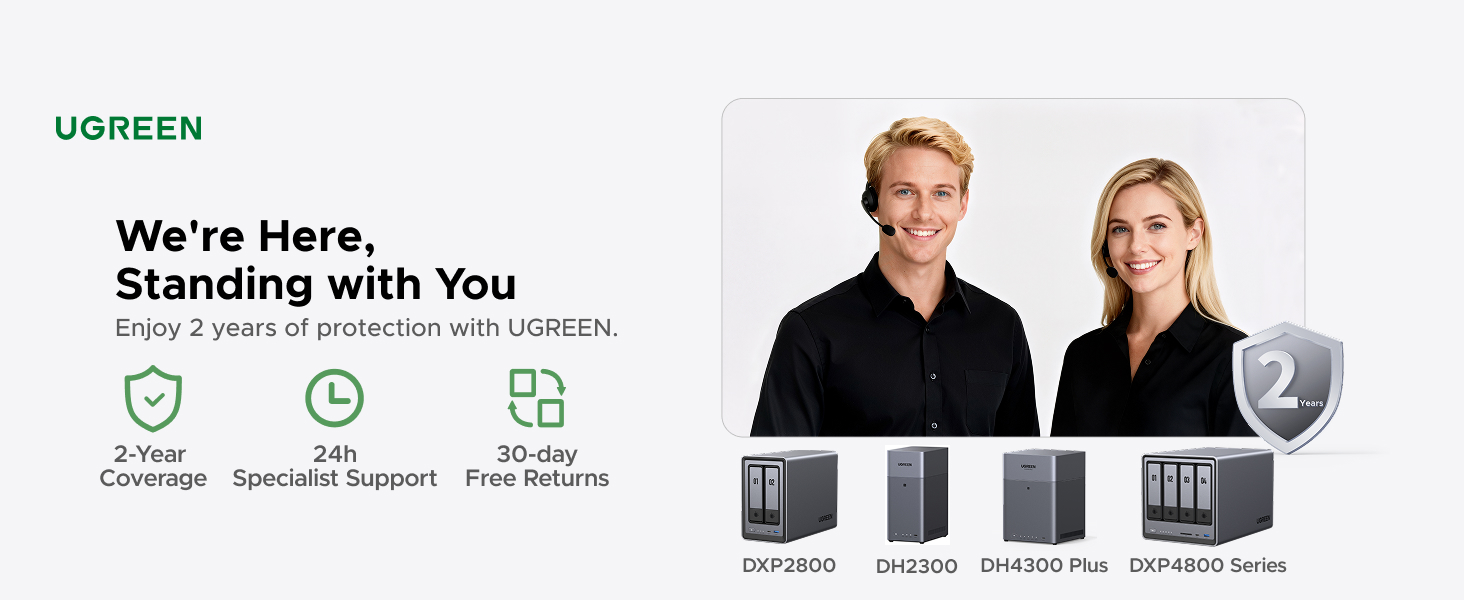
2-Year Warranty: Enjoy 2 years of protection with UGREEN. You will get 24h specialist support, 30-day free returns. We are here, standing with you. Please feel free to contact our specialist support.
NAS Knowledge & Support Center: Any questions or issures, please contact Amazon Customer Service or visit the UGREEN Knowledge Center or the ‘Support’ section in the NAS app. There are also user manual, trouble shooting guide on the product page where Safety and Product Resources is.
8 reviews for UGREEN NASync DXP4800 Plus 4-Bay Desktop NAS, Intel Pentium Gold 8505 5-Core CPU, 8GB DDR5 RAM, 128G SSD, 1 * 10GbE, 1 * 2.5GbE, 2 * M.2 NVMe Slots, 4K HDMI, Network Attached Storage (Diskless)
Add a review

$1,499.99
Jaiya Rampersad –
This is well worth the money. Minor issue with 2 apps.
I have had this item for a few months now. Initially, I did some upgrades to the unit with no problems. I upgraded the RAM to 32GB (OWC 32GB (2x16GB) DDR5 4800 PC5-38400 CL40) and installed 4 Seagate Exos X18 16TB Enterprise HDD’s in RAID-5 for a massive 48GB storage capacity. I also installed a samsung 990 EVO Plus 1TB NV SSD for caching. I decided to give the UGREEN OS a chance and kept it. So far everything seems very stable and for my use, movies, music and phone backup, this is doing the job really well. I also installed a 22TB external drive to backup my data just in case the NAS failed. All of the built-in software for the backup, moves and music are working very well.The noise level of the unit is very low, especially when the drives go to sleep. There is no noise at all that you can hear from about 5 feet away unless it is reading/writing, then you hear the drives but it is a low rumble that you would expect. The system itself is very easy to setup and once you create the online account, you can access your drive from anywhere. The only tricky part is getting the software installed on the Amazon Firesticks but there are instructions for that. I would definitely say that this is worth the spend.UPDATE: Almost a year in. The unit physically still works flawlessly. I have, however, found a few issues with the two main apps that I use. Theater and Music. First, the apps in general are great but there is a small flaw in teh Theater app where it has trouble detecting movies that have numbers in the beginning or end. The quick fix is the ability to go in and manually detect the movie. The Music app is good as well but has one major flaw that the developers have acknowledged but have not fixed. I have loaded a lot of music in folders (each folder is a CD) and the tracks are numbered. The app will ignore the numbers and only show the songs without it and sort based on that. Any mixed tracks that flow from one track to the next will NOT work since it will sort alphabetically without the numbers in the beginning. Also any tracks that have names that begin with numbers also have them hidden and ignored. I am not sure why this would be a feature, especially when you go to the Folder View tab to view the full name. It makes the app pointless for me.If you are planning on using the NAS for Music or Movies and want to use the UGOS Pro operating system, you should reach out to them to see if this has been resolved. Other than these two issues, the OS itself and the rest of the unit and apps work great.
Trent20000TA –
FINALLY a Perfect NAS Solution for PLEX
I’ve been a heavy Plex user for almost ten years. Up until now I have put the server on a Windows PC with too many HD’s. The constant updates, changes, and such that Microsoft does causes everything to reboot and restart far too often. I’ve been looking for a real solution for myself, about 8 people I share my libraries with, and about 12TB worth of movies, shows, music, etc.I noticed this NAS a few months ago and started some research and just kept coming back. For the money, you can’t get the same performance and hardware/upgrades that this comes with. I upgraded the 8MB RAM to 32MB to be sure it would be quick enough for me. I bought 2x 16TB drives and kept 2x 8TB drives from my previous server.I am not a Linux user or know how to do alot of this type of stuff, but it took me about 2 hours to have the server completely setup and ready for media to be transferred. There is a YT Video out there about 18 minutes long and an English gentlemen walks you through most of it. It worked perfectly the first try out of the box and I started transferring the data.It took about 12-14 hours to transfer everything, but there wasn’t one slip or hiccup or problem. Everything went perfectly and Plex immediately started updating everything and gave remote access without issue. The setup of the NAS is easy, the setup of Plex is easy, the Web app is incredibly fast and intuitive and the phone app is awesome and easy to use as well. I know these are relatively new to the market, but I can’t wait to see what they bring out going forward.Amazing speed and I am very pleased to finally be done with a giant server PC and go to this nice compact box. Buy with confidence, you won’t be disappointed!
Vicente –
Amazing piece of tech. Wish I got into this stuff years ago.
Background was I found myself with $1000 in Amazon gift cards and I’ve been thinking about getting into this stuff on and off for a while now – it’s one of the things I told myself I’d look into when I went for 2Gb Fiber internet at the beginning of this year. Little did I know what I was getting myself into.Gear:- UGreen DXP4800 Plus- Upgraded with 32GB 4800MHz DDR5 RAM- 3x 18TB Seagate Exos X18 HDDs, will add a 4th down the line- Added a 2TB 990 Pro NVMe- Opted to get a 10Gb PCIE expansion card for my personal PCStorage Config:- Volume 1: 36TB RAID5 (54GB total from the current 3 x 18TB, but 18TB of that reserved for parity)- Volume 2: 2TB NVMeDidn’t do that much upfront research on OS options and decided to stick with whatever UGOS was going to end up being, which is …. okay? Easy to use for the most part but some baffling decisions. For example, it took me a good 15 minutes to figure out how to delete folders in the UGOS UI and now I just do that through Windows.On using an NVMe – looked into it and decided how could I *not* do it. For example, I edit videos fairly often. So one thing I can do is copy raw footage from the HDDs into the NAS nvme and make it so that Adobe Premiere Pro on my pc does everything on that nvme over a 10Gb cable without ever having to move stuff to/from my pc. 8pm rolls around, i export a draft copy of the video to the nvme that takes 10 minutes or so to encode while i cook, then I hop on my phone/pad while i’m eating and view the exported draft video still on that nas nvme. Workflow can’t be that smooth with just HDDs.Another thing, if you can tell from my PC, I also game here and there and like to record footage. I don’t have good warm and fuzzies recording 4k/60 footage over a 10Gb onto HDDs, so instead Nvidia Overlay points to a “Passthrough” folder on the NAS nvme where throughput is seamless. Then wrote a cron script that executes a mv command to migrate footage on the nvme into the HDD every night at 4:30AM.Other things I got done over the first weekend:- Pihole up and running for network wide DNS-level adblocking. This alone is lifechanging and worth the price of admission if you ask me. I actually had a friend come over at one point over the weekend and he freaked out about his phone browsing feeling so nice at my place.- Set up a homegrown VPN so I can benefit from pihole outside my home. Fun fact: most name-brand subscription VPNs charge extra for enhanced adblocking. With your own home server and a little coding DIY, you can set up your own service for free (outside the hardware costs, obviously)- Took about 18hrs to migrate ~7TB of data I’ve been slowly accruing since like 2014, and that’s WITH numerous cleanups and whatnot over the years. Feels really good to not have to delete stuff anymore just to make room…… for now- Got Plex and Jellyfin up and running- Got an “arr” docker container stack going to automate media acquisition.- Least exciting thing, obviously I got remote phone and automatic pc/data backups going on a reasonable scheduleThings I’m looking to work on throughout this next week or two:- Finish up that VPN/reverse proxy project, likely using Tailscale, featuring Pi-hole as the adblock service- Start messing around on a VM or two, plus there are definitely games I’ve been wanting to host persistently in the background with friends.- Been meaning to host a personal website- Look into Home Assistant- Get a retro game arcade cabinet going that pulls from the NASI can’t remember the last time I was thrilled about getting into a new thing that slots into the rare “lifechanging new hobby” category. Snowboarding maybe? This homelab stuff with the UGreen DXP4800 Plus at the center of it all has been a blast.
Brian –
Amazing little NAS. Rock solid, performant, and it looks nice too.Installing and removing drives is very easy. Getting at the m.2 and memory is also reasonably easy. It has lots of CPU and memory (though I added another 8GB to mine).I can’t comment on the software, as I installed TrueNAS Scale on it without ever even booting to the provided OS.Right now it’s running nicely with 4 drives and several apps (Jellyfin, Immich, Syncthing, etc). No complaints!
Taso P –
Powefull unit. Constantly getting updates and making it better .
Raven437 –
A good home or small office NAS. Works well, but the in-house Linux OS is very minimal. Hopefully there will eventually be more apps ported for it, or it will become open source. The NVMe drives don’t need to be large and can be mirrored (RAID1) when used as cache. I used two 1TBs I had around, but only about 13-17% is being used. Only in operation for 10 days, so longevity no yet evaluated.
Will B. –
I upgraded to this unit coming off a two-bay Synology. I wanted more room for expansion, a bit more headroom on compute capacity, and I was also interested in experimenting with different operating systems. This delivers. Even though it’s advertised as four-bay, I would functionally call it a six-bay, because it has two nVME slots, on top of the four hard drive slots. It has relatively good specs (balancing power and energy efficiency, and keeping in mind that most things a NAS does are not compute intensive), has a premium metal case, and noise isn’t usually* an issue (*I had some issues with buzzing around the metal dust cover over the rear fan, but I think it might have been from a cable brushing up against it–I moved some stuff around and think it’s gone, now).Right off the hop, I installed the TrueNAS operating system on this unit, and it was painless. This unit has an HDMI out (an underrated feature) that displays the boot menu when you plug in a bootable USB, and it comes with a writeable SSD drive to which you can install the OS, and keep it hived off from storage. When running TrueNAS, the HDMI out will display the current IP address of the NAS to access its web UI from another device (handy!), and it also has a terminal interface to run various operations with keyboard input. I can’t comment on how TrueNAS compares to the UGreen OS (because I never used it), but comparing it with Synology, and having read up on other alternatives like Unraid, my impression is that they’re all functionally very similar. Synology has some first-party apps that you won’t get anywhere else, but they’re not special, there’s popular open source alternatives to all of them. Every OS has its library of stock-configured apps (Synology’s is relatively small), but to get full utility out of a NAS, you’re going to need to figure out how to use Docker (easy if you know what you’re doing, immensely confusing *until* you know what you’re doing), and every operating system integrates with Docker images in a similar kind of way.
JOHN BAXENDALE –
Super easy to set up and works amazing.Great way to access files remotely without having multiple smaller hard-drives.