

Visioneer Xerox XTS-D Duplex Travel Scanner for PC and Mac, USB Powered Travel Scanner
$119.99
Related Products


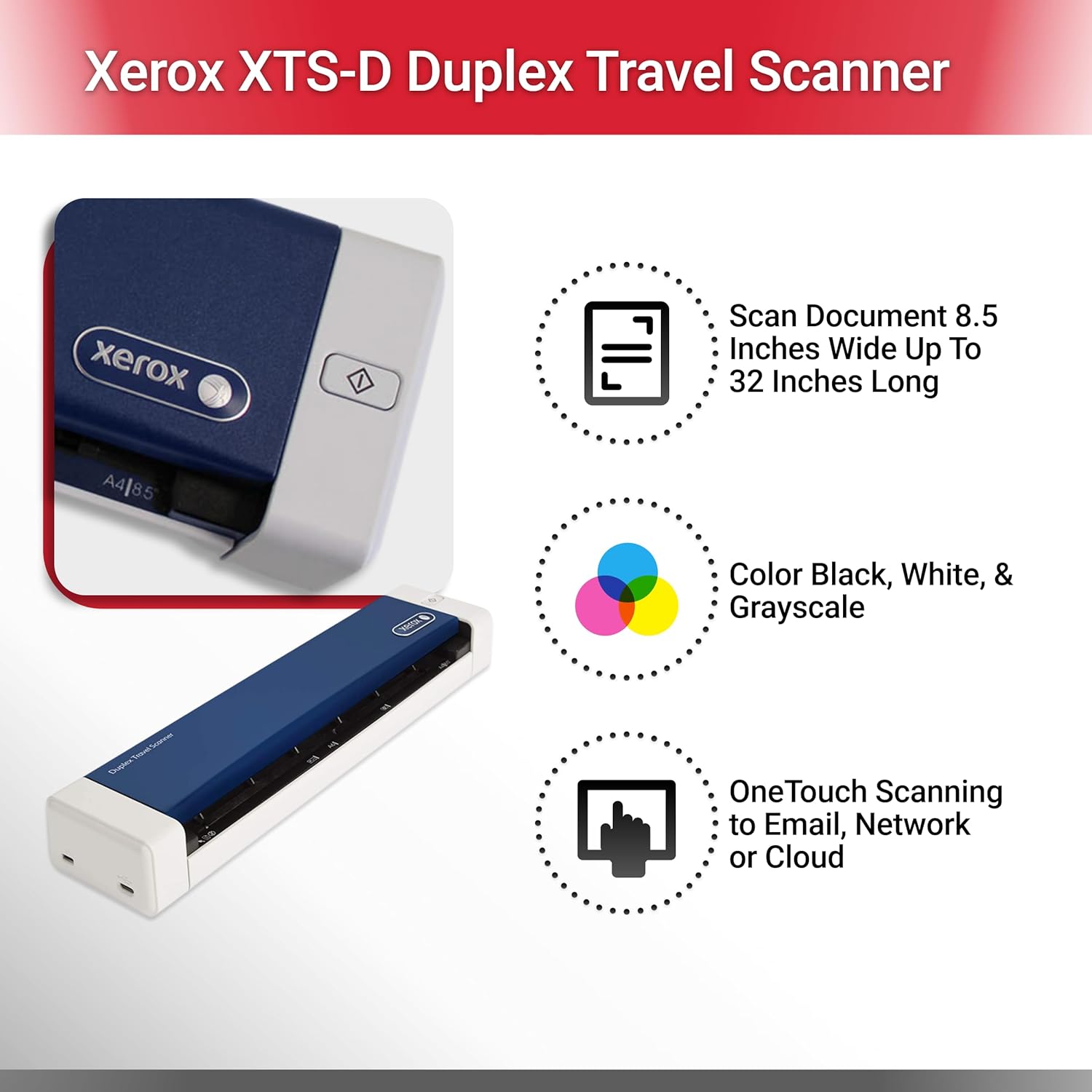


Scan documents, plastic ID cards, brochures, articles, and more with the Xerox Duplex Travel Scanner. Ideal for business travel, this portable mobile scanner creates multipage color scans at a speed of eight seconds per page. Weighing a little over one pound, this lightweight travel scanner is powered through your laptop’s USB 2.0 port for simple operation without an external power supply. Compatible with both Macs and PCs, this portable mobile document scanner comes with software that delivers image enhancement, optical character recognition (OCR), searchable PDF files, and easy file organization to help you stay productive on the go.
Duplex portable scanner for documents, photos, receipts, and more
Maximum ADF paper size: 8.5 by 32 inches; minimum ADF paper size: 1.5 by 1.5 inches
Scans at a rate of 8 seconds per color page at 300 dpi
Portable mobile scanner measures 11.5 by 2.6 by 1.6 inches; weighs 1.1 pounds
Compatible with PC and Mac with included drivers
13 reviews for Visioneer Xerox XTS-D Duplex Travel Scanner for PC and Mac, USB Powered Travel Scanner
Add a review

$119.99
Gary M. Steele –
This scanner does everything it promises and does it well
When I ordered this, I wasn’t sure how it would handle duplex scanning. I had several hundred receipts to scan and was expecting to have to feed each one twice. Nope. One pass scans both sides. The software with it also helps make the image as readable as possible. I can’t recommend this highly enough. It would be cheap at twice the price.
Amazon Customer –
Three Stars
Very good trsultd
JRH –
Awesome Travel Scanner for Black & White Scanning – Color Scanning Had Some Issues
I really like this Xerox (made by Visoneer) Travel Scanner so much so that we will probably purchase several of them for my office once we transition to a more paperless environment. I really wanted to love it, but I’ll get to that in a minute. I compared it against the Brother RDS-720D & Epson DS-40. The Brother was a close second place to the Xerox, but the Brother did not have (or I could not find) a way to auto scan just by feeding a sheet of paper in. You always had to hit a scan button on your computer with the Brother The Xerox, on the other hand, will auto scan once you insert a sheet of paper. Seems minor but it was enough to distinguish the two in everyday use. I also liked the software packaged with the Xerox better than the other two. The Epson also lacked auto scan, was heavier, and just seemed clunkier and less polished overall compared to the Xerox & Brother.Here’s the only downside & the reason for detracting a star. I experienced with all three scanners a purplish hue when scanning white documents in color. Also, the color auto-detect of the software was far from perfect. For instance, when scanning a letter with color letter-head it would not detect the color in the letter-head. This was a problem with all three scanners. These two issues were why I explored other options to the Xerox, but ultimately decided the Xerox was the best since they all suffered from the same issues to varying degrees. The Xerox is amazing at scanning in black & white. Color detection and color accuracy leave something to be desired.
Don McMahan –
Great Addition to the Mobile Office of the Road Warrior!
As the former VP of Sales for three scanner companies (Fujitsu, Kodak & Visioneer) I have a pretty good idea what a good scanner looks like. Boy, have portable scanners come a long way. The out of box experience for this baby is as good as any Apple product. Nicely packaged with a simple Quick Start Guide, driver disk, soft case and USB cable included.Scanner installed without a hiccup and after downloading drivers (I did not have a cd player with me on the road), I was up and scanning in minutes.Quality of scans is excellent, and the One Touch software from Visioneer makes it easy to scan to PDF, a file or 6 other options. Since I travel every week, this is a great addition to my mobile office when I need quick and great quality images I cannot capture with my cell phone. A must have for every road warrior. Nice that it is USB powered as well…
Padriac Fowler –
Does Not Exist – Do not buy.
Device would flat-out not work. Apparent driver issues with my OS. Contacted Xerox…three separate times – even spoke to second 2nd level software support, and even they had never heard of the product. The first agent accused me of not knowing it wasn’t a Xerox product.I finally spoke to someone who understood my issue and the resolution was “Im sorry, the driver update isn’t ready yet. Oh, I should get remind the team to work faster.”
PrettyP –
It can easily be carried in your hand bag and used in …
This is a handy device that is conveniently portable. It can easily be carried in your hand bag and used in meetings and any other event. It comes with a usb cord that can be attached to your laptop and scan just about any document. It is as described, well packaged and arrived on time.
colorado customer –
DO NOT BUY THIS SCANNER.
Icons used in the program are extremely hard to see. Not at all user friendly. Customer service at Xerox is the worse ever, would not answer any simple questions.Definitely would NOT recommend this scanner or anything from Xerox. Have had several Paperport/Road warrior scanners in the past with good results. Xerox took a good product and made it terrible.
Russ –
Nice little scanner.
This is a nice little scanner for light weight scanning jobs. The software provides a wide choice of scanning options and organizational software for scanned media.
Jerry Miles –
An excellent scanner – some issues with Windows 10 setting it up but after sorting it works brilliantly. Software bundled is good and easy to use. The Duplex feature works good. For the price can’t go wrong
Heinz –
Sehr kleines Gerät, das überall seinen Platz findet. Leider wird der Scanner nicht automatisch unter Windows 10 erkannt. Erst mit dem installieren der Treiber von der CD findet man ihn eingetragen, unter andere Geräte. Erst jetzt ist es möglich den Scanner zu konfigurieren und Dokumente “nur” im BMP (Bitmap-Format) einzuscannen. Die Zusatzsoftware One Touch 4.6. (für PDF, Tiff u.a. Formate) und Acuity V 5.1. (korrigieren von Dokumenten) ist sehr hilfreich.Minuspunkt ohne Acuity werden die Dokumente sehr häufig schief eingezogen, die Software ist sehr überladen und zum größten Teil auf US Blattformate voreingestellt, die manuell umgeschrieben werden müssen.
Amy –
Excellent
Chely –
Es pequeño en tamaño pero muy funcional, trae instructivo, muy fácil de instalar y fácil su funcionamiento. Si scanea documentos en tamaño oficio. Buena calidad.
Dr. Shardul Sahane –
Still working good