

Epson WorkForce DS-30 Portable Document Scanner for PC and Mac, Sheet-fed, Mobile/Portable
Original price was: $149.99.$21.99Current price is: $21.99.
Related Products


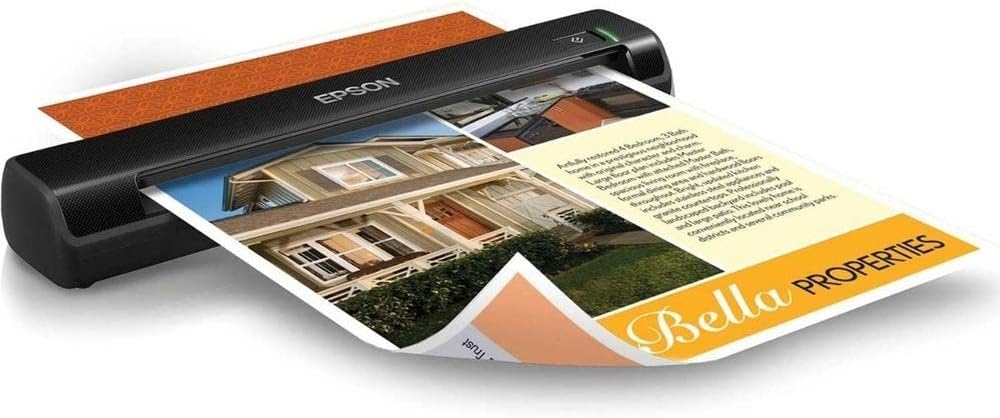

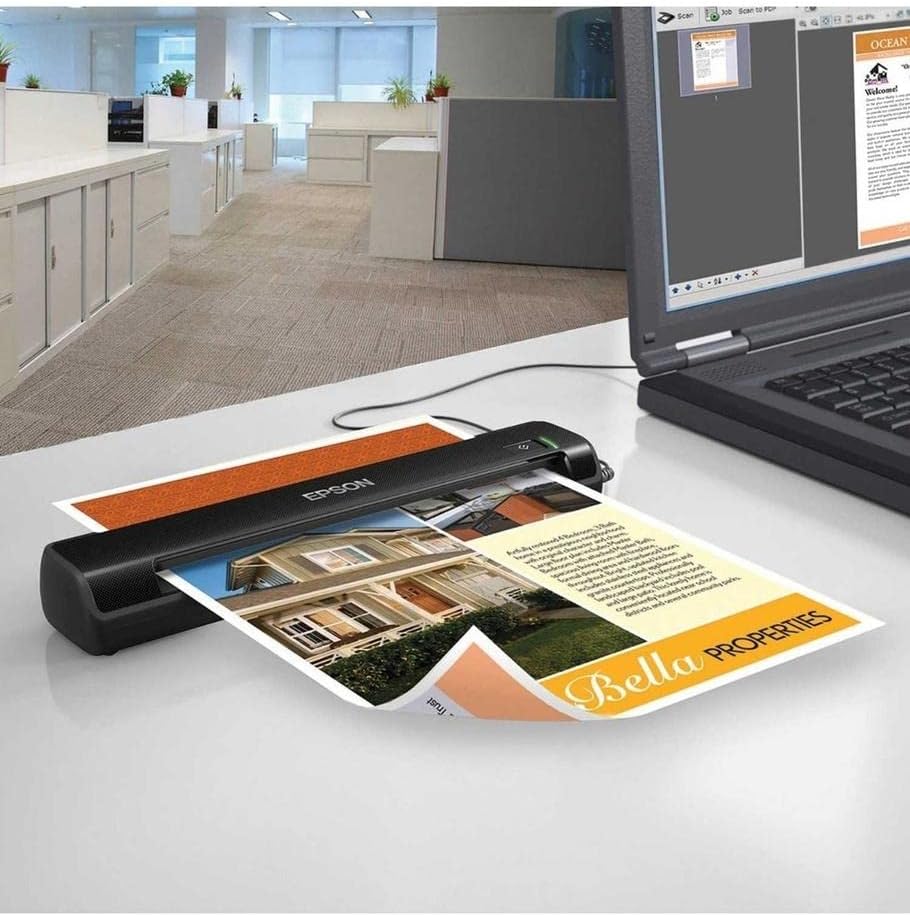
Scan, save and send important data wherever business takes you with the WorkForce DS-30 portable document scanner. Delivering full-function flexibility on the go, the DS-30 captures documents up to 8.5″ x 14″, business cards and more. It also scans to email, searchable PDFs(1) and more — you can even scan to cloud services with the software provided(2). Included correction tools allow you to automatically remove punch holes from scanned images, auto-size documents, enhance text quality and correct image skew. Perfect for busy professionals, this lightweight, travel-friendly single-side scanner is ready to perform whenever you are. USB powered, there’s no external power supply required.
1.Windows only.
2.Windows only. With Document Capture Pro installed on the connected PC.
3.Mac only
4.For convenient and reasonable recycling options, visit our official site.
5.SmartWay is an innovative partnership of the U.S. Environmental Protection Agency that reduces greenhouse gases and other air pollutants and improves fuel efficiency.
Scans a variety of originals — scans documents up to 8.5″ x 14″, as well as business cards and plastic ID cards
Lightweight and travel-friendly — the portability you need to capture data while on the road; weighs under 1 lb
Scan to the cloud with one touch(2) — compatible with popular cloud services via included software
USB powered — connect to your computer; no external power supply required
Create editable text and searchable PDFs(1) — OCR and document management suite included for PDF and PDF/A files
Compatible with Windows and Mac — ideal for any business setup
Powerful software included — Epson Document Capture Pro(1), ABBYY FineReader, NewSoft PageManager (for Mac) and more
9 reviews for Epson WorkForce DS-30 Portable Document Scanner for PC and Mac, Sheet-fed, Mobile/Portable
Add a review

Original price was: $149.99.$21.99Current price is: $21.99.
extech –
Great product!
This scanner is ideal for anyone that has to scan a lot of things and a flat bed scanner is to slow. This is fast! I have it used for B&W and color and it works great. I would recommend it! Oh, one problem, the instructions says to just set it up and start scanning…but it did not say — if you have TWO Epson scanners, you must tell your computer which Epson scanner to use. It would not scan and would not scan until I noticed the screen asking which scanner I wanted to use, Changed computer to DS-40, then it worked perfect! I have used it for small Rolodex cards and 8 1/2 x 11″ sheets.
Jayde –
Nice Little Scanner
I researched portable scanners online, trying to find a reliable one that’s easy to set up but yet is inexpensive. This fit the bill. The setup was really easy, the scanning was simple and of good quality, and it was in my budget. It’s a compact design that will be easy to transport, but yet it scans a full-size sheet of paper. I haven’t had it for very long, so not sure how long it will last, but so far I’m quite pleased with it. My only struggle with it was when I went to scan the first time, and it didn’t do anything for a few seconds…I didn’t think it was working, but it was just thinking. You do have to be patient because there is a little lag, like when you send something to the printer.
Laura –
Excellent for size and portability
We have used a Epson WorkForce DS-30 at the office I work at for several months before I decided to get one for home use. I needed to get my piles of paperwork since buying a house under control! This review will be based on using it at home & office.It does come with a lot of software, some of which you may not ever need (if you are a casual user), but you can skip installing that which is nice. There is a Epson Scan, which is a 1 page scan. Useful for on the go or quickies (IMO). The main program Document Capture Pro where you can scan multiple pages (one at a time), rotate, flip, etc. Good for those long scan sessions. You have coffee right!It also comes with both AbbyFineReader and Presto! Biz Card both of which have the option of not being installed. I have not had needed to use Abby FineReader, but BizCard is junk. Do not recommend (see Cons).Pros:- Document Capture Pro (IMO the primary scanning program) is pretty easy to set up, change and navigate. You can easily scan several pages, you just have to add each page individually by adding it (right click + add page).- Unlike some other small portable or handheld scanners this one doesn’t have a page limit that you need to watch for so you don’t accidentally burn out your scanner by using it too much at once. I scanned all my mortgage paperwork (120ish pages) in one sitting with no issues and about 200+ pages at work in a day. The one at work has currently scanned about a banker box of paperwork and is still going strong.- For being small and portable you get pretty good results. No, not holy moly great, but pretty good.- You are able (using Document Capture) to send your scanned documents directly to email, Evernote and a bunch of other programs that I haven’t used personally because I am scanning them for personal (work) use.Cons- Biggest con, IMO is the speed. It isn’t fast but gets the job done. I think the trade off you really have to consider is portability (size) vs speed. It’s certainly faster than watching paint dry!- Color yellow never really shows up well unless it’s SUPER bright (if anybody really cares…someone might!). We scan carbon copy type yellow sheets alot, they always come out as white.- Something is a bit off with black and white vs Color quality (even in same high vs medium quality scans). Black and white scans always look a little more grittier and pixelated. We tend to scan everything in Color for better quality (even if the original is B&W).- Presto BizCard is one of the software that is all but useless. The idea is you can scan business cards and it will automatically import the data from them to a database. Except it doesn’t work well for about 70% of cards I tested it on. If they have weird writing, it won’t work. Big picture = nope! Half the info one side, the rest on the back = also won’t work. Nice idea, but program is almost junk. You end up needing to edit or add in almost all the information by hand. If you want a sortable database just make one in Excel or something like that. You will save yourself a headache.TL:DR – If you need a portable little workhorse that is kinda slow but gets the job done whatever you throw at it. I recommend the Epson WorkForce DS-30. It just keeps going and going!
MA in TN –
Great Product
I travel extensively for my job and needed a portable scanner to scan documents on a regular basis at job sites. After using another brand for years, I’ve gotten tired of having to replace scanners when they wouldn’t update drivers to keep up with MS updates. So, I decided to give this a run and glad I did. It’s easier to set up than another brand and you don’t have to worry about driver conflicts and trying to finagle around it with whatever clean-up tools etc.. The mobile app works great too if the scanner is set up properly. At the time I purchased this, about 2 yrs ago, the software package wasn’t quite as good as another brand but I don’t have much use for the PDF software and I used the another brand’s software when needed 🙂
rp9391 –
This printer is perfect for scanning receipts, invoices, etc. Use it to archive documents for our bookkeeper via DropBox. I have it plugged into my computer, haven’t tried the WiFi features (we have WPS disabled on our network because it’s the biggest security hole ever.) Note that it scans to Dropbox by simply dumping files into your Dropbox folder on the computer – it doesn’t connect directly to Dropbox servers. But it scans pretty quickly and reliably, and is pretty configurable. The control panel allows you to define “tasks” or “jobs”, where you can dictate what happens to a scanned document after. For example, save it to a folder, or make it into a PDF, and so on. After a bit of configuration we have it super streamlined, so I can turn it on, insert a document, hit scan, and it saves directly without any further prompts. Allows you to scan multiple sheets by simply inserting one after the other, no clicking of buttons on screen required. Highly recommend this unit for light office scanning needs, or sending documents to bookkeeper or supplier via Dropbox.
Alexgsrubio –
Una vez que le entiendes cómo funciona es una maravilla. Tiene un sistema de alimentación continúa. Mientras le metas hojas en el momento exacto sigue escaneando sin dar un solo click. De lo contrario sale una señal de atasco que desaparece al quitar la hoja. Algo que no te dicen es que al escanear la primera hoja, el aparato queda en espera de la segunda hoja. Puede estar así por arriba de 10 minutos. Solo nueve el cursor para indicar que ya acabaste.
Douglas Blake –
Now that I have it working I love the little thing. It scans fairly quickly and does a credible job of OCR for making searchable PDF files. Photo scans are good but you do need to set the scanner to maximum resolution to get proper results. The included Epson Scan driver and software are simple, very easy to use and the user interface is surprisingly complete, given it’s simplicity.The device is tiny, about the size of a folding umbrella and it even comes with a nice carry pouch to protect it. It is well made and quite sturdy. Handling it gives no hint of flimsiness although I would not recommend handling it roughly.Comes with a little kit of cleaning sheets, a calibration sheet and disks for both Windows and Mac. Very nice.It should be noted that I had one heck of a time getting this device to work. Calls to Epson left them just as mystified as I was. After a bit of experimentation, it turns out the installer requires a couple of Windows Services –Windows Image Acquisition and Shell Hardware Detection– to be actually running before the drivers will install. It’s fairly common for IT people to stop or disable the Shell Hardware Detection as a security measure, since it produces that pop-up window when you insert a usb device. So if you run into problems check these services and be sure they’re on Automatic.I can easily recommend this to my clients and friends.
fabianpsanz –
Muy buen producto muy buena presentación funciona bien, no se tienen dificultades para escanear los documentos de ningun tamaño y tipo de papel.
Kyle –
Great product, software is extremely easy to use. Detail is amazing when needed, can be dialed down for smaller files. Never looses connection and has a surprising range. Use it to scan receipts and invoices. Gets a decent amount of use. No issues whatsoever. Would definitely recommend.