

ScanSnap iX2500 Wireless or USB High-Speed Cloud Enabled Document, Photo & Receipt Scanner with Large 5″ Touchscreen and 100 Page Auto Document Feeder for Mac or PC, Black
Original price was: $483.99.$76.99Current price is: $76.99.
Related Products


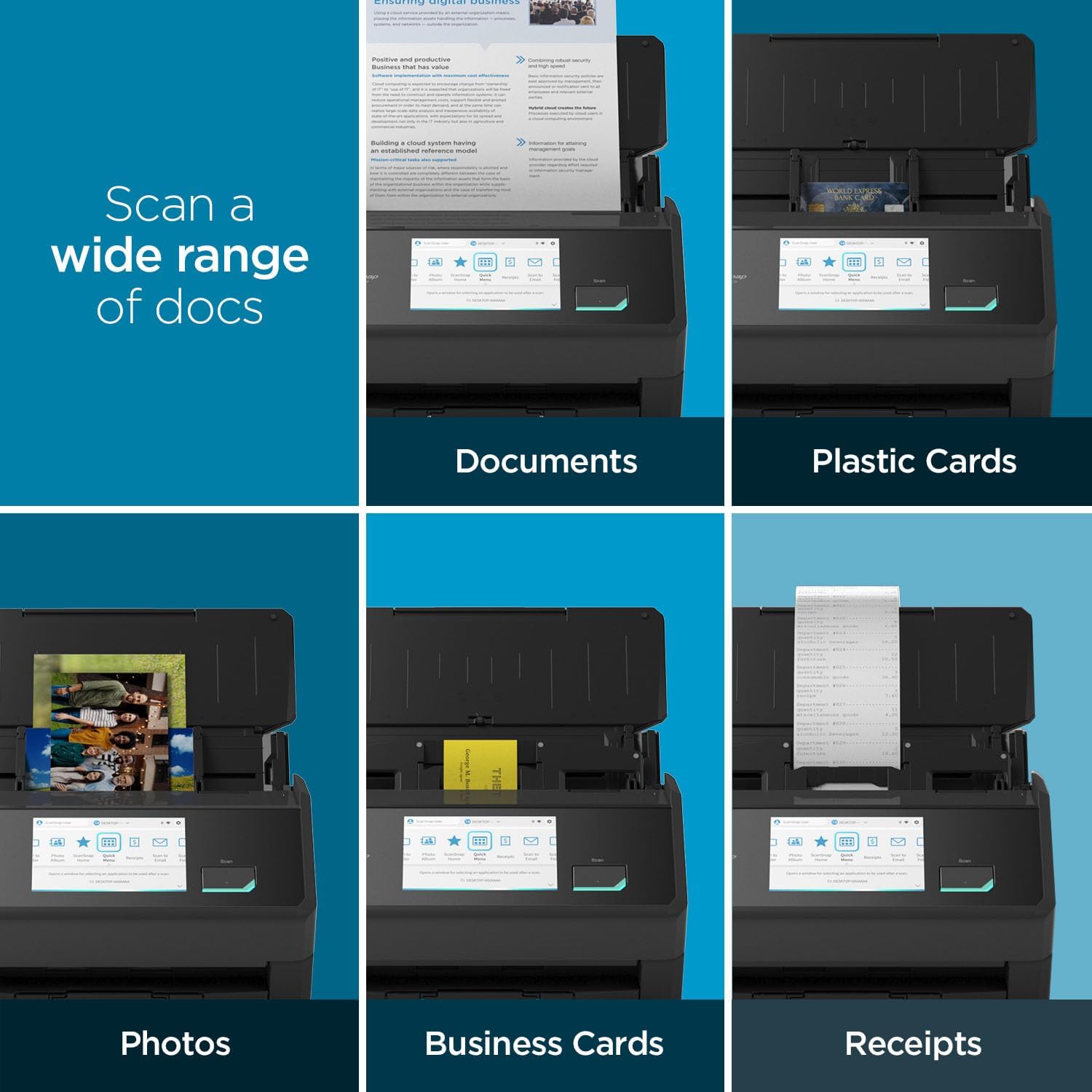
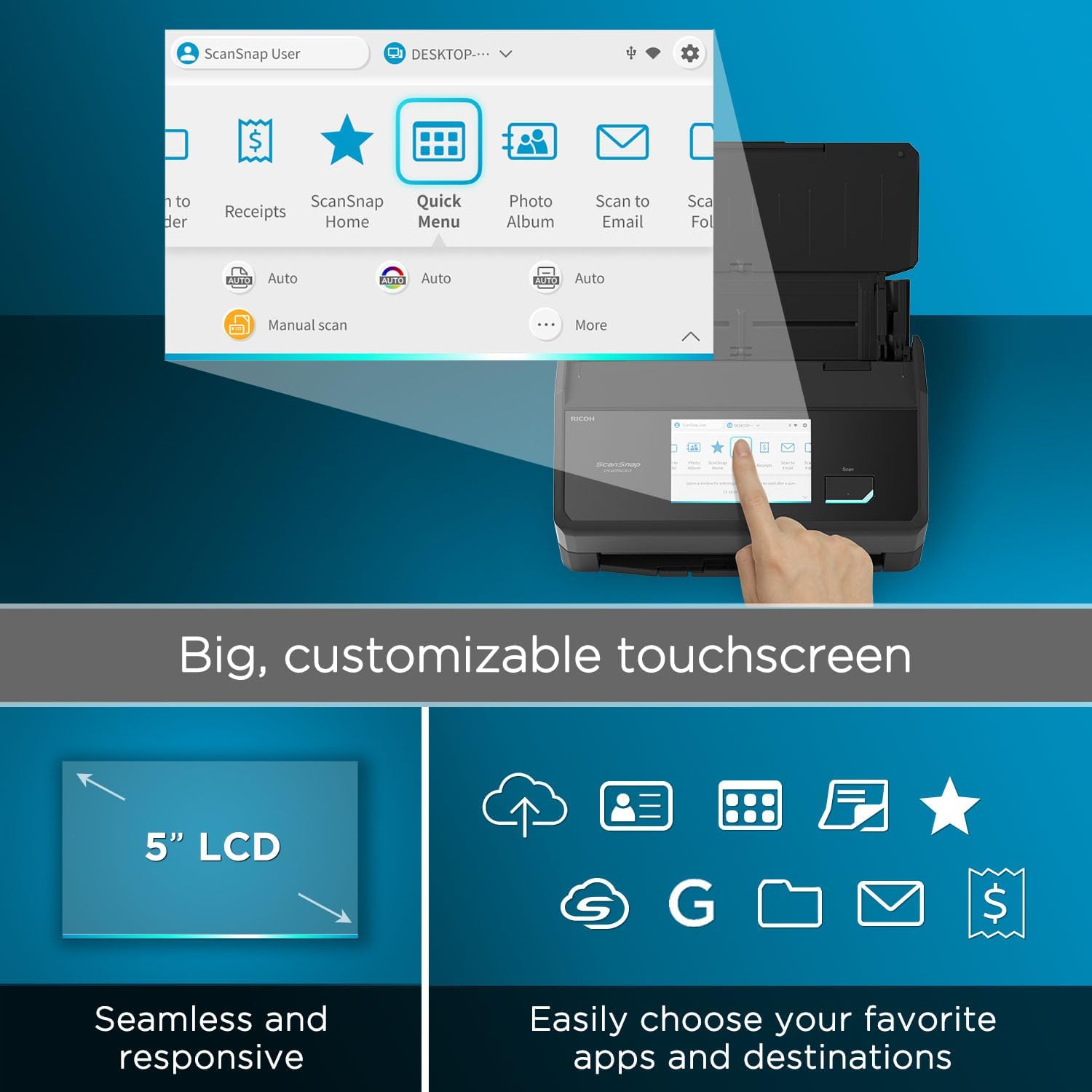


The ScanSnap iX2500 stands out with its elegant faceted design, available in both black and white to complement any workspace. Built with premium materials and robust construction, it features a large seamless touchscreen that responds like a smartphone. The high-capacity document feeder can hold up to 100 sheets and it scans double-sided documents at an impressive 45 pages per minute. With USB-C and Wi-Fi connectivity, it offers the flexibility to put the scanner where it’s most convenient. As the upgraded replacement for the discontinued iX1600, the iX2500 builds on its legacy with enhanced speed, design, and usability. ScanSnap Cloud enables deviceless scanning: simply scan directly to your favorite service, no computer needed. Compatible with Mac, PC, iOS, Android, and popular cloud services, it can automatically make text searchable, plus optimize, name, and sort documents into folders and clouds. The exclusive Quick Menu allows for easy drag-and-drop to your favorite apps, helping you manage everything from tax documents to daily correspondence with the legendary ease and reliability of ScanSnap.
OUR MOST ADVANCED SCANSNAP. Large touchscreen, fast 45ppm double-sided scanning, 100-sheet document feeder, Wi-Fi and USB connectivity, automatic optimizations, and support for cloud services. Upgraded replacement for the discontinued iX1600
CUSTOMIZABLE. SHARABLE. Select personalized profiles from the touchscreen. Send to PC, Mac, mobile devices, and clouds. QUICK MENU lets you quickly scan-drag-drop to your favorite computer apps
STABLE WIRELESS OR USB CONNECTION. Built-in Wi-Fi 6 for the fastest and most secure scanning. Connect to smart devices or cloud services without a computer. USB-C connection also available
PHOTO AND DOCUMENT ORGANIZATION MADE EFFORTLESS. Easily manage, edit, and use scanned data from documents, receipts, photos, and business cards. Automatically optimize, name, and sort files
AVOIDS PAPER JAMS AND DAMAGE. Features a brake roller system to feed paper smoothly, a multi-feed sensor that detects pages stuck together, and skew detection to prevent paper damage and data loss
ScanSnap iX2500 will support ARM-based Windows environments with a ScanSnap Home software update scheduled for December 2025, pending the actual release date
8 reviews for ScanSnap iX2500 Wireless or USB High-Speed Cloud Enabled Document, Photo & Receipt Scanner with Large 5″ Touchscreen and 100 Page Auto Document Feeder for Mac or PC, Black
Add a review

Original price was: $483.99.$76.99Current price is: $76.99.
philbw –
Incredible Scanner
If I could give this scanner 6 stars I would. I have experience with Fujitsu scanners. Our company has had two humble ScanSnap S1500s in service for over a decade, each having scanned 50,000+ documents on all original parts (and still going). We also experimented with a Fujitsu N7100 network scanner (I think we paid $1700 for that scanner new). I like this scanner better than all of them.First of all, the old S1500s only worked with ScanSnap Manager and the older Fujitsu software. This one works with both the old software and their flagship ScanSnap Home software. I honestly thought I’d hate the new software and was planning to just use ScanSnap Manager again. I begrudgingly gave ScanSnap Home a chance and I must say, it’s substantially better. First of all, the older software was made up of multiple parts that all had to work together. ScanSnap Home has one clean interface that acts as a document manager, a scanner config, and so on.The flexibility is where this thing really shines. At first glance the touchscreen appears to be laid out how they think you’ll want it. In reality you can customize every button, change it’s icon, change it’s action, etc You can have ScanSnap Home manage the docs or have it scan elsewhere and not even show the document in ScanSnap Home. I have my scanner setup here at home in a dual role. I use the default ScanSnap Home button to scan to my local NAS (as a directory on my computer, not direct [more on that later]) . I have other buttons that scan to various OneDrive locations that sync with SharePoint. For those documents it just scans direct, and I don’t have it showing on my computer. Everything just works perfectly.Setup was a breeze. I initially set it up with a USB cable then decided to put it on the Wifi just for fun. I figured I’d setup the mobile app but never got around to it. Then one day the USB cable was unplugged and I went to scan something, not even thinking about it, and it just worked. My computer found the scanner over the network without any additional configuration. Even over Wifi and uploading to either my NAS or OneDrive scanning is pretty much instant. I’ve scanned 50 page documents and after the last page went through it was fully OCR’d and available to open within about a second.Here’s the only downsides (which I didn’t dock points for because this is not an expensive scanner by comparison). Although you can (with a firmware update) scan direct to a network share without the use of a computer the scanner doesn’t perform any OCR on it’s own. Our expensive N7100 could perform OCR on it’s own but honestly it was slower. To really leverage this scanner’s true capabilities, you should use it with a computer. The ScanSnap Home software is able to perform OCR on the incoming documents faster than anything I’ve ever used. On that note, you do have to check a box in the settings for the PDF files to actually have it save the PDF as searchable.My suggestion for when you get it is to bypass the manual altogether and just dive in. Pretty much everything is self-explanatory. If you go to Settings / Scan Settings in ScanSnap Home you’ll be pretty much good to go.
Bettie-Jeanne –
GREAT PURCHASE! GREAT QUALITY!
I have 2 HP Printers that have flatbed scanners. While useful for the occasional scanning, they are cumbersome, time consuming and not enjoyable to use for scanning years of photos and plenty of multiple documents.For years, my husband has wanted a photo scanner to digitize our hundreds and hundreds of photos.First, I purchased theScanSnap iX1300 Compact Wireless Scanner. Set it up, then realized that my husband’s discomfort with tech would not make a good match with this model. It had a good price, only I knew that there was a considerable more expensive model that would suit his elder eyes and clunky fingers better. Hence, the ScanSnap iX1300 Compact Wireless or USB Double-Sided Color Document, Photo & Receipt Scanner with Auto Document Feeder and Manual Feeder was returned and theScanSnap iX1600 Photo and Document Scanner was ordered and came to live with us.IT IS A GREAT MACHINE AND WELL WORTH THE ADDITIONAL DOLLARS!The Large Touchscreen in an EXCELLENT, simple, so easy to use, Superior Feature.Jim just presses the button and the scanner scans both sides of the photo, document, receipt in about the time it takes for him to blink! Then he, using the laptop, he names the item and saves it to the appropriate folder.It is incredibly EASY!SUPERFAST!Very Good Quality results.Yes, it was lots more money than I had planned to spend.And the stress that it relieves…And the ease of use…The amount of photos it can handle in one batch…THE SPEED!WOW!!!!!This was a GREAT PURCHASE!I highly recommend it!
RCHerd –
Everything That Was Great About the ScanSnap S1500 Plus Greater Speed and Support
I bought a Fujitsu ScanSnap S1500 back on 12/22/2011, and it still functioned perfectly but the print quality had slightly deteriorated. in all that time I had never cleaned or serviced the unit. I hesitantly bought the new ScanSnap iX2500 Premium on 12/01/2025 since the S1500 was no longer supported. I have been very satisfied with the iX2500. Ricoh has maintained all the quality and reliability I experienced with the ScanSnap that was manufactured by Fujitsu, and added significant improvements to the scanning speed, scanned document quality, internet connectivity and software. I also appreciated the in-depth support and instructional material provided on the website. I could not be more pleased with this scanner, and I highly recommend it.
Wayne Schlegel –
This scanner is really excellent, especially the speed helps a lot! I scanned several thousands of pages within a really short time, it would have been a nightmare had it not been that fast. The document feeder is really reliable and usually way better at separating the pages to scan them individually than I can normally separate them with my fingers. For those few times that it doesn’t work it sends an error message soon and stops the scan, getting them out of the feeder and re-scanning them is no issue at all.I scanned a few hundred photos as well and it was pure joy to see how well it handled those too.The scan results are excellent too. The variety in settings regarding the quality leaves very little to be desired.The little screen helps a lot, you don’t have to initiate the scan from the computer all the time, it helps tremendously to save time and effort.The only downside that I have yet discovered is that I wasn’t able to find out how scan multiple pages in one go and save them as separate files. I could only do that by splitting the scanned pdf file using a pdf software.The scanner comes with a serial number for the PDF software “Kofax Power PDF Standard” but I haven’t tried that since I use Adobe Acrobat professional for business reasons, but it’s good to know that the scanner does have an alternative to Adobe.I can’t recommend that scanner enough, am really glad I bought it!
Oscar –
Es mi primer escáner de esta marca, eh usado otros de la misma marca pero ya modelos pasados, pero su versatilidad en su programa para escanear en muy sencillo de aprender, anteriormente escaneaba con mi impresora, gran cambio con este equipo, ahorras mucho tiempo.
Prakash mandalia –
Hi thnere is a problem with software and doeesnt work
Jackson carpenter –
Ordered from Amazon AU – came with US power plug…. ??
Vincent Ong –
The scanner works perfectly well. Fast and simple to use.