

TP-Link Deco BE95 Quad-Band WiFi 7 BE33000 Whole Home Mesh System – 16-Stream, 2X 10G + 2X 2.5G Ports Wired Backhaul, 12x High-Gain Antennas, VPN, AI-Roaming, 4×4 MU-MIMO, HomeShield (1-Pack)
Original price was: $569.99.$63.99Current price is: $63.99.
Related Products


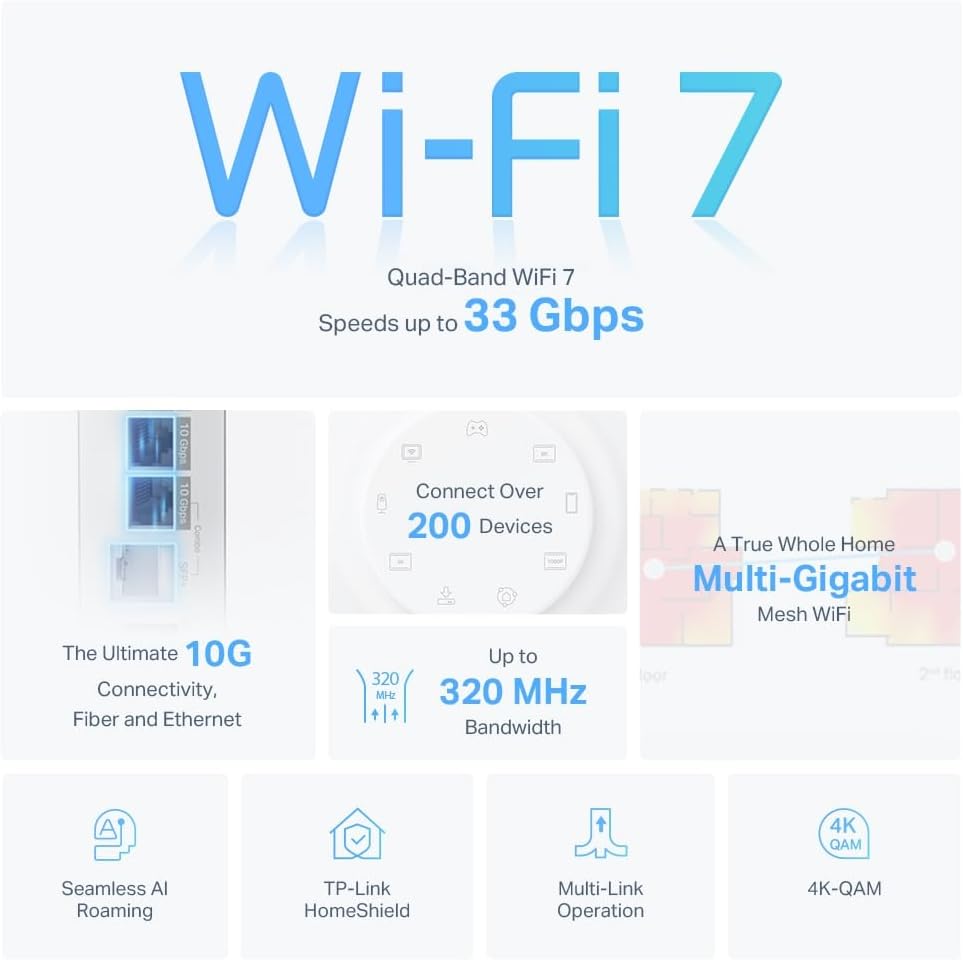


Deco BE95 is the next-gen Wi-Fi 7 whole home multi-gig mesh Wi-Fi system that combines the latest technologies and premium hardware. The powerful BE33000 Wi-Fi 7 with TP-Link Mesh technology delivers strong Wi-Fi signal throughout your home and even connect over 200 devices. Quad-Band technology reduces lag that originates from congestion with massive 6 GHz bandwidth along with the new 320 MHz channel. The Mesh system automatically connects your devices to the least crowded Wi-Fi band depending on the devices’ data usage. Multi-Link Operation allows for devices to simultaneously tap into Quad Band and Multi-RUs further enhances lag reduction technology of OFDMA. Achieve all the performance benefits with peace of mind with TP-Link’s HomeShield protection. Stay secure with WPA3 encryption and provide a safe online-playground for your kids with parental controls.
【Ultimate BE33000 Tri-Band Wi-Fi 7 Speeds】Deco BE95 is designed with the latest Wi-Fi 7 technology, featuring Multi-Link Operation, Multi-RUs, 4K-QAM, and 320 MHz channels. With speeds of 11520 Mbps on the 6GHz band 1, 11520 Mbps on the 6GHz band 2, 8640 Mbps on the 5GHz band, and 1148 Mbps on the 2.4GHz band, the 1 pack mesh connects over 200 devices without dragging down performance and delivers unparalleled Wi-Fi performance.
【Pro-Grade Dual 10G WAN/LAN Ports】Equipped with two 10G WAN/LAN ports—one RJ45 port and one SFPplus Fiber/RJ45 Ethernet combo port—Deco BE95 provides flexible support for both fiber and copper connections. The additional two 2.5G ports and a USB 3.0 port make it an ideal solution for future-proofing your home network.
【Simultaneous Wireless plus Wired Backhaul】Through TP-Link’s self-developed technology, Deco BE95 can connect to wireless and wired backhaul simultaneously, taking full advantage of the WiFi 7 technology and giving you a faster speeds and wider coverage.
【AI-Driven Seamless Roaming】The Deco Mesh forms a unified network with a single network name. With built-in AI-Roaming technology, it creates the ideal WiFi solution with its advanced algorithms and self-learning. Walk through your home and enjoy seamless streaming at the fastest possible speeds.
【TP-Link HomeShield】TP-Link’s premium security service keeps your home network safe with cutting-edge network and IoT protection. Free features: 1. Basic Network Security including Security Scan and IoT Device Identification 2. Basic Parental Controls 3. Quality of Service 4. Basic Weekly/Monthly Reports. Visit TP-Link website for more information.
【VPN Clients and Server Supported】Allow devices in your home network to access remote VPN servers without needing to install VPN software on every device. Deco BE95 can run both the VPN and ordinary internet connections at the same time, delivering security and flexibility.
【Easy Set Up and Management】 Set up and manage your mesh router in minutes with the free Deco App available for both Android and iOS devices.
【Voice Control】Use an Amazon Alexa or Google Assistant-enabled device to control Deco BE95 with just your voice.
【Extensive Compatibility】TP-Link Deco products are extensively compatible and can work together to form a Mesh Wi-Fi network. It is also backward compatible with all WiFi generations and works with any internet service provider (a modem is required for most internet service providers).
8 reviews for TP-Link Deco BE95 Quad-Band WiFi 7 BE33000 Whole Home Mesh System – 16-Stream, 2X 10G + 2X 2.5G Ports Wired Backhaul, 12x High-Gain Antennas, VPN, AI-Roaming, 4×4 MU-MIMO, HomeShield (1-Pack)
Add a review

Original price was: $569.99.$63.99Current price is: $63.99.
Ron –
Blazing fast, also for Wifi 6!
I bought these to replace for my Asus ZenWifi XT8 mesh system, and I’m glad I did.This is a Wifi 6E system, as opposed to my old Wifi 6 Asus system. Most of my devices are Wifi 6, with a couple also supporting Wifi 6E. I use three of these for my house: two in the main house and one in the office in the back yard, all using wireless backhaul.I have a CenturyLink gigabit Internet connection at home, and I connect directly using PPPoe (not through their “modem”). I’m very impressed with the speeds I’m getting with the TP-Link XE200s. My old Asus ZenWifi XT8 system would give me about 300-450 Mbps, depending on device and location, but now I easily get 500-600+ Mbps for Wifi 6 and 800+ Mbps for my Wifi 6E devices.You set up and manage your TP-Link mesh network through the Deco iOS or Android mobile app, which is user-friendly and intuitive. There’s also a web UI, but that just shows you the current configuration; you can’t really change anything. That’s fine with me, as the mobile app provides all I need.The TP-Link system is definitely not as configurable as Asus ZenWifi or Netgear Orbi, which offer highly granular customization settings in both the mobile app and web UI, but that doesn’t really matter to me. The Deco mobile app offers all the main configuration options, including various connection types (including PPPoe), viewing and managing connected devices, block lists, network optimization, connection alerts, guest networks, etc.One thing to be aware of is that some enhanced security features (web protection, intrusion prevention, and IoT protection) and parental controls are behind annual subscriptions ($34.99 and $17.99, respectively). It would have been nice to not have to pay for that separately, but that’s not a deal breaker for me.I had originally bought a TP-Link X95 system, but this X200 (only marginally more expensive) blows that out of the water, with much better performance and faster speeds.Overall, my network is much faster now, both wifi performance and copying to and from my NAS. This is a great mesh wifi system that’s easy to set up, offers great speeds, and doesn’t break the bank, particularly when on sale. Highly recommended.
Tim D –
Stable reliable speedy easy to set up
Easy to set up. Strong signal throughout the house and property. Purchased on sale so the value was there, likely would not pay full price as it is expensive if not on a good sale. It is larger than other Deco models and so it’s a little elephant in the room with its size. It’s mounted on the wall so it looks ok but for its size which does seem out of place.
Ronald Epstein –
I implore you, don’t buy a TP-Link Mesh System
As a current owner of a 2nd-generation Eero mesh system, I have been very happy with the brand. It has consistently delivered reliable wireless internet across my home with no issues whatsoever.However, the WiFi 5 technology is now 6 years old and I had set my sights on upgrading and future-proofing my wireless mesh network.For months, I waited for the TP-LINK BE85 or BE95 to go on sale. Despite the mixed reviews these mesh units have received online, I thought it would be worth the gamble to see if it improved my home network. On Amazon Prime Day, the price of the BE85 3-pack dropped to $799, which was the perfect opportunity for me to finally grab these.Within 10 hours, I set up and then returned the TP-LINK BE85 mesh systemTHE GOODInstallation was a breeze and took under 15 minutes for all three units. The app does a great job of guiding you through the setup. As soon as you have the main unit connected, the other two are already programmed to connect. Essentially, they become plug-and-play.Each Deco unit is rock solid in construction. It has 2x10Gbps and 2×2.5Gbps ports. This is great to have should I ever consider upgrading to a 2GB Internet service, which is not likely, but still futureproofing. The Decos also has a USB port to connect and network an external drive, which I found to be one of the most compelling features.After installation and network connection, I put the mesh unit in AP mode as two of the units had backhaul ethernet connections.I have a 1GB Internet feedI was elated to see significant wireless speed increases across my entire home with no dead spots. My speed increased to an average of 200mbps per location I tested. When I was within 6 feet of one of the wired Decos I would get a 600mbps connection (compared to 312mbps with the Eero). Further away from the nodes, I would see wireless speeds of 250mbps (compared to 54mbps with the Eero).I should note here that, according to the Deco app, I believe everything was connected to the 2.4Ghz/5 Ghz network so I don’t even know if my devices were taking advantage of WiFi 6 or WiFi 7. Since I used the same SSID and password of my Eero mesh, almost everything immediately connected to the new network.THE BADMy five Nest cameras disconnected. Surprisingly, my Ring cameras remained connected. I am pretty confident I could have manually removed and then added each of the Nest cameras to the new mesh network, but that is a huge hassle given the fact it can’t be done through the Nest app. I have to get up on a ladder and rescan the QR code on each camera which is a major, major hassle. I would have done it, however, if not for the next issue…My devices were constantly disconnecting and then reconnecting to the network for 10 hours post-installation. This included my iPhone, my laptops, and my Amazon devices.I did extensive Google research and played around with some recommended changes in the Deco app. This included turning off roaming and manually telling each connected client to disconnect from the mesh network, none of which helped. Mind you, these were all TP-LINK support recommendations.I even updated the firmware, which did nothing.I did come across something that made me decide I needed to return this Deco mesh system…Countless — and I mean countless complaints on Reddit and other message boards about network instability with many of the TP-LINK Deco mesh systems.Don’t believe me? Google, “TP-LINK DECO DISCONNECTS” and you will be horrified with the results that you find.These things are essentially trash. For so many people to have the same mesh network instability that I am currently experiencing, tells me that this is a highly unreliable brand. And, sure, there are many positive reviews on Amazon (as well as bad ones), and generally only people who have issues with their products end up posting a bad review — but it’s still very obvious to me that this is not a reliable product. Many posts I read indicated that customers who returned their TP-LINK looked to move to Eero.CONCLUSIONI am back on my old Eero system. Everything is working fine, albeit I’m back to slower wireless speeds, which for the moment, is okay.I would consider upgrading to the Eero Pro 6+ mesh units (at around $300 for a 3-pack on sale), but I am not certain they will give me significant gains as the more powerful Deco units did.Then there’s the Eero Pro 7 Max. It will probably come down to $1k for a 3-pack soon, but it’s not getting very good reviews.I may just have to suck it up and remain with my 2nd generation Eero mesh system until better hardware gets released.
antonio –
Su esperanza de vida es larga. Tiene lo más reciente en colectividad y eso le asegura mucho tiempo de uso.Se le saca más provecho si se usa en mesh, si sólo usas uno como módem recomiendo más la versión BE85 o la BE65. Tiene una potencia tremenda. Vengo del deco x20 y sí hay diferencia siempre y cuando tus dispositivos estén adaptados a la nueva tecnología de wifi 6e y 7
Aimee –
The twins unit (Deco X60) definitely works better than a single router for my home which is narrow but long. The coverage is a lot better than my old one in terms of the signal strength and stability. On the side,I also like their look, rounded and stabled to be placed anywhere compared with those conventional designs. Happy with the purchase.
Pete_RHR –
Es un producto realmente impresionante. Mi conexión a Internet es por 700Megas ahora simétrico. MI casa es de 110m cuadrados, pero tenía un WIFI-PowerExtender puesto que la señal inalambrica del modem no llegaba hasta las recamaras al fondo de la casa alrrededor de unos 10-15 metros del router principal y con más de 3 paredes entre ellos. El Wifi PowerExtedner (solución anterior) solo me daba 20 a 26 Megas en las recamaras de atrás como mucho y los aparatos WIFI allá tenian muchas desconexiones, era frustrante. Tiré ese sistema a la basura y puse dos antenas DECO BE22000 y tengo 700MB completos en ambas recamaras atrás y 700 completos en el estudio. Es verdaderamente impresionante que el Streaming e incluso el Playstation de la recamara funcionan como si estuvieran conectados directos por cable al router de salida. RECOMENDADO AMPLIAMENTE!
Ahmed –
The WiFi coverage disappointed
Francisco Javier –
Fue fácil de instalar . Hasta ahora funciona muy bien. Extiende mucho la red a lugares que mi módem de Telmex no llegaba. Incluso con un solo Deco la red mejoró bastante. Incluso no hubiera sido necesario el segundo. Pero con el segundo me aseguro de que todo esté bien. Mi casa es de dos pisos y tres recamaras.