

WAVLINK AX3000 WiFi 6 Mesh System 3 Pack – Covers up to 7300 Sq.Ft., Speeds up to 3.0 Gbps, Replaces Wireless Router and WiFi Extender Signal Booster, Easy Setup, Smart App Control
Original price was: $209.99.$23.99Current price is: $23.99.
Related Products


Product description


1 One WiFi Name
2 WiFi Coverage
3 Up to 256 Devices
Beamforming
Improves signal strength and directs WiFi signals towards connected devices, enhancing speed and reliability.

 160 MHz Bandwidth
Allows for faster data transfer rates and increased capacity, supporting high-speed applications and reducing network congestion.
 MU-MIMO & OFDMA
Increases network efficiency by enabling multiple devices to communicate simultaneously, improving capacity and reducing latency.
BSS Coloring
Reduces interference by distinguishing between overlapping WiFi networks, ensuring better performance in congested environments.


1 Quick Setup with APP
2 Ultimate Wi-Fi Encryption
3 Touchlink
4 Built-in VPN



1 Compatible mesh devices
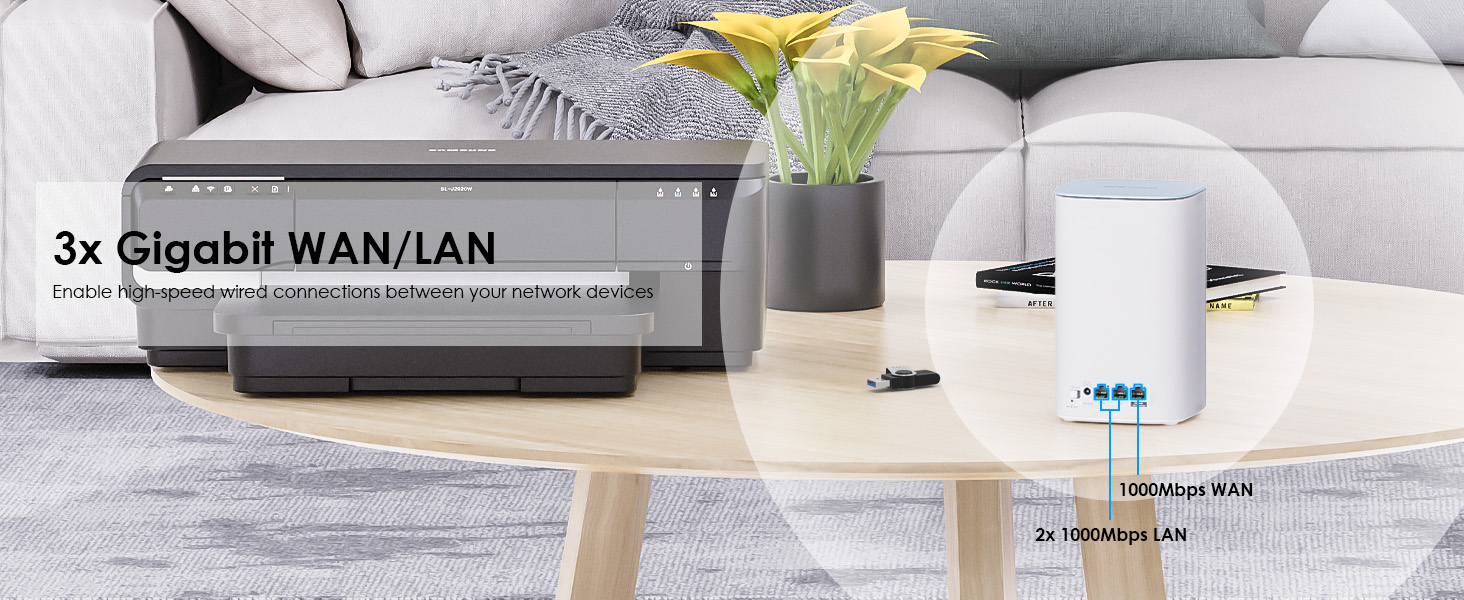
2 Gigabit WAN/LAN Port
3 QoS Management
4 Parental Control
5 Target Wake Time
⭐️【Important: Read This Before Purchase】This Mesh router only supports Mesh networking with WAVLINK Mesh-compatible devices, not other brands. Only Router and AP modes are supported, as Repeater mode is not included. This router must connect to an ISP-provided modem or ONT and is compatible with major US internet providers. This router cannot function as a modem or ONT – it requires an ISP-provided gateway device.
⭐️【AX3000 WiFi 6 Dual-Band Mesh】Experience blazing-fast WiFi 6 speeds up to 3.0 Gbps with WAVLINK CUBE Air. Dual-band (2.4GHz at 573Mbps, 5GHz at 2402Mbps) with 160MHz bandwidth ensures smooth 8K streaming and VR gaming. Enjoy reliable, high-speed connectivity for all your devices.
⭐️【Coverage Up to 7,300 Sq.Ft】5 high-gain antennas (2.4G×2 + 5G×3) blanket large homes/offices. Connects 256+ devices simultaneously. Eliminates buffering in every corner.
⭐️【Flexible Modes & Easy Setup】Set up in minutes via WavRouter APP/web. Choose Mesh Router or AP mode. Ideal for apartments to mid-size offices with wired/wireless expansion.
⭐️【Seamless Whole-Home Mesh Roaming】Create one unified WiFi 6 mesh network for uninterrupted coverage. Devices auto-switch between nodes without drops, enjoying lag-free connectivity.
⭐️【Advanced WiFi 6 Standard Technology】Powered by WiFi 6 (802.11ax), CUBE Air delivers faster speeds, higher capacity, and lower congestion. Features Beamforming, 2×2 MU-MIMO, OFDMA for efficiency, and TWT for power savings, ensuring low-latency performance.
⭐️【Touchlink Guest Access】No password sharing! Guests tap “WAVLINK” to securely connect. Enterprise-grade WPA3 encryption keeps networks protected.
4 reviews for WAVLINK AX3000 WiFi 6 Mesh System 3 Pack – Covers up to 7300 Sq.Ft., Speeds up to 3.0 Gbps, Replaces Wireless Router and WiFi Extender Signal Booster, Easy Setup, Smart App Control
Add a review

Original price was: $209.99.$23.99Current price is: $23.99.
gsownsby –
What Can I Say But Wow!!! Powerful & Easy to Setup.
Wow! This is a great system. I have now bought two (3-node sets) of these, and they work wonderfully well. They are easy to configure and just work. I bought the second set for another home we have, and it works fine there, too. We use it with 1 GB up/down fiber Internet services at both locations. They are very lightweight. Each unit is identical and has Ethernet ports, too, so you have options to connect devices via Ethernet, not just wi-fi.The user interface is via an app and also via a browser. Each is a great user experience, well laid out, and thought through. See photos. Using the devices for daily Internet activities is very fast…I mean noticeably so. Since each device is identical, you have easy options to use alternative sources of Internet, such as a cellular router, hotspot, etc. So if your primary source is out, you can easily connect to another source without a lot of technical effort.While it is not a stated requirement to do so, I have connected each node to a small UPS for protection from power fluctuations and short-term outages. Those UPS can also power my backup Internet source (cellular router). So we truly have a backup Internet capability if our main fiber source goes down. After over a month of usage, for now, I see no reason to use an Ethernet “backhaul” between each unit. As is, the nodes simply connect via mesh and can be moved around as needed. This was especially helpful as we began Christmas decorating this year. If decorations displace it, just move it across the room…it still works. After Christmas, just leave it or move it back to its original location. Easy peasy!Antennas are contained within the tower-shape of the nodes and don’t detract from a room’s appearance. I can also tell you that dusting these nodes is much easier than any router or node that has exposed antennas. I suggest that you give each node a little space for signal propagation and ambient room temperature air flow…even so, these are perfect for placement on desks, bookshelves, etc. Vertical antennas tend to radiate signal away from the antenna in a flat, doughnut shape- or a basketball shape-pattern, so there is no need to place these high in a room or below the top-of-chair “line”. Yes, furniture can absorb and sometimes degrade wi-fi signals, so pay a little attention to location. Place them from eye-level to waist-level so that the doughnut signal pattern remains where YOU and your Internet/wi-fi hungry devices live. Even in our basement, we get plenty of signal from the above, main floor-placed units. If you need more signal, then you can easily relocate a node and test its coverage, or in a worst-case scenario, buy another node to “join the family”.As new devices connect to the system, it keeps track of the connections and automatically draws a topological map of what is connecting to each node. This helps with understanding how to balance the loading of each node. The basic system configuration is that 1 of the nodes functions as the “router” and the other nodes act as “extender” nodes which handle traffic that is closer than the router-node or other nodes…just like a cellular network does. You’re connected to the “tower” with the best signal/connection…as you move around, your device is handed off to other nodes that have better connectivity. Previously, such handoff capability was only used by commercial-grade systems like Ubiquiti…now it is available without spending a fortune.One of the technical “beauties” of mesh is that if you need more coverage, just buy another node…about $55-60 US dollars at the time of this review. No need to climb ladders to mount access points to ceilings or other awkward places.I write this review as the owner of 4 large-scale (100-150 devices) Ubiquti Systems at various places. So I’ve been around the block a time or two. I’m very impressed with these mesh devices, their ease of installation/configuration/ placement, and performance for the buck.
Real life, real reviews –
Fast, affordable, large coverage area
Excellent speed and coverage area. Everything you need and a easy setup and reasonable price point.Was able to get our maximum internet capability instantly after connecting to 5G. The third floor or furthest point from the router was about 1/3 of that capability which was still quite fast over 100 mbps. Second floor was well over 400mbps.We are utilizing the devices for ethernet direct television streaming or wireless capabilities throughout the house. Multiple devices always connected, a busy household with lots of connected devices.Speed excellent, price point good. The build quality is very lightweight, and can easily be placed on a television shelf.The App setup was a little confusing, as the verification process was leading me in circles. I eventually just ditched the app and did everything through the website. That ended up being quick and easy.After connecting the main modem to my router, the other modems paired quickly and completed the setup shortly after.Overall a decent purchase so far and we’re very pleased with the fantastic and speed and coverage.As a comparative, have a older Google Wi-Fi mesh system. We have maxed it’s node capacity, and we were unable to solve additional dead spots, hence the move to the wavlink. This newer wavlink system it’s definitely faster and more modern. It can handle more traffic and has more ports, and coverage area. Wavlink 3set, could possibly eliminate the entire Google mesh system with its 5 nodes. Noting that the wavelengths 3 units have considerable if not superior coverage area. Similar upgrades noted with speed quality as well.A good purchase, 🙂👍.I can say that it is significantly better than the older Google Wi-Fi mesh system. I can’t compare it against the new one other than this would be quite a bit cheaper than the newest Google brand, similar system.Overall an excellent purchase, does what it says and is a good value.
DoggieDadVA –
A the most frustrating setup experience ever
I had high hopes for this device, but they were quickly dashed during setup. It was so frustrating that I gave up and returned it. Now I’m no IT tech, but I’ve set up many WiFi systems and never had an issue. But with this system once it was connected it would immediately loose the connection to my FIOS ONT. I had to reboot the ONT then it would connect then drop the connection again. I was stuck in an endless loop. Ridiculous! I have no idea why the Wavlink didn’t want to play with the ONT. the app is also useless so you have to set it up by a web browser, another frustration. Then, when it came setting up the guest network I was lost and that’s not a difficult setting on MOST routers except this. For the life of me I couldn’t figure out how to set up the guest account security. They have a setting to tap to set it up for guests to use but nowhere did I see the normal security settings with password, etc. since I use my cameras and smart plugs or similar devices on guest to isolate them I wasn’t going to leave guest network with no security. Anyway I played with this system for too long, got too frustrated and packed it back up and sent it back. No, I would not recommend this mesh system to anyone. Save your time and buy a user friendly system you can configure to use DNS servers or guest WiFi, etc
JK –
A great working mesh that is easy to use and affordable!
These are fantastic coverage and easy to use. I use one as the router and the others as wifi extensions in other parts of the house. strong signal everywhere in the house. I did password protect to keep unwanted people off our wifi.