

Epson RapidReceipt RR-400W Wireless Compact Desktop Color 2-Sided Receipt & Document Scanner with ScanSmart AI PRO Receipt Management & PDF Software & 20-Page Auto Document Feeder
Original price was: $399.99.$52.99Current price is: $52.99.
Related Products



Unleash the power of AI¹ with the Epson RapidReceipt RR-400W compact desktop business scanner. Driven by Epson ScanSmart AI PRO technology, you’ll quickly and intelligently convert scanned information into smart digital data – making your documents AI-ready for Microsoft Copilot, Apple Intelligence, ChatGPT workflows and more.
Going beyond simple document capture, the RapidReceipt RR-400W compact scanner utilizes an extensive data model of various invoices and receipts to quickly turn stacks of unorganized paperwork into categorized digital data that easily integrates into financial applications such as QuickBooks and TurboTax².
The RapidReceipt RR-400W features a compact design that saves up to 60% of your desk space³ while helping to increase your productivity with advanced features like fast 2-sided scanning up to 30 pages per minute⁴, a 20-page Automatic Document Feeder and the ability to create searchable and editable PDFs.
One of the smartest investments you can make for your business, the Epson RapidReceipt RR-400W compact business scanner, powered by ScanSmart AI PRO, enables you and your business to stay organized and efficient by unleashing the power of AI.
ScanSmart AI PRO Technology — Intelligently convert and extract scanned information into smart digital data – making your documents AI-ready
Export to Financial Software² — Turn stacks of receipts and invoices into categorized digital data that easily integrates into financial applications, such as QuickBooks and TurboTax
Compact Desktop Design — Saves 60% of desk space³ in virtually any environment, ideal for hybrid and remote workers
TrueFeed Technology — Robust 20-page document feeder with paper skew and staple protection easily feeds stacks of various sized documents
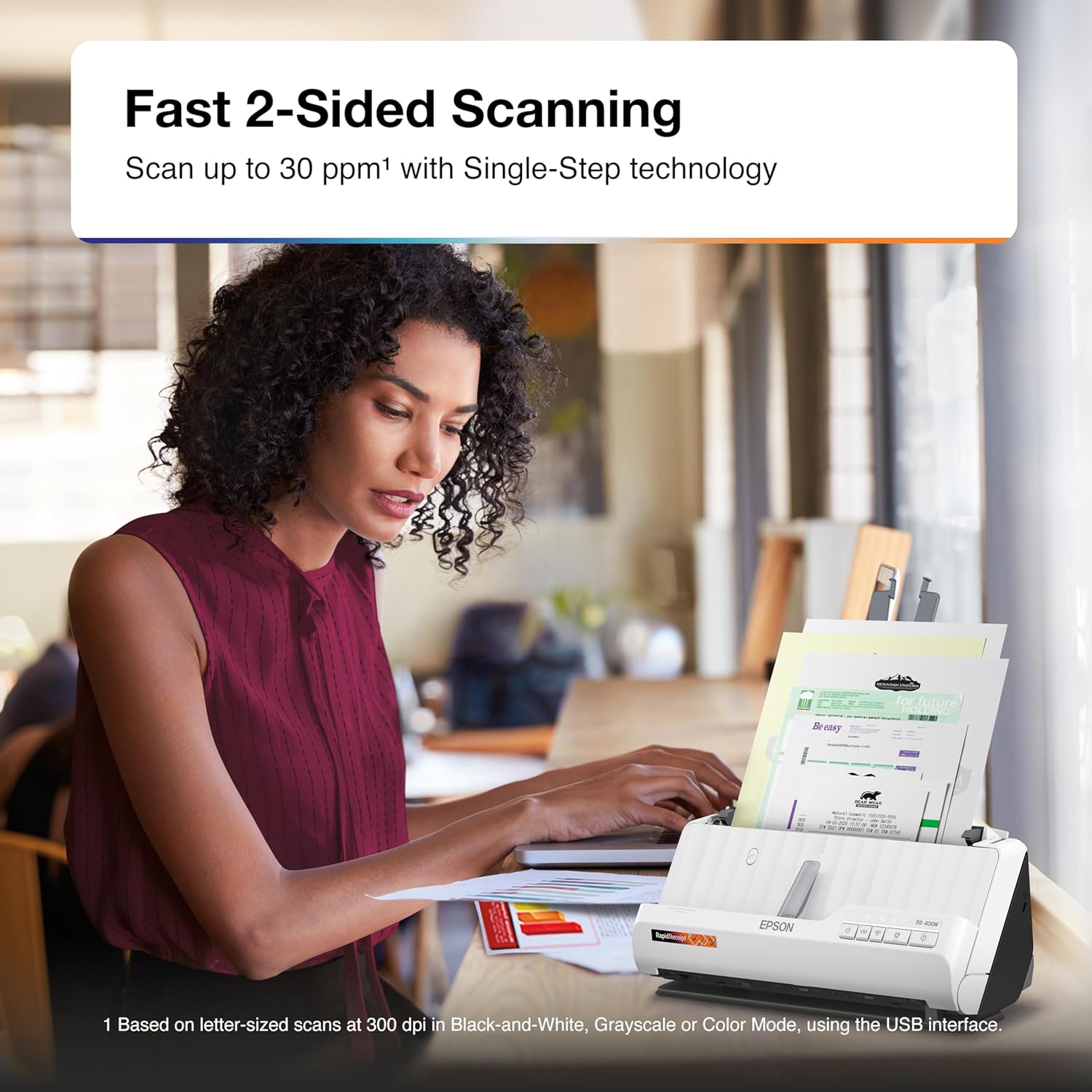
Fast 2-Sided Scanning — Single-Step technology quickly captures both sides of a document in one pass up to 30 pages per minute⁴
Wireless Scanning — Wirelessly scan directly to the cloud, smartphones, tablets, Windows PC or Mac⁵
Create Searchable and Editable PDFs — Includes powerful PDF creation and editing software for Windows and Mac
Scan to Cloud⁵ — Such as OneDrive, Dropbox, and Google Drive from your PC, Mac, or via the Epson Smart Panel mobile app
HyperClear Technology — High-resolution optics produce enhanced scans of each page – including auto cropping, background removal and more
Included Business Card Software — Easily scan and organize your business contacts with business card software for Windows
8 reviews for Epson RapidReceipt RR-400W Wireless Compact Desktop Color 2-Sided Receipt & Document Scanner with ScanSmart AI PRO Receipt Management & PDF Software & 20-Page Auto Document Feeder
Add a review

Original price was: $399.99.$52.99Current price is: $52.99.
Bubbles –
Love love
This is a huge game changer for my scanned documents and photos. Works like a charm and you can put a small stack and it does front and back 🙂
Scott –
Quick
Quick scan of receipts. Even pictures
stephanie smith –
Not what I expected
Fast scan but only scan one way everytime I shut it down I have a problem starting back up I think it’s damage so I return it already was a use scan not much different in price from a new one maybe 40 dollar should have bought it new wouldn’t have so many problems was not package for safety see in picture
Kupitero –
A compact addition to your home office to scan receipts, invoices & essential documents – fast!!
We own an all-in-one laser printer/scanner/copier, but it’s quite bulky, and scanning small items like receipts, passports, etc. takes a bit of time as the unit -with its flat top is prone to being placed upon with other objects inside our computer room.This Epson RR-400W is lightweight and compact (11.25″ x 5.5″ x 4″), fits about anywhere, and can be moved around with ease when needed.It also comes complete with all manuals/documentation, a power adapter, a power cable, and a long USB cable.The scanner connects two ways: #1) via Wi-Fi and #2). USB connected to a computer (PC or Mac). Note that the scanner must be in a Wi-Fi standalone connection to use the Epson Smart Panel app, which enables you to perform scanning functions on mobile devices (iOS, iPadOS, or Android).Connecting via WiFi takes some time (including all updates) and could be frustrating if you’re not tech-savvy, but it will eventually connect since it supports WiFi A/B/G/N and AC.On your PC or Mac, the Epson Scan Smart software is where you can Manage Invoices/Receipts that are scanned. After the receipt/invoice is scanned, you are prompted to the Invoice/Receipted Manager. The software detects vendor, date, currency, total amount, tax, and tip.While managing each receipt/invoice, you can choose a Classification, Tax Category, Pay Method, Pay Account, Card Type, Card Number, and Comments. You’ll then be prompted where and what file format you want it saved — Quickbooks Online, Quicken File, TurboTax, a CSV File, an image file (.JPG/.TIFF/.PDF), etc.There will be minor glitches when scanning small, uneven receipts and papers like paper jams and, at times, non-detection, but these are too common when the item being scanned is very small.Notable is the absence of a screen display on the main panel. There are five (5) buttons to control the device and LED lights to indicate Power, troubleshooting, and connectivity modes or issues.Aside from its size, its duplex scanning capability and ability to scan rigid items are the best features.Also bundled with the set are two (2) third-party software: #1). Presto! BizCard 6 and #2). Kofax Power PDF (for Windows and Mac). Kofax Power PDF is a powerful PDF editor that allows you to scan images (receipts/invoices) into text that can be edited. It’s an OCR (optical character recognition) application that translates a page/document into text that can selected and edited — with features almost similar to the expensive versions of Adobe Acrobat.This unit would have merited five (5) stars if not for the absence of a display screen panel.Otherwise, this is an ideal compact, stand-alone scanner, and the software that comes with it makes it an excellent addition to your home office to scan receipts, invoices, and other essential documents.
Amazon Reviewer –
Regret this purchase
I started the year off hoping to streamline my expenses and eliminate that pile of receipts that gets moved from drawer to drawer as it grows. As it turns out, it is not a solution but just another problem.I really wanted to love this scanner but as I approach year-end and look at the pile of receipts, I have a new layer of uncertainty … where are the receipts I scanned when I thought this would work, and where are the scans I took of them?Is the receipt folded or wrinkled? nope, won’t really go. When it’s working, it’s great but all of a sudden nothing will go through.Also.. every time I want to use this, I have to re-add the scanner and try to get it to connect. This finally stopped working at all. For about 2 months, I have scanned receipts … now I have a hybrid mess.I have a MacBook Pro and use a Eero mesh network at home, if it makes a difference; it doesn’t seem to be compatible. I am taking this thing to the thrift store tomorrow and thought I’d write this review to save you the trouble if you’re on the fence about buying this … don’t do it ! I wish I hadn’t.I started the year off hoping to streamline my expenses and eliminate that pile of receipts that gets moved from drawer to drawer as it grows. As it turns out, it is not a solution but just another problem.
EXPERTSUPPLY –
sin novedad
sin novedad
Darcy324 –
Didn’t work
I purchased for my bookkeeping business. I was never able to get it to pull papers straight in. Every single time it pulledthem sideways. I was very disappointed as I have many Epson products and have no issues with the 3 laptops and 3 printers I have.
narine –
It does not connect properly to the Internet. I’m getting a hard time with it.