

HP ScanJet Pro 3000 s3 Sheet-Feed OCR Scanner
$117.00
Related Products


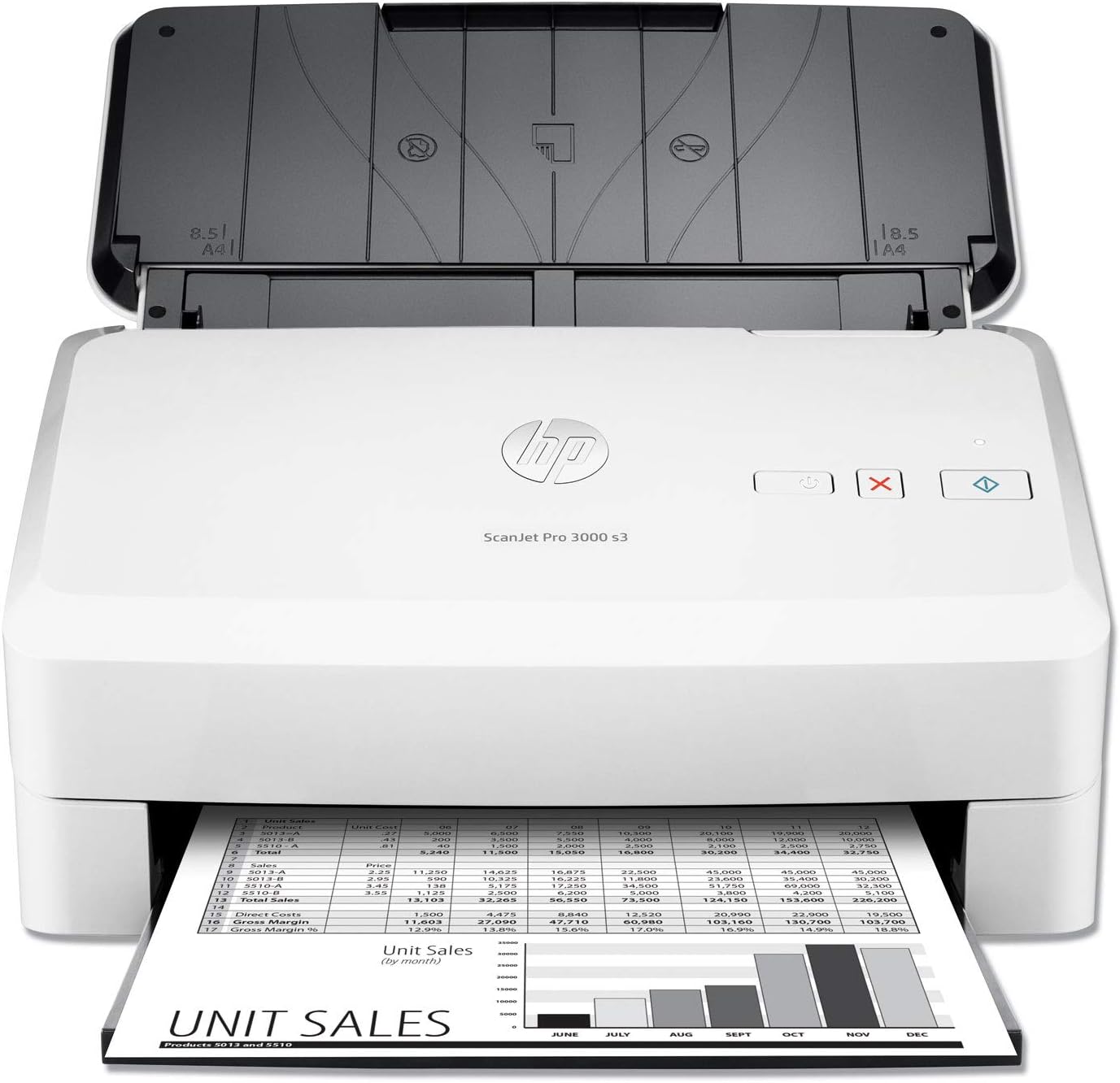
Manage projects and workflows quickly and confidently. Easily handle mixed media, and get one-pass duplex scanning with speeds up to 35 ppm/70 ipm. Scan to mobile devices for on-the-go control. Recommended for 3,500 pages per day. Fast scanning. Superb results. Every page: Produce scans at up to 35 ppm/70 ipm with two-sided scanning that captures both sides at once. Capture every page easily—even stacks of mixed media—with HP Every Page and an ultrasonic sensor. Free up space for work. This HP Scanjet Pro is small and slim—a modern design perfect for the desktop. Handle paper from 11 lb. (40 gsm) to 110 lb. (413 gsm) weight and up to 8.5 x 122 inches (21.6 x 309.9 cm). Optimize workflows with one-touch scanning: Streamline routine work with one-touch scanning—create one-button, custom settings for recurring scan jobs. Scan images directly into applications with included and full-featured TWAIN and ISIS (R). Easily transfer scans into editable text, secure PDF files, and more file types, using built-in OCR. Quickly share or archive scans directly to popular cloud destinations with HP Scan software. Capture business documents like a pro: Define scan profiles for common document types, and scan to multiple destinations with HP Scan software. Scan directly to mobile devices with the HP Jet Advantage Capture App, and then edit and save files. Capture and organize documents, business cards, and other file types with feature-rich software.
Key features of this desktop scanner: TWAIN compliant, sheet-feed scan, 2-sided scanning that captures both sides at once, 50-page automatic document feeder, scan to cloud, scan to email, USB 3.0 connectivity, and more
Fast scan speed up to 35 pages/min, up to 600-dpi resolution for clear and legible document scans, recommended for 3,500 pages/day
Manage projects and workflows quickly and confidently. Easily handle mixed media, and get one-pass duplex scanning with fast scan speed
Free up space for work. This TWAIN compliant scanner is small and slim—a modern design perfect for the desktop. Capture every page easily—even stacks of mixed media
Streamline routine work with one-touch scanning—create one-button, custom settings for recurring scan jobs. Scan images directly into applications with included and full-featured TWAIN
Easily transfer scans into editable text, secure PDF files, and more file types, using built-in OCR. Quickly share or archive scans directly to emails or popular cloud destinations
Paper sizes supported: Letter, legal, executive, A4, B5, A5, A6, A7, A8
One-year limited hardware warranty; 24-hour, 7 days a week Web support

Jennifer –
Best scanner in it’s price class for small business
I researched scanners for my husband’s business needs. He has to scan quite a few documents. This was the best option available. Can handle many pages quickly and has basic options. Most of the other scanners that I reviewed had parts that would easily break and reviews of those types of issues. I have used HP printer products such as multi-functional devices and have never had an issue. In fact, in my large corporate office, we had several HP network LaserJet printers that lasted over 25 years so it was and easy choice to choose this over others. Price may be a little higher but it’s definitely worth it.
D. Toney –
Great Scanner
This scanner replaced my 2010 scanner that no longer worked.This scanner is very fast, easy to set up and works great!
CNoteH88 –
Match’s my HP printer but has limited wireless functionally.
This scanner is excellent for a small home office or just individuals that needs to organize and digitize miscellaneous personal/business documents, receipts or business cards. I decided to purchase this scanner over the 2000 model because it utilizes USB 3 and can scan longer receipts. It’s max scanning length is 122 inches. It also matches the HP Officejet Pro 8740 perfectly which is an excellent machine, and partly influenced my decision to purchase this scanner.My only complaint is its wireless functionality which is antiquated and impractical. If that weren’t enough, the combined price with the wireless accessory, which isn’t available through amazon, makes this scanner the same price or more expensive than the comparable Fujitsu. However, I understand HP’s decision in making the wireless feature an option. Most of these scanners will be installed and permanently assigned to a desktop or workstation which makes the extra cost of a WiFi system unnecessary. I hope HP makes software improvements for this scanner’s wireless capabilities in the future. It would be nice if HP made it possible to Tether this scanner to their line of wireless printers and make it compatible with HP smart app.In the meantime, it’s worth mentioning this scanner is incredibly portable. It’s not unthinkable or a chore to move this device closer to your laptop or vise versa and just use the cable. The Iris software works well too. Although it’s important to mention the software disks don’t work for Macs. You need to download all the software and drivers from the website which isn’t a big deal and, once downloaded the installation is pretty seemless.
colorgirl –
Fickle and Frustrating to use
When it works it’s fine, but it is so fickle I have not found the consistent process to get it to work every time. Most of the time I click on icon on the PC to bring up the menu and I turn the scanner on and its says Sanner is use. If this happens I cant scan direclty from the machine either. Generally I have to reboot to clear the in use message. SOMETIMES this fixes it but often I am unable to scan. I am directly connected with a cord and often I get , cant find the device. The interaface is awful and this was a big waste of money.
Z –
It is a good thing we paid for it with American Express
This scanner was very expensive and it is not working.We talked to the company and they did a remote access and tried to figure what was wrong with it. They said nothing is wrong. We do not understand why we have to turn off the computer and play around when we have many patients waiting for us to scan documents and give appointments. This drives us crazy, as well as our patients. It is a good thing we paid for it with American Express. You should know that the return time is 3 months, take this in consideration before buying it. Would have given zero stars, but there is not option.
Carl –
Excellent Product
I have purchased previous scanners from HP but this device is by far the best. I have zero complaints and after almost nine months works well. Just keep the unit covered when not in use. Would I repurchase it again? Yes.
Capt Samm –
Really a disappointment
I usually stand 100% behind my HP equipment, but they really dropped the ball on the software for this product. It is kludgy at best and is somewhat of a hassle to set up and is not intuitive at all. Tech support was barely adequate at best and I found myself unhappy. If I could do it over, I would probably get the Fujitsu
J. Thompson –
Fast and Reliable
Compared to other scanners that I have owned, this was an excellent choice. Very fast and reliable. The only negative that I’ve encountered so far is that it has problems feeding very heavy weight paper.
Harold Wolff –
I’ve been using the 3000 s3 to scan important documents. It scans quickly and the scan quality is good. The HP software included can be set so that the page size can be automatically detected but cannot create searchable PDFs. The readiris software that is also included can be set create searchable PDFs based on your scans but it doesn’t detect page size automatically.
Harold U. –
The scanner is working perfectly, scan quickly and the resulting scan is clear and easily to save on the computer!
Hiroaki Masuda –
The worst scanner ever. Jams on regular papers. Software goes error all the time and I mean literally all the time and the images gets stretched due to inconsistent scanning. The software ask to use the help fix option from HP website to solve the issue yet that help fix couldn’t even identity the scanner itself. What a complete garbage and waste of my time. Do not buy this.
Mark MacConnell –
Not a perfect one time scanner. Have to run the scan several times to get it right. Pain in the ass. I would go back to a flat bed in a second. Can’t wait for this thing to die for the excuse to by a different type.
Anton –
Very good scanner.User interface needs significant improvement but this is software design issue.When I press scan button there is a weird 4 seconds delay before it starts scanning.For home use this is perfect.For high pace office this is not so great with that delay.