

Rongta Portable Printer Wireless for Travel, F82 Inkless Bluetooth&WiFi Thermal Printers 300DPI, Compatible with iOS, Android, Laptop, Support 8.5″x11″ US Letter&A4 for Office, Home, Car, Black
Original price was: $69.99.$6.99Current price is: $6.99.
Related Products




From the brand

Rongta Thermal Printers
Rongta was founded in 2010, is specialized in printing equipment, ideal is provide more innovative and valuable products for customer.
Portable Thermal Printer
Portable Printer
Rongta Thermal Receipt Printer
Phone/Tablet Start Print: Step 1: Download APP “SoPrint”; Step 2: Turn on the F82 and make a Bluetooth connection in the APP; Step 3: Click the “+” sign to complete the device connection, choose F82 for connect and select the file type to start print(Wifi connection please see the installation guide for more details)
PC Start Print: Step 1:Please download and install the F82 driver from the USB disk; Step 2: Use the USB cable to connect the F82 printer to your computer; Step 3: Select and open your document, and choose F82 in the printer list
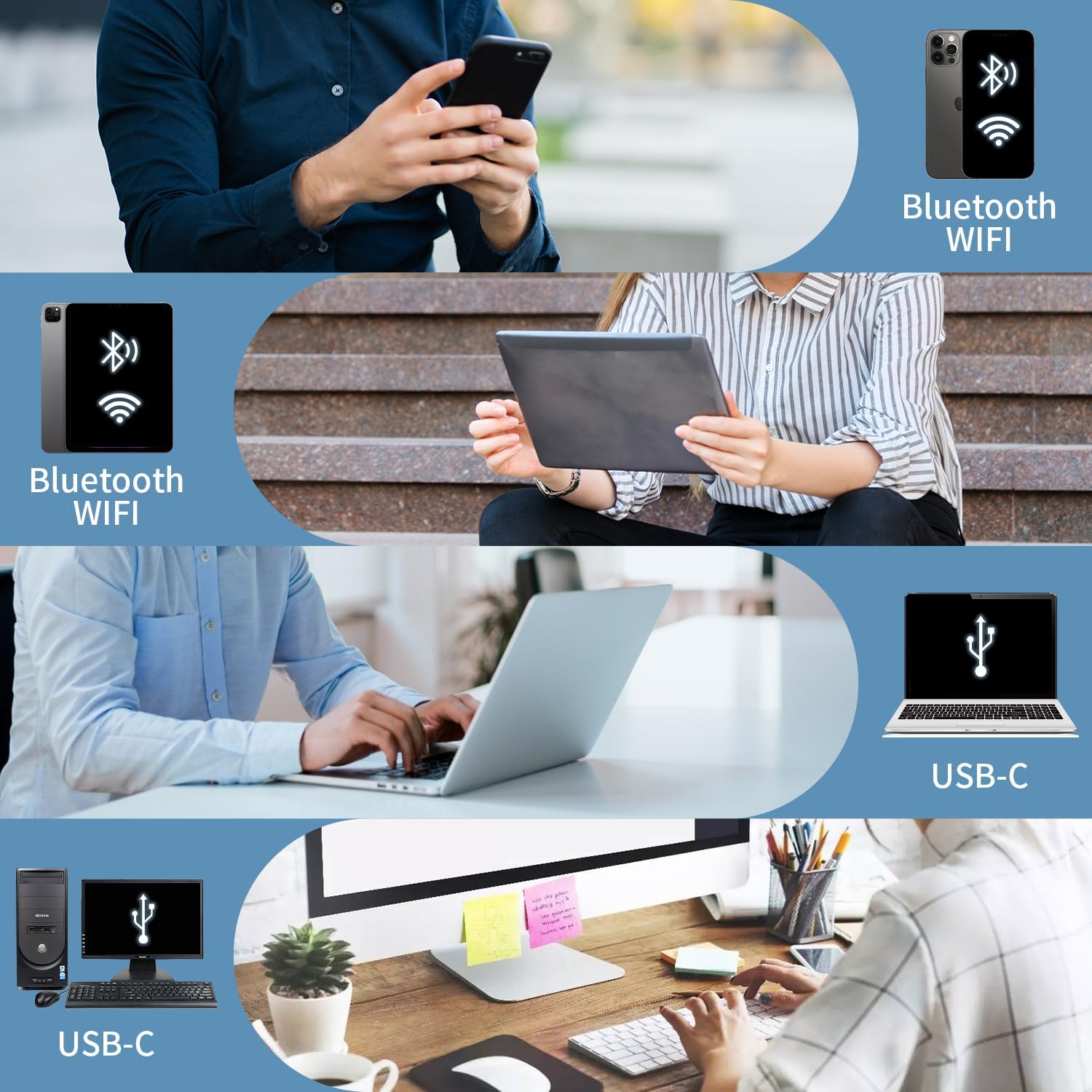
Triple Connectivity & Wide Compatibility F82 has WiFi/Bluetooth/USB Type C for seamless wireless/wired printing. Compatible with iPhone, iPad, Android Phone, Android Tablet, Laptop(Mac/Windows). “SoPrint” APP is free and can provide more creative printing experience to you, you can print in travel, vehicles anytime
Two paper feeding methods & Intelligent paper identification F82 support cassette loading and front-feed modes with stepless adjustment. Support and auto-detects US Letter/A4/A5/B5 thermal papers and 2/3/4-inch thermal labels, Continuous thermal paper and Continuous thermal labels
300DPI High Resolution & Carbon-Free Thermal printing technology eliminates ink/ribbons. Achieve sharp text and crisp graphics at 10mm/s speed. It supports printing formats like Word, PDF, TXT, Excel and images
Ultra-Quiet & Large battery F82 has 2550mAh battery delivers 22hr standby, can print 140 sheets of A4 thermal paper continuously. Silent operation under 60dB (quieter than typing on a keyboard)
0.96″ Smart Display & Compact Design Real-time monitoring via intuitive LCD screen. Ultra-portable design (272*78*48.5mm) at only 725g – fits in backpacks for mobile offices, it’s good for business traveler, truck driver, mobile notary, office worker, students, children, teachers travel, home
Note: Please use thermal paper, do not support normal paper. Do not support Linux, Chrome OS. The portable printer only supports Wifi/Bluetooth connections with phones and tablets. Laptops cannot connect via Bluetooth (only via USB cable)
8 reviews for Rongta Portable Printer Wireless for Travel, F82 Inkless Bluetooth&WiFi Thermal Printers 300DPI, Compatible with iOS, Android, Laptop, Support 8.5″x11″ US Letter&A4 for Office, Home, Car, Black
Add a review

Original price was: $69.99.$6.99Current price is: $6.99.
Angela millers –
Ease of use
This is perfect for what I needed . And easy to set up on mobile app ,printing came out beautiful. I recommend this .
Christopher Bethell –
Thermal wireless printer
This wireless Thermo Printer works great. It is money well spent. I s add m very happy with this printer and recommend anyone that need a travel printer to purchase this printer….. I love this printer.
Sylvia Melendez –
Compact Work Essential
Im loving this product. Only been a day but my job just got easier with my travels. Thank You
Ayushi –
It’s a nightmare
I am extremely disappointed with this thermal printer. From the start, the print quality has been poor, producing faded and unclear labels. It frequently jams, wasting labels and time. The software is difficult to use, making setup and troubleshooting a nightmare. Overall, this printer has been unreliable and inefficient, definitely not worth the investment.
MJ –
3.5 stars
I don’t know why I’m the only one who doesn’t think this printer is amazing. It just isn’t user friendly and doesn’t do the things I would find convenient like I thought it would.Pros:Small sizeDoesn’t require inkConvenient and portableIncludes case and cables and USBPrints clearly (black and white)ConsSharp edge isn’t protected and cut my fingerRolled paper curls terribly and couldn’t be used for anything importantPaper tears unevenlyI couldn’t print from my phone NotesPrinting is limited to certain appsCan’t feed paper in when roll is inI tried to give this another chance after the first use when I cut my finger on the sharp hidden blade and then couldn’t get it to print my Notes and then when I finally just wrote something within the app to text print it, it printed and the paper curled up so tightly it wouldn’t stay open and tore off crook Ed. So I bought paper sheets and that was a much better final result but I still got frustrated because I couldn’t just go to something on my phone and print it. Very limited what apps you can print from.
Amazon Customer –
Fast print
Prints out fast. Great quality for items printed. Thermal paper required. Please use quick dry and when using wet signatures please allow ink to dry before touching or folding
Xavier Brown –
Quality and convenient
This portable printer has been a life saver and super convenient. Love how easy it is to setup and use, the Bluetooth connection is quick and the print quality is sufficient for my documents.
Joe Boatright –
Not impressed
Print quality was great just limited on what and where you could print from, tried printing from my email would not let me do it at all returning for one that I can do it with